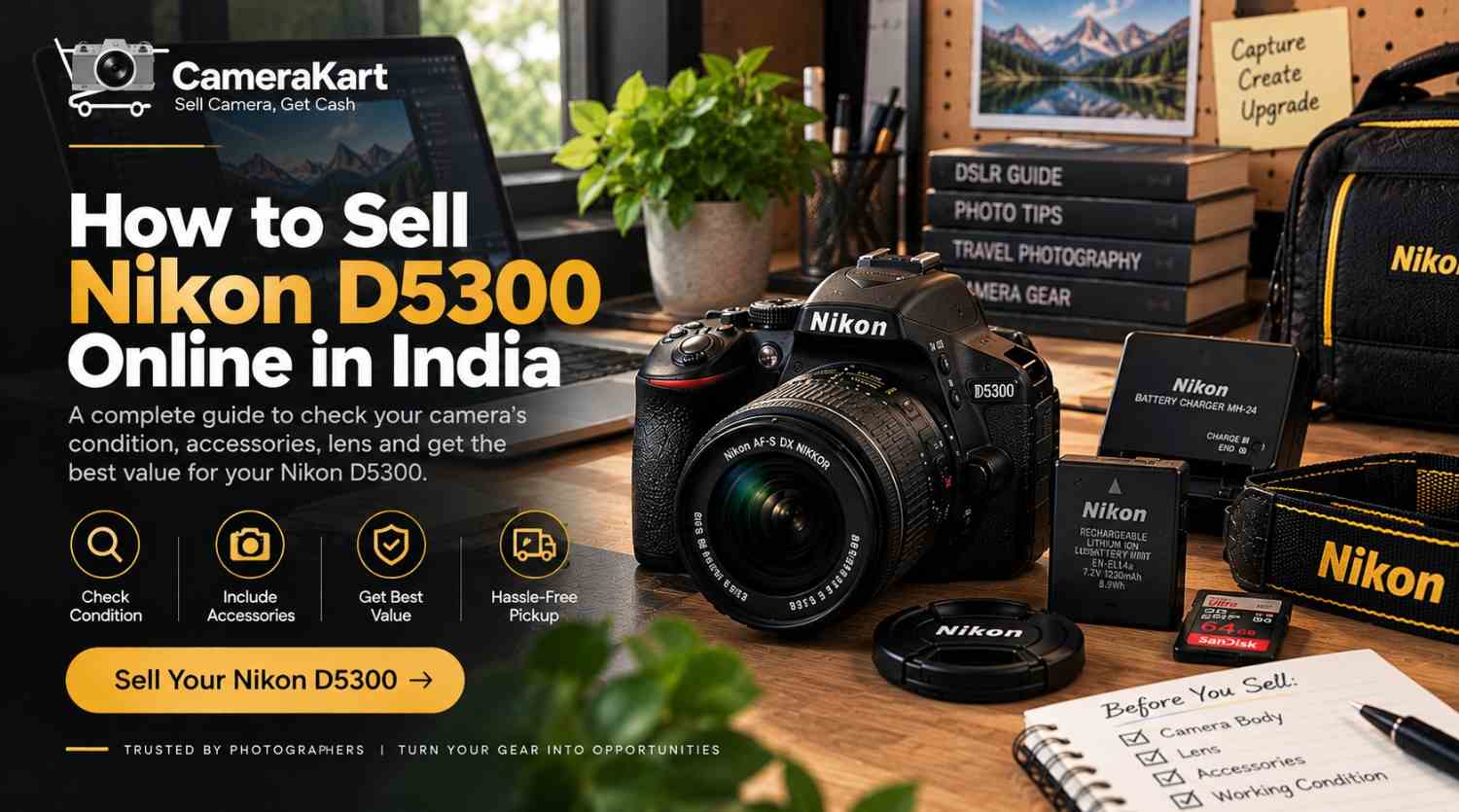
If you own a Nikon D5300 and are thinking about selling it, the camera’s age should not be the only thing you consider. The actual condition of the body, sensor, shutter, lens, LCD, autofocus, battery and accessories can all affect how your camera is evaluated.
The Nikon D5300 is a DX-format DSLR with a 24.2MP CMOS sensor, EXPEED 4 image processing, a 39-point autofocus system, 5 fps continuous shooting, a 3.2-inch vari-angle LCD, built-in Wi-Fi and built-in GPS. It can also record Full HD video up to 60 fps.
If you’re upgrading to a newer camera, moving to mirrorless, or simply have a D5300 that is no longer being used, this guide will help you prepare it before you sell Nikon D5300 online.
For a direct selling option, you can check the Nikon D5300 selling page on CameraKart.
First Decide What Exactly You’re Selling
Before checking the camera, identify your complete D5300 setup.
You may have:
- Nikon D5300 body
- NIKKOR lens
- Battery
- Battery charger
- Camera strap
- Body cap
- Lens caps
- SD card
- Original box
- Purchase invoice
- Additional battery
- Camera bag or other accessories
The D5300 uses the Nikon F bayonet mount, and Nikon lists autofocus compatibility with AF-S and AF-I CPU lenses.
This is important because a Nikon D5300 body and a Nikon D5300 with a lens and accessories are different packages.
Before you request an evaluation, make a simple list of everything you intend to include.
Check the D5300 Body for Real-World Wear
Older DSLRs often show signs of regular use around the grip, buttons and bottom plate.
Instead of only checking whether the camera “looks good,” inspect it section by section.
Check the top
Look at:
- Mode dial
- Shutter button
- Command dial
- Hot shoe
- Flash area
Check the front
Inspect:
- Lens mount
- Grip
- Mounting area
- Built-in flash
- Body surface
Check the rear
Look at:
- LCD
- Buttons
- Navigation controls
- Battery/card access areas
Check the bottom
Inspect:
- Tripod socket
- Battery compartment
- Scratches or dents
Normal marks from photography are different from cracks, impact damage or malfunctioning controls.
When you sell used Nikon D5300, describe the condition honestly rather than trying to make an older camera appear unused.
Test the 24.2MP Sensor
The D5300 features a 24.2-megapixel DX-format CMOS sensor and Nikon’s specifications include an image-sensor cleaning system.
You can perform a simple image test before selling.
Mount a clean lens and photograph a plain, evenly lit surface using a smaller aperture. Then zoom into the image.
Look for:
- Persistent dark spots
- Unusual lines
- Abnormal marks
- Consistent image defects
If you notice a few dust spots, don’t immediately assume the sensor is damaged. Dust can sometimes be addressed through appropriate cleaning.
Avoid touching the sensor directly.
Check the Shutter and Shooting History
The D5300 can shoot at up to 5 frames per second in continuous high-speed mode.
If you’ve used the camera extensively, keeping the available shutter-count information ready can be useful when you’re preparing to sell it.
However, shutter count should not be considered in isolation.
Also consider:
- Body condition
- Sensor condition
- Lens condition
- LCD condition
- Battery health
- Buttons and dials
- Previous repairs
- Included accessories
A camera’s overall condition gives a more complete picture than one number.
Give the Vari-Angle LCD a Proper Test
One of the useful features of the D5300 is its 3.2-inch vari-angle LCD monitor with approximately 1.037 million dots.
Because the screen moves and is frequently handled, inspect it carefully.
Test:
- Screen brightness
- Touch-free button navigation
- Live View
- Image playback
- Menu display
- Screen rotation/movement
- Scratches or cracks
- Unusual lines or flickering
Move the vari-angle display gently through its normal range.
If the screen works correctly but has ordinary cosmetic marks, mention those separately rather than treating them as a functional problem.
Check the 39-Point Autofocus System
The Nikon D5300 uses Nikon’s Multi-CAM 4800DX autofocus module with 39 selectable focus points, including dynamic-area and 3D-tracking modes.
Before you sell Nikon D5300 online, test autofocus in normal shooting situations.
Try:
Single-point AF:
Focus on a stationary object.
Dynamic-area AF:
Try a subject that moves slightly.
Continuous AF:
Track a moving subject.
Live View AF:
Test focusing through the LCD.
You don’t need to test every setting. The goal is to identify whether the autofocus system behaves normally.
Inspect Your NIKKOR Lens Separately
If you’re selling the camera with a lens, don’t stop after inspecting the camera body.
The lens should receive its own check.
Front glass
Look for:
- Scratches
- Cracks
- Fungus
- Heavy dust
Rear glass
Check the rear element and mount.
Focus ring
Rotate it and look for unusual stiffness or looseness.
Zoom ring
If you’re using a zoom lens, test the complete zoom range.
Autofocus
Mount the lens and take several photographs at different distances.
Mount
Check that the lens attaches and detaches normally.
If your package contains more than one lens, list each lens separately.
Test the Built-In Flash
The D5300 has a built-in flash with TTL/i-TTL flash control.
It’s easy to forget about the flash when preparing an older DSLR.
Simply pop it up and take a test photograph.
Check that:
- The flash opens properly
- It fires
- The camera records the image normally
- It closes properly
If you have never used the flash, this is a good time to check it.
Record a Short Full HD Video
The D5300 supports Full HD 1920×1080 video recording up to 60 fps, depending on the selected setting.
You don’t need to record a long video.
Make a short test clip and check:
- Recording starts normally
- File saves correctly
- Playback works
- Audio is recorded
- Autofocus behaves as expected
- Memory card performs normally
The D5300 also includes a built-in microphone and support for an external stereo microphone.
If you own an external microphone and are including it in the package, mention it separately.
Check Wi-Fi and GPS
One feature that makes the D5300 different from some older entry-level DSLRs is its built-in connectivity.
Nikon lists built-in Wi-Fi and built-in GPS on the D5300.
If these features are important to your setup, test them before selling.
Nikon’s documentation explains that the D5300 can connect to a compatible smartphone through its built-in Wi-Fi using Nikon’s Wireless Mobile Utility workflow.
You don’t need to spend a lot of time configuring the connection. Just check the relevant functionality if you regularly use it.
Before handing over the camera, remove your personal wireless connections and reset relevant settings.
Check the SD Card Slot
The D5300 uses SD, SDHC and SDXC memory cards and has one SD card slot.
Test it by:
- Inserting a compatible card.
- Taking several photographs.
- Recording a short video.
- Reviewing the files.
- Confirming the files save correctly.
Then remove your personal card.
If you’re including an SD card with the camera, mention its capacity separately.
Battery and Charger Matter Too
The D5300 uses an EN-EL14a rechargeable Li-ion battery, and Nikon lists the MH-24 quick charger as a compatible charger.
Before you sell my Nikon D5300, check:
- Battery charging
- Battery condition
- Charger operation
- Battery compartment
- Any visible battery damage
If you have an extra battery, charger or compatible accessory, add it to your package list.
Keep Your Original Documents If Available
Clean the Camera Before Selling
A basic external cleanup can make your equipment easier to inspect.
Use an appropriate microfiber cloth to gently clean:
- Camera exterior
- LCD surface
- Lens exterior
- Lens caps
- Camera strap
- Camera bag
Remove dust from the exterior without attempting complicated repairs.
The purpose isn’t to hide wear. It’s simply to present the camera in a clean, organized condition.
Should You Sell the D5300 Body or Complete Kit?
This depends on what equipment you still want to keep.
Sell the body only
If you want to retain your compatible NIKKOR lens for another Nikon DSLR, selling only the D5300 body may be suitable.
Sell camera + lens
If the lens is also no longer needed, selling them together can create a more complete package.
Sell the complete DSLR setup
If you’re moving completely away from the Nikon F-mount system, you may also have additional lenses, batteries and accessories that you no longer use.
Before deciding, separate the equipment you want to keep from the equipment you actually want to sell.
If you still have the original invoice, box or purchase-related documents, keep them ready.
You should also have the camera’s serial number available if verification requires it.
Before handing over your D5300:
- Back up photographs
- Remove your SD card
- Disconnect your smartphone
- Remove personal wireless settings
- Reset the camera where appropriate
This is particularly useful because the D5300 has built-in Wi-Fi and GPS functionality.
Why You Might Decide to Sell Your Nikon D5300
There are several practical reasons to consider selling an older DSLR.
You’re moving to mirrorless
If your primary camera has changed to a mirrorless system, the D5300 may no longer fit your current workflow.
You have upgraded
A newer camera may have become your primary body while the D5300 remains unused.
You don’t shoot regularly anymore
If the camera spends most of its time stored in a bag, you may decide to sell rather than leave it unused.
You want to simplify your equipment
Photographers sometimes accumulate bodies, lenses and accessories over time. Selling unused equipment can simplify the kit you actually use.
How to Sell Nikon D5300 Online With CameraKart
Once you’ve inspected the camera, lens and accessories, the next step is to provide accurate model and condition details.
When you sell Nikon D5300 online, keep the following information ready:
- Camera model
- Body condition
- Shutter information, if available
- Lens model
- Accessories
- Battery condition
- Known issues
- Whether the original box or invoice is available
CameraKart has a dedicated Nikon D5300 selling page where you can start the selling process.
CameraKart’s current DSLR-selling information describes a process involving camera details, an offer/evaluation, pickup or drop options and payment after verification.
Nikon D5300 Seller Checklist
Before submitting your camera, use this quick checklist:
Camera Body
☐ Body inspected
☐ Buttons tested
☐ Dials tested
☐ Ports checked
☐ Lens mount checked
☐ Shutter tested
Image & Focus
☐ Sensor checked
☐ Autofocus tested
☐ Live View tested
☐ Optical viewfinder checked
☐ Built-in flash tested
Screen & Video
☐ LCD tested
☐ Vari-angle movement checked
☐ Video recording tested
☐ Audio checked
Connectivity
☐ Wi-Fi checked if used
☐ GPS checked if used
☐ Personal connections removed
Accessories
☐ Battery
☐ Charger
☐ Body cap
☐ Lens
☐ Lens caps
☐ Strap
☐ SD card, if included
☐ Box/invoice, if available
Before Handover
☐ Photos backed up
☐ SD card removed
☐ Personal settings reviewed
☐ Camera reset where appropriate
Final Thoughts
If you’re planning to sell Nikon D5300 online in India, preparation is more useful than simply looking at the camera’s age.
Check the 24.2MP DX sensor, 39-point autofocus, shutter, vari-angle LCD, optical viewfinder, lens, built-in flash, Full HD video, Wi-Fi, GPS, battery and SD card functionality before submitting the camera for evaluation. These features are documented in Nikon’s D5300 specifications.
Once you’ve separated the equipment you want to sell, tested the camera and collected the relevant accessories, you can visit the Sell Nikon D5300 page on CameraKart and provide your camera details.
Leave a Reply