Tag: CameraKart

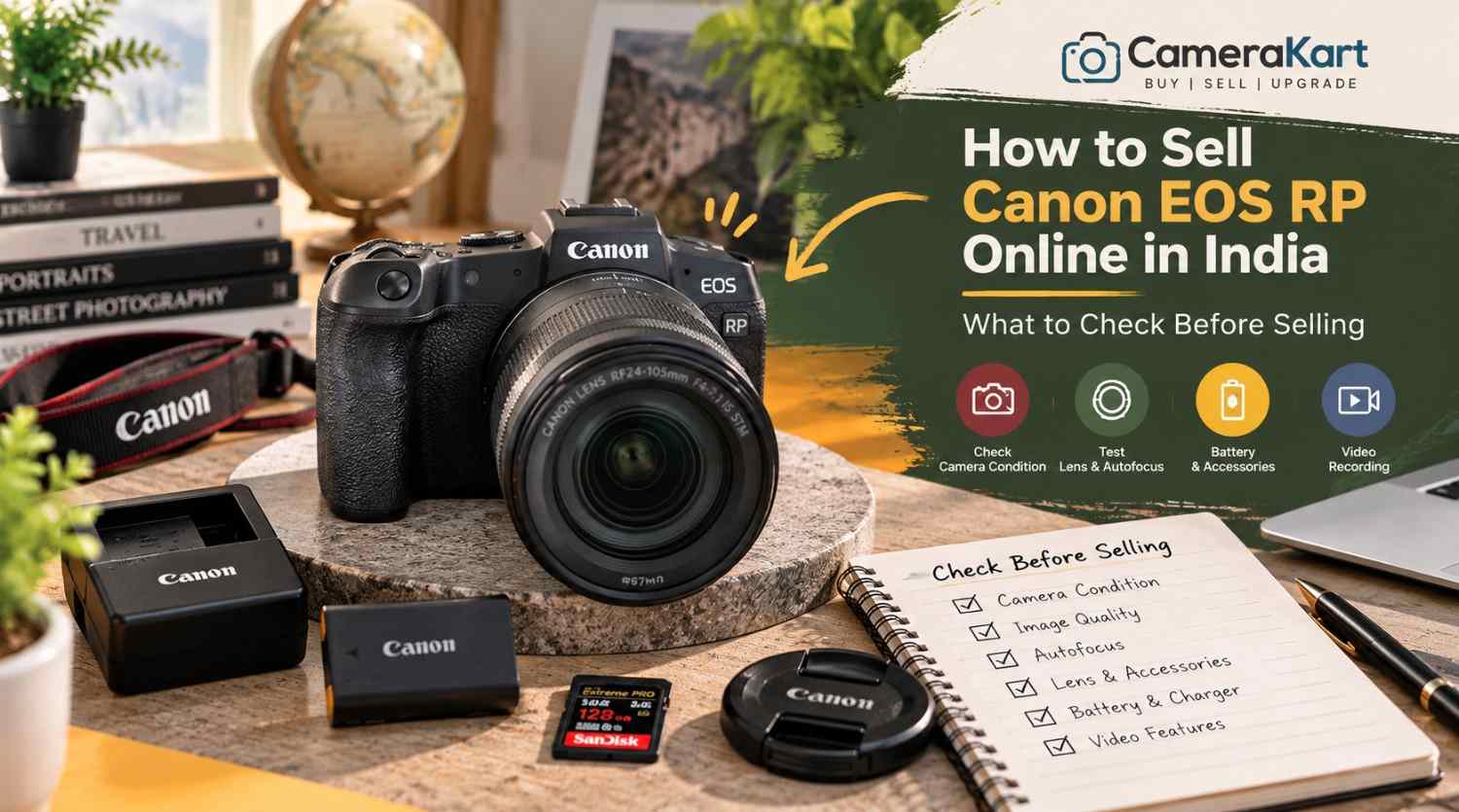
  • How to Sell Canon EOS RP Online in India: What to Check Before Selling

    How to Sell Canon EOS RP Online in India: What to Check Before Selling

    If you own a Canon EOS RP and are planning to upgrade your camera or switch to another system, selling your existing equipment can be a practical next step. Before you sell Canon EOS RP online, check the camera’s sensor performance, autofocus, display, recording functions, lens mount and included accessories.

    The Canon EOS RP is a compact full-frame mirrorless camera featuring a 26.2MP CMOS sensor, DIGIC 8 image processor, Dual Pixel CMOS AF and Canon RF lens compatibility. It can also use compatible EF and EF-S lenses with the appropriate mount adapter, making it relevant to photographers transitioning from a Canon DSLR.

    Because many EOS RP owners use their cameras for portraits, travel, family photography and everyday content creation, the inspection should cover both photography and video functions.

    This guide explains how to prepare your camera, identify its included equipment and start the selling process through CameraKart.

    1. Identify the Exact Camera Package

    Before requesting an offer, confirm whether you are selling the EOS RP body alone or including a lens.

    The camera uses Canon’s RF mount. If you previously used Canon DSLR lenses, you may also have an EF-EOS R mount adapter. Include it only if you intend to sell it with the camera.

    Make a list of the equipment you have:

    • Canon EOS RP camera body
    • RF or RF-S-compatible equipment where applicable; identify the exact lens model
    • Compatible EF lens and mount adapter, if included
    • Battery and charger
    • Body cap and lens caps
    • Camera strap
    • Original box and purchase invoice, if available
    • Additional batteries or other accessories

    If you are selling a body-only package, state that clearly. If you have an RF lens or DSLR lens with an adapter, record each model separately.

    A complete and accurate equipment list helps avoid confusion during inspection when you sell a used Canon EOS RP.

    2. Check the Full-Frame Sensor and Image Quality

    The EOS RP features a 26.2MP full-frame CMOS sensor. Before selling, take several photographs in different lighting conditions and inspect the saved images.

    Start with a well-lit subject, then photograph a darker scene. Review the results on the camera and, if possible, on a computer screen.

    Look for:

    • Persistent marks or spots in the same image area
    • Unusual lines or recurring colour defects
    • Unexpected image corruption
    • Problems saving photographs
    • Exposure behaviour that appears inconsistent

    A mark in a photograph does not necessarily mean the sensor is damaged. Dust on the lens, lighting conditions and shooting settings can affect image quality too.

    If a defect appears repeatedly, investigate carefully and disclose any unresolved issue. Avoid touching the sensor surface or attempting unfamiliar cleaning procedures just before selling.

    3. Test Autofocus and Subject Detection

    Autofocus is an important part of the EOS RP’s everyday photography performance. The camera uses Dual Pixel CMOS AF for supported still-image and video workflows.

    Take photographs of a stationary subject and a person moving around the frame. Test autofocus in suitable lighting and try different focus areas.

    Check whether:

    • The camera acquires focus consistently.
    • Focus points respond to your selections.
    • Face detection works as expected.
    • Touchscreen focus responds normally.
    • Autofocus operates with the included lens.
    • Any unusual warning appears.

    If focus seems inconsistent, repeat the test with suitable settings and a lens you know is functioning properly. A problem may originate from the lens or shooting conditions rather than the camera body.

    When you request an offer, mention any autofocus issue you have been unable to resolve.

    4. Inspect the LCD Screen, Viewfinder and Controls

    The EOS RP has a vari-angle touchscreen LCD and an electronic viewfinder. Both should be checked before you sell the camera.

    Inspect the LCD for cracks, lines, dark areas or touch-response problems. Move the screen gently through its normal range and confirm that the hinge works properly.

    Look through the electronic viewfinder and check that the image appears normally. Test the dioptre adjustment if you use it.

    Also inspect the:

    • Power switch and shutter button
    • Mode dial and control dials
    • Menu and function buttons
    • Touchscreen controls
    • Battery compartment
    • Memory-card door
    • Lens mount and tripod socket

    Check the body for impact marks, loose components or signs of liquid exposure. Cosmetic scratches are not necessarily functional faults, but significant damage should be disclosed.

    5. Check the Battery and Power Performance

    The EOS RP uses the LP-E17 battery. Battery condition matters because a camera that powers on may still have limited runtime or charging problems.

    Charge the battery using a suitable charger and test the camera under normal conditions. Check whether it powers on reliably, responds to controls and remains operational during a short photography session.

    Look for unexpected shutdowns, battery warnings or charging issues. Inspect the battery for visible swelling or damage; do not use a damaged battery.

    If you have an additional battery or the original charger, list them separately and identify which items you intend to include.

    Do not promise a particular battery runtime based on a brief test. Usage, screen brightness, temperature and recording settings all affect battery performance.

    6. Test Video Recording and Playback

    Although the EOS RP is often used for photography, it also supports video recording, including 4K recording with limitations that differ from its Full HD modes.

    If you have used the camera for interviews, family videos or content creation, test the recording modes you normally use.

    Insert a compatible memory card and record a short clip. Check that recording starts and stops correctly, the file saves and playback works.

    Pay attention to:

    • Recording errors
    • Files that fail to save
    • Unusual image defects
    • Audio recording problems
    • Screen or control issues during recording
    • Unexpected warnings

    Do not assume every video mode works properly because one short clip recorded successfully. If you encounter a recurring problem, make a note of the exact setting and behaviour.

    7. Inspect the Lens Mount and Any Included Lens

    If your EOS RP is being sold with a lens, inspect that lens independently from the body.

    Check the front and rear glass for visible scratches, haze or fungus. Inspect the barrel, zoom ring, focus ring and mount for damage. Test autofocus and take a few sample photographs where possible.

    If you are including an EF-EOS R adapter, inspect its contacts and exterior for visible damage. Do not force a lens or adapter into the mount.

    Clearly identify the lens model and whether it is included in the offer request. If the camera is body-only, state that instead of suggesting a lens is part of the package.

    8. Check the Ports, Memory Card and Flash Accessories

    Before selling, test the functions and connections you regularly use.

    The EOS RP has a memory-card slot and connections that support workflows such as USB data transfer, HDMI output and external microphone input. Test relevant connections only when you have suitable cables or equipment.

    Check that:

    • The memory card is recognised.
    • Photographs and videos save correctly.
    • Files play back normally.
    • The USB connection works where tested.
    • HDMI output works if you can test it.
    • External microphone input works if you use one.

    If you have an external flash or other compatible accessory, inspect it separately and include it in your equipment list only if you intend to sell it.

    If a port has not been tested, say so. If it is damaged or repeatedly fails, disclose that issue rather than describing the camera as fully functional.

    9. Prepare Your Camera Details and Photographs

    Before you sell Canon EOS RP online in India, prepare the information needed to identify the camera and describe its condition accurately.

    Keep these details ready:

    • Exact model: Canon EOS RP
    • Body-only or lens package
    • Lens and adapter details, if included
    • Physical condition
    • Autofocus and image-quality test results
    • Video and connectivity test results
    • Known faults or previous repairs
    • Invoice and box availability
    • Pickup location, if requested by the service

    Take clear photographs of the front, rear screen, top controls, base, lens mount and included accessories. Use even lighting and avoid editing images in ways that hide damage.

    Back up your important photographs and videos before handing over the camera. Remove your memory card and disconnect personal wireless connections where appropriate. If you are ready to clear your settings, follow Canon’s instructions for resetting the camera.

    10. Where Can You Sell a Used Canon EOS RP?

    You can consider private buyers, online marketplaces or specialist camera-buying services.

    A private sale allows direct communication and negotiation, but you may need to manage enquiries, arrange demonstrations and verify payment yourself. Marketplace processes and buyer experiences can vary.

    A specialist camera-buying service may offer a more structured process for submitting model details, receiving an estimate and arranging an inspection.

    Before choosing a service, check whether the initial estimate is provisional, how the final offer is determined, whether pickup is available in your area and when payment is made.

    Avoid assuming that the original purchase price or another seller’s listing guarantees your final offer. The camera’s condition, included equipment and inspection results all matter.

    11. Start Selling Your Canon EOS RP Through CameraKart

    You can begin with CameraKart’s dedicated Canon EOS RP model page:

    Sell Canon EOS RP Online with CameraKart

    Review the available selling steps and provide accurate details about your camera and package.

    CameraKart describes its general process as requesting an estimate, arranging pickup where available and completing payment after technician inspection. Confirm the current terms and pickup availability for your area before proceeding.

    Treat the initial estimate as provisional until the camera has been assessed. Providing clear details about the body, lens and accessories can help ensure the inspection reflects the package you intend to sell.
  • How to Sell Sony A6400 Online in India: A Creator’s Guide Before Selling

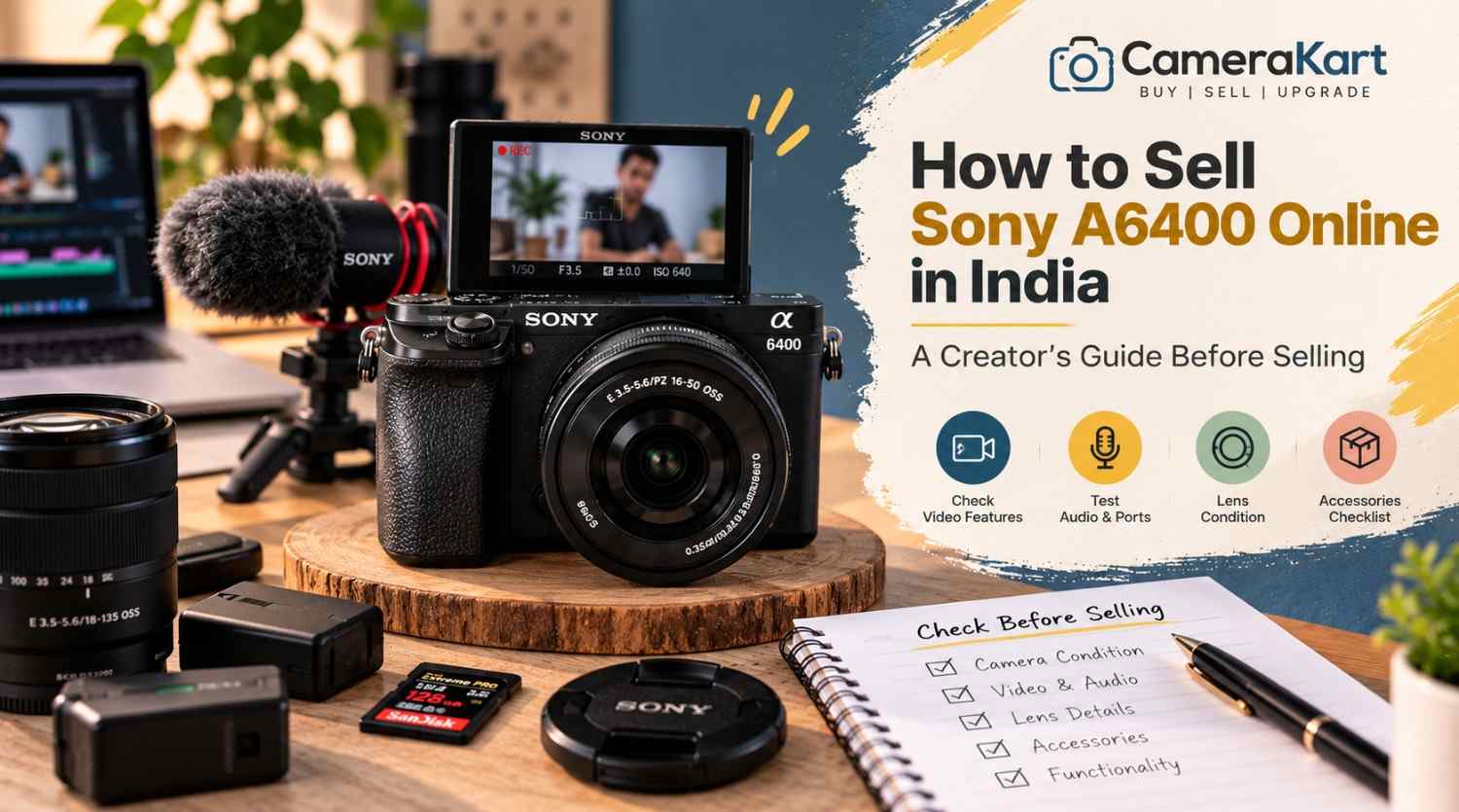
    How to Sell Sony A6400 Online in India: A Creator’s Guide Before Selling

    If you’re a photographer, YouTuber, vlogger or content creator who owns a Sony A6400, there may come a point when your current camera no longer fits your setup.

    You may have upgraded to a newer Sony body, moved to full-frame, purchased a dedicated video camera, or simply stopped using the A6400 regularly.

    When that happens, selling the camera can be a practical way to move on from equipment that’s sitting unused.

    But if you’re planning to sell Sony A6400 online, don’t evaluate it only like a traditional still-photography camera.

    The A6400 has several features that are particularly relevant to creators, including a 24.2MP APS-C sensor, Fast Hybrid AF, 425 phase-detection and 425 contrast-detection AF points, 4K video recording, a 180-degree tilting LCD and microphone connectivity. Sony also lists continuous shooting up to 11 fps. Sony India

    That means a creator should check both photography and video functionality before selling.

    Here’s a practical guide.

    1. Start by Identifying the Exact A6400 Kit

    Before you sell used Sony A6400, first establish exactly what you’re selling.

    Your setup might include:

    • Sony A6400 body
    • 16–50mm kit lens
    • 18–135mm lens
    • Prime lens
    • Extra battery
    • Charger
    • Camera strap
    • Body cap
    • Lens cap
    • Memory card
    • Camera bag
    • Original box

    Don’t describe everything as simply “Sony A6400.”

    For example:

    Sony A6400 + 16–50mm lens + original battery + charger

    gives a much clearer picture of the equipment being submitted.

    2. Check the Camera Body for Creator-Use Wear

    Creators often use cameras differently from occasional photographers.

    An A6400 used for vlogging may have spent a lot of time:

    • On a tripod
    • Inside a camera cage
    • Attached to a microphone
    • Mounted on a gimbal
    • Connected to an HDMI monitor
    • Used outdoors

    So inspect areas that may have experienced regular handling.

    Check:

    • Camera grip
    • Tripod mount
    • Hot shoe
    • Battery door
    • HDMI/USB area
    • Microphone port
    • Mode dial
    • Control dials
    • Screen hinge

    Minor cosmetic wear isn’t necessarily a major problem.

    What matters more is whether any damage affects normal operation.

    3. Test the 180-Degree Tilting Screen

    One of the most useful A6400 features for creators is its 180-degree tilting LCD.

    Sony’s specifications list a 3-inch LCD monitor with approximately 921,600 dots and a 180-degree tilting mechanism. Sony India

    If you used your A6400 for selfies, vlogging or talking-head videos, this screen has probably been used frequently.

    Check:

    • Screen opens smoothly
    • Screen holds its position
    • Display remains normal
    • No flickering
    • No lines
    • No cracked areas
    • Menu and playback work correctly

    Also move the screen carefully rather than forcing it beyond its intended movement.

    4. Test Autofocus for Both Photos and Video

    Autofocus is one of the important reasons creators choose the A6400.

    Sony lists a Fast Hybrid AF system with 425 phase-detection AF points and 425 contrast-detection AF points. Sony India

    Test autofocus with the lens you’re selling.

    Try:

    • Static subjects
    • Moving subjects
    • Face detection
    • Eye AF where supported
    • Close subjects
    • Distant subjects

    For a creator camera, don’t test autofocus only through still photographs.

    Record a short video and see whether focus behaves normally while the subject moves.

    5. Test the Camera’s 4K Recording

    If you’re planning to sell Sony A6400 online in India, video recording deserves special attention.

    The A6400 supports 4K recording, making it relevant for creators who use the camera for YouTube, product videos, travel content and other video work. Sony’s current product material lists 4K HDR and the camera’s creator-oriented specifications. Sony India

    Record a short 4K clip.

    Check:

    • Recording starts normally
    • Video saves correctly
    • Playback works
    • Audio is captured
    • Autofocus behaves normally
    • Camera doesn’t unexpectedly stop

    You don’t need to record a 30-minute video.

    A short test is enough to identify obvious issues.

    6. Check the Microphone Connection

    If you’ve used the A6400 for YouTube or professional content, the microphone connection is especially important.

    Connect your microphone and record a short clip.

    Check whether:

    • Microphone is detected
    • Audio is recorded
    • Connection is stable
    • Cable fits correctly
    • There is unusual noise or intermittent audio

    If you normally used an external microphone, this is one of the tests worth performing before you sell used Sony A6400.

    A camera can capture excellent video while still having an issue with an external audio connection.

    7. Check the HDMI and USB Connections

    Creators sometimes connect cameras to computers, capture devices or external monitors.

    Therefore, don’t overlook the physical ports.

    Inspect the relevant connections for:

    • Loose ports
    • Physical damage
    • Bent components
    • Connection problems

    If you regularly used the camera for streaming or external monitoring, test the connection you used most frequently.

    There’s no need to repeatedly insert and remove cables just for testing.

    One careful test is sufficient.

    8. Test the Lens You Are Selling With It

    If you’re selling an A6400 with a lens, the lens needs its own inspection.

    Check:

    • Front glass
    • Rear glass
    • Zoom ring
    • Focus ring
    • Autofocus
    • Mount
    • Image stabilization, if supported
    • Filter thread

    Look for:

    • Fungus
    • Haze
    • Heavy dust
    • Scratches
    • Cracks

    If you’re including a 16–50mm kit lens, mention the exact lens model rather than simply writing “kit lens.”

    If you have an additional prime or zoom lens, list that separately.

    9. Test Stabilization Where Applicable

    Some A6400-compatible lenses include optical stabilization.

    If the lens you’re selling has stabilization, test it.

    Take a few handheld photographs and, if relevant, record a short handheld video.

    Listen for unusual sounds and check whether the stabilization behaves normally.

    Remember that the camera body itself isn’t being evaluated as an in-body stabilization camera in the same way as models that have IBIS. So distinguish between lens stabilization and camera-body stabilization when describing your equipment.

    10. Check Battery Performance

    The A6400 uses the Sony NP-FW50 battery system.

    Before you sell Sony A6400, check whether:

    • Battery charges properly
    • Camera powers on consistently
    • Battery drains unusually quickly
    • Charger works
    • Battery has any physical swelling or damage

    If you have an additional genuine battery, include it in your equipment list.

    If the battery is older and doesn’t perform like it once did, simply mention its condition rather than assuming it is still like new.

    11. Test the Memory Card and File Recording

    Creators often record large video files, so memory-card functionality matters.

    Insert a compatible memory card and record:

    • A photograph
    • A short Full HD clip
    • A short 4K clip

    Then check whether the files save and play correctly.

    If you regularly used a high-capacity card with the camera, remember to remove your personal card before selling.

    Your personal photographs and video files should always be backed up first.

    12. Check the Hot Shoe and Accessories

    If you’ve used the A6400 for content creation, you may have attached:

    • Microphone
    • Flash
    • LED light
    • Wireless receiver
    • Other accessories

    Inspect the hot shoe for physical damage.

    Also gather the accessories you are actually selling.

    Your list could look like:

    Included:
    A6400 body + 16–50mm lens + battery + charger + strap.

    Additional:
    Extra battery + camera bag.

    This is much clearer than simply saying “all accessories included.”

    13. Test the Electronic Viewfinder

    Although creators may use the LCD more often, the A6400 also has an electronic viewfinder.

    Check:

    • Display quality
    • Flickering
    • Lines
    • Visibility
    • Eye sensor behaviour

    A feature that you rarely use can still be part of the camera’s overall condition.

    14. Check the Camera’s Physical Mounts

    If you frequently used the A6400 on a tripod, gimbal or cage, inspect the mounting points.

    Pay particular attention to:

    • Tripod mount
    • Camera base
    • Cage contact points
    • Strap lugs

    Make sure there are no cracks or loose components.

    A camera used heavily for content creation may show more wear around these areas than a camera used primarily handheld.

    15. Don’t Forget Your Personal Creator Settings

    Before selling your camera, back up anything you need and then consider resetting the camera to its normal/default state.

    Your A6400 may contain:

    • Custom button assignments
    • Wi-Fi information
    • Personal shooting settings
    • Custom picture profiles
    • Saved network information

    Most importantly, remove your memory card and make sure personal files are backed up.

    You don’t want your personal data travelling with the camera.

    16. Be Honest About Heavy Creator Use

    A camera used professionally isn’t automatically a bad camera.

    For example, an A6400 may have been used frequently for:

    • YouTube
    • Vlogging
    • Weddings
    • Product photography
    • Travel
    • Social-media content

    Usage itself doesn’t tell the complete story.

    What matters is the actual current condition.

    If the camera has been heavily used but all major functions work properly, describe that honestly.

    17. Prepare a Simple Creator-Specific Checklist

    Before you sell Sony A6400 online, go through this list:

    AreaWhat to Check
    BodyScratches, dents, cracks
    LCD180° movement and display
    EVFDisplay and sensor
    AutofocusPhoto + video AF
    4KRecording and playback
    AudioMicrophone input
    HDMI/USBConnection
    LensGlass, focus and zoom
    BatteryCharging and power
    MemoryRecording and playback
    Hot ShoePhysical condition
    Tripod MountDamage or looseness
    AccessoriesBattery, charger, caps, lens
    Personal DataBackup and remove card

    This checklist is particularly useful if you’ve used your A6400 as a creator camera rather than only for photography.

    Where to Sell Sony A6400 Online

    Once you’ve tested the camera and gathered the equipment, you can start the selling process through CameraKart’s dedicated Sony A6400 page:

    Sell Sony A6400:
    Sell Sony A6400 on CameraKart

    Using the dedicated model page helps you submit the correct camera rather than selecting a generic Sony camera category.

    Final Thoughts

    If you’re ready to sell Sony A6400 online, don’t prepare it like you’re selling only a camera body.

    Think about how you’ve actually used it.

    If you’re a creator, check the 180-degree screen, autofocus, 4K recording, microphone connection, HDMI/USB ports, lens, battery and memory-card recording before submitting the camera.

    The A6400’s 24.2MP APS-C sensor, Fast Hybrid AF with 425 phase-detection and 425 contrast-detection points, 4K capability and creator-friendly screen make these checks particularly relevant. Sony India

    Gather your accessories, back up your content, remove your personal memory card and accurately describe the camera’s condition.

    Then you’re ready to move forward with your selling request.

  • How to Sell Sony A7 II Online in India: A Practical Guide Before Selling

    How to Sell Sony A7 II Online in India: A Practical Guide Before Selling

    If you own a Sony A7 II and are considering an upgrade, changing your camera system, or simply want to sell equipment that you no longer use, it is worth preparing the camera properly before submitting it for an offer.

    The Sony A7 II was an important full-frame mirrorless camera in Sony’s Alpha lineup. It features a 24.3MP full-frame Exmor CMOS sensor, Sony E-mount, 5-axis sensor-shift image stabilization, Fast Hybrid AF and a maximum continuous shooting speed of approximately 5 fps.

    Because it is an interchangeable-lens camera, the selling process isn’t only about the camera body. The condition of the sensor, mount, shutter, stabilization system, battery, LCD, viewfinder and any included lens can all matter when you sell Sony A7 II online.

    Here’s what you should check before selling yours.

    1. Confirm Exactly What You Are Selling

    Start by identifying the exact equipment you have.

    The Sony A7 II is also identified by Sony as model ILCE-7M2. Sony’s support documentation lists it as the Alpha 7 II full-frame interchangeable-lens camera body.

    Before submitting your details, make a simple inventory:

    • Sony A7 II body
    • Lens or lenses
    • Battery
    • Charger
    • USB cable
    • Body cap
    • Lens cap
    • Camera strap
    • Original box
    • Manuals
    • Extra accessories

    This prevents confusion later and makes your submission more accurate.

    2. Inspect the Camera Body

    The first physical check should be the camera body itself.

    Look carefully at:

    • Front and rear panels
    • Camera grip
    • Top plate
    • Bottom plate
    • Battery door
    • Memory-card compartment
    • Hot shoe
    • Lens mount
    • Buttons and dials

    Small scratches from normal use aren’t unusual on an older mirrorless camera.

    What deserves more attention is major physical damage such as cracks, deep dents, loose components or signs of a significant impact.

    If your A7 II has cosmetic wear but functions properly, simply describe the condition accurately when you sell used Sony A7 II.

    3. Test the Full-Frame Sensor

    The A7 II uses a 35mm full-frame Exmor CMOS sensor with approximately 24.3 effective megapixels.

    Before selling, take several photographs against a plain, evenly lit surface.

    Review the images at 100% if possible and look for:

    • Persistent dark spots
    • Unusual lines
    • Image artifacts
    • Abnormal colour issues
    • Exposure inconsistencies
    • Other problems visible in every frame

    Don’t confuse ordinary removable dust with a major sensor fault.

    If you aren’t experienced with sensor cleaning, avoid aggressive DIY cleaning immediately before selling. A simple condition check is usually more useful than taking unnecessary risks.

    4. Check the 5-Axis Stabilization

    One of the features worth specifically checking on the A7 II is its in-body image stabilization.

    Sony specifies a sensor-shift mechanism with 5-axis compensation and a rated compensation effect of up to 4.5 steps under its stated test conditions.

    Take a few handheld photographs at slower shutter speeds and compare the results.

    You’re mainly checking whether the stabilization system behaves normally rather than trying to measure its exact performance.

    If you notice unusual noises, warnings or inconsistent stabilization, make a note of it.

    This is particularly important because it is a feature specific to the camera body, not something you should assume is functioning simply because the camera powers on.

    5. Test the Shutter and Shooting Controls

    The A7 II supports shutter speeds from 1/8000 second to 30 seconds, plus Bulb mode, and its maximum continuous shooting speed is approximately 5 fps.

    Take photographs using:

    • Single shooting
    • Continuous shooting
    • Different shutter speeds
    • Different exposure modes

    Check whether the shutter responds normally.

    Also test the main dials and buttons.

    Pay attention to:

    • Shutter button
    • Control dials
    • Mode dial
    • Menu button
    • Playback
    • Navigation controls
    • Custom buttons

    A camera can look excellent externally while having a faulty button or dial, so testing the controls is worth doing before you sell Sony A7 II online in India.

    6. Check Autofocus With Your Lens

    7. Inspect the E-Mount

    The A7 II uses Fast Hybrid AF with phase-detection and contrast-detection AF. Sony lists 117 phase-detection points and 25 contrast-detection points for the full-frame shooting area.

    If you’re selling the camera with a lens, test autofocus using that lens.

    Try:

    • A nearby subject
    • A distant subject
    • Static objects
    • Moving subjects
    • Different lighting conditions

    If the body focuses correctly but the lens has an issue, the two problems shouldn’t be treated as the same thing.

    That’s why testing the body and lens separately can give you a much clearer picture of what you’re actually selling.

    The Sony A7 II uses Sony E-mount lenses.

    The mount should be inspected carefully because it’s where the camera body and lens physically connect.

    Check for:

    • Bent or damaged mount components
    • Loose fitting
    • Excessive play
    • Visible damage
    • Problems communicating with the lens

    Remove and attach the lens carefully.

    Don’t repeatedly force a lens onto the mount just to test it. One proper check is enough.

    8. Test the Electronic Viewfinder and LCD

    The A7 II features an XGA OLED electronic viewfinder with approximately 2.36 million dots and a 3-inch TFT LCD monitor.

    Turn the camera on and inspect both.

    Check the EVF for:

    • Display abnormalities
    • Flickering
    • Unusual lines
    • Visibility problems

    Then inspect the LCD for:

    • Cracks
    • Dead areas
    • Display lines
    • Brightness issues
    • Physical damage

    Also test the screen controls and playback functionality.

    9. Check the Battery and Charger

    The A7 II uses Sony’s NP-FW50 rechargeable battery. Sony lists approximately 270 shots using the viewfinder or approximately 350 shots using the LCD under its CIPA test conditions.

    Real-world battery performance will vary with age and usage.

    Before you sell Sony A7 II, check:

    • Does the battery charge?
    • Does the camera power on reliably?
    • Does the battery drain unusually quickly?
    • Does the charger work?
    • Is the battery physically damaged?

    If you have the original charger, include it in your equipment list.

    10. Test the Memory Card and Connections

    The A7 II supports SD, SDHC and SDXC memory cards, including UHS-I-compatible SD cards.

    Insert a compatible card and take a few photographs.

    Confirm that:

    • Images save correctly
    • Playback works
    • Files can be transferred
    • The memory-card slot behaves normally

    The camera also includes USB, HDMI, microphone and headphone connectivity.

    You don’t need to test every port repeatedly, but checking the important connections is a useful part of preparing the camera.

    11. Don’t Forget Video Recording

    The A7 II supports Full HD video recording through formats including XAVC S and AVCHD.

    Record a short test clip and check:

    • Recording starts correctly
    • Video saves to the memory card
    • Playback works
    • Audio is recorded
    • Camera doesn’t unexpectedly stop

    A short test is enough to identify obvious problems.

    12. Inspect the Lens Before Selling the Complete Kit

    If you’re selling an A7 II with an FE or compatible E-mount lens, inspect the lens separately.

    Look for:

    • Scratches on front/rear glass
    • Fungus
    • Haze
    • Excessive dust
    • Damaged filter thread
    • Stiff zoom ring
    • Focus-ring problems
    • Autofocus issues
    • Mount damage

    If you have multiple lenses, list them separately.

    For example, instead of writing “Sony A7 II with accessories,” provide the actual equipment you’re submitting.

    That makes the selling request much clearer.

    13. Keep Your Personal Data and Memory Card Separate

    Before handing over the camera, remove your personal memory card.

    Also check whether the camera contains any saved personal settings or registered information that you don’t want to leave behind.

    Most importantly, back up all your photographs and videos before preparing the camera for pickup.

    The camera should be ready to sell, while your personal data should remain with you.

    14. Don’t Try to Hide Cosmetic Damage

    If your camera has scratches, paint wear or another visible issue, don’t try to make it look artificially new.

    A more useful approach is to accurately describe the condition.

    For example:

    Good description:
    “Minor scratches on the bottom plate, camera functions normally.”

    Instead of:

    Poor description:
    “Like new” when the camera clearly has visible wear.

    Accuracy helps create a more straightforward evaluation process when you sell used camera online.

    15. Don’t Assume the Same A7 II Offer Applies to Every Camera

    Two Sony A7 II bodies can have completely different conditions.

    One may have:

    • Low physical wear
    • Good battery
    • Clean sensor
    • Working stabilization
    • Clean LCD
    • Original accessories

    Another may have:

    • Heavy scratches
    • Weak battery
    • Damaged screen
    • Stabilization issues
    • Missing accessories

    Therefore, don’t choose a selling price simply because you saw another A7 II listed online.

    The actual condition of your equipment needs to be considered.

    Where to Sell Sony A7 II Online

    If you’re ready to sell Sony A7 II online, you can submit your camera through CameraKart’s dedicated model page:

    Sell Sony A7 II:
    Sell Sony A7 II on CameraKart

    Before submitting the camera, keep your model details, condition information and available accessories ready.

    This makes it easier to provide an accurate request.

    Sony A7 II Selling Checklist

    CheckWhat to Verify
    ModelSony A7 II / ILCE-7M2
    BodyScratches, dents and cracks
    SensorImage output
    Stabilization5-axis IBIS operation
    ShutterNormal shooting
    AutofocusFocus response
    E-mountLens connection
    EVFDisplay condition
    LCDDisplay and physical condition
    BatteryCharging and power
    Memory CardRecording and playback
    PortsUSB/HDMI/audio connections
    VideoRecording and playback
    LensGlass, mount and AF
    AccessoriesCharger, caps, strap, box etc.

    Final Thoughts

    The Sony A7 II is an older full-frame mirrorless camera, but its 24.3MP sensor, E-mount system, 5-axis stabilization and interchangeable-lens design make it important to evaluate the actual condition of the equipment, not simply its age.

    If you want to sell Sony A7 II online in India, spend a few minutes testing the sensor, stabilization, shutter, autofocus, LCD, EVF, battery and lens before submitting your request.

    Keep the accessories you still have together, remove your personal memory card and describe the camera honestly.

    Once everything is ready, you can start your selling request through CameraKart’s dedicated Sony A7 II page.

  • How to Sell Canon G7X Mark II Online in India: A Practical Sellers Guide

    How to Sell Canon G7X Mark II Online in India: A Practical Sellers Guide

    Compact cameras often become part of everyday photography routines. Whether you purchased your Canon G7X Mark II for travel, personal photography, vlogging or content creation, it may have served you well for years. But if your photography requirements have changed or the camera is no longer being used regularly, you may be considering selling it.

    Before you sell Canon G7X Mark II online, it is important to understand what makes this compact camera different from an interchangeable-lens DSLR or mirrorless camera. Its built-in zoom lens, retractable lens mechanism, LCD screen, flash, battery and overall operating condition are all relevant details to check.

    Instead of leaving the camera unused, you can explore an online selling option through CameraKart. Preparing the camera properly and providing accurate information can help make the evaluation process clearer.

    Why Canon G7X Mark II Owners May Decide to Sell

    The Canon PowerShot G7 X Mark II is equipped with a 20.1MP 1-inch CMOS sensor, DIGIC 7 processor and a built-in 24–100mm equivalent zoom lens. It also offers a tilting touchscreen and Full HD video recording.

    Despite these features, owners may eventually have reasons to move on from the camera.

    Switching to a Smartphone or Newer Camera

    Some users now handle everyday photography through smartphones, while others prefer newer cameras for their content creation requirements. If your G7X Mark II is no longer part of your regular routine, selling it may be worth exploring.

    Changing Content Creation Equipment

    A creator may move to an interchangeable-lens camera, a dedicated video camera or a different compact camera. Selling the existing equipment can help them reorganise their setup.

    Reducing Unused Photography Gear

    A camera kept in storage may not be contributing much to your current photography needs. Selling it gives you an opportunity to put unused equipment back into circulation.

    What Makes the Canon G7X Mark II Different During Selling?

    Unlike a DSLR with interchangeable lenses, the G7X Mark II has a built-in zoom lens. This means the camera body and lens mechanism need to be checked together.

    Its lens provides a 24–100mm equivalent focal range with a maximum aperture of f/1.8–2.8. Canon also specifies optical image stabilisation and a 3-inch tilting touchscreen.

    1. Check the Built-In Lens Mechanism

    The lens is one of the most important components to inspect.

    Power the camera on and observe whether the lens extends and retracts normally. Check for unusual grinding sounds, visible damage or an error message related to the lens.

    Also inspect the front glass for visible scratches, haze or other unusual marks. Do not force the lens barrel manually if it appears stuck.

    If the lens does not extend properly or the camera displays a recurring lens error, disclose that issue when requesting an offer.

    2. Test Zoom and Autofocus

    Operate the zoom control through its range and take a few test photographs at different focal lengths.

    Check whether:

    • Zoom responds to the controls.
    • Autofocus works on nearby and distant subjects.
    • The camera captures and saves photographs normally.
    • Any unusual sound or recurring error appears.

    A problem with the built-in lens can affect the camera’s overall evaluation, so accurate disclosure is important.

    3. Inspect the Tilting LCD Screen

    The G7X Mark II has a 3-inch touchscreen that tilts for different shooting angles.

    Open and close the screen carefully. Check the display for lines, dark patches, flickering or physical cracks.

    Test touch response in the menu and during image playback. If the hinge feels unusually loose or the screen does not stay in position, mention it.

    4. Check Flash and Image Stabilisation

    Test the built-in flash in a suitable indoor environment. Capture a few photographs to check whether it fires as expected.

    The camera uses lens-shift optical image stabilisation.

    If you notice recurring blur or unusual behaviour, record the details rather than assuming the feature is functioning normally.

    Does the Camera’s Condition Affect the Selling Offer?

    Yes. Physical condition and functionality can influence the evaluation of a used compact camera.

    ConditionWhat to Check
    Well maintainedClean exterior, functional lens, screen and controls
    Regularly usedMinor scratches, worn finish or visible handling marks
    Heavily usedMore noticeable cosmetic wear or loose components
    FaultyLens error, screen issue, flash problem or another known fault

    These are practical condition descriptions, not guaranteed offer categories. The final assessment depends on the camera’s actual condition and applicable inspection.

    Accessories to Keep Ready Before Selling

    Before you sell Canon G7X Mark II, collect the accessories you currently have.

    • Canon G7X Mark II camera
    • NB-13L battery
    • Battery charger, if available
    • Wrist strap
    • Original packaging, if available
    • Purchase invoice, if available
    • Compatible memory card, if included
    • Other accessories you intend to submit

    Canon specifies the NB-13L battery for this model.

    If the battery drains unusually quickly or the charger is missing, mention that information when describing your camera.

    How to Prepare Your Canon G7X Mark II Before Selling

    A compact camera is easy to carry, but its small lens mechanism and screen still require careful handling before inspection.

    Clean the Camera Exterior

    Use a soft microfiber cloth to remove dust and fingerprints. Avoid applying liquid directly to the lens barrel, buttons or screen edges.

    Remove Your Memory Card

    Back up your photographs and videos before removing the SD card. Check that no personal files are left on the camera’s storage media.

    Check Battery Performance

    Charge the battery sufficiently to allow basic operating checks. If the battery does not hold charge normally, disclose the issue.

    Test the Camera Before Submission

    Take a few photographs, record a short video, test zoom, review playback and check the flash. This helps you identify any issue before submitting your camera details.

    Keep the Accessories Together

    Place the battery, charger, strap and other included accessories in one location. This makes it easier to describe exactly what you are selling.

    Where Can You Sell Canon G7X Mark II Online in India?

    You can explore private buyers, local camera shops or an online camera-selling platform.

    A private sale may involve handling multiple enquiries, negotiating, coordinating a meeting and arranging payment. A local shop may offer a direct selling route, depending on its assessment and terms.

    CameraKart offers a structured online selling process through which you can select your camera, request an offer and review the applicable inspection and pickup details.

    If you want to sell Canon G7X Mark II camera online, you can start with the dedicated model page.

    Sell Your Canon G7X Mark II

    Start Your Camera Selling Enquiry

    Select the correct camera model, provide its condition and review the available offer and selling process.

    Sell Canon G7X Mark II Online

    How the CameraKart Selling Process Works

    CameraKart describes its general selling process through three steps: request an offer, schedule pickup and receive payment after the applicable process.

    Step 1: Select Your Camera

    Visit the Canon G7X Mark II model page and submit the requested camera details.

    Step 2: Review the Offer and Pickup Details

    Check the available offer and confirm the applicable service and pickup arrangements for your location.

    Step 3: Complete the Inspection

    The camera may be checked for lens operation, display, physical condition and other functionality. Review the final offer after the applicable inspection before proceeding.

    Common Mistakes to Avoid When Selling Canon G7X Mark II

    • Ignoring lens issues: Disclose any lens extension, zoom or error problem.
    • Not testing the LCD: Check touch response, display quality and hinge movement.
    • Forgetting battery condition: Mention reduced battery backup or charging problems.
    • Leaving personal files behind: Remove the memory card before handover.
    • Misrepresenting accessories: Clearly state which items are included.
    • Expecting a fixed offer: Final evaluation may depend on condition and inspection.

    Final Thoughts

    The Canon G7X Mark II is a compact camera with a built-in zoom lens, tilting touchscreen and dedicated photography controls. If you no longer use it regularly, selling it online is one option worth considering.

    Before you sell Canon G7X Mark II online, check the lens mechanism, zoom, autofocus, LCD, flash, battery and overall condition. Accurate information helps make the selling process clearer and reduces avoidable confusion during inspection.

  • How to Sell Sony FX30 Online in India: A Guide for Cinema Camera Owners

    How to Sell Sony FX30 Online in India: A Guide for Cinema Camera Owners

    If you own a Sony FX30 and are planning to upgrade your video equipment, change your production setup, or sell a camera that is no longer being used regularly, you may be wondering where to start. A cinema camera is different from an ordinary entry-level camera because its condition, recording functionality, ports, accessories and overall usage can all matter during evaluation.

    Instead of letting your Sony FX30 remain unused in your equipment bag, you can explore selling it online. Before you sell Sony FX30 online, it is useful to understand what buyers or camera evaluators may check, how to prepare the camera and what information to provide for a more accurate offer.

    CameraKart provides a camera-selling process where you can select your camera, request an offer and proceed with the applicable inspection and pickup process.

    Why Sony FX30 Owners May Decide to Sell

    The Sony FX30 is designed for video production, filmmaking and content creation. Sony lists features such as a Super 35 Exmor R APS-C sensor, 4K recording up to 120p, Fast Hybrid AF, S-Log3 and S-Cinetone.

    However, owning a capable cinema camera does not mean you must keep it indefinitely. There are several practical reasons why an owner may decide to sell.

    Moving to a Different Camera Setup

    A filmmaker may move from an APS-C cinema camera to a full-frame camera, another Cinema Line model or a production setup with different requirements. Selling the existing camera can help recover part of the equipment investment.

    Changing Video Production Requirements

    A creator who previously recorded independent films, interviews, commercial videos or YouTube content may now have different production needs. If the FX30 is no longer regularly used, selling it may be worth considering.

    Reducing Unused Equipment

    Professional equipment can occupy storage space and require maintenance even when it is not being used. Selling an unused camera allows you to simplify your equipment collection.

    What Makes the Sony FX30 Different During Selling?

    Before you sell a used Sony FX30, understand which features are particularly relevant to its condition and functionality.

    The camera uses an APS-C/Super 35 sensor and Sony E-mount. Its official specifications include 4K high-frame-rate recording options, 5-axis image stabilisation, Fast Hybrid AF and professional video recording formats.

    These features make it important to check more than just the camera’s external appearance.

    1. Check the Sensor and Image Output

    Inspect the sensor area for visible dust, damage or unusual marks. If possible, record a short test clip and review the footage on a larger display.

    Look for:

    • Unexpected spots or lines in recorded footage
    • Unusual image distortion
    • Problems that appear consistently across different recording conditions
    • Any error messages during camera operation

    Avoid touching the sensor directly. If you notice a problem, disclose it rather than attempting an unfamiliar repair before selling.

    2. Test Video Recording

    The FX30 is primarily a cinema-oriented camera, so recording functionality deserves particular attention.

    Test a short recording in a standard supported format. Check whether the camera starts and stops recording normally, whether playback works and whether the recorded file can be accessed.

    If you regularly used high-resolution or high-frame-rate recording, mention any known recording issues clearly.

    3. Inspect Ports and Controls

    Check the camera’s physical controls, buttons, dials, USB connection, HDMI connection and other accessible interfaces.

    A loose port, damaged control or intermittent connection should be disclosed. If a port has not been tested, do not claim that it is fully functional.

    4. Check Autofocus and Stabilisation

    Test autofocus with a compatible lens and verify that the camera responds as expected. If you have used the camera’s stabilisation functions, check them under normal operating conditions.

    Mention any recurring focus, stabilisation or warning-message issue when requesting an offer.

    Does the Camera’s Condition Affect the Selling Offer?

    Yes. A camera’s condition is one of the important factors considered during used-equipment evaluation. However, the exact offer depends on the inspection and current assessment rather than one fixed condition label.

    ConditionWhat to Check
    ExcellentClean body, functional controls, no known operational issue
    GoodMinor cosmetic wear with normal functionality
    UsedVisible marks, scratches or signs of regular use
    FaultyKnown operational, recording, port or other functional issue

    Do not hide scratches, missing accessories or known faults. Providing accurate details at the beginning can help avoid confusion during the inspection.

    What Should You Include When Selling a Sony FX30?

    The configuration you submit should match what you actually own.

    Depending on your setup, you may have:

    • Sony FX30 camera body
    • Original battery
    • Battery charger or charging accessories
    • Camera body cap
    • Original packaging
    • Purchase invoice, if available
    • Compatible lens, if you intend to sell it with the camera
    • Other accessories included in your offer request

    The FX30 is available in different configurations, including body-only and versions supplied with an XLR handle. Sony’s product information distinguishes these configurations.

    If you own the XLR handle, lens or other accessories, specify whether they are included. Do not assume that a body-only quote automatically covers additional equipment.

    How to Prepare Your Sony FX30 Before Selling

    A few simple steps can make the selling process more organised.

    Clean the Exterior Carefully

    Use a soft microfiber cloth to remove fingerprints and surface dust. Avoid applying liquid directly to ports, buttons or openings.

    Remove Your Memory Cards

    Take out your SD cards or other recording media before handing over the camera. Back up important footage and personal files first.

    Reset Personal Settings

    After backing up anything you need, reset personal settings if appropriate. Check that no personal information or custom configuration you want to retain remains on the device.

    Keep Accessories Together

    Place the battery, charger, body cap and included accessories in one location. This makes it easier to describe your camera accurately.

    Note Existing Problems

    Write down any issue you have noticed, even if it happens only occasionally. Examples include an intermittent connection, unusual recording interruption or a button that does not respond consistently.

    Where Can You Sell Sony FX30 Online in India?

    There are different ways to sell a used cinema camera.

    A private buyer may be interested in your camera, but you may need to manage enquiries, explain its condition, negotiate, arrange a meeting and coordinate payment yourself.

    A camera-selling platform provides a more structured route. CameraKart allows users to select a camera, request an offer and proceed through its selling workflow.

    If you are looking to sell Sony FX30 camera online, you can start by visiting the dedicated CameraKart model page:

    Sell Your Sony FX30

    Get Started with CameraKart

    Select the Sony FX30 model, provide the requested details and review the offer and applicable selling process.

    Sell Sony FX30 Online

    How the CameraKart Selling Process Works

    CameraKart describes its selling process in three broad steps: get an offer, schedule pickup and receive payment after the applicable process.

    Step 1: Select Your Camera

    Open the Sony FX30 selling page and provide the requested camera information.

    Step 2: Review the Offer and Pickup Process

    Check the available offer details and applicable pickup options. Confirm the camera configuration and condition accurately.

    The camera may be checked for its physical condition, functionality and included Step 3: Complete the Inspection

    accessories. Review the final offer after the applicable inspection before proceeding.

    For service availability, pickup arrangements and payment details, confirm the terms shown during the selling process.

    Common Mistakes to Avoid When Selling Sony FX30

    A few avoidable mistakes can create delays or confusion.

    • Not mentioning faults: Disclose known issues rather than waiting until inspection.
    • Submitting incorrect accessories: Clearly state whether the camera is body-only or includes additional equipment.
    • Ignoring recording tests: Check basic recording and playback before requesting an offer.
    • Forgetting memory cards: Remove personal recording media before handover.
    • Expecting a guaranteed price: A final offer may depend on condition, configuration and inspection.
    • Using an incorrect model: Confirm that the selected model is Sony FX30, not FX3 or another Cinema Line camera.

    Final Thoughts

    If your Sony FX30 is no longer part of your regular production workflow, selling it can be a practical way to move on from unused equipment. Before you sell Sony FX30 online, check its recording functionality, sensor, ports, controls, condition and included accessories.

    Accurate information helps make the evaluation process clearer and reduces avoidable confusion.

    Ready to explore an offer for your camera? Visit CameraKart’s dedicated Sony FX30 page and begin the selling process.

  • How to Sell Nikon D3400 Online in India: A Practical Guide for DSLR Owners

    How to Sell Nikon D3400 Online in India: A Practical Guide for DSLR Owners

    The Nikon D3400 is a DSLR that many people purchased as their first serious camera. Its 24.2MP sensor, simple controls and beginner-friendly Guide Mode made it suitable for learning photography, capturing family events, travelling and experimenting with interchangeable lenses.

    But photography requirements change over time. You may have upgraded to a mirrorless camera, purchased a newer smartphone, or simply stopped using your DSLR. If your Nikon D3400 has been sitting inside a cupboard for months, selling it may be more practical than keeping unused equipment.

    If you are planning to sell Nikon D3400 online first understand its condition, lens compatibility, included accessories and the selling process. A little preparation can help you describe your camera accurately and avoid unnecessary delays.

    This guide covers what to check before selling your Nikon D3400 in India and how to start the process through CameraKart.

    Why Are Nikon D3400 Owners Selling Their Cameras?

    The Nikon D3400 was designed for people who wanted to move beyond basic point-and-shoot photography. It offers manual controls, an optical viewfinder and compatibility with supported Nikon F-mount lenses.

    However, owners may decide to sell for several reasons.

    Moving From DSLR to Mirrorless

    If you are planning to upgrade to a Nikon Z-series camera or another mirrorless system, selling your old DSLR can help you manage the cost of new equipment.

    Less Frequent Photography

    Some people purchase a DSLR for travel, college projects, family events or photography courses. Once those activities reduce, the camera may remain unused.

    Changing Camera Requirements

    You may now need better video features, a different autofocus system, a more compact setup or equipment designed for a specific type of photography.

    Whatever your reason, you can explore selling your existing camera instead of leaving it unused.

    Understand the Nikon D3400 Before You Sell

    Knowing your camera’s specifications helps you describe the correct model and identify which features need inspection.

    Nikon’s official specifications include:

    • 24.2MP DX-format CMOS sensor
    • EXPEED 4 image-processing engine
    • 11-point autofocus system
    • Up to 5fps continuous shooting
    • Full HD video recording
    • ISO 100–25,600
    • Nikon F bayonet mount
    • 3-inch LCD monitor
    • Bluetooth and SnapBridge connectivity
    • EN-EL14a rechargeable battery

    These specifications are documented by Nikon.

    The specifications describe the original model, not the present condition of an individual used camera. The actual offer may depend on functionality, physical condition, lens and included accessories.

    1. Inspect the Camera Body for Physical Damage

    Before you sell your used Nikon D3400, examine the camera body carefully.

    Check:

    • Front and rear body panels
    • Rubber grip
    • Mode dial and command controls
    • Battery compartment
    • Memory card slot
    • Lens mount
    • LCD screen
    • Viewfinder
    • Tripod socket

    Look for cracks, loose parts, deep scratches, impact marks or signs of moisture.

    Minor cosmetic wear is common in used cameras. However, any significant damage should be disclosed before inspection.

    Clean the exterior with a soft microfiber cloth. Avoid opening the camera body or attempting internal repairs yourself.

    2. Check Image Quality and Sensor Performance

    The D3400’s 24.2MP sensor is one of its main photographic components. Before selling, take a few sample photographs and inspect them carefully.

    Try photographing a plain wall, a landscape and an everyday subject in different lighting conditions.

    Look for:

    • Unusual spots or marks
    • Repeated lines in images
    • Unexpected colour problems
    • Exposure inconsistencies
    • Error messages

    Dust on a lens or sensor can sometimes appear as spots in photographs. Do not touch the sensor directly while trying to clean it.

    If you notice a recurring problem, mention it honestly when requesting an offer.

    3. Test Autofocus and Shutter Operation

    The Nikon D3400 has an 11-point viewfinder autofocus system and supports continuous shooting up to approximately 5fps under specified settings.

    Test the following functions:

    1. Autofocus using the viewfinder.
    2. Single-shot shutter release.
    3. Continuous shooting.
    4. Live View.
    5. Playback and menu controls.
    6. Built-in flash.
    7. Video recording.
    8. Mode dial and command buttons.

    You do not need to perform advanced technical testing. The purpose is to identify obvious issues before the camera is inspected.

    4. Check the Kit Lens and Nikon F-Mount Compatibility

    Many Nikon D3400 owners have the AF-P DX NIKKOR 18–55mm kit lens. Others may have purchased a separate Nikon lens.

    Check the lens for:

    • Scratches on the glass
    • Fungus or haze
    • Zoom ring movement
    • Autofocus operation
    • Loose mount
    • Damaged lens contacts
    • Front and rear caps

    One important detail: autofocus compatibility varies across Nikon F-mount lenses. Nikon’s D3400 documentation specifies autofocus support for AF-P and certain AF-S/type E and G lenses, while some other lens types have limitations.

    If you have an additional lens, identify its exact model. Do not describe every lens simply as an original kit lens.

    5. Keep the Battery, Charger and Accessories Ready

    A complete camera kit is easier to describe when all included items are organised.

    Check whether you have:

    • Nikon EN-EL14a battery
    • MH-24 battery charger
    • Camera strap
    • Body cap
    • Lens cap
    • Original 18–55mm lens
    • Camera bag
    • Available purchase invoice
    • Other included accessories

    Nikon lists the EN-EL14a battery and MH-24 charger among the D3400’s accessories.

    Before handing over the camera, remove your memory card and back up any photographs you want to keep.

    6. Body Only or Complete Kit: What Should You Mention?

    When you sell Nikon D3400 online in India, clearly identify what is included.

    Your setupWhat to mention
    Body onlyCamera body, battery and available charger
    Body with kit lensCamera, lens, caps and accessories
    Complete kitBody, lens, battery, charger, strap and bag
    Camera with a faultExact issue and whether it affects operation

    Do not assume that accessories will automatically be included in an offer. List what you actually have.

    7. Avoid Common Mistakes When Selling

    Hiding a Known Fault

    If autofocus, flash, screen or battery operation is faulty, disclose it. An issue discovered during inspection can affect the final assessment.

    Spending Too Much on Repairs

    For an older camera, a major repair may not be financially practical. Compare the repair estimate with the selling options available to you before spending money.

    Forgetting the Lens

    The lens is an important part of the equipment. Mention whether you are selling the camera body alone or including a lens.

    Leaving Personal Data Behind

    Remove the SD card, back up your images and reset relevant camera settings before handover.

    8. Where Can You Sell Nikon D3400 Online?

    You can explore private buyers, local camera shops and online camera-buying platforms.

    Private selling may involve creating listings, responding to enquiries, negotiating and arranging a safe handover. A local shop may offer a direct transaction, subject to its inspection and buying requirements.

    CameraKart provides an online camera-selling process involving an offer, pickup scheduling and inspection.

    You can begin with the dedicated model page:

    Sell Nikon D3400 Online with CameraKart 

    9. How to Sell Your Nikon D3400 Through CameraKart

    Step 1: Submit Your Camera Details

    Visit the Nikon D3400 selling page and provide the requested information. Mention whether you have the camera body only, the kit lens or additional accessories.

    Step 2: Schedule Pickup and Inspection

    CameraKart describes a process that includes pickup scheduling and a camera condition check. Keep the camera and included accessories ready.

    Step 3: Review the Final Offer

    The final offer depends on the camera’s inspection and applicable selling conditions. If you accept the offer, payment is processed according to the platform’s process.

    For general information, visit the

    CameraKart DSLR selling page

    10. Final Checklist Before Selling

    • Camera powers on
    • Battery and charger checked
    • LCD and viewfinder inspected
    • Autofocus tested
    • Shutter and buttons tested
    • Lens glass and mount checked
    • Flash and video tested
    • Accessories gathered
    • Memory card removed
    • Known faults disclosed
    • Camera cleaned externally

    Final Thoughts

    The Nikon D3400 can still be a useful camera for photography learners and everyday shooting, but your own requirements may have changed since you purchased it.

    If you no longer use it, sell your Nikon D3400 can help you put unused equipment to better use and contribute toward your next photography purchase.

    Check the body, lens, battery, autofocus and accessories before requesting an offer. When you are ready, visit CameraKart’s dedicated model page to begin.

  • How to Sell Nikon D5300 Online in India: What to Check Before Selling Your DSLR

    How to Sell Nikon D5300 Online in India: What to Check Before Selling Your DSLR

    If you own a Nikon D5300 and are thinking about selling it, the camera’s age should not be the only thing you consider. The actual condition of the body, sensor, shutter, lens, LCD, autofocus, battery and accessories can all affect how your camera is evaluated.

    The Nikon D5300 is a DX-format DSLR with a 24.2MP CMOS sensor, EXPEED 4 image processing, a 39-point autofocus system, 5 fps continuous shooting, a 3.2-inch vari-angle LCD, built-in Wi-Fi and built-in GPS. It can also record Full HD video up to 60 fps.

    If you’re upgrading to a newer camera, moving to mirrorless, or simply have a D5300 that is no longer being used, this guide will help you prepare it before you sell Nikon D5300 online.

    For a direct selling option, you can check the Nikon D5300 selling page on CameraKart.

    First Decide What Exactly You’re Selling

    Before checking the camera, identify your complete D5300 setup.

    You may have:

    • Nikon D5300 body
    • NIKKOR lens
    • Battery
    • Battery charger
    • Camera strap
    • Body cap
    • Lens caps
    • SD card
    • Original box
    • Purchase invoice
    • Additional battery
    • Camera bag or other accessories

    The D5300 uses the Nikon F bayonet mount, and Nikon lists autofocus compatibility with AF-S and AF-I CPU lenses.

    This is important because a Nikon D5300 body and a Nikon D5300 with a lens and accessories are different packages.

    Before you request an evaluation, make a simple list of everything you intend to include.

    Check the D5300 Body for Real-World Wear

    Older DSLRs often show signs of regular use around the grip, buttons and bottom plate.

    Instead of only checking whether the camera “looks good,” inspect it section by section.

    Check the top

    Look at:

    • Mode dial
    • Shutter button
    • Command dial
    • Hot shoe
    • Flash area

    Check the front

    Inspect:

    • Lens mount
    • Grip
    • Mounting area
    • Built-in flash
    • Body surface

    Check the rear

    Look at:

    • LCD
    • Buttons
    • Navigation controls
    • Battery/card access areas

    Check the bottom

    Inspect:

    • Tripod socket
    • Battery compartment
    • Scratches or dents

    Normal marks from photography are different from cracks, impact damage or malfunctioning controls.

    When you sell used Nikon D5300, describe the condition honestly rather than trying to make an older camera appear unused.

    Test the 24.2MP Sensor

    The D5300 features a 24.2-megapixel DX-format CMOS sensor and Nikon’s specifications include an image-sensor cleaning system.

    You can perform a simple image test before selling.

    Mount a clean lens and photograph a plain, evenly lit surface using a smaller aperture. Then zoom into the image.

    Look for:

    • Persistent dark spots
    • Unusual lines
    • Abnormal marks
    • Consistent image defects

    If you notice a few dust spots, don’t immediately assume the sensor is damaged. Dust can sometimes be addressed through appropriate cleaning.

    Avoid touching the sensor directly.

    Check the Shutter and Shooting History

    The D5300 can shoot at up to 5 frames per second in continuous high-speed mode.

    If you’ve used the camera extensively, keeping the available shutter-count information ready can be useful when you’re preparing to sell it.

    However, shutter count should not be considered in isolation.

    Also consider:

    • Body condition
    • Sensor condition
    • Lens condition
    • LCD condition
    • Battery health
    • Buttons and dials
    • Previous repairs
    • Included accessories

    A camera’s overall condition gives a more complete picture than one number.

    Give the Vari-Angle LCD a Proper Test

    One of the useful features of the D5300 is its 3.2-inch vari-angle LCD monitor with approximately 1.037 million dots.

    Because the screen moves and is frequently handled, inspect it carefully.

    Test:

    • Screen brightness
    • Touch-free button navigation
    • Live View
    • Image playback
    • Menu display
    • Screen rotation/movement
    • Scratches or cracks
    • Unusual lines or flickering

    Move the vari-angle display gently through its normal range.

    If the screen works correctly but has ordinary cosmetic marks, mention those separately rather than treating them as a functional problem.

    Check the 39-Point Autofocus System

    The Nikon D5300 uses Nikon’s Multi-CAM 4800DX autofocus module with 39 selectable focus points, including dynamic-area and 3D-tracking modes.

    Before you sell Nikon D5300 online, test autofocus in normal shooting situations.

    Try:

    Single-point AF:
    Focus on a stationary object.

    Dynamic-area AF:
    Try a subject that moves slightly.

    Continuous AF:
    Track a moving subject.

    Live View AF:
    Test focusing through the LCD.

    You don’t need to test every setting. The goal is to identify whether the autofocus system behaves normally.

    Inspect Your NIKKOR Lens Separately

    If you’re selling the camera with a lens, don’t stop after inspecting the camera body.

    The lens should receive its own check.

    Front glass

    Look for:

    • Scratches
    • Cracks
    • Fungus
    • Heavy dust

    Rear glass

    Check the rear element and mount.

    Focus ring

    Rotate it and look for unusual stiffness or looseness.

    Zoom ring

    If you’re using a zoom lens, test the complete zoom range.

    Autofocus

    Mount the lens and take several photographs at different distances.

    Mount

    Check that the lens attaches and detaches normally.

    If your package contains more than one lens, list each lens separately.

    Test the Built-In Flash

    The D5300 has a built-in flash with TTL/i-TTL flash control.

    It’s easy to forget about the flash when preparing an older DSLR.

    Simply pop it up and take a test photograph.

    Check that:

    • The flash opens properly
    • It fires
    • The camera records the image normally
    • It closes properly

    If you have never used the flash, this is a good time to check it.

    Record a Short Full HD Video

    The D5300 supports Full HD 1920×1080 video recording up to 60 fps, depending on the selected setting.

    You don’t need to record a long video.

    Make a short test clip and check:

    • Recording starts normally
    • File saves correctly
    • Playback works
    • Audio is recorded
    • Autofocus behaves as expected
    • Memory card performs normally

    The D5300 also includes a built-in microphone and support for an external stereo microphone.

    If you own an external microphone and are including it in the package, mention it separately.

    Check Wi-Fi and GPS

    One feature that makes the D5300 different from some older entry-level DSLRs is its built-in connectivity.

    Nikon lists built-in Wi-Fi and built-in GPS on the D5300.

    If these features are important to your setup, test them before selling.

    Nikon’s documentation explains that the D5300 can connect to a compatible smartphone through its built-in Wi-Fi using Nikon’s Wireless Mobile Utility workflow.

    You don’t need to spend a lot of time configuring the connection. Just check the relevant functionality if you regularly use it.

    Before handing over the camera, remove your personal wireless connections and reset relevant settings.

    Check the SD Card Slot

    The D5300 uses SD, SDHC and SDXC memory cards and has one SD card slot.

    Test it by:

    1. Inserting a compatible card.
    2. Taking several photographs.
    3. Recording a short video.
    4. Reviewing the files.
    5. Confirming the files save correctly.

    Then remove your personal card.

    If you’re including an SD card with the camera, mention its capacity separately.

    Battery and Charger Matter Too

    The D5300 uses an EN-EL14a rechargeable Li-ion battery, and Nikon lists the MH-24 quick charger as a compatible charger.

    Before you sell my Nikon D5300, check:

    • Battery charging
    • Battery condition
    • Charger operation
    • Battery compartment
    • Any visible battery damage

    If you have an extra battery, charger or compatible accessory, add it to your package list.

    Keep Your Original Documents If Available

    Clean the Camera Before Selling

    A basic external cleanup can make your equipment easier to inspect.

    Use an appropriate microfiber cloth to gently clean:

    • Camera exterior
    • LCD surface
    • Lens exterior
    • Lens caps
    • Camera strap
    • Camera bag

    Remove dust from the exterior without attempting complicated repairs.

    The purpose isn’t to hide wear. It’s simply to present the camera in a clean, organized condition.

    Should You Sell the D5300 Body or Complete Kit?

    This depends on what equipment you still want to keep.

    Sell the body only

    If you want to retain your compatible NIKKOR lens for another Nikon DSLR, selling only the D5300 body may be suitable.

    Sell camera + lens

    If the lens is also no longer needed, selling them together can create a more complete package.

    Sell the complete DSLR setup

    If you’re moving completely away from the Nikon F-mount system, you may also have additional lenses, batteries and accessories that you no longer use.

    Before deciding, separate the equipment you want to keep from the equipment you actually want to sell.

    If you still have the original invoice, box or purchase-related documents, keep them ready.

    You should also have the camera’s serial number available if verification requires it.

    Before handing over your D5300:

    • Back up photographs
    • Remove your SD card
    • Disconnect your smartphone
    • Remove personal wireless settings
    • Reset the camera where appropriate

    This is particularly useful because the D5300 has built-in Wi-Fi and GPS functionality.

    Why You Might Decide to Sell Your Nikon D5300

    There are several practical reasons to consider selling an older DSLR.

    You’re moving to mirrorless

    If your primary camera has changed to a mirrorless system, the D5300 may no longer fit your current workflow.

    You have upgraded

    A newer camera may have become your primary body while the D5300 remains unused.

    You don’t shoot regularly anymore

    If the camera spends most of its time stored in a bag, you may decide to sell rather than leave it unused.

    You want to simplify your equipment

    Photographers sometimes accumulate bodies, lenses and accessories over time. Selling unused equipment can simplify the kit you actually use.

    How to Sell Nikon D5300 Online With CameraKart

    Once you’ve inspected the camera, lens and accessories, the next step is to provide accurate model and condition details.

    When you sell Nikon D5300 online, keep the following information ready:

    • Camera model
    • Body condition
    • Shutter information, if available
    • Lens model
    • Accessories
    • Battery condition
    • Known issues
    • Whether the original box or invoice is available

    CameraKart has a dedicated Nikon D5300 selling page where you can start the selling process.

    CameraKart’s current DSLR-selling information describes a process involving camera details, an offer/evaluation, pickup or drop options and payment after verification.

    Nikon D5300 Seller Checklist

    Before submitting your camera, use this quick checklist:

    Camera Body

    ☐ Body inspected
    ☐ Buttons tested
    ☐ Dials tested
    ☐ Ports checked
    ☐ Lens mount checked
    ☐ Shutter tested

    Image & Focus

    ☐ Sensor checked
    ☐ Autofocus tested
    ☐ Live View tested
    ☐ Optical viewfinder checked
    ☐ Built-in flash tested

    Screen & Video

    ☐ LCD tested
    ☐ Vari-angle movement checked
    ☐ Video recording tested
    ☐ Audio checked

    Connectivity

    ☐ Wi-Fi checked if used
    ☐ GPS checked if used
    ☐ Personal connections removed

    Accessories

    ☐ Battery
    ☐ Charger
    ☐ Body cap
    ☐ Lens
    ☐ Lens caps
    ☐ Strap
    ☐ SD card, if included
    ☐ Box/invoice, if available

    Before Handover

    ☐ Photos backed up
    ☐ SD card removed
    ☐ Personal settings reviewed
    ☐ Camera reset where appropriate

    Final Thoughts

    If you’re planning to sell Nikon D5300 online in India, preparation is more useful than simply looking at the camera’s age.

    Check the 24.2MP DX sensor, 39-point autofocus, shutter, vari-angle LCD, optical viewfinder, lens, built-in flash, Full HD video, Wi-Fi, GPS, battery and SD card functionality before submitting the camera for evaluation. These features are documented in Nikon’s D5300 specifications.

    Once you’ve separated the equipment you want to sell, tested the camera and collected the relevant accessories, you can visit the Sell Nikon D5300 page on CameraKart and provide your camera details.

  • How to Sell Nikon Z5 II Online in India: A Practical Guide Before You Sell

    How to Sell Nikon Z5 II Online in India: A Practical Guide Before You Sell

    If you own a Nikon Z5 II and are considering selling it, don’t treat it like a regular used electronic device. A full-frame mirrorless camera has several components that can affect its condition and the way you present it for evaluation—body, sensor, Z-mount, autofocus, stabilization, display, memory cards, battery, lens and accessories.

    The Nikon Z5 II is a full-frame/FX-format mirrorless camera with a 24.5MP effective-pixel CMOS sensor, Nikon Z mount, 5-axis sensor-shift VR, a 3.2-inch vari-angle touchscreen monitor and a 3,690k-dot electronic viewfinder. Nikon also lists 4K UHD recording up to 60p and N-RAW video options.

    So, if you’re planning to sell Nikon Z5 II online, spending a little time preparing the camera can help you provide more accurate information about what you’re selling.

    For the direct selling option, you can check the Nikon Z5 II selling page on CameraKart.

    Start by Understanding Your Nikon Z5 II Setup

    Before you decide how to sell your camera, identify exactly what you own.

    Your setup could be:

    • Nikon Z5 II body
    • NIKKOR Z lens
    • Battery
    • Charger or USB-C charging accessories
    • Body cap
    • Lens cap
    • Camera strap
    • Memory cards
    • Original box
    • Purchase invoice
    • Additional accessories

    Nikon specifies the Z5 II as a Nikon Z-mount full-frame camera, with compatibility for NIKKOR Z lenses and F-mount NIKKOR lenses when an appropriate mount adapter is used.

    Knowing whether you’re selling the body alone or a complete kit is important when you sell used Nikon Z5 II.

    Check the Camera Body Before You Sell

    Start with a physical inspection.

    Don’t just look at the front of the camera. Check the entire body, including the areas that normally receive the most handling.

    Look at:

    • Front and rear body panels
    • Camera grip
    • Bottom plate
    • Tripod mount
    • Battery compartment
    • Card-slot door
    • USB/HDMI ports
    • Hot shoe
    • Control dials
    • Buttons
    • Lens mount
    • LCD monitor

    Separate normal cosmetic wear from actual damage.

    A few small marks from regular use are different from a cracked display, damaged port or impact around the mount.

    When you sell Nikon Z5 II online, accurate condition information is more useful than simply describing the camera as “like new.”

    Inspect the Sensor Carefully

    The Z5 II uses a 24.5MP effective-pixel full-frame CMOS sensor.

    You don’t need specialist equipment to perform a basic check.

    Mount a clean lens and take photographs against a plain, bright background at a smaller aperture. Review the photographs at 100% and look for unusual spots, lines or other persistent abnormalities.

    If you notice dust spots, don’t immediately assume that the sensor is damaged. Some visible spots can simply be dust and may require professional cleaning.

    Most importantly, never touch the sensor surface directly while performing your inspection.

    Check the Z-Mount and Lens

    The lens mount is one of the most important physical areas of an interchangeable-lens camera.

    Remove the lens carefully and inspect the mount for:

    • Visible damage
    • Unusual scratches
    • Bent or damaged areas
    • Loose mounting behaviour
    • Signs of impact

    If you’re selling the Z5 II with a lens, inspect the lens separately.

    Check:

    Front glass:
    Look for scratches, cracks, fungus or heavy marks.

    Rear glass:
    Check for dust, scratches or damage.

    Focus ring:
    It should rotate normally.

    Zoom ring:
    If applicable, check that movement feels normal.

    Autofocus:
    Test autofocus with the lens mounted.

    If you’re including multiple lenses, make a separate list of each lens rather than describing the entire package simply as “camera with lenses.”

    Test Autofocus Before You Sell Nikon Z5 II

    The Z5 II uses a hybrid phase-detection/contrast autofocus system. Nikon lists 273 focus points for single-point AF and 299 for auto-area AF in FX photo mode.

    You can perform a simple practical test.

    Test 1 — Stationary subject

    Focus on an object at a short distance.

    Test 2 — Distant subject

    Move the focus point toward a distant object and check the response.

    Test 3 — Moving subject

    Try continuous autofocus with a moving subject.

    Test 4 — Subject detection

    Test the relevant subject-detection modes you normally use.

    Test 5 — Video

    Record a short video and check autofocus behaviour during recording.

    You don’t have to test every menu option. The objective is to identify whether the core autofocus system behaves normally.

    Test the 5-Axis VR

    The Z5 II includes 5-axis image-sensor-shift vibration reduction. Nikon’s current specifications list the camera’s VR system as a major stabilization feature.

    Before you sell Nikon Z5 II, take several handheld photographs with stabilization enabled.

    You can also record a short handheld video.

    Check whether the camera behaves normally and whether you notice any unusual movement or mechanical sound.

    If you’ve never used the stabilization function extensively, simply perform a basic functional test rather than trying to measure its exact performance.

    Don’t Forget the Electronic Viewfinder

    The Z5 II has an approximately 3,690k-dot electronic viewfinder and a 3.2-inch vari-angle touchscreen LCD.

    Check both displays.

    Look for:

    • Dead pixels
    • Unusual flickering
    • Display lines
    • Scratches or cracks
    • Touchscreen problems
    • EVF switching problems
    • Unusual brightness behaviour

    Move the vari-angle monitor through its normal range and check that it operates smoothly.

    A display that works correctly is an important part of the camera’s overall condition.

    Test the Dual SD Card Slots

    Unlike cameras that use different card formats, the Z5 II provides two SD card slots, with support for UHS-II cards. Nikon states that the slots can be configured for overflow, backup, separate file storage or duplicate files.

    If you have compatible cards available, test both slots.

    Take a few photographs and record a short video.

    Then review the files to make sure they are being saved correctly.

    After testing, remember to remove your personal memory card before handing over the camera.

    Test Photography and Video Separately

    A camera can appear perfectly fine externally while having an issue that only becomes noticeable during shooting.

    The Z5 II supports 4K UHD video up to 60p, Full HD high-frame-rate recording and N-RAW video options.

    You don’t need to test every recording format.

    A simple test can include:

    • Take several photographs
    • Test different autofocus modes
    • Record a short 4K video
    • Check playback
    • Test audio if you normally use a microphone
    • Check memory-card recording
    • Review the captured files

    If everything works normally, you’ll have more confidence when you sell my Nikon Z5 II.

    Check the Battery and Charging Accessories

    The Z5 II uses an EN-EL15c rechargeable Li-ion battery, with compatible alternatives listed by Nikon.

    Check:

    • Battery charging
    • Battery condition
    • Battery compartment
    • USB-C charging accessories
    • Charger/adapter, if included

    If you have an additional genuine battery, mention it separately when describing the package.

    A complete battery and charging setup can also make the equipment easier to hand over.

    What Should You Include With Your Nikon Z5 II?

    Before you sell used Nikon Z5 II, collect the accessories that actually belong to the camera.

    ItemCheck
    Nikon Z5 II bodyWorking condition
    EN-EL15c batteryCharging/condition
    Charger/USB accessoriesWorking
    Body capAvailable
    LensGlass + autofocus
    Lens capAvailable
    Camera strapCondition
    SD cardIf included
    Original boxIf available
    InvoiceIf available

    Nikon’s listed supplied accessories include the DK-29 rubber eyecup, BF-N1 body cap, EN-EL15c battery, AN-DC26 strap and USB cable with Type-C connectors.

    Keep Your Invoice and Purchase Information

    If you still have the original invoice, box or purchase documentation, keep them together.

    You may need different information depending on the selling process, so having the documents available can make verification easier.

    Also note the camera’s serial number when required.

    Before handing over the equipment:

    • Back up your photographs
    • Remove your memory card
    • Remove personal files
    • Review saved network settings
    • Reset the camera when appropriate

    This is especially important for a camera that has been connected to your phone or other devices.

    Body Only or Complete Nikon Z5 II Kit?

    One decision you’ll need to make is whether you want to sell Nikon Z5 II as a body or with your lens and accessories.

    Body only

    This can make sense if you want to keep your Z-mount lenses for another Nikon body.

    Camera + lens

    This may be suitable if you’re leaving the Nikon Z system altogether.

    Complete kit

    If you’re moving to a completely different photography system, you may have several lenses and accessories you no longer need.

    There is no single package that every seller should choose. It depends on what equipment you want to keep for future use.

    Why Are You Selling Your Nikon Z5 II?

    Your reason for selling can help you decide what belongs in the package.

    You are upgrading

    You may have moved to another camera body and no longer use the Z5 II as your primary camera.

    You are changing systems

    If you’ve moved to another lens mount, keeping unused Z-mount equipment may not fit your current workflow.

    You have duplicate equipment

    If another camera has become your main body, your Z5 II may spend more time stored than used.

    Your photography needs have changed

    Your current work may require a different type of camera or setup.

    The right decision depends on your own equipment requirements and future plans.

    How to Sell Nikon Z5 II Online With CameraKart

    After checking your camera, you can submit the model and condition details for evaluation.

    When you sell Nikon Z5 II online, provide accurate information about:

    • Camera condition
    • Body-only or complete kit
    • Lens included
    • Accessories
    • Working condition
    • Any known issues

    CameraKart’s dedicated Nikon Z5 II selling page provides the starting point for submitting the camera.

    Nikon Z5 II Seller Checklist

    Before submitting your camera, use this quick checklist:

    Body

    ☐ Body inspected
    ☐ Buttons tested
    ☐ Dials tested
    ☐ Ports checked
    ☐ Lens mount checked

    Display

    ☐ EVF checked
    ☐ LCD checked
    ☐ Touchscreen tested
    ☐ Vari-angle movement checked

    Performance

    ☐ Sensor checked
    ☐ Autofocus tested
    ☐ VR tested
    ☐ Photos tested
    ☐ Video tested
    ☐ Both card slots checked

    Accessories

    ☐ Battery
    ☐ Charger/USB accessories
    ☐ Body cap
    ☐ Lens cap
    ☐ Lens
    ☐ Strap
    ☐ Box/documents

    Before Handover

    ☐ Photos backed up
    ☐ Memory card removed
    ☐ Personal settings reviewed
    ☐ Camera reset where appropriate

    Final Thoughts

    If you’re planning to sell Nikon Z5 II online in India, prepare the camera before you start the selling process.

    Check the body, sensor, Z-mount, lens, autofocus, VR, EVF, LCD, memory-card slots, battery and video functions. The Z5 II combines a 24.5MP full-frame sensor with 5-axis VR, advanced autofocus, dual SD card slots, 4K video and other features designed for photography and video work.

    Once you’ve checked your equipment and collected the accessories, you can visit the Sell Nikon Z5 II on CameraKart and submit your camera details.

  • How to Sell Nikon Z6 II Online in India: A Practical Guide for Camera Owners

    How to Sell Nikon Z6 II Online in India: A Practical Guide for Camera Owners

    If you own a Nikon Z6 II and are considering selling it, the first step is not creating an advertisement or accepting the first offer you receive. Start by understanding the exact condition of your camera, what accessories are included, whether you are selling the body alone or as a complete kit, and what information a buyer or camera evaluator may need.

    The Nikon Z6 II is a full-frame mirrorless camera with a 24.5MP FX-format CMOS sensor, dual EXPEED 6 processors, a 273-point hybrid autofocus system, up to approximately 14 fps continuous shooting, 5-axis in-camera VR and 4K UHD video capabilities. Nikon also provides dual card slots supporting CFexpress/XQD and UHS-II SD cards.

    If your camera is sitting unused, you have upgraded to another body, or you are changing your photography setup, you can consider selling it online. For a direct selling option, check the Sell Nikon Z6 II online.

    Before You Sell Nikon Z6 II, Know What You Own

    The Nikon Z6 II is not simply a basic interchangeable-lens camera. Its full-frame sensor, Z mount, dual processors, autofocus system, stabilization and video features make the condition of the complete setup important when you want to sell.

    Before requesting an offer, make a quick inventory:

    • Nikon Z6 II camera body
    • Z-mount lens, if included
    • Battery
    • Charger
    • Body cap
    • Lens caps
    • Camera strap
    • Memory card, if included
    • Original box
    • Manuals and purchase documents
    • Other accessories

    This inventory helps you give accurate information instead of trying to remember everything later.

    Check the Camera Body From Every Sid

    A camera can look good from the front but have noticeable wear around the bottom plate, grip, ports or hot shoe.

    Take a few minutes to inspect the Z6 II carefully.

    Look around:

    • Front and rear body panels
    • Camera grip
    • Bottom mounting area
    • Battery compartment
    • Memory-card compartment
    • HDMI/USB ports
    • Hot shoe
    • Control dials
    • Buttons
    • LCD monitor
    • Electronic viewfinder

    Separate normal cosmetic wear from actual functional damage.

    Small marks from regular use are different from a cracked screen, damaged port or impact around the lens mount. When you sell used Nikon Z6 II, being accurate about the condition is important.

    Test the 24.5MP Full-Frame Sensor

    One of the major features of the Z6 II is its 24.5 effective megapixel FX-format CMOS sensor.

    You don’t need complicated equipment to perform a basic check.

    Remove the lens carefully and inspect the sensor area in a clean environment. Avoid touching the sensor surface.

    Then take a few test photographs using a clean lens.

    Look for unusual spots, lines or other abnormalities in your images. A few ordinary dust spots may simply require professional sensor cleaning, while persistent image problems should be disclosed during the selling process.

    Pay Attention to the Z-Mount and Your Lens

    If you’re selling your camera with a lens, the lens becomes part of the overall package.

    The Z6 II uses the Nikon Z mount and supports NIKKOR Z lenses; Nikon also lists compatibility with F-mount NIKKOR lenses when using an appropriate mount adapter, with possible restrictions.

    Check the lens for:

    • Front-element scratches
    • Rear-element condition
    • Dust
    • Fungus
    • Damaged filter thread
    • Loose zoom ring
    • Loose focus ring
    • Autofocus operation
    • Mount condition

    If you own multiple Z-mount lenses, decide whether you want to sell the camera body separately or offer a particular lens with it.

    Test the Autofocus Before Selling

    The Z6 II has a 273-point hybrid autofocus system with eye-detection and animal-detection autofocus for both stills and video.

    Rather than simply saying that autofocus works, test a few different situations.

    Try:

    Single-point AF:
    Focus on a stationary object.

    Continuous AF:
    Track a moving subject.

    Eye detection:
    Try photographing a person.

    Video AF:
    Record a short clip and check whether focus behaves normally.

    You don’t need to test every autofocus setting. The purpose is to identify any obvious issue before you submit the camera for evaluation.

    Test the Electronic Viewfinder and LCD

    The Z6 II has an approximately 3,690k-dot electronic viewfinder and a tilting monitor.

    Check both before you sell Nikon Z6 II online.

    Look for:

    • Display abnormalities
    • Dead pixels
    • Touchscreen response
    • Screen damage
    • Unusual flickering
    • Problems switching between EVF and monitor
    • Loose or damaged screen mechanism

    A quick test can save you from discovering a problem after the selling process has already started.

    Check the 5-Axis In-Camera VR

    The Z6 II includes 5-axis in-camera vibration reduction, with Nikon specifying an effect equivalent to approximately five stops.

    If you normally shoot handheld, take several photographs with VR enabled and compare them with your usual results.

    You can also test video while moving slowly with the camera.

    The purpose isn’t to prove a particular stabilization rating; it’s simply to make sure the camera behaves normally.

    Don’t Ignore the Dual Card Slots

    The Z6 II has two memory-card slots, supporting CFexpress/XQD and UHS-II SD cards. Nikon notes that the slots can be used for primary/backup storage or different file types.

    This gives you another simple test before selling.

    Insert a compatible card and:

    1. Take photographs.
    2. Record a short video.
    3. Review the files.
    4. Try the second slot where appropriate.
    5. Remove your personal memory card afterward.

    If you are including a memory card in the sale, mention its capacity and condition separately.

    Test the Camera for Both Photography and Video

    The Z6 II is designed for both still photography and video.

    Nikon lists 4K UHD recording, Full HD high-frame-rate options and video features including N-Log and HLG workflows.

    You don’t need to test every available resolution.

    A basic test can include:

    • Short 4K recording
    • Normal Full HD recording
    • Playback
    • Microphone/audio check
    • Memory-card recording
    • Battery performance
    • HDMI/USB functions you regularly use

    If everything works normally, you have a clearer picture of the camera’s condition before selling.

    Battery Condition Can Affect the Complete Package

    If you have owned the Z6 II for several years, don’t forget about the battery.

    Check whether the battery:

    • Charges normally
    • Holds charge
    • Shows unusual battery drain
    • Has physical swelling or damage

    Also check your charger or charging accessories.

    If you’re selling the original battery and charger with the camera, keep them together rather than packing them separately and forgetting them.

    What Accessories Should You Include?

    A complete package can be easier to explain than an incomplete one.

    Here’s a useful preparation list:

    ItemWhat to Check
    Z6 II BodyButtons, dials, ports, screen
    BatteryCharging and battery life
    ChargerWorking condition
    LensGlass, mount and autofocus
    Body CapAvailable
    Lens CapAvailable
    StrapCondition
    Memory CardCapacity and working condition
    Original BoxAvailable if retained
    InvoiceKeep if available

    You don’t need to include every accessory you own. Just be clear about what is part of the package.

    Keep Your Purchase Documents Ready

    If you still have the original invoice or purchase-related documents, keep them available.

    These documents may help establish information about the camera and its purchase history depending on the selling process.

    Also keep the camera’s serial number available if verification requires it.

    Before handing over the camera, make sure you’ve backed up your photographs and removed your personal memory card.

    Body Only or Camera With Lens?

    One important decision is whether you want to sell Nikon Z6 II online as a body or as a complete setup.

    For example:

    Option 1: Nikon Z6 II body + battery + charger

    Option 2: Nikon Z6 II + NIKKOR Z lens + accessories

    Option 3: Nikon Z6 II + multiple lenses + accessories

    There isn’t one correct option for every seller. It depends on which equipment you still need and what you want to keep for future photography.

    If you are changing systems completely, selling a larger kit may make more sense for your personal situation.

    Why Are You Selling Your Nikon Z6 II?

    Understanding your reason for selling can help you decide what equipment should remain with you.

    You’re upgrading

    If you have moved to a newer camera body, the Z6 II may no longer be your primary camera.

    You’re changing systems

    Switching to another camera mount can make some of your existing equipment less useful.

    You’re using the camera less

    If the camera spends most of its time stored away, you may decide to sell it instead of keeping unused equipment.

    You have duplicate gear

    Photographers sometimes accumulate multiple bodies or lenses as their requirements change.

    In each case, the decision depends on your own photography workflow and future equipment plans.

    How to Sell Nikon Z6 II Online With CameraKart

    Once you have checked your camera, the next step is to submit the correct model and equipment details.

    CameraKart’s camera-selling process is designed around getting an evaluation, arranging pickup where available and completing payment after the equipment is checked.

    For your Nikon Z6 II, make sure the information you provide accurately reflects:

    • uncheckedCamera condition
    • uncheckedBody-only or complete kit
    • uncheckedLens included
    • uncheckedAccessories
    • uncheckedWorking condition
    • uncheckedAny known issues

    You can start from the dedicated Sell Nikon Z6 II page.

    Nikon Z6 II Seller Checklist

    Before you submit your camera, save this checklist:

    Camera

    ☐Body inspected
    ☐ Buttons and dials tested
    ☐ LCD tested
    ☐ EVF tested
    ☐ Ports checked
    ☐ Lens mount checked

    Performance

    ☐ Sensor checked
    ☐ Autofocus tested
    ☐ Eye detection tested
    ☐ VR tested
    ☐ Photography tested
    ☐ Video tested

    Package

    ☐ Battery
    ☐ Charger
    ☐ Body cap
    ☐ Lens cap
    ☐ Lens
    ☐ Strap
    ☐ Box/documents

    Before Handover

    ☐ Photos/videos backed up
    ☐ Memory card removed
    ☐ Personal settings reviewed
    ☐ Camera reset where appropriate

    Final Thoughts

    If you’re planning to sell Nikon Z6 II online in India, preparation can make the process much easier.

    Instead of focusing only on cosmetic appearance, check the complete camera: sensor, Z mount, lens, autofocus, EVF, LCD, stabilization, card slots, battery and video functions.

    The Nikon Z6 II remains a full-frame mirrorless system built around a 24.5MP sensor, dual EXPEED 6 processors, 273-point hybrid AF, up to approximately 14 fps continuous shooting, 5-axis VR and 4K UHD video.

  • How to Sell Nikon Z6 III Online in India: What to Check Before Selling Your Camera

    How to Sell Nikon Z6 III Online in India: What to Check Before Selling Your Camera

    If you own a Nikon Z6 III and are thinking about upgrading your setup, changing systems, or simply selling a camera you no longer use, the selling process deserves a little preparation. A high-end mirrorless camera should not be treated like a generic electronic device.

    The Nikon Z6 III is a full-frame mirrorless camera with a 24.5MP partially stacked CMOS sensor, EXPEED 7 processor, advanced autofocus, 5-axis VR and professional video capabilities. Nikon lists support for 6K/60p RAW video, 4K/120p and Full HD/240p, making the camera relevant to both photographers and video creators.

    That means the way you present your camera, lens and accessories can matter when you decide to sell Nikon Z6 III online.

    If you’re ready to check your selling option, you can also visit the Sell Nikon Z6 III online

    Why Selling a Nikon Z6 III Requires More Than Just Listing the Camera

    With premium mirrorless cameras, sellers often focus only on the camera body’s appearance. But a potential buyer or camera evaluator may also consider the lens mount, sensor, electronic viewfinder, screen, autofocus, stabilization, battery and included accessories.

    The Z6 III also supports Nikon’s Z mount NIKKOR lenses, while F-mount NIKKOR lenses can be used with a compatible adapter, subject to restrictions.

    So before you sell used Nikon Z6 III, think of your equipment as a complete setup rather than just a camera body.

    Start With the Actual Condition of Your Nikon Z6 III

    Before requesting an offer, take a few minutes to inspect the camera carefully.

    Check the body for:

    • Scratches or dents
    • Worn grip material
    • Damaged buttons or dials
    • Loose ports or covers
    • Screen marks
    • Signs of moisture or impact
    • Damage around the lens mount

    Normal signs of use do not automatically make a camera difficult to sell. What matters is accurately communicating the camera’s condition.

    A well-maintained Z6 III with normal cosmetic wear can be presented very differently from one with significant physical damage.

    Don’t Forget the Electronic Viewfinder and Vari-Angle Monitor

    One area worth checking on a mirrorless camera is the display system.

    The Z6 III features a high-resolution approximately 5.76-million-dot electronic viewfinder and a vari-angle monitor.

    Before you sell Nikon Z6 III online, test both displays.

    Look for:

    • Dead or permanently bright pixels
    • Flickering
    • Touchscreen problems
    • Display damage
    • Loose or unusual movement
    • Problems switching between EVF and monitor

    Also check the monitor at different brightness levels. A clear working display makes it easier to demonstrate that the camera is functioning properly.

    Check the Z-Mount Before Selling

    The lens mount is one of the most important physical areas of an interchangeable-lens camera.

    Remove the lens and inspect the mount carefully. Look for unusual scratches, damage or signs that the mount has been forced.

    If you are selling the Z6 III together with a lens, inspect both sides of the lens as well.

    Pay attention to:

    • Front glass
    • Rear glass
    • Lens mount
    • Zoom or focus rings
    • Autofocus operation
    • Image stabilization, if supported by the lens
    • Dust, fungus or visible marks

    If your lens is included in the sale, mention the exact lens model rather than simply writing “camera with lens.”

    Test Autofocus Before You Sell Nikon Z6 III 

    The Z6 III has a hybrid phase-detection/contrast autofocus system with 273 focus points in single-point AF and 299 in auto-area AF, according to Nikon’s specifications.

    You don’t need to perform a laboratory test.

    Instead, mount a compatible lens and try:

    1. Single-point focusing
    2. Continuous autofocus
    3. Subject detection
    4. Different lighting conditions
    5. Close and distant subjects
    6. Still photography
    7. Video autofocus

    The goal is simply to make sure the basic focusing functions behave normally.

    If you notice an issue, don’t hide it. Accurate information makes the selling process smoother.

    Test Image Stabilization and Video Functions

    The Z6 III uses 5-axis sensor-shift vibration reduction.

    If you regularly use the camera for handheld photography or video, test the stabilization functionality before selling.

    The video side is particularly important for this model. Nikon lists internal RAW video options up to 6K/60p, along with 4K/120p and Full HD/240p recording modes.

    You don’t have to test every recording format.

    Instead, make a short recording and check:

    • Recording starts correctly
    • Audio is captured when using the microphone
    • Memory card works properly
    • Playback works
    • HDMI/other relevant connections function if you use them
    • Camera does not unexpectedly stop recording

    This gives you useful information before you submit your camera for evaluation.

    Check the Battery, Charger and Included Accessories

    A premium camera is rarely sold as just a body.

    Look around your camera bag and collect everything that belongs to the Z6 III.

    Your package may include:

    ItemCheck Before Selling
    Nikon Z6 III bodyWorking properly
    BatteryCharges and holds power
    Charger/USB charging accessoriesWorking
    Body capAvailable
    Camera strapAvailable if included
    LensCheck separately
    Lens capAvailable
    Original boxKeep if available
    Manuals/documentsKeep if available
    Memory cardMention if included

    Don’t assume that missing accessories don’t matter.

    A complete package makes it easier for the evaluator or buyer to understand exactly what they are receiving.

    What About Shutter Count?

    Shutter count can be useful information when you sell my Nikon Z6 III, especially when comparing the usage history of two otherwise similar cameras.

    However, shutter count should not be treated as the only indicator of condition.

    Also consider:

    • Overall body condition
    • Sensor condition
    • Lens condition
    • Video usage
    • Battery condition
    • Buttons and dials
    • Ports
    • Maintenance history

    If you know your camera’s shutter information, keep it ready when requesting an evaluation.

    Keep Your Purchase Documents If You Have Them

    If you still have the original invoice, warranty documents or other purchase-related paperwork, keep them with the camera.

    The exact documents required can depend on the selling platform and transaction process, but having ownership and purchase information available can make verification easier.

    You should also keep the camera’s serial number available when required for verification.

    Never alter or obscure identifying information on the equipment.

    Should You Sell the Body or the Complete Kit?

    This depends on what you actually own.

    If you have only the Z6 III body, you can sell the body separately.

    If you have a Z6 III with a compatible Z-mount lens, you can enquire about selling the complete setup.

    For example, a package might contain:

    Nikon Z6 III + NIKKOR Z lens + battery + charger + box + accessories

    The important thing is to clearly specify what is included.

    This prevents confusion during evaluation and makes your listing or request more accurate.

    When Does It Make Sense to Sell Your Nikon Z6 III?

    There are several practical reasons why someone may decide to sell Nikon Z6 III:

    You’re changing camera systems

    If you’re moving to another mount or brand, keeping unused Z-mount equipment may no longer make sense.

    You’re upgrading your workflow

    Your photography or video requirements may have changed since purchasing the camera.

    You have duplicate equipment

    Some photographers keep multiple bodies but eventually use one much more than the others.

    Your camera is sitting unused

    A camera that spends most of its time inside a bag may be worth evaluating rather than leaving it unused indefinitely.

    The decision ultimately depends on your own equipment needs and plans.

    Why Use a Camera-Focused Selling Platform?

    Selling through a general classifieds platform means you may need to create the listing, answer repeated questions, negotiate with potential buyers and arrange the transaction yourself.

    A camera-focused selling process can be more convenient because the equipment is being evaluated specifically as photography gear.

    With CameraKart, the process is designed around camera selling: select the model, provide its details, get an offer/evaluation and proceed with the selling process.

    You can start by checking the dedicated Sell Nikon Z6 III online.

    A Better Way to Prepare Your Nikon Z6 III

    Before submitting your camera, use this simple Z6 III seller preparation list:

    Camera

    • Check body condition
    • Test buttons and dials
    • Check ports and covers
    • Test EVF and monitor

    Lens

    • Inspect front and rear glass
    • Check mount
    • Test autofocus
    • Check focus/zoom rings

    Performance

    • Test autofocus
    • Test stabilization
    • Take sample photographs
    • Record a short video
    • Check memory card operation

    Package

    • Battery
    • Charger
    • Body cap
    • Lens cap
    • Strap
    • Box
    • Purchase documents
    • Additional accessories

    Personal Data

    • Backup photographs/videos
    • Remove your memory card
    • Reset personal settings before handing over the camera

    Final Thoughts

    If you want to sell Nikon Z6 III online in India, don’t rush directly to the first offer you see. First understand what you’re selling and prepare the complete setup.

    The Z6 III is a sophisticated full-frame mirrorless camera with a 24.5MP sensor, advanced autofocus, 5-axis VR, high-resolution EVF and extensive video capabilities.

    A proper inspection of the body, lens, display, autofocus, stabilization, battery and accessories can make your selling process much clearer.

    When you’re ready, check the dedicated Sell Nikon Z6 III online page on CameraKart and submit your camera details for evaluation.