Tag: sell used nikon camera

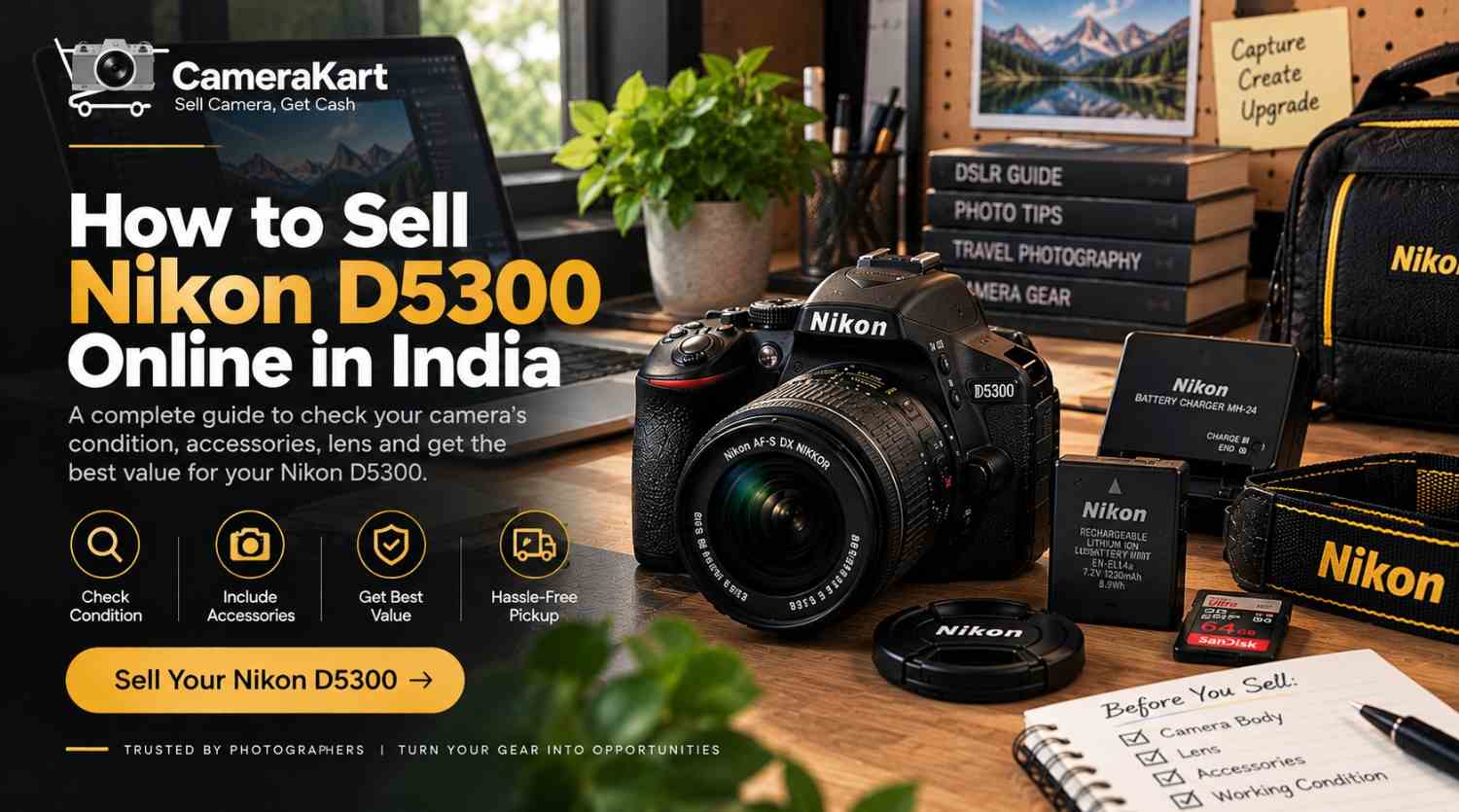
  • How to Sell Nikon D5300 Online in India: What to Check Before Selling Your DSLR

    How to Sell Nikon D5300 Online in India: What to Check Before Selling Your DSLR

    If you own a Nikon D5300 and are thinking about selling it, the camera’s age should not be the only thing you consider. The actual condition of the body, sensor, shutter, lens, LCD, autofocus, battery and accessories can all affect how your camera is evaluated.

    The Nikon D5300 is a DX-format DSLR with a 24.2MP CMOS sensor, EXPEED 4 image processing, a 39-point autofocus system, 5 fps continuous shooting, a 3.2-inch vari-angle LCD, built-in Wi-Fi and built-in GPS. It can also record Full HD video up to 60 fps.

    If you’re upgrading to a newer camera, moving to mirrorless, or simply have a D5300 that is no longer being used, this guide will help you prepare it before you sell Nikon D5300 online.

    For a direct selling option, you can check the Nikon D5300 selling page on CameraKart.

    First Decide What Exactly You’re Selling

    Before checking the camera, identify your complete D5300 setup.

    You may have:

    • Nikon D5300 body
    • NIKKOR lens
    • Battery
    • Battery charger
    • Camera strap
    • Body cap
    • Lens caps
    • SD card
    • Original box
    • Purchase invoice
    • Additional battery
    • Camera bag or other accessories

    The D5300 uses the Nikon F bayonet mount, and Nikon lists autofocus compatibility with AF-S and AF-I CPU lenses.

    This is important because a Nikon D5300 body and a Nikon D5300 with a lens and accessories are different packages.

    Before you request an evaluation, make a simple list of everything you intend to include.

    Check the D5300 Body for Real-World Wear

    Older DSLRs often show signs of regular use around the grip, buttons and bottom plate.

    Instead of only checking whether the camera “looks good,” inspect it section by section.

    Check the top

    Look at:

    • Mode dial
    • Shutter button
    • Command dial
    • Hot shoe
    • Flash area

    Check the front

    Inspect:

    • Lens mount
    • Grip
    • Mounting area
    • Built-in flash
    • Body surface

    Check the rear

    Look at:

    • LCD
    • Buttons
    • Navigation controls
    • Battery/card access areas

    Check the bottom

    Inspect:

    • Tripod socket
    • Battery compartment
    • Scratches or dents

    Normal marks from photography are different from cracks, impact damage or malfunctioning controls.

    When you sell used Nikon D5300, describe the condition honestly rather than trying to make an older camera appear unused.

    Test the 24.2MP Sensor

    The D5300 features a 24.2-megapixel DX-format CMOS sensor and Nikon’s specifications include an image-sensor cleaning system.

    You can perform a simple image test before selling.

    Mount a clean lens and photograph a plain, evenly lit surface using a smaller aperture. Then zoom into the image.

    Look for:

    • Persistent dark spots
    • Unusual lines
    • Abnormal marks
    • Consistent image defects

    If you notice a few dust spots, don’t immediately assume the sensor is damaged. Dust can sometimes be addressed through appropriate cleaning.

    Avoid touching the sensor directly.

    Check the Shutter and Shooting History

    The D5300 can shoot at up to 5 frames per second in continuous high-speed mode.

    If you’ve used the camera extensively, keeping the available shutter-count information ready can be useful when you’re preparing to sell it.

    However, shutter count should not be considered in isolation.

    Also consider:

    • Body condition
    • Sensor condition
    • Lens condition
    • LCD condition
    • Battery health
    • Buttons and dials
    • Previous repairs
    • Included accessories

    A camera’s overall condition gives a more complete picture than one number.

    Give the Vari-Angle LCD a Proper Test

    One of the useful features of the D5300 is its 3.2-inch vari-angle LCD monitor with approximately 1.037 million dots.

    Because the screen moves and is frequently handled, inspect it carefully.

    Test:

    • Screen brightness
    • Touch-free button navigation
    • Live View
    • Image playback
    • Menu display
    • Screen rotation/movement
    • Scratches or cracks
    • Unusual lines or flickering

    Move the vari-angle display gently through its normal range.

    If the screen works correctly but has ordinary cosmetic marks, mention those separately rather than treating them as a functional problem.

    Check the 39-Point Autofocus System

    The Nikon D5300 uses Nikon’s Multi-CAM 4800DX autofocus module with 39 selectable focus points, including dynamic-area and 3D-tracking modes.

    Before you sell Nikon D5300 online, test autofocus in normal shooting situations.

    Try:

    Single-point AF:
    Focus on a stationary object.

    Dynamic-area AF:
    Try a subject that moves slightly.

    Continuous AF:
    Track a moving subject.

    Live View AF:
    Test focusing through the LCD.

    You don’t need to test every setting. The goal is to identify whether the autofocus system behaves normally.

    Inspect Your NIKKOR Lens Separately

    If you’re selling the camera with a lens, don’t stop after inspecting the camera body.

    The lens should receive its own check.

    Front glass

    Look for:

    • Scratches
    • Cracks
    • Fungus
    • Heavy dust

    Rear glass

    Check the rear element and mount.

    Focus ring

    Rotate it and look for unusual stiffness or looseness.

    Zoom ring

    If you’re using a zoom lens, test the complete zoom range.

    Autofocus

    Mount the lens and take several photographs at different distances.

    Mount

    Check that the lens attaches and detaches normally.

    If your package contains more than one lens, list each lens separately.

    Test the Built-In Flash

    The D5300 has a built-in flash with TTL/i-TTL flash control.

    It’s easy to forget about the flash when preparing an older DSLR.

    Simply pop it up and take a test photograph.

    Check that:

    • The flash opens properly
    • It fires
    • The camera records the image normally
    • It closes properly

    If you have never used the flash, this is a good time to check it.

    Record a Short Full HD Video

    The D5300 supports Full HD 1920×1080 video recording up to 60 fps, depending on the selected setting.

    You don’t need to record a long video.

    Make a short test clip and check:

    • Recording starts normally
    • File saves correctly
    • Playback works
    • Audio is recorded
    • Autofocus behaves as expected
    • Memory card performs normally

    The D5300 also includes a built-in microphone and support for an external stereo microphone.

    If you own an external microphone and are including it in the package, mention it separately.

    Check Wi-Fi and GPS

    One feature that makes the D5300 different from some older entry-level DSLRs is its built-in connectivity.

    Nikon lists built-in Wi-Fi and built-in GPS on the D5300.

    If these features are important to your setup, test them before selling.

    Nikon’s documentation explains that the D5300 can connect to a compatible smartphone through its built-in Wi-Fi using Nikon’s Wireless Mobile Utility workflow.

    You don’t need to spend a lot of time configuring the connection. Just check the relevant functionality if you regularly use it.

    Before handing over the camera, remove your personal wireless connections and reset relevant settings.

    Check the SD Card Slot

    The D5300 uses SD, SDHC and SDXC memory cards and has one SD card slot.

    Test it by:

    1. Inserting a compatible card.
    2. Taking several photographs.
    3. Recording a short video.
    4. Reviewing the files.
    5. Confirming the files save correctly.

    Then remove your personal card.

    If you’re including an SD card with the camera, mention its capacity separately.

    Battery and Charger Matter Too

    The D5300 uses an EN-EL14a rechargeable Li-ion battery, and Nikon lists the MH-24 quick charger as a compatible charger.

    Before you sell my Nikon D5300, check:

    • Battery charging
    • Battery condition
    • Charger operation
    • Battery compartment
    • Any visible battery damage

    If you have an extra battery, charger or compatible accessory, add it to your package list.

    Keep Your Original Documents If Available

    Clean the Camera Before Selling

    A basic external cleanup can make your equipment easier to inspect.

    Use an appropriate microfiber cloth to gently clean:

    • Camera exterior
    • LCD surface
    • Lens exterior
    • Lens caps
    • Camera strap
    • Camera bag

    Remove dust from the exterior without attempting complicated repairs.

    The purpose isn’t to hide wear. It’s simply to present the camera in a clean, organized condition.

    Should You Sell the D5300 Body or Complete Kit?

    This depends on what equipment you still want to keep.

    Sell the body only

    If you want to retain your compatible NIKKOR lens for another Nikon DSLR, selling only the D5300 body may be suitable.

    Sell camera + lens

    If the lens is also no longer needed, selling them together can create a more complete package.

    Sell the complete DSLR setup

    If you’re moving completely away from the Nikon F-mount system, you may also have additional lenses, batteries and accessories that you no longer use.

    Before deciding, separate the equipment you want to keep from the equipment you actually want to sell.

    If you still have the original invoice, box or purchase-related documents, keep them ready.

    You should also have the camera’s serial number available if verification requires it.

    Before handing over your D5300:

    • Back up photographs
    • Remove your SD card
    • Disconnect your smartphone
    • Remove personal wireless settings
    • Reset the camera where appropriate

    This is particularly useful because the D5300 has built-in Wi-Fi and GPS functionality.

    Why You Might Decide to Sell Your Nikon D5300

    There are several practical reasons to consider selling an older DSLR.

    You’re moving to mirrorless

    If your primary camera has changed to a mirrorless system, the D5300 may no longer fit your current workflow.

    You have upgraded

    A newer camera may have become your primary body while the D5300 remains unused.

    You don’t shoot regularly anymore

    If the camera spends most of its time stored in a bag, you may decide to sell rather than leave it unused.

    You want to simplify your equipment

    Photographers sometimes accumulate bodies, lenses and accessories over time. Selling unused equipment can simplify the kit you actually use.

    How to Sell Nikon D5300 Online With CameraKart

    Once you’ve inspected the camera, lens and accessories, the next step is to provide accurate model and condition details.

    When you sell Nikon D5300 online, keep the following information ready:

    • Camera model
    • Body condition
    • Shutter information, if available
    • Lens model
    • Accessories
    • Battery condition
    • Known issues
    • Whether the original box or invoice is available

    CameraKart has a dedicated Nikon D5300 selling page where you can start the selling process.

    CameraKart’s current DSLR-selling information describes a process involving camera details, an offer/evaluation, pickup or drop options and payment after verification.

    Nikon D5300 Seller Checklist

    Before submitting your camera, use this quick checklist:

    Camera Body

    ☐ Body inspected
    ☐ Buttons tested
    ☐ Dials tested
    ☐ Ports checked
    ☐ Lens mount checked
    ☐ Shutter tested

    Image & Focus

    ☐ Sensor checked
    ☐ Autofocus tested
    ☐ Live View tested
    ☐ Optical viewfinder checked
    ☐ Built-in flash tested

    Screen & Video

    ☐ LCD tested
    ☐ Vari-angle movement checked
    ☐ Video recording tested
    ☐ Audio checked

    Connectivity

    ☐ Wi-Fi checked if used
    ☐ GPS checked if used
    ☐ Personal connections removed

    Accessories

    ☐ Battery
    ☐ Charger
    ☐ Body cap
    ☐ Lens
    ☐ Lens caps
    ☐ Strap
    ☐ SD card, if included
    ☐ Box/invoice, if available

    Before Handover

    ☐ Photos backed up
    ☐ SD card removed
    ☐ Personal settings reviewed
    ☐ Camera reset where appropriate

    Final Thoughts

    If you’re planning to sell Nikon D5300 online in India, preparation is more useful than simply looking at the camera’s age.

    Check the 24.2MP DX sensor, 39-point autofocus, shutter, vari-angle LCD, optical viewfinder, lens, built-in flash, Full HD video, Wi-Fi, GPS, battery and SD card functionality before submitting the camera for evaluation. These features are documented in Nikon’s D5300 specifications.

    Once you’ve separated the equipment you want to sell, tested the camera and collected the relevant accessories, you can visit the Sell Nikon D5300 page on CameraKart and provide your camera details.
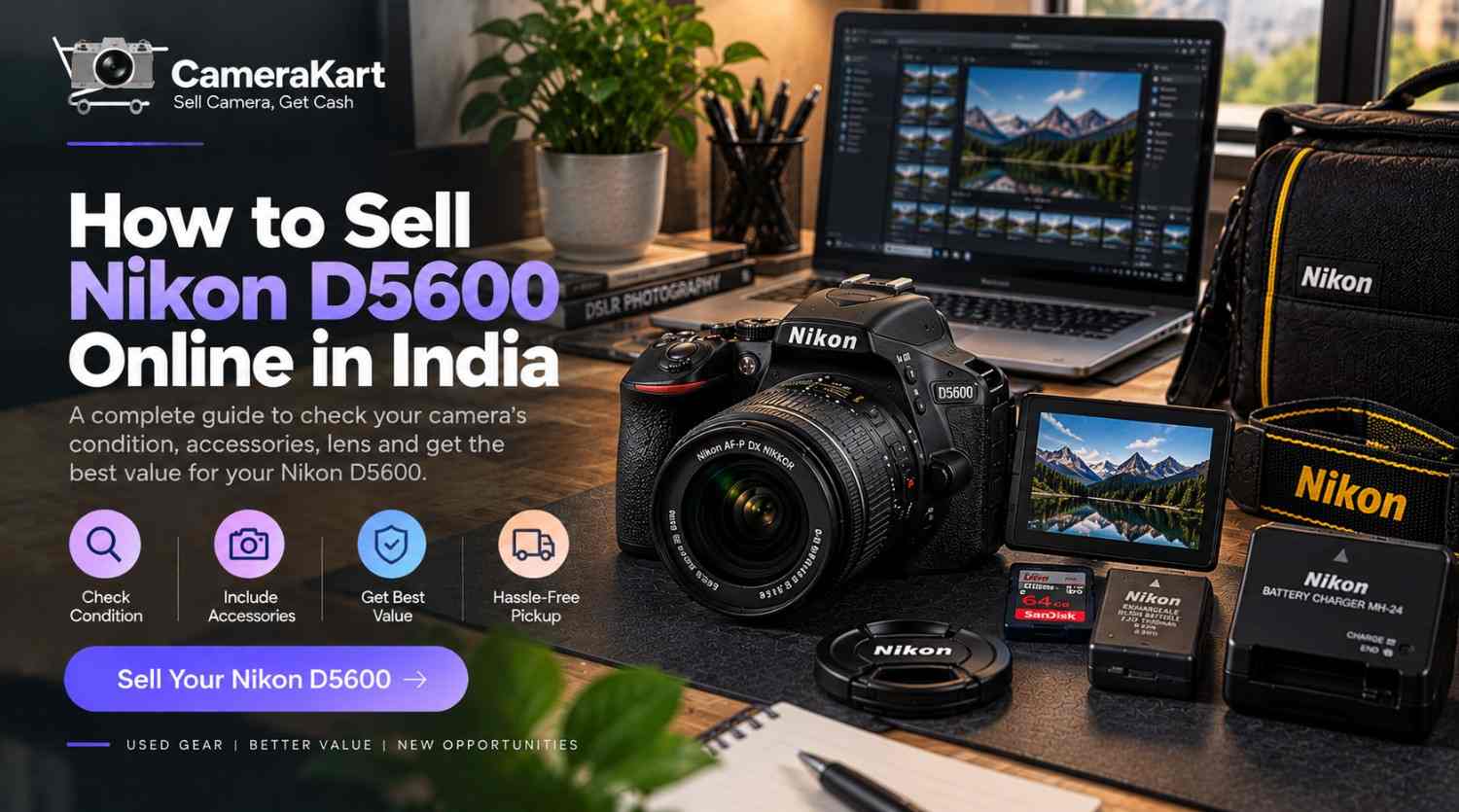
  • How to Sell Nikon D5600 Online in India: A Practical Guide Before You Sell

    How to Sell Nikon D5600 Online in India: A Practical Guide Before You Sell

    If you own a Nikon D5600 and are planning to sell it, don’t judge the camera only by its age or outer appearance. For a used DSLR, the condition of the body, shutter, sensor, autofocus, LCD, lens, battery and included accessories can all be relevant when the camera is evaluated.

    The Nikon D5600 is a DX-format DSLR with a 24.2MP sensor, Nikon F mount, 39-point autofocus system, 5 fps continuous shooting, a 3.2-inch vari-angle touchscreen and Full HD video recording up to 60 fps. It also supports SnapBridge connectivity through Bluetooth/Wi-Fi.

    If your D5600 is no longer your primary camera, you’re upgrading, or you simply have unused equipment, this guide will help you prepare it before you sell Nikon D5600 online.

    You can also check the dedicated Nikon D5600 selling page on CameraKart.

    Start With Your Nikon D5600 Kit

    Before you decide how to sell your camera, first identify exactly what you have.

    Your setup could contain:

    • Nikon D5600 body
    • NIKKOR lens
    • Battery
    • Battery charger
    • Camera strap
    • Body cap
    • Front/rear lens caps
    • Memory card
    • Original box
    • Purchase invoice
    • Additional accessories

    The D5600 uses the Nikon F bayonet mount and supports autofocus with compatible AF-S, AF-P and AF-I lenses.

    So if you’re selling the camera together with a lens, inspect both separately instead of treating them as one item.

    Check the Body From Top to Bottom

    Before you sell used Nikon D5600, give the camera a proper physical inspection.

    Pay attention to areas that receive frequent handling:

    • Camera grip
    • Mode dial
    • Command dial
    • Shutter button
    • Battery compartment
    • SD-card compartment
    • Tripod socket
    • Hot shoe
    • USB port
    • HDMI port
    • Lens mount
    • LCD screen

    Look for scratches, dents, cracks, loose covers or signs of impact.

    Normal cosmetic wear from regular photography is different from functional damage. If there is a known issue, it’s better to mention it accurately during the selling process.

    Check the Shutter and Shooting History

    For a DSLR such as the D5600, shutter usage is useful information to keep ready.

    The D5600 supports continuous shooting at up to 5 frames per second under specified settings.

    If you know the camera’s shutter count, keep that information available when you request an evaluation.

    But don’t judge the entire camera only by shutter count.

    Also consider:

    • Overall body condition
    • Sensor condition
    • Lens condition
    • Buttons and dials
    • LCD
    • Battery
    • Previous maintenance
    • Accessories

    Two cameras with similar shutter counts can still be in very different physical conditions.

    Inspect the Sensor Before Selling

    The D5600 has a 24.2MP DX-format sensor and Nikon’s specifications include an image-sensor cleaning system.

    For a basic inspection, use a clean lens and photograph a plain, evenly lit surface.

    Then zoom into the image and look for persistent spots or unusual marks.

    If you see dust spots, don’t automatically assume that the sensor has a serious problem. Sensor dust can sometimes be addressed through proper professional cleaning.

    Avoid touching the sensor directly.

    Give the NIKKOR Lens Its Own Inspection

    If you’re selling your D5600 with a lens, the lens can make up an important part of the complete kit

    Check:

    Front element

    Look for scratches, cracks, fungus or heavy marks.

    Rear element

    Inspect the rear glass and mount.

    Focus ring

    Rotate it and check for unusual resistance.

    Zoom ring

    If you’re using a zoom lens, make sure the movement is smooth.

    Autofocus

    Test autofocus through the camera.

    Lens mount

    Check for visible damage or excessive wear.

    Also identify the exact lens model you’re including.

    Instead of writing:

    Nikon camera with lens

    write something more specific such as:

    Nikon D5600 + NIKKOR 18-55mm lens

    That makes the equipment package much clearer.

    Test the 39-Point Autofocus System

    The D5600 uses Nikon’s Multi-CAM 4800 autofocus sensor module with 39 autofocus points, including 3D tracking.

    Before you sell Nikon D5600 online, test autofocus in a few simple situations.

    Stationary subject

    Focus on an object at different distances.

    Moving subject

    Try continuous autofocus on a moving object.

    3D tracking

    Test subject tracking where appropriate.

    Live View

    Switch to Live View and check focusing there as well.

    You’re not trying to perform a laboratory test. The purpose is simply to identify whether the camera’s basic focusing functions are working normally.

    Test the Vari-Angle Touchscreen

    The D5600 has a 3.2-inch vari-angle touchscreen LCD with approximately 1.037 million dots.

    This is one area that should be checked carefully because the screen is frequently moved and touched.

    Check:

    • Touch response
    • Screen brightness
    • Display quality
    • Dead pixels
    • Scratches
    • Hinged movement
    • Live View
    • Playback
    • Menu navigation

    Move the screen gently through its normal range and make sure there is no unusual looseness or damage.

    Check the Optical Viewfinder

    Unlike a mirrorless camera, the D5600 uses an optical DSLR viewfinder.

    Look through it and check:

    • Viewfinder clarity
    • Eyepiece condition
    • Diopter adjustment
    • Dust or unusual marks
    • Autofocus indicators
    • Information display

    The camera’s optical viewfinder has approximately 95% frame coverage horizontally and vertically according to Nikon’s specifications.

    Test the Built-In Flash

    The D5600 has a built-in flash with TTL/i-TTL flash control.

    Pop the flash up and take a test photograph.

    Check that:

    • Flash opens properly
    • Flash fires
    • Exposure behaves normally
    • Flash closes properly

    If you rarely use the flash, it’s easy to forget about it when preparing an older DSLR for sale.

    Record a Short Full HD Video

    The D5600 supports Full HD 1920×1080 recording up to 60 fps, depending on the selected settings.

    Record a short clip and check:

    • Video starts normally
    • Recording continues normally
    • Autofocus behaves as expected
    • Audio is recorded
    • File saves correctly
    • Playback works

    You don’t need to test every frame-rate option.

    A short practical test is enough to identify obvious problems.

    Check the SD Card Slot

    The D5600 uses SD, SDHC and SDXC cards and has one SD card slot.

    Insert a compatible card and:

    1. Take a photograph.
    2. Record a short video.
    3. Review the files.
    4. Confirm the files are saved correctly.
    5. Remove your personal card after testing.

    If you’re including a memory card with the camera, mention its capacity separately.

    Check the Battery and Charger

    The D5600 uses an EN-EL14a rechargeable Li-ion battery, with the Nikon MH-24 quick charger listed as compatible with the camera.

    Check:

    • Battery charges normally
    • Battery holds charge
    • Battery compartment is clean
    • Charger works
    • No physical battery damage

    If you have an extra compatible battery, include it in your equipment list.

    Don’t Forget SnapBridge and Wireless Connectivity

    The D5600 supports SnapBridge, Bluetooth and Wi-Fi connectivity.

    If wireless connectivity is important to you, test it before selling.

    You don’t need to spend a lot of time configuring your phone. Just confirm that the relevant connectivity functions behave normally.

    And before handing over the camera, remove your personal device connection and reset the camera settings where appropriate.

    What Accessories Should You Include?

    Before you sell my Nikon D5600, collect everything that belongs to the camera.

    ItemCheck
    D5600 bodyOverall condition
    BatteryCharging/condition
    ChargerWorking
    LensGlass + autofocus
    Body capAvailable
    Lens capsAvailable
    Camera strapCondition
    SD cardIf included
    Original boxIf available
    InvoiceIf available

    Nikon’s listed D5600 accessories include the EN-EL14a battery and MH-24 charger, while exact kit contents can vary depending on the original package.

    Body Only or D5600 With Lens?

    One important decision is what exactly you want to sell.

    D5600 body only

    This can make sense if you want to keep your NIKKOR lenses for another compatible Nikon camera.

    D5600 + one lens

    This creates a more complete package for someone looking for a camera-and-lens setup.

    Complete D5600 kit

    If you’re leaving DSLR photography or moving to another camera system, you may also have additional lenses or accessories that you no longer need.

    The choice depends on which equipment you want to keep.

    Clean It — But Don’t Overdo It

    A basic cleaning before selling is useful.

    You can:

    • Wipe the exterior with an appropriate microfiber cloth
    • Remove dust from the body
    • Clean the lens exterior carefully
    • Clean the LCD gently
    • Remove dust from the camera bag
    • Organize the accessories

    Avoid aggressive cleaning methods or attempting repairs yourself.

    The goal is to present the camera in its existing condition, not to make it appear different from what it actually is.

    Keep Your Purchase Documents

    If you still have the original invoice, box or other purchase documents, keep them together.

    Also keep the camera’s serial number available when required.

    Before handing over the camera:

    • Back up your photographs
    • Remove your SD card
    • Disconnect personal devices
    • Review wireless settings
    • Reset personal settings where appropriate

    This is especially relevant for a camera that has been connected to your smartphone through SnapBridge.

    Why Are You Selling Your Nikon D5600?

    The reason you’re selling can help you decide what equipment to include.

    Upgrading your camera

    You may have moved to a newer DSLR or mirrorless camera.

    Moving to mirrorless

    If you’re changing systems, you may decide to sell the D5600 along with compatible DSLR lenses.

    Camera is not being used

    If the camera spends most of its time stored away, you may prefer to evaluate its selling option.

    Changing your photography requirements

    Your current work may require different equipment than when you purchased the D5600.

    How to Sell Nikon D5600 Online With CameraKart

    Once you’ve checked your camera and collected the relevant accessories, you can submit the model and condition details for evaluation.

    When you sell Nikon D5600 online, provide accurate information about:

    • Body condition
    • Shutter count, if available
    • Lens included
    • Accessories
    • Battery condition
    • Working condition
    • Any known issues

    CameraKart has a dedicated sell Nikon D5600 online  page where you can start the process.

    CameraKart’s current camera-selling workflow describes model selection, an offer/evaluation, pickup scheduling and payment after inspection.

    Nikon D5600 Seller Checklist

    Before submitting your camera, save this checklist:

    Camera Body

     ☐ Body inspected
    ☐ Buttons tested
    ☐ Dials tested
    ☐ Ports checked
    ☐ Lens mount checked
    ☐ Shutter tested

    Performance

     ☐ Sensor checked
    ☐ Autofocus tested
    ☐ Live View tested
    ☐ Built-in flash tested
    ☐ Video tested
    ☐ SD card tested

    Display

     ☐ LCD tested
    ☐ Touchscreen tested
    ☐ Vari-angle movement checked
    ☐ Optical viewfinder checked

    Accessories

    ☐ Battery
    ☐ Charger
    ☐ Body cap
    ☐ Lens
    ☐ Lens caps
    ☐ Strap
    ☐ Box/documents

    Before Handover

     ☐ Photos backed up
    ☐ SD card removed
    ☐ Personal connections removed
    ☐ Settings reviewed/reset

    Final Thoughts

    If you’re planning to sell Nikon D5600 online in India, start by understanding the actual condition of your complete setup rather than focusing only on the camera’s age.

    Check the 24.2MP DX sensor, 39-point autofocus system, shutter, LCD, optical viewfinder, built-in flash, lens, battery and SD card functionality before submitting the camera for evaluation. These are documented D5600 specifications from Nikon.

    Once you’ve checked the equipment and gathered your accessories, you can visit the Sell Nikon D5600 page on CameraKart and provide your camera details.
  • How to Sell Nikon Z5 II Online in India: A Practical Guide Before You Sell

    How to Sell Nikon Z5 II Online in India: A Practical Guide Before You Sell

    If you own a Nikon Z5 II and are considering selling it, don’t treat it like a regular used electronic device. A full-frame mirrorless camera has several components that can affect its condition and the way you present it for evaluation—body, sensor, Z-mount, autofocus, stabilization, display, memory cards, battery, lens and accessories.

    The Nikon Z5 II is a full-frame/FX-format mirrorless camera with a 24.5MP effective-pixel CMOS sensor, Nikon Z mount, 5-axis sensor-shift VR, a 3.2-inch vari-angle touchscreen monitor and a 3,690k-dot electronic viewfinder. Nikon also lists 4K UHD recording up to 60p and N-RAW video options.

    So, if you’re planning to sell Nikon Z5 II online, spending a little time preparing the camera can help you provide more accurate information about what you’re selling.

    For the direct selling option, you can check the Nikon Z5 II selling page on CameraKart.

    Start by Understanding Your Nikon Z5 II Setup

    Before you decide how to sell your camera, identify exactly what you own.

    Your setup could be:

    • Nikon Z5 II body
    • NIKKOR Z lens
    • Battery
    • Charger or USB-C charging accessories
    • Body cap
    • Lens cap
    • Camera strap
    • Memory cards
    • Original box
    • Purchase invoice
    • Additional accessories

    Nikon specifies the Z5 II as a Nikon Z-mount full-frame camera, with compatibility for NIKKOR Z lenses and F-mount NIKKOR lenses when an appropriate mount adapter is used.

    Knowing whether you’re selling the body alone or a complete kit is important when you sell used Nikon Z5 II.

    Check the Camera Body Before You Sell

    Start with a physical inspection.

    Don’t just look at the front of the camera. Check the entire body, including the areas that normally receive the most handling.

    Look at:

    • Front and rear body panels
    • Camera grip
    • Bottom plate
    • Tripod mount
    • Battery compartment
    • Card-slot door
    • USB/HDMI ports
    • Hot shoe
    • Control dials
    • Buttons
    • Lens mount
    • LCD monitor

    Separate normal cosmetic wear from actual damage.

    A few small marks from regular use are different from a cracked display, damaged port or impact around the mount.

    When you sell Nikon Z5 II online, accurate condition information is more useful than simply describing the camera as “like new.”

    Inspect the Sensor Carefully

    The Z5 II uses a 24.5MP effective-pixel full-frame CMOS sensor.

    You don’t need specialist equipment to perform a basic check.

    Mount a clean lens and take photographs against a plain, bright background at a smaller aperture. Review the photographs at 100% and look for unusual spots, lines or other persistent abnormalities.

    If you notice dust spots, don’t immediately assume that the sensor is damaged. Some visible spots can simply be dust and may require professional cleaning.

    Most importantly, never touch the sensor surface directly while performing your inspection.

    Check the Z-Mount and Lens

    The lens mount is one of the most important physical areas of an interchangeable-lens camera.

    Remove the lens carefully and inspect the mount for:

    • Visible damage
    • Unusual scratches
    • Bent or damaged areas
    • Loose mounting behaviour
    • Signs of impact

    If you’re selling the Z5 II with a lens, inspect the lens separately.

    Check:

    Front glass:
    Look for scratches, cracks, fungus or heavy marks.

    Rear glass:
    Check for dust, scratches or damage.

    Focus ring:
    It should rotate normally.

    Zoom ring:
    If applicable, check that movement feels normal.

    Autofocus:
    Test autofocus with the lens mounted.

    If you’re including multiple lenses, make a separate list of each lens rather than describing the entire package simply as “camera with lenses.”

    Test Autofocus Before You Sell Nikon Z5 II

    The Z5 II uses a hybrid phase-detection/contrast autofocus system. Nikon lists 273 focus points for single-point AF and 299 for auto-area AF in FX photo mode.

    You can perform a simple practical test.

    Test 1 — Stationary subject

    Focus on an object at a short distance.

    Test 2 — Distant subject

    Move the focus point toward a distant object and check the response.

    Test 3 — Moving subject

    Try continuous autofocus with a moving subject.

    Test 4 — Subject detection

    Test the relevant subject-detection modes you normally use.

    Test 5 — Video

    Record a short video and check autofocus behaviour during recording.

    You don’t have to test every menu option. The objective is to identify whether the core autofocus system behaves normally.

    Test the 5-Axis VR

    The Z5 II includes 5-axis image-sensor-shift vibration reduction. Nikon’s current specifications list the camera’s VR system as a major stabilization feature.

    Before you sell Nikon Z5 II, take several handheld photographs with stabilization enabled.

    You can also record a short handheld video.

    Check whether the camera behaves normally and whether you notice any unusual movement or mechanical sound.

    If you’ve never used the stabilization function extensively, simply perform a basic functional test rather than trying to measure its exact performance.

    Don’t Forget the Electronic Viewfinder

    The Z5 II has an approximately 3,690k-dot electronic viewfinder and a 3.2-inch vari-angle touchscreen LCD.

    Check both displays.

    Look for:

    • Dead pixels
    • Unusual flickering
    • Display lines
    • Scratches or cracks
    • Touchscreen problems
    • EVF switching problems
    • Unusual brightness behaviour

    Move the vari-angle monitor through its normal range and check that it operates smoothly.

    A display that works correctly is an important part of the camera’s overall condition.

    Test the Dual SD Card Slots

    Unlike cameras that use different card formats, the Z5 II provides two SD card slots, with support for UHS-II cards. Nikon states that the slots can be configured for overflow, backup, separate file storage or duplicate files.

    If you have compatible cards available, test both slots.

    Take a few photographs and record a short video.

    Then review the files to make sure they are being saved correctly.

    After testing, remember to remove your personal memory card before handing over the camera.

    Test Photography and Video Separately

    A camera can appear perfectly fine externally while having an issue that only becomes noticeable during shooting.

    The Z5 II supports 4K UHD video up to 60p, Full HD high-frame-rate recording and N-RAW video options.

    You don’t need to test every recording format.

    A simple test can include:

    • Take several photographs
    • Test different autofocus modes
    • Record a short 4K video
    • Check playback
    • Test audio if you normally use a microphone
    • Check memory-card recording
    • Review the captured files

    If everything works normally, you’ll have more confidence when you sell my Nikon Z5 II.

    Check the Battery and Charging Accessories

    The Z5 II uses an EN-EL15c rechargeable Li-ion battery, with compatible alternatives listed by Nikon.

    Check:

    • Battery charging
    • Battery condition
    • Battery compartment
    • USB-C charging accessories
    • Charger/adapter, if included

    If you have an additional genuine battery, mention it separately when describing the package.

    A complete battery and charging setup can also make the equipment easier to hand over.

    What Should You Include With Your Nikon Z5 II?

    Before you sell used Nikon Z5 II, collect the accessories that actually belong to the camera.

    ItemCheck
    Nikon Z5 II bodyWorking condition
    EN-EL15c batteryCharging/condition
    Charger/USB accessoriesWorking
    Body capAvailable
    LensGlass + autofocus
    Lens capAvailable
    Camera strapCondition
    SD cardIf included
    Original boxIf available
    InvoiceIf available

    Nikon’s listed supplied accessories include the DK-29 rubber eyecup, BF-N1 body cap, EN-EL15c battery, AN-DC26 strap and USB cable with Type-C connectors.

    Keep Your Invoice and Purchase Information

    If you still have the original invoice, box or purchase documentation, keep them together.

    You may need different information depending on the selling process, so having the documents available can make verification easier.

    Also note the camera’s serial number when required.

    Before handing over the equipment:

    • Back up your photographs
    • Remove your memory card
    • Remove personal files
    • Review saved network settings
    • Reset the camera when appropriate

    This is especially important for a camera that has been connected to your phone or other devices.

    Body Only or Complete Nikon Z5 II Kit?

    One decision you’ll need to make is whether you want to sell Nikon Z5 II as a body or with your lens and accessories.

    Body only

    This can make sense if you want to keep your Z-mount lenses for another Nikon body.

    Camera + lens

    This may be suitable if you’re leaving the Nikon Z system altogether.

    Complete kit

    If you’re moving to a completely different photography system, you may have several lenses and accessories you no longer need.

    There is no single package that every seller should choose. It depends on what equipment you want to keep for future use.

    Why Are You Selling Your Nikon Z5 II?

    Your reason for selling can help you decide what belongs in the package.

    You are upgrading

    You may have moved to another camera body and no longer use the Z5 II as your primary camera.

    You are changing systems

    If you’ve moved to another lens mount, keeping unused Z-mount equipment may not fit your current workflow.

    You have duplicate equipment

    If another camera has become your main body, your Z5 II may spend more time stored than used.

    Your photography needs have changed

    Your current work may require a different type of camera or setup.

    The right decision depends on your own equipment requirements and future plans.

    How to Sell Nikon Z5 II Online With CameraKart

    After checking your camera, you can submit the model and condition details for evaluation.

    When you sell Nikon Z5 II online, provide accurate information about:

    • Camera condition
    • Body-only or complete kit
    • Lens included
    • Accessories
    • Working condition
    • Any known issues

    CameraKart’s dedicated Nikon Z5 II selling page provides the starting point for submitting the camera.

    Nikon Z5 II Seller Checklist

    Before submitting your camera, use this quick checklist:

    Body

    ☐ Body inspected
    ☐ Buttons tested
    ☐ Dials tested
    ☐ Ports checked
    ☐ Lens mount checked

    Display

    ☐ EVF checked
    ☐ LCD checked
    ☐ Touchscreen tested
    ☐ Vari-angle movement checked

    Performance

    ☐ Sensor checked
    ☐ Autofocus tested
    ☐ VR tested
    ☐ Photos tested
    ☐ Video tested
    ☐ Both card slots checked

    Accessories

    ☐ Battery
    ☐ Charger/USB accessories
    ☐ Body cap
    ☐ Lens cap
    ☐ Lens
    ☐ Strap
    ☐ Box/documents

    Before Handover

    ☐ Photos backed up
    ☐ Memory card removed
    ☐ Personal settings reviewed
    ☐ Camera reset where appropriate

    Final Thoughts

    If you’re planning to sell Nikon Z5 II online in India, prepare the camera before you start the selling process.

    Check the body, sensor, Z-mount, lens, autofocus, VR, EVF, LCD, memory-card slots, battery and video functions. The Z5 II combines a 24.5MP full-frame sensor with 5-axis VR, advanced autofocus, dual SD card slots, 4K video and other features designed for photography and video work.

    Once you’ve checked your equipment and collected the accessories, you can visit the Sell Nikon Z5 II on CameraKart and submit your camera details.

  • How to Sell Nikon Z6 II Online in India: A Practical Guide for Camera Owners

    How to Sell Nikon Z6 II Online in India: A Practical Guide for Camera Owners

    If you own a Nikon Z6 II and are considering selling it, the first step is not creating an advertisement or accepting the first offer you receive. Start by understanding the exact condition of your camera, what accessories are included, whether you are selling the body alone or as a complete kit, and what information a buyer or camera evaluator may need.

    The Nikon Z6 II is a full-frame mirrorless camera with a 24.5MP FX-format CMOS sensor, dual EXPEED 6 processors, a 273-point hybrid autofocus system, up to approximately 14 fps continuous shooting, 5-axis in-camera VR and 4K UHD video capabilities. Nikon also provides dual card slots supporting CFexpress/XQD and UHS-II SD cards.

    If your camera is sitting unused, you have upgraded to another body, or you are changing your photography setup, you can consider selling it online. For a direct selling option, check the Sell Nikon Z6 II online.

    Before You Sell Nikon Z6 II, Know What You Own

    The Nikon Z6 II is not simply a basic interchangeable-lens camera. Its full-frame sensor, Z mount, dual processors, autofocus system, stabilization and video features make the condition of the complete setup important when you want to sell.

    Before requesting an offer, make a quick inventory:

    • Nikon Z6 II camera body
    • Z-mount lens, if included
    • Battery
    • Charger
    • Body cap
    • Lens caps
    • Camera strap
    • Memory card, if included
    • Original box
    • Manuals and purchase documents
    • Other accessories

    This inventory helps you give accurate information instead of trying to remember everything later.

    Check the Camera Body From Every Sid

    A camera can look good from the front but have noticeable wear around the bottom plate, grip, ports or hot shoe.

    Take a few minutes to inspect the Z6 II carefully.

    Look around:

    • Front and rear body panels
    • Camera grip
    • Bottom mounting area
    • Battery compartment
    • Memory-card compartment
    • HDMI/USB ports
    • Hot shoe
    • Control dials
    • Buttons
    • LCD monitor
    • Electronic viewfinder

    Separate normal cosmetic wear from actual functional damage.

    Small marks from regular use are different from a cracked screen, damaged port or impact around the lens mount. When you sell used Nikon Z6 II, being accurate about the condition is important.

    Test the 24.5MP Full-Frame Sensor

    One of the major features of the Z6 II is its 24.5 effective megapixel FX-format CMOS sensor.

    You don’t need complicated equipment to perform a basic check.

    Remove the lens carefully and inspect the sensor area in a clean environment. Avoid touching the sensor surface.

    Then take a few test photographs using a clean lens.

    Look for unusual spots, lines or other abnormalities in your images. A few ordinary dust spots may simply require professional sensor cleaning, while persistent image problems should be disclosed during the selling process.

    Pay Attention to the Z-Mount and Your Lens

    If you’re selling your camera with a lens, the lens becomes part of the overall package.

    The Z6 II uses the Nikon Z mount and supports NIKKOR Z lenses; Nikon also lists compatibility with F-mount NIKKOR lenses when using an appropriate mount adapter, with possible restrictions.

    Check the lens for:

    • Front-element scratches
    • Rear-element condition
    • Dust
    • Fungus
    • Damaged filter thread
    • Loose zoom ring
    • Loose focus ring
    • Autofocus operation
    • Mount condition

    If you own multiple Z-mount lenses, decide whether you want to sell the camera body separately or offer a particular lens with it.

    Test the Autofocus Before Selling

    The Z6 II has a 273-point hybrid autofocus system with eye-detection and animal-detection autofocus for both stills and video.

    Rather than simply saying that autofocus works, test a few different situations.

    Try:

    Single-point AF:
    Focus on a stationary object.

    Continuous AF:
    Track a moving subject.

    Eye detection:
    Try photographing a person.

    Video AF:
    Record a short clip and check whether focus behaves normally.

    You don’t need to test every autofocus setting. The purpose is to identify any obvious issue before you submit the camera for evaluation.

    Test the Electronic Viewfinder and LCD

    The Z6 II has an approximately 3,690k-dot electronic viewfinder and a tilting monitor.

    Check both before you sell Nikon Z6 II online.

    Look for:

    • Display abnormalities
    • Dead pixels
    • Touchscreen response
    • Screen damage
    • Unusual flickering
    • Problems switching between EVF and monitor
    • Loose or damaged screen mechanism

    A quick test can save you from discovering a problem after the selling process has already started.

    Check the 5-Axis In-Camera VR

    The Z6 II includes 5-axis in-camera vibration reduction, with Nikon specifying an effect equivalent to approximately five stops.

    If you normally shoot handheld, take several photographs with VR enabled and compare them with your usual results.

    You can also test video while moving slowly with the camera.

    The purpose isn’t to prove a particular stabilization rating; it’s simply to make sure the camera behaves normally.

    Don’t Ignore the Dual Card Slots

    The Z6 II has two memory-card slots, supporting CFexpress/XQD and UHS-II SD cards. Nikon notes that the slots can be used for primary/backup storage or different file types.

    This gives you another simple test before selling.

    Insert a compatible card and:

    1. Take photographs.
    2. Record a short video.
    3. Review the files.
    4. Try the second slot where appropriate.
    5. Remove your personal memory card afterward.

    If you are including a memory card in the sale, mention its capacity and condition separately.

    Test the Camera for Both Photography and Video

    The Z6 II is designed for both still photography and video.

    Nikon lists 4K UHD recording, Full HD high-frame-rate options and video features including N-Log and HLG workflows.

    You don’t need to test every available resolution.

    A basic test can include:

    • Short 4K recording
    • Normal Full HD recording
    • Playback
    • Microphone/audio check
    • Memory-card recording
    • Battery performance
    • HDMI/USB functions you regularly use

    If everything works normally, you have a clearer picture of the camera’s condition before selling.

    Battery Condition Can Affect the Complete Package

    If you have owned the Z6 II for several years, don’t forget about the battery.

    Check whether the battery:

    • Charges normally
    • Holds charge
    • Shows unusual battery drain
    • Has physical swelling or damage

    Also check your charger or charging accessories.

    If you’re selling the original battery and charger with the camera, keep them together rather than packing them separately and forgetting them.

    What Accessories Should You Include?

    A complete package can be easier to explain than an incomplete one.

    Here’s a useful preparation list:

    ItemWhat to Check
    Z6 II BodyButtons, dials, ports, screen
    BatteryCharging and battery life
    ChargerWorking condition
    LensGlass, mount and autofocus
    Body CapAvailable
    Lens CapAvailable
    StrapCondition
    Memory CardCapacity and working condition
    Original BoxAvailable if retained
    InvoiceKeep if available

    You don’t need to include every accessory you own. Just be clear about what is part of the package.

    Keep Your Purchase Documents Ready

    If you still have the original invoice or purchase-related documents, keep them available.

    These documents may help establish information about the camera and its purchase history depending on the selling process.

    Also keep the camera’s serial number available if verification requires it.

    Before handing over the camera, make sure you’ve backed up your photographs and removed your personal memory card.

    Body Only or Camera With Lens?

    One important decision is whether you want to sell Nikon Z6 II online as a body or as a complete setup.

    For example:

    Option 1: Nikon Z6 II body + battery + charger

    Option 2: Nikon Z6 II + NIKKOR Z lens + accessories

    Option 3: Nikon Z6 II + multiple lenses + accessories

    There isn’t one correct option for every seller. It depends on which equipment you still need and what you want to keep for future photography.

    If you are changing systems completely, selling a larger kit may make more sense for your personal situation.

    Why Are You Selling Your Nikon Z6 II?

    Understanding your reason for selling can help you decide what equipment should remain with you.

    You’re upgrading

    If you have moved to a newer camera body, the Z6 II may no longer be your primary camera.

    You’re changing systems

    Switching to another camera mount can make some of your existing equipment less useful.

    You’re using the camera less

    If the camera spends most of its time stored away, you may decide to sell it instead of keeping unused equipment.

    You have duplicate gear

    Photographers sometimes accumulate multiple bodies or lenses as their requirements change.

    In each case, the decision depends on your own photography workflow and future equipment plans.

    How to Sell Nikon Z6 II Online With CameraKart

    Once you have checked your camera, the next step is to submit the correct model and equipment details.

    CameraKart’s camera-selling process is designed around getting an evaluation, arranging pickup where available and completing payment after the equipment is checked.

    For your Nikon Z6 II, make sure the information you provide accurately reflects:

    • uncheckedCamera condition
    • uncheckedBody-only or complete kit
    • uncheckedLens included
    • uncheckedAccessories
    • uncheckedWorking condition
    • uncheckedAny known issues

    You can start from the dedicated Sell Nikon Z6 II page.

    Nikon Z6 II Seller Checklist

    Before you submit your camera, save this checklist:

    Camera

    ☐Body inspected
    ☐ Buttons and dials tested
    ☐ LCD tested
    ☐ EVF tested
    ☐ Ports checked
    ☐ Lens mount checked

    Performance

    ☐ Sensor checked
    ☐ Autofocus tested
    ☐ Eye detection tested
    ☐ VR tested
    ☐ Photography tested
    ☐ Video tested

    Package

    ☐ Battery
    ☐ Charger
    ☐ Body cap
    ☐ Lens cap
    ☐ Lens
    ☐ Strap
    ☐ Box/documents

    Before Handover

    ☐ Photos/videos backed up
    ☐ Memory card removed
    ☐ Personal settings reviewed
    ☐ Camera reset where appropriate

    Final Thoughts

    If you’re planning to sell Nikon Z6 II online in India, preparation can make the process much easier.

    Instead of focusing only on cosmetic appearance, check the complete camera: sensor, Z mount, lens, autofocus, EVF, LCD, stabilization, card slots, battery and video functions.

    The Nikon Z6 II remains a full-frame mirrorless system built around a 24.5MP sensor, dual EXPEED 6 processors, 273-point hybrid AF, up to approximately 14 fps continuous shooting, 5-axis VR and 4K UHD video.

  • How to Sell Nikon Z6 III Online in India: What to Check Before Selling Your Camera

    How to Sell Nikon Z6 III Online in India: What to Check Before Selling Your Camera

    If you own a Nikon Z6 III and are thinking about upgrading your setup, changing systems, or simply selling a camera you no longer use, the selling process deserves a little preparation. A high-end mirrorless camera should not be treated like a generic electronic device.

    The Nikon Z6 III is a full-frame mirrorless camera with a 24.5MP partially stacked CMOS sensor, EXPEED 7 processor, advanced autofocus, 5-axis VR and professional video capabilities. Nikon lists support for 6K/60p RAW video, 4K/120p and Full HD/240p, making the camera relevant to both photographers and video creators.

    That means the way you present your camera, lens and accessories can matter when you decide to sell Nikon Z6 III online.

    If you’re ready to check your selling option, you can also visit the Sell Nikon Z6 III online

    Why Selling a Nikon Z6 III Requires More Than Just Listing the Camera

    With premium mirrorless cameras, sellers often focus only on the camera body’s appearance. But a potential buyer or camera evaluator may also consider the lens mount, sensor, electronic viewfinder, screen, autofocus, stabilization, battery and included accessories.

    The Z6 III also supports Nikon’s Z mount NIKKOR lenses, while F-mount NIKKOR lenses can be used with a compatible adapter, subject to restrictions.

    So before you sell used Nikon Z6 III, think of your equipment as a complete setup rather than just a camera body.

    Start With the Actual Condition of Your Nikon Z6 III

    Before requesting an offer, take a few minutes to inspect the camera carefully.

    Check the body for:

    • Scratches or dents
    • Worn grip material
    • Damaged buttons or dials
    • Loose ports or covers
    • Screen marks
    • Signs of moisture or impact
    • Damage around the lens mount

    Normal signs of use do not automatically make a camera difficult to sell. What matters is accurately communicating the camera’s condition.

    A well-maintained Z6 III with normal cosmetic wear can be presented very differently from one with significant physical damage.

    Don’t Forget the Electronic Viewfinder and Vari-Angle Monitor

    One area worth checking on a mirrorless camera is the display system.

    The Z6 III features a high-resolution approximately 5.76-million-dot electronic viewfinder and a vari-angle monitor.

    Before you sell Nikon Z6 III online, test both displays.

    Look for:

    • Dead or permanently bright pixels
    • Flickering
    • Touchscreen problems
    • Display damage
    • Loose or unusual movement
    • Problems switching between EVF and monitor

    Also check the monitor at different brightness levels. A clear working display makes it easier to demonstrate that the camera is functioning properly.

    Check the Z-Mount Before Selling

    The lens mount is one of the most important physical areas of an interchangeable-lens camera.

    Remove the lens and inspect the mount carefully. Look for unusual scratches, damage or signs that the mount has been forced.

    If you are selling the Z6 III together with a lens, inspect both sides of the lens as well.

    Pay attention to:

    • Front glass
    • Rear glass
    • Lens mount
    • Zoom or focus rings
    • Autofocus operation
    • Image stabilization, if supported by the lens
    • Dust, fungus or visible marks

    If your lens is included in the sale, mention the exact lens model rather than simply writing “camera with lens.”

    Test Autofocus Before You Sell Nikon Z6 III 

    The Z6 III has a hybrid phase-detection/contrast autofocus system with 273 focus points in single-point AF and 299 in auto-area AF, according to Nikon’s specifications.

    You don’t need to perform a laboratory test.

    Instead, mount a compatible lens and try:

    1. Single-point focusing
    2. Continuous autofocus
    3. Subject detection
    4. Different lighting conditions
    5. Close and distant subjects
    6. Still photography
    7. Video autofocus

    The goal is simply to make sure the basic focusing functions behave normally.

    If you notice an issue, don’t hide it. Accurate information makes the selling process smoother.

    Test Image Stabilization and Video Functions

    The Z6 III uses 5-axis sensor-shift vibration reduction.

    If you regularly use the camera for handheld photography or video, test the stabilization functionality before selling.

    The video side is particularly important for this model. Nikon lists internal RAW video options up to 6K/60p, along with 4K/120p and Full HD/240p recording modes.

    You don’t have to test every recording format.

    Instead, make a short recording and check:

    • Recording starts correctly
    • Audio is captured when using the microphone
    • Memory card works properly
    • Playback works
    • HDMI/other relevant connections function if you use them
    • Camera does not unexpectedly stop recording

    This gives you useful information before you submit your camera for evaluation.

    Check the Battery, Charger and Included Accessories

    A premium camera is rarely sold as just a body.

    Look around your camera bag and collect everything that belongs to the Z6 III.

    Your package may include:

    ItemCheck Before Selling
    Nikon Z6 III bodyWorking properly
    BatteryCharges and holds power
    Charger/USB charging accessoriesWorking
    Body capAvailable
    Camera strapAvailable if included
    LensCheck separately
    Lens capAvailable
    Original boxKeep if available
    Manuals/documentsKeep if available
    Memory cardMention if included

    Don’t assume that missing accessories don’t matter.

    A complete package makes it easier for the evaluator or buyer to understand exactly what they are receiving.

    What About Shutter Count?

    Shutter count can be useful information when you sell my Nikon Z6 III, especially when comparing the usage history of two otherwise similar cameras.

    However, shutter count should not be treated as the only indicator of condition.

    Also consider:

    • Overall body condition
    • Sensor condition
    • Lens condition
    • Video usage
    • Battery condition
    • Buttons and dials
    • Ports
    • Maintenance history

    If you know your camera’s shutter information, keep it ready when requesting an evaluation.

    Keep Your Purchase Documents If You Have Them

    If you still have the original invoice, warranty documents or other purchase-related paperwork, keep them with the camera.

    The exact documents required can depend on the selling platform and transaction process, but having ownership and purchase information available can make verification easier.

    You should also keep the camera’s serial number available when required for verification.

    Never alter or obscure identifying information on the equipment.

    Should You Sell the Body or the Complete Kit?

    This depends on what you actually own.

    If you have only the Z6 III body, you can sell the body separately.

    If you have a Z6 III with a compatible Z-mount lens, you can enquire about selling the complete setup.

    For example, a package might contain:

    Nikon Z6 III + NIKKOR Z lens + battery + charger + box + accessories

    The important thing is to clearly specify what is included.

    This prevents confusion during evaluation and makes your listing or request more accurate.

    When Does It Make Sense to Sell Your Nikon Z6 III?

    There are several practical reasons why someone may decide to sell Nikon Z6 III:

    You’re changing camera systems

    If you’re moving to another mount or brand, keeping unused Z-mount equipment may no longer make sense.

    You’re upgrading your workflow

    Your photography or video requirements may have changed since purchasing the camera.

    You have duplicate equipment

    Some photographers keep multiple bodies but eventually use one much more than the others.

    Your camera is sitting unused

    A camera that spends most of its time inside a bag may be worth evaluating rather than leaving it unused indefinitely.

    The decision ultimately depends on your own equipment needs and plans.

    Why Use a Camera-Focused Selling Platform?

    Selling through a general classifieds platform means you may need to create the listing, answer repeated questions, negotiate with potential buyers and arrange the transaction yourself.

    A camera-focused selling process can be more convenient because the equipment is being evaluated specifically as photography gear.

    With CameraKart, the process is designed around camera selling: select the model, provide its details, get an offer/evaluation and proceed with the selling process.

    You can start by checking the dedicated Sell Nikon Z6 III online.

    A Better Way to Prepare Your Nikon Z6 III

    Before submitting your camera, use this simple Z6 III seller preparation list:

    Camera

    • Check body condition
    • Test buttons and dials
    • Check ports and covers
    • Test EVF and monitor

    Lens

    • Inspect front and rear glass
    • Check mount
    • Test autofocus
    • Check focus/zoom rings

    Performance

    • Test autofocus
    • Test stabilization
    • Take sample photographs
    • Record a short video
    • Check memory card operation

    Package

    • Battery
    • Charger
    • Body cap
    • Lens cap
    • Strap
    • Box
    • Purchase documents
    • Additional accessories

    Personal Data

    • Backup photographs/videos
    • Remove your memory card
    • Reset personal settings before handing over the camera

    Final Thoughts

    If you want to sell Nikon Z6 III online in India, don’t rush directly to the first offer you see. First understand what you’re selling and prepare the complete setup.

    The Z6 III is a sophisticated full-frame mirrorless camera with a 24.5MP sensor, advanced autofocus, 5-axis VR, high-resolution EVF and extensive video capabilities.

    A proper inspection of the body, lens, display, autofocus, stabilization, battery and accessories can make your selling process much clearer.

    When you’re ready, check the dedicated Sell Nikon Z6 III online page on CameraKart and submit your camera details for evaluation.

  • Sell Nikon Camera Online in India – Get the Best Resale Value for Your Old Camera

    Sell Nikon Camera Online in India – Get the Best Resale Value for Your Old Camera

    Introduction

    Nikon cameras have been a popular choice for photographers for a number of years. From the simplest DSLR cameras to equipment for professional photographers, Nikon offers excellent image quality along with durability and performance.

    Since camera technology continues to advance, many photographers and creators are now opting to sell Nikon camera online and then upgrade to the latest models. Instead of letting older equipment sit idle, websites for reselling cameras help transform equipment into cash in a flash.

    Traditional marketplaces typically have fake buyers, low-quality offers, and lengthy discussions. This is why a lot of customers are now choosing specific platforms for reselling cameras that provide safe payments, door-to-door pickup and speedier payment processing.

    Why People Sell Nikon Camera Online

    There are many reasons photographers opt to sell Nikon camera online.

    Upgrading To New Nikon Models

    Many customers upgrade to more modern Nikon DSLR or mirrorless cameras to improve autofocus, video quality and low-light performance.

    Switching To Mirrorless Cameras

    Many photographers are switching from DSLR cameras to mirrorless setups.

    Selling Unused Camera Gear

    Old Nikon cameras can be in use after updating. Selling them online can help recover the value of equipment not in use anymore.

    Content Creation Needs

    YouTubers, Vloggers, and creators regularly upgrade their cameras in order to increase the quality of their production.

    Benefits Of Selling Nikon Camera Online

    The online camera resales platforms have made it easier to sell for camera equipment.

    Instant Camera Valuation

    Users can quickly get an estimate of the resale value of your Nikon camera.

    Doorstep Pickup Service

    These trusted platforms offer pick-up services that can save time and energy.

    Secure Payment Process

    Professional camera buyers reduce fraud risk and fake frauds in payment.

    Better Resale Pricing

    Specialized camera platforms know the need in Nikon lens and camera more than the general market.

    Faster Selling Experience

    The whole process can be significantly faster than selling to local buyers.

    Popular Nikon Cameras With High Resale Demand

    A variety of Nikon cameras have significant resales in India.

    Popular models include:

    • Nikon D3200
    • Nikon D3400
    • Nikon D5300
    • Nikon D7500
    • Nikon D750
    • Nikon Z5
    • Nikon Z50
    • Nikon Coolpix Series

    These models are popular among photographers, student creators, photographers, and lovers.

    How To Get Better Resale Value For Your Nikon Camera

    If you’re looking to get the best possible price when sell Nikon camera online, careful preparation is essential.

    Keep Original Accessories

    Accessories increase buyer confidence and improve resales value.

    The most important accessories are:

    • Original box
    • Battery
    • Charger
    • Camera strap
    • Lens caps
    • Original invoice

    Maintain Camera Condition

    A well-maintained and clean camera generally attracts higher offers.

    Mention Accurate Details

    Always give accurate details regarding:

    • Camera condition
    • Battery health
    • Shutter count
    • Sensor condition
    • Functional issues

    Sell Before Major Depreciation

    The value of cameras decreases with time, and is particularly affected after the launch of a new model.

    Problems With Traditional Camera Selling

    A large portion of users still rely on local marketplaces, however they are often faced with a variety of challenges.

    Fake Buyers

    Scams and fake screenshots of payments are frequent issues.

    Unsafe Meetings

    Unknown buyers looking for expensive camera deals could be dangerous.

    Lowball Offers

    Local buyers often provide prices that are lower than market value.

    Time-Consuming Negotiations

    A constant stream of questions and bargaining consumes a lot of time.

    Photographers often discuss these issues when searching for reliable sites for selling old Nikon cameras.

    Why Specialized Camera Platforms Are Better

    Resale platforms with camera-focused features provide more professional selling.

    Benefits include:

    • Professional camera evaluation
    • A better understanding of Nikon the value of reselling cameras
    • Secure payment methods
    • More efficient processing
    • Support that is devoted
    • Doorstep pickup options

    Platforms such as CameraKart concentrate specifically on equipment for photography and make it easier for selling Nikon cameras on the internet in India.

    Tips Before Selling Your Nikon Camera

    Backup Your Data

    Take out memory cards and reset camera settings.

    Clean The Camera Properly

    Dirt and dust can adversely influence the overall evaluation.

    Check Camera Functionality

    Make sure that autofocus buttons, display and ports are in good working order.

    Take High-Quality Photos

    Images of products that are clear can increase the trust of buyers and improve valuation accuracy.

    Future Of Used Nikon Camera Market In India

    The demand for second-hand Nikon cameras continues to increase due to the growing popularity of photography as well as the creation of content.

    More people are getting into:

    • Photography companies
    • YouTube content creation
    • Travel vlogging
    • Filmmaking
    • Social media content production

    This means that markets for used Nikon DSLRs and cameras are anticipated to grow significantly over the next few years.

    Conclusion

    If you are planning to sell Nikon camera online, picking the right platform could be a major difference. Specialized platforms for selling cameras provide an easier, safer and more secure experience in comparison with traditional online marketplaces.

    Instead of having to deal with phony buyers, untrustworthy meetings, and low-cost deals, consumers are able to benefit from safe payments, professional evaluations, doorstep pickup and cash-on-the-go.

    If you own a Nikon DSLR, mirrorless camera or even accessories for photography websites for reselling cameras offer one of the most efficient methods to obtain the most price for your old camera equipment.