Tag: sell canon camera

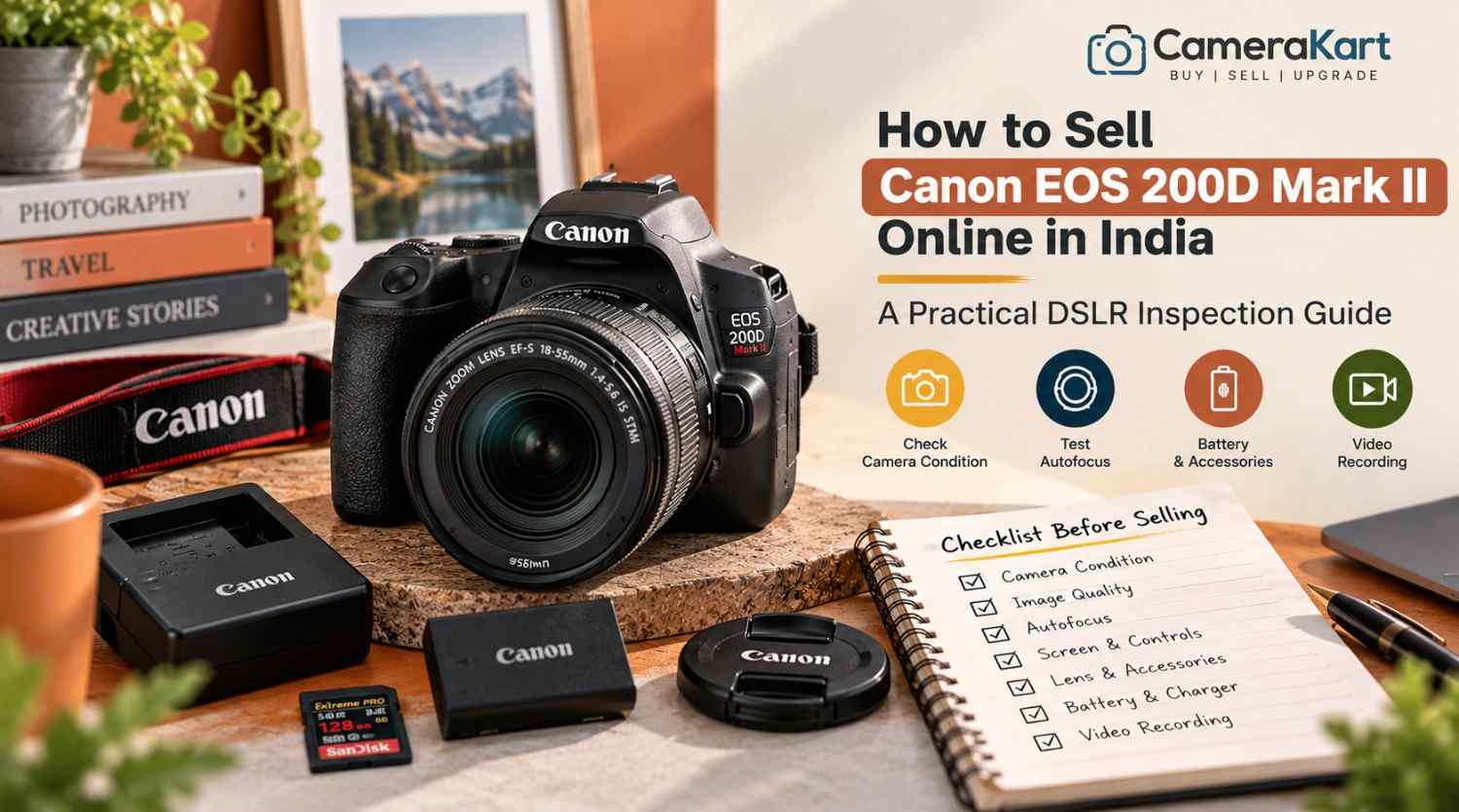
  • How to Sell Canon EOS 200D Mark II Online in India: A Practical DSLR Inspection Guide

    How to Sell Canon EOS 200D Mark II Online in India: A Practical DSLR Inspection Guide

    If your Canon EOS 200D Mark II is no longer part of your regular photography setup, selling it can help you recover money from equipment you no longer use. Before you sell Canon EOS 200D Mark II online, check its autofocus, touchscreen, image quality, video recording, lens and accessories.

    The Canon EOS 200D Mark II, also known as the EOS 250D in some markets, is a compact DSLR with a 24.1MP APS-C CMOS sensor and DIGIC 8 image processor. It offers an optical viewfinder, a vari-angle touchscreen, Dual Pixel CMOS autofocus in Live View and 4K video recording. These features make it useful for everyday photography, portraits, travel and beginner content creation.

    A camera that looks clean may still have a faulty button, unreliable autofocus or a memory-card problem. This guide explains what to test before selling and how to prepare your camera for an offer through CameraKart.

    1. Confirm Your Camera Model and Included Equipment

    Before requesting an offer, confirm that your camera is the Canon EOS 200D Mark II rather than the original EOS 200D. Check the model marking on the camera and any available purchase documents.

    Next, identify exactly what you intend to sell. Your package may contain:

    • Canon EOS 200D Mark II body
    • Canon EF-S kit lens or another compatible EF/EF-S lens
    • LP-E17 battery
    • Compatible battery charger
    • Body cap and lens caps
    • Camera strap
    • Original box and invoice, if available
    • Additional batteries, memory cards or accessories

    If you have more than one lens, record each model separately. If you are selling only the camera body, make that clear.

    Do not assume the original kit lens is included with every EOS 200D Mark II. Accurate package details help when you sell a used Canon EOS 200D Mark II because the body and any additional equipment may be assessed separately.

    2. Test the Sensor and Image Quality

    The EOS 200D Mark II features a 24.1MP APS-C CMOS sensor. Before selling, take a few photographs in different lighting conditions and review the saved files.

    Start with a well-lit scene and then photograph a darker subject. Check whether the camera produces consistent images and whether any unusual marks appear repeatedly.

    Look for:

    • Persistent spots or lines in the same image area
    • Unexpected colour defects
    • Images that fail to save correctly
    • Exposure problems that continue after checking settings
    • Recurring image-quality issues

    A mark in a photograph does not automatically indicate a sensor fault. Dust on the lens, lighting and camera settings can affect the result too. If a defect appears repeatedly, investigate it carefully and disclose any unresolved issue.

    Avoid touching the sensor surface or attempting unfamiliar cleaning procedures before selling.

    3. Check Autofocus Through the Viewfinder and Live View

    One useful feature of the EOS 200D Mark II is that its autofocus behaviour differs between optical-viewfinder shooting and Live View.

    Canon specifies a nine-point autofocus system when composing through the optical viewfinder, while Live View uses Dual Pixel CMOS AF with selectable focus positions. Test both methods instead of assuming that success in one mode confirms the other works correctly.

    Take photographs of a stationary subject and a moving person. Then use Live View to focus on a subject on the LCD screen.

    Check whether:

    • Focus points respond to your selections
    • Autofocus locks onto the intended subject
    • Live View focusing behaves consistently
    • Touch focus responds normally
    • The camera displays any unexpected warnings

    If focus is inconsistent, repeat the test with a compatible lens and suitable lighting. A fault may come from the lens, settings or shooting conditions rather than the camera body alone.

    When you request an offer, mention any recurring problem you cannot resolve.

    4. Inspect the Vari-Angle Touchscreen and Optical Viewfinder

    The EOS 200D Mark II has a 3-inch vari-angle touchscreen. It is useful for low-angle photographs, self-portraits and video recording, so check both its display and movement.

    Inspect the LCD for cracks, unusual lines, dark patches or touch-response problems. Move the screen gently through its normal range and confirm that the hinge works properly.

    Test the touchscreen by navigating menus and selecting focus points. Avoid pressing hard on the display.

    Next, look through the optical viewfinder. Check that the view is clear and that the viewfinder display behaves normally.

    Also test the main controls, including the power switch, shutter button, mode dial, control buttons and menu controls. Inspect the body for impact marks, loose components or signs of liquid exposure.

    Ordinary cosmetic wear does not automatically make the camera unsuitable for selling. The important thing is to describe its condition honestly.

    5. Test the Built-In Flash and Exposure Controls

    The EOS 200D Mark II includes a built-in pop-up flash. If you use it for portraits, indoor photographs or fill light, test that it opens and fires normally.

    Take a few photographs with the flash enabled and check the results. Confirm that the flash closes properly and that the camera does not display unexpected errors.

    Test the main exposure modes you regularly use, such as aperture priority, shutter priority and manual exposure. Change settings and take sample photographs to confirm that the controls respond.

    Also check the exposure compensation control and review the resulting images. If the exposure seems incorrect, verify the metering mode and settings before assuming there is a hardware problem.

    If the built-in flash does not open or fire consistently, disclose the issue when requesting an offer.

    6. Check 4K Video Recording and Audio

    Although the EOS 200D Mark II is a DSLR, it supports 4K video recording as well as Full HD options. Its 4K mode has different autofocus behaviour from Full HD Live View recording, so test the modes you actually use.

    Insert a compatible memory card and record a short clip. Check that the file saves and plays back correctly.

    Inspect for:

    • Recording interruptions
    • Files that fail to save
    • Unusual image defects
    • Audio that is missing or distorted
    • Controls that become unresponsive
    • Unexpected recording warnings

    The camera has built-in stereo microphones and an external microphone connection. If you use an external microphone, test the connection with compatible equipment.

    Do not assume every recording mode works because one short clip looks fine. If you encounter a recurring problem, record the setting and behaviour so you can describe it accurately.

    7. Inspect the Lens, Mount and Battery

    If a lens is included, check it separately from the camera body. Inspect the front and rear glass for visible scratches, haze or fungus. Check the barrel, zoom ring, focus ring and mount for damage.

    Take sample photographs and test autofocus where possible. If you have multiple lenses, list each one separately rather than describing the package simply as a “complete camera kit.”

    The EOS 200D Mark II uses the LP-E17 battery. Check that the battery powers the camera normally and that the charger works if it is included. Inspect the battery for visible damage; do not use a swollen or damaged battery.

    Also inspect the memory-card slot and check that the camera recognises the card, saves images and plays files back correctly.

    If the battery has limited runtime or a port is damaged, disclose it rather than claiming that every function is working.

    8. Prepare the Camera Details Before Requesting an Offer

    Before you sell Canon EOS 200D Mark II online in India, prepare a short record of your camera and its condition.

    Keep these details ready:

    • Exact model name
    • Body-only or lens-kit configuration
    • Included lenses and accessories
    • Physical condition
    • Autofocus and image-quality test results
    • Video and flash test results
    • Known faults or previous repairs
    • Invoice and box availability
    • Pickup location, if requested by the service

    Take clear photographs of the front, rear LCD, top controls, base, lens mount and included accessories. Use even lighting so the equipment’s actual condition is visible.

    Back up important photographs and videos before handing over the camera. Remove your memory card and disconnect personal wireless connections where appropriate. If you are ready to clear your settings, follow Canon’s instructions for resetting the camera.

    9. Where Can You Sell a Used Canon EOS 200D Mark II?

    You can consider private buyers, online marketplaces or specialist camera-buying services.

    Private sales allow direct negotiation, but you may need to handle enquiries, demonstrations, payment verification and collection arrangements yourself. Marketplace processes and buyer experiences can vary.

    A specialist camera-buying service may provide a more structured process for submitting the camera details, receiving an estimate and arranging an inspection.

    Before choosing a service, understand whether the estimate is provisional, how the final offer is determined, whether pickup is available in your area and when payment is made.

    Do not base your expected offer solely on the camera’s original purchase price or another seller’s listing. The condition, included equipment and inspection results all matter.

    10. Start Selling Your Canon EOS 200D Mark II Through CameraKart

    You can start with CameraKart’s dedicated model page:

    Sell Canon EOS 200D Mark II Online with CameraKart

    Review the information requested and provide accurate details about the camera body, lens and accessories you intend to include.

    CameraKart describes its general selling process as requesting an estimate, scheduling pickup where available and completing payment after technician inspection. Confirm the current terms and pickup availability for your area before proceeding.

    Treat the initial estimate as provisional until the camera has been assessed. Clear information about the package and any faults can help ensure the inspection reflects the equipment you are actually selling.

    Final Checklist Before Selling

    Before submitting your Canon EOS 200D Mark II, confirm that you have:

    1. Verified the exact camera model.
    2. Tested image quality and checked for recurring defects.
    3. Tested autofocus through the viewfinder and Live View.
    4. Inspected the touchscreen, hinge and optical viewfinder.
    5. Checked the built-in flash and exposure controls.
    6. Tested video recording and audio.
    7. Inspected the lens, battery and memory-card slot.
    8. Listed all included equipment.
    9. Disclosed known faults or previous repairs.
    10. Backed up important files and removed your memory card.

    Selling your EOS 200D Mark II starts with knowing exactly what works and what is included. Complete these checks, prepare your equipment details and review the selling terms before proceeding.
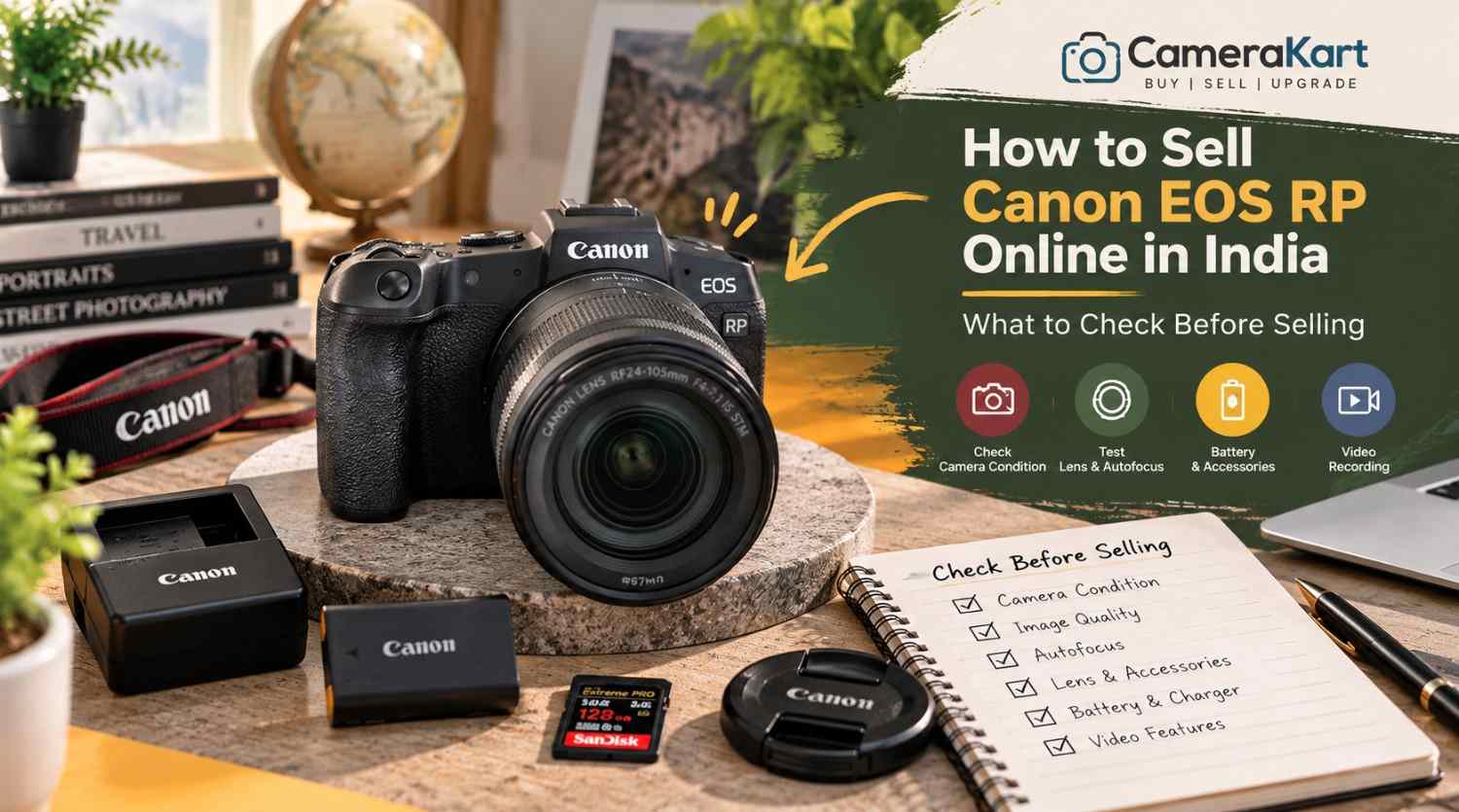

  • How to Sell Canon EOS RP Online in India: What to Check Before Selling

    How to Sell Canon EOS RP Online in India: What to Check Before Selling

    If you own a Canon EOS RP and are planning to upgrade your camera or switch to another system, selling your existing equipment can be a practical next step. Before you sell Canon EOS RP online, check the camera’s sensor performance, autofocus, display, recording functions, lens mount and included accessories.

    The Canon EOS RP is a compact full-frame mirrorless camera featuring a 26.2MP CMOS sensor, DIGIC 8 image processor, Dual Pixel CMOS AF and Canon RF lens compatibility. It can also use compatible EF and EF-S lenses with the appropriate mount adapter, making it relevant to photographers transitioning from a Canon DSLR.

    Because many EOS RP owners use their cameras for portraits, travel, family photography and everyday content creation, the inspection should cover both photography and video functions.

    This guide explains how to prepare your camera, identify its included equipment and start the selling process through CameraKart.

    1. Identify the Exact Camera Package

    Before requesting an offer, confirm whether you are selling the EOS RP body alone or including a lens.

    The camera uses Canon’s RF mount. If you previously used Canon DSLR lenses, you may also have an EF-EOS R mount adapter. Include it only if you intend to sell it with the camera.

    Make a list of the equipment you have:

    • Canon EOS RP camera body
    • RF or RF-S-compatible equipment where applicable; identify the exact lens model
    • Compatible EF lens and mount adapter, if included
    • Battery and charger
    • Body cap and lens caps
    • Camera strap
    • Original box and purchase invoice, if available
    • Additional batteries or other accessories

    If you are selling a body-only package, state that clearly. If you have an RF lens or DSLR lens with an adapter, record each model separately.

    A complete and accurate equipment list helps avoid confusion during inspection when you sell a used Canon EOS RP.

    2. Check the Full-Frame Sensor and Image Quality

    The EOS RP features a 26.2MP full-frame CMOS sensor. Before selling, take several photographs in different lighting conditions and inspect the saved images.

    Start with a well-lit subject, then photograph a darker scene. Review the results on the camera and, if possible, on a computer screen.

    Look for:

    • Persistent marks or spots in the same image area
    • Unusual lines or recurring colour defects
    • Unexpected image corruption
    • Problems saving photographs
    • Exposure behaviour that appears inconsistent

    A mark in a photograph does not necessarily mean the sensor is damaged. Dust on the lens, lighting conditions and shooting settings can affect image quality too.

    If a defect appears repeatedly, investigate carefully and disclose any unresolved issue. Avoid touching the sensor surface or attempting unfamiliar cleaning procedures just before selling.

    3. Test Autofocus and Subject Detection

    Autofocus is an important part of the EOS RP’s everyday photography performance. The camera uses Dual Pixel CMOS AF for supported still-image and video workflows.

    Take photographs of a stationary subject and a person moving around the frame. Test autofocus in suitable lighting and try different focus areas.

    Check whether:

    • The camera acquires focus consistently.
    • Focus points respond to your selections.
    • Face detection works as expected.
    • Touchscreen focus responds normally.
    • Autofocus operates with the included lens.
    • Any unusual warning appears.

    If focus seems inconsistent, repeat the test with suitable settings and a lens you know is functioning properly. A problem may originate from the lens or shooting conditions rather than the camera body.

    When you request an offer, mention any autofocus issue you have been unable to resolve.

    4. Inspect the LCD Screen, Viewfinder and Controls

    The EOS RP has a vari-angle touchscreen LCD and an electronic viewfinder. Both should be checked before you sell the camera.

    Inspect the LCD for cracks, lines, dark areas or touch-response problems. Move the screen gently through its normal range and confirm that the hinge works properly.

    Look through the electronic viewfinder and check that the image appears normally. Test the dioptre adjustment if you use it.

    Also inspect the:

    • Power switch and shutter button
    • Mode dial and control dials
    • Menu and function buttons
    • Touchscreen controls
    • Battery compartment
    • Memory-card door
    • Lens mount and tripod socket

    Check the body for impact marks, loose components or signs of liquid exposure. Cosmetic scratches are not necessarily functional faults, but significant damage should be disclosed.

    5. Check the Battery and Power Performance

    The EOS RP uses the LP-E17 battery. Battery condition matters because a camera that powers on may still have limited runtime or charging problems.

    Charge the battery using a suitable charger and test the camera under normal conditions. Check whether it powers on reliably, responds to controls and remains operational during a short photography session.

    Look for unexpected shutdowns, battery warnings or charging issues. Inspect the battery for visible swelling or damage; do not use a damaged battery.

    If you have an additional battery or the original charger, list them separately and identify which items you intend to include.

    Do not promise a particular battery runtime based on a brief test. Usage, screen brightness, temperature and recording settings all affect battery performance.

    6. Test Video Recording and Playback

    Although the EOS RP is often used for photography, it also supports video recording, including 4K recording with limitations that differ from its Full HD modes.

    If you have used the camera for interviews, family videos or content creation, test the recording modes you normally use.

    Insert a compatible memory card and record a short clip. Check that recording starts and stops correctly, the file saves and playback works.

    Pay attention to:

    • Recording errors
    • Files that fail to save
    • Unusual image defects
    • Audio recording problems
    • Screen or control issues during recording
    • Unexpected warnings

    Do not assume every video mode works properly because one short clip recorded successfully. If you encounter a recurring problem, make a note of the exact setting and behaviour.

    7. Inspect the Lens Mount and Any Included Lens

    If your EOS RP is being sold with a lens, inspect that lens independently from the body.

    Check the front and rear glass for visible scratches, haze or fungus. Inspect the barrel, zoom ring, focus ring and mount for damage. Test autofocus and take a few sample photographs where possible.

    If you are including an EF-EOS R adapter, inspect its contacts and exterior for visible damage. Do not force a lens or adapter into the mount.

    Clearly identify the lens model and whether it is included in the offer request. If the camera is body-only, state that instead of suggesting a lens is part of the package.

    8. Check the Ports, Memory Card and Flash Accessories

    Before selling, test the functions and connections you regularly use.

    The EOS RP has a memory-card slot and connections that support workflows such as USB data transfer, HDMI output and external microphone input. Test relevant connections only when you have suitable cables or equipment.

    Check that:

    • The memory card is recognised.
    • Photographs and videos save correctly.
    • Files play back normally.
    • The USB connection works where tested.
    • HDMI output works if you can test it.
    • External microphone input works if you use one.

    If you have an external flash or other compatible accessory, inspect it separately and include it in your equipment list only if you intend to sell it.

    If a port has not been tested, say so. If it is damaged or repeatedly fails, disclose that issue rather than describing the camera as fully functional.

    9. Prepare Your Camera Details and Photographs

    Before you sell Canon EOS RP online in India, prepare the information needed to identify the camera and describe its condition accurately.

    Keep these details ready:

    • Exact model: Canon EOS RP
    • Body-only or lens package
    • Lens and adapter details, if included
    • Physical condition
    • Autofocus and image-quality test results
    • Video and connectivity test results
    • Known faults or previous repairs
    • Invoice and box availability
    • Pickup location, if requested by the service

    Take clear photographs of the front, rear screen, top controls, base, lens mount and included accessories. Use even lighting and avoid editing images in ways that hide damage.

    Back up your important photographs and videos before handing over the camera. Remove your memory card and disconnect personal wireless connections where appropriate. If you are ready to clear your settings, follow Canon’s instructions for resetting the camera.

    10. Where Can You Sell a Used Canon EOS RP?

    You can consider private buyers, online marketplaces or specialist camera-buying services.

    A private sale allows direct communication and negotiation, but you may need to manage enquiries, arrange demonstrations and verify payment yourself. Marketplace processes and buyer experiences can vary.

    A specialist camera-buying service may offer a more structured process for submitting model details, receiving an estimate and arranging an inspection.

    Before choosing a service, check whether the initial estimate is provisional, how the final offer is determined, whether pickup is available in your area and when payment is made.

    Avoid assuming that the original purchase price or another seller’s listing guarantees your final offer. The camera’s condition, included equipment and inspection results all matter.

    11. Start Selling Your Canon EOS RP Through CameraKart

    You can begin with CameraKart’s dedicated Canon EOS RP model page:

    Sell Canon EOS RP Online with CameraKart

    Review the available selling steps and provide accurate details about your camera and package.

    CameraKart describes its general process as requesting an estimate, arranging pickup where available and completing payment after technician inspection. Confirm the current terms and pickup availability for your area before proceeding.

    Treat the initial estimate as provisional until the camera has been assessed. Providing clear details about the body, lens and accessories can help ensure the inspection reflects the package you intend to sell.

  • Get the Best Price for Your Used Camera Without the Hassle

    Get the Best Price for Your Used Camera Without the Hassle

    If you’re looking to Sell Camera Online, you’re entitled to more than a standard price. A lot of camera owners find themselves accepting lower offers due to the fact that they don’t know the true value of their equipment, or select the wrong selling platform for it.

    At CameraKart our mission is to help you find the most value for your camera used through an open, reliable, secure and professional selling process.

    If you’re looking to upgrade to a better model, changing camera systems or just no longer making use of your camera, CameraKart helps you convert your camera to cash without any unnecessary hassles or delays.

    Why Camera Owners Trust CameraKart

    Selling a camera via various marketplaces can be stressful. You could receive numerous messages, low offers or have buyers who do not finish the purchase.

    CameraKart eliminates these problems by providing an exclusive service for buying cameras.

    What you get is:

    • Best Market Price
    • Free Camera Valuation
    • Free Doorstep Pickup
    • Instant Payment
    • Professional Camera Inspection
    • Transparent Process

    Instead of looking for buyers on your own, just provide your camera’s information and let our professionals take care of the rest.

    We Buy Almost Every Camera Brand

    If your equipment is new or has been around for a while, CameraKart purchases a wide assortment of photographic equipment.

    DSLR Cameras

    • Canon
    • Nikon
    • Sony
    • Pentax

    Mirrorless Cameras

    • Canon EOS R Series
    • Sony Alpha Series
    • Nikon Z Series
    • Fujifilm X Series
    • Panasonic Lumix

    Other Equipment

    • Camera Lenses
    • Action Cameras
    • Cinema Cameras
    • Professional Camera Bodies

    If you’re trying for a way to Sell Used Camera, chances are we’ll be able to help.

    Why Our Offers Are Competitive

    Contrary to local sellers who typically provide a flat rate, CameraKart evaluates every camera individually.

    Our experts evaluate:

    • Model and variant
    • Physical physical
    • Functional condition
    • Shutter count
    • Accessories included
    • Current market demand

    This will ensure you get an accurate price in accordance with your camera’s real possibility of resales.

    The better quality of your camera equipment the higher your Camera Resell value.

    How to Sell Your Camera in 4 Simple Steps

    The process is simple to allow you to sell your camera without fear.

    Step 1 – Share Camera Details

    Let us know the details of your camera including model, the brand condition, and any accessories.

    Step 2 – Receive a Free Quote

    Our team review the information and then provides a price according to the current market demand.

    Step 3 – Schedule Pickup

    If you’re satisfied with our offer we’ll schedule a convenient pick-up (where you are able).

    Step 4 – Get Paid

    After verification and inspection Payment is processed swiftly and safely.

    All it takes is Sell My Camera Online without any hassle.

    Why Selling Today Makes Sense

    Camera’s value doesn’t remain the same forever.

    Every new model launch could decrease the value of resales for older models.

    Selling now will help you:

    • Get Better Market Value
    • Upgrade Faster
    • Avoid Future Depreciation
    • Free Up Unused Equipment

    If your camera was sitting in a closet for months it is the perfect moment to sell your old Camera equipment before the value decreases even more.

    Why CameraKart Is Better Than Selling Through Classified Websites

    CameraKartTypical Marketplace
    Professional Camera EvaluationRandom Buyers
    Instant PaymentPayment Delays
    Free Pickup*Self Shipping
    Transparent PricingEndless Negotiation
    Dedicated Camera ExpertsGeneral Buyers
    Secure ProcessUncertain Transactions

    Instead of wasting time talking to several customers, CameraKart offers one simple, reliable solution.

    Can Who Sell Their Camera?

    CameraKart is compatible with:

    • Professional Photographers
    • Content Creators
    • Wedding Photographers
    • Videographers
    • Hobby Photographers
    • Students
    • Camera Collectors

    No matter if you’re selling just one camera or a variety of gear, the purchase procedure was designed so that it is fast and clear.

    Why Thousands of Sellers Prefer CameraKart

    Our customers pick CameraKart because they appreciate:

    • Honest Pricing
    • Fast Response
    • Easy Process
    • Safe Transactions
    • Professional Service

    If you’re ready to sell your Camera for cash, selecting a buyer who is specialized can make the whole process easier.

    Ready to Sell Your Camera?

    Don’t let your camera’s value dwindle as it sits idle.

    CameraKart assists you in:

    Receive the Best Price for Your Used Camera

    Contact us today for a free valuation and find out how much your camera’s worth.

    Conclusion

    Sell your camera ought to be easy as well as secure and rewarding. Instead of negotiating with multiple buyers, or taking lower-than-market prices, you should choose an online platform that is specialized in the purchase of cameras.

    CameraKart is a trusted brand for photographers from across India due to our professional camera evaluations and pricing that is competitive and free pickup on the doorstep (where is available) and fast payments in one seamless experience.

    If you’re looking to Sell Camera Online, Sell used Camera, Sell Old Camera or simply upgrade the latest camera our team is prepared to assist you in obtaining the most value for your money.

    Get your camera’s free appraisal today and discover an efficient method to market your camera.

  • Sell Canon, Sony and Nikon Cameras Online: Which Brand Has Better Resale Value?

    Sell Canon, Sony and Nikon Cameras Online: Which Brand Has Better Resale Value?

    A number of frequently asked questions that camera owners have to ask prior to selling is:

    “Which camera brands are able to hold their value best? “

    The answer isn’t as straightforward as Canon against Sony and Nikon.

    The value of a camera’s resales depends on demand in the marketplace, condition and shutter count, the accessories, and the particular model.

    One thing is certain.

    Certain camera brands are consistently attracting greater demand from buyers in India’s market for used cameras.

    If you’re looking to sell camera online, knowing the types of cameras that buyers are actively searching for will help you determine the potential value of your camera’s resales before deciding to accept a deal.

    Why Brand Matters in Camera Resale

    If buyers are looking for cameras that are used usually start by identifying a brand.

    Many photographers already own lenses and other accessories that function only in conjunction with a particular ecosystem.

    This is why strong camera brands keep attracting customers even after many years.

    The three major brands in the used camera market in India are:

    • Canon
    • Sony
    • Nikon

    Every one has their own buyers and resale trend.

    Canon Cameras: Consistent Demand Across All Segments

    Canon is still one of the brands that is easy to market in India.

    The reason is easy to understand.

    Canon cameras are extensively used by:

    • Students of photography
    • Wedding photographers
    • Hobby photographers
    • Content creators

    The most popular Canon models are still attracting customers due to the fact that replacement lenses, parts and accessories are easily accessible.

    Canon Models With Strong Resale Demand

    Canon CameraBuyer Demand
    Canon 200D IIHigh
    Canon 80DHigh
    Canon 90DVery High
    Canon R10Growing
    Canon R7Growing

    A lot of first-time buyers search for Canon DSLRs due to their reliability and reputation.

    Sony Cameras: Currently Leading the Mirrorless Market

    In the last several years Sony is now one of the most powerful names in the market for used cameras.

    Many creators favor Sony due to:

    • Autofocus performance
    • Video content
    • Compact design

    In the end, Sony cameras typically generate a lot of sales interest.

    Sony Models With High Market Demand

    Sony CameraBuyer Demand
    Sony A6400Very High
    Sony A6600High
    Sony A7 IIIVery High
    Sony A7 IVExtremely High
    Sony ZV-E10Very High

    At CameraKart they focus on creating content. Sony cameras typically receive a lot of requests due to the increasing popularity of YouTubers as well as content producers.

    Nikon Cameras: Strong Demand Among Photography Enthusiasts

    Nikon keeps retaining the trust of its customers.

    Although Nikon’s growth in mirrorless technology was slower than Sony’s, a number of DSLR models are still a success on the resale market.

    Nikon Models With Strong Resale Interest

    Nikon CameraBuyer Demand
    Nikon D5600High
    Nikon D7500High
    Nikon D850Very High
    Nikon Z50Growing
    Nikon Z6 IIHigh

    Many photographers choose Nikon due to its image quality and lenses available.

    Which Brand Usually Holds Value Better?

    It depends on the camera’s type.

    DSLR Segment

    BrandResale Strength
    CanonVery Strong
    NikonStrong
    SonyModerate

    Mirrorless Segment

    BrandResale Strength
    SonyVery Strong
    CanonStrong
    NikonGrowing

    The current market trend favors Sony mirrorless cameras as well Canon DSLR cameras.

    But, condition plays more of a role than the brand itself.

    CameraKart Insight

    A common mistake that sellers make is thinking that every camera from a reputable brand automatically has a good value for resales.

    It’s not always true.

    A Canon camera that includes:

    • Accessories missing
    • High shutter count
    • Visible damage

    You may get a better deal than an established Nikon model or Sony model.

    Buyers are interested in the condition as much as their brand’s reputation.

    Before Selling: Brand-Specific Checklist

    No matter what brand that you’re selling

    • Check the shutter count
    • Clean camera body
    • Test autofocus
    • Verify sensor condition
    • Collect battery and charger
    • Find the original invoice
    • Include lens caps as well as accessories

    Small details can affect the confidence of buyers.

    How CameraKart Helps Camera Sellers

    If you’re trying for a way to sell used camera equipment, knowing the market demand for your camera is vital.

    Step 1

    Choose your camera model.

    Step 2

    Share condition details.

    Step 3

    Receive a valuation estimate.

    Step 4

    Schedule pickup.

    Step 5

    Complete the verification process and you will receive your payment.

    This will help sellers determine the value of their camera worth before they make a choice.

    Check Your Camera’s Value Before Selling

    If you’re looking to sell Canon camera, sell Sony camera, or sell Nikon camera the same rules is applicable:

    Don’t judge the value of your camera in relation to the price you purchased it for.

    Market demand fluctuates continuously.

    The best method to make an informed selling decision is to be aware of the potential resale of your camera condition, as well as the buyer’s demand prior to taking any offer.

    A camera that is well-maintained and from the right brand will be a source of interest for a long time after the date of its launch.

  • Sell Canon Camera Online in India – Get Instant Cash For Your Old Camera

    Sell Canon Camera Online in India – Get Instant Cash For Your Old Camera

    Introduction

    Canon cameras have become among the sought-after cameras for videography and photography in India. From the simplest DSLRs up to high-end mirrorless camera models, Canon has built an excellent reputation for quality of images, reliability, and performance.

    As new models of cameras continue to be released, many artists and creators of content prefer to sell Canon camera online instead of keeping their old equipment in storage. Online platforms for reselling cameras offer the fastest, most secure and more efficient process as compared to the traditional markets.

    Instead of battling fake buyers, low-quality offers, and unsecure meetings, customers are now able to choose reputable cameras resales platforms to ensure safe transactions and immediate payment.

    Platforms such as CameraKart help users sell their old cameras by offering doorstep pickup and fast evaluation services.

    Why People Sell Canon Camera Online

    There are many reasons creators and photographers decide to sell Canon camera online.

    Upgrading To New Canon Models

    Canon often releases brand-new DSLR and mirrorless cameras that feature advanced autofocus, improved video quality, and enhanced low-light performance.

    Switching To Mirrorless Cameras

    Many of the users are making the switch from their older Canon DSLR cameras to modern mirrorless cameras.

    Selling Unused Camera Gear

    The cameras of the past are often left unattended after upgrade. Selling them online helps customers recover value from their unutilized equipment.

    Creator Setup Upgrades

    YouTubers, vloggers and filmmakers regularly upgrade their cameras to ensure more efficient production of content.

    Benefits Of Selling Canon Camera Online

    The online camera resale platforms have made it easier for selling camera equipment.

    Instant Price Quote

    Users can get a quick estimated resale cost of the Canon camera.

    Doorstep Pickup

    Pickup services are time-saving and eliminate the stress to find local sellers.

    Secure Transactions

    Secure platforms minimize the risk of fraud and fraudulent payments.

    Better Resale Value

    Specialized camera platforms are aware of the market demands of Canon camera lenses and cameras.

    Faster Selling Process

    The entire process is likely to be completed within a short time.

    Popular Canon Cameras With High Resale Demand

    Several Canon camera models maintain strong resale value in India.

    Popular models include:

    • Canon 200D
    • Canon 700D
    • Canon 90D
    • Canon R5
    • Canon R6
    • Canon 250D
    • Canon EOS R Series
    • Canon G7X Mark III

    Canon cameras remain popular with novices, photographers, filmmakers, as well as creators.

    How To Get Better Resale Value For Your Canon Camera

    If you’re looking for the most worth when you sell Canon camera online, making the proper preparations is essential.

    Keep Original Accessories

    Accessories help improve resale value.

    Important things to consider are:

    • Original box
    • Battery
    • Charger
    • Camera strap
    • Lens caps
    • Purchase invoice

    Maintain Camera Condition

    A clear and unmarked camera body will attract more deals.

    Mention Accurate Details

    Always give accurate information regarding:

    • Camera condition
    • Battery health
    • Sensor quality
    • Functional issues
    • Shutter count

    Sell Before Major Depreciation

    Older models slowly diminish in value following new models.

    Problems With Traditional Camera Selling

    A lot of users are still selling cameras via local marketplaces however they frequently face issues like:

    Fake Buyers

    Scams and fake payment screen shots are common.

    Unsafe Meetings

    The idea of negotiating with strangers for costly camera deals could be very risky.

    Lowball Offers

    Local buyers typically offer lower prices than the actual market value.

    Time-Consuming Negotiations

    Incessant bargaining and questions consume time.

    In light of these concerns the majority of photographers have shifted to the online platforms for resales of cameras. Discussions on community forums also often warn customers of scams and bogus market deals.

    Why Specialized Camera Platforms Are Better

    Specialized camera resale platforms concentrate specifically on equipment for photography.

    Benefits include:

    • Professional camera evaluation
    • Greater comprehension of Canon camera resales value
    • Speedier selling process
    • Secure payment systems
    • Customer support that is dedicated
    • Doorstep pickup options

    CameraKart Canon Sell Page aids in simplifying selling and sell Canon camera online in India.

    Tips Before Selling Your Canon Camera

    Backup Your Data

    Take out memory cards and reset camera settings.

    Clean The Camera Properly

    Dirt and dust negatively impact the impressions of buyers.

    Check Camera Functionality

    Check that autofocus buttons, screen and ports function properly.

    Take Clear Photos

    Imagery of the product is a good way to increase confidence and evaluate quality.

    Future Of Used Canon Camera Market In India

    There is a demand to purchase used Canon cameras continues to increase because of India’s growing creator economy.

    More users are joining:

    • YouTube content creation
    • Photography companies
    • Travel vlogging
    • Filmmaking
    • Social media content creation

    Due to this the demand for second hand Canon DSLRs and cameras is anticipated to grow rapidly over the next couple of years.

    Conclusion

    If you’re looking to sell Canon camera online, selecting the best platform is vital. Specialized platforms for resales of cameras offer more security, speedier and more secure experience when compared to traditional marketplaces.

    Instead of having to deal with fake buyers, uninformed meetings, and low-quality offers, consumers are able to benefit from safe transactions, expert evaluations as well as doorstep pickup and immediate payment services.

    If you own a Canon DSLR, mirrorless camera or a professional setup for photography, online camera resale platforms allow you to make instant cash on your camera equipment.