Tag: sell camera online

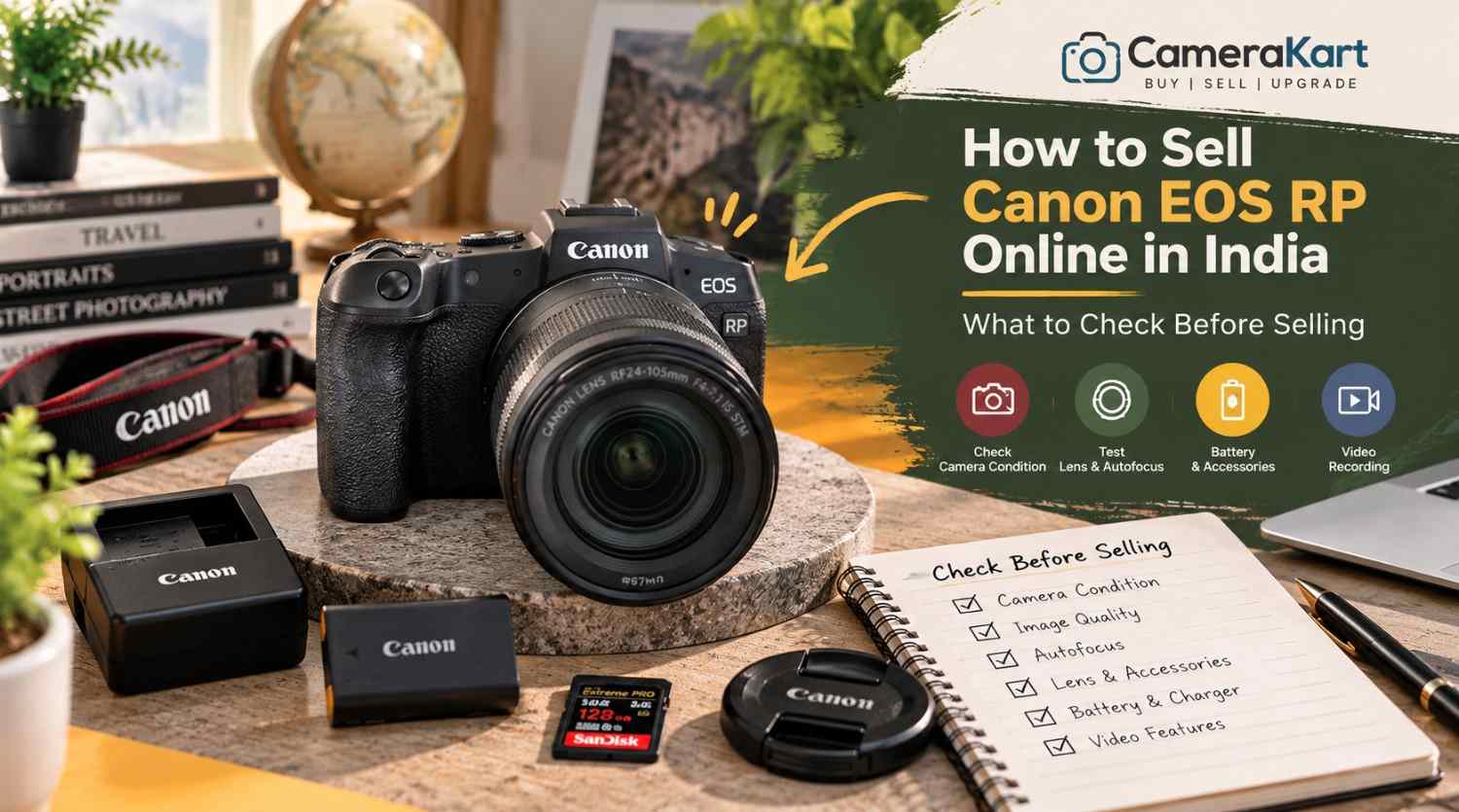
  • How to Sell Canon EOS RP Online in India: What to Check Before Selling

    How to Sell Canon EOS RP Online in India: What to Check Before Selling

    If you own a Canon EOS RP and are planning to upgrade your camera or switch to another system, selling your existing equipment can be a practical next step. Before you sell Canon EOS RP online, check the camera’s sensor performance, autofocus, display, recording functions, lens mount and included accessories.

    The Canon EOS RP is a compact full-frame mirrorless camera featuring a 26.2MP CMOS sensor, DIGIC 8 image processor, Dual Pixel CMOS AF and Canon RF lens compatibility. It can also use compatible EF and EF-S lenses with the appropriate mount adapter, making it relevant to photographers transitioning from a Canon DSLR.

    Because many EOS RP owners use their cameras for portraits, travel, family photography and everyday content creation, the inspection should cover both photography and video functions.

    This guide explains how to prepare your camera, identify its included equipment and start the selling process through CameraKart.

    1. Identify the Exact Camera Package

    Before requesting an offer, confirm whether you are selling the EOS RP body alone or including a lens.

    The camera uses Canon’s RF mount. If you previously used Canon DSLR lenses, you may also have an EF-EOS R mount adapter. Include it only if you intend to sell it with the camera.

    Make a list of the equipment you have:

    • Canon EOS RP camera body
    • RF or RF-S-compatible equipment where applicable; identify the exact lens model
    • Compatible EF lens and mount adapter, if included
    • Battery and charger
    • Body cap and lens caps
    • Camera strap
    • Original box and purchase invoice, if available
    • Additional batteries or other accessories

    If you are selling a body-only package, state that clearly. If you have an RF lens or DSLR lens with an adapter, record each model separately.

    A complete and accurate equipment list helps avoid confusion during inspection when you sell a used Canon EOS RP.

    2. Check the Full-Frame Sensor and Image Quality

    The EOS RP features a 26.2MP full-frame CMOS sensor. Before selling, take several photographs in different lighting conditions and inspect the saved images.

    Start with a well-lit subject, then photograph a darker scene. Review the results on the camera and, if possible, on a computer screen.

    Look for:

    • Persistent marks or spots in the same image area
    • Unusual lines or recurring colour defects
    • Unexpected image corruption
    • Problems saving photographs
    • Exposure behaviour that appears inconsistent

    A mark in a photograph does not necessarily mean the sensor is damaged. Dust on the lens, lighting conditions and shooting settings can affect image quality too.

    If a defect appears repeatedly, investigate carefully and disclose any unresolved issue. Avoid touching the sensor surface or attempting unfamiliar cleaning procedures just before selling.

    3. Test Autofocus and Subject Detection

    Autofocus is an important part of the EOS RP’s everyday photography performance. The camera uses Dual Pixel CMOS AF for supported still-image and video workflows.

    Take photographs of a stationary subject and a person moving around the frame. Test autofocus in suitable lighting and try different focus areas.

    Check whether:

    • The camera acquires focus consistently.
    • Focus points respond to your selections.
    • Face detection works as expected.
    • Touchscreen focus responds normally.
    • Autofocus operates with the included lens.
    • Any unusual warning appears.

    If focus seems inconsistent, repeat the test with suitable settings and a lens you know is functioning properly. A problem may originate from the lens or shooting conditions rather than the camera body.

    When you request an offer, mention any autofocus issue you have been unable to resolve.

    4. Inspect the LCD Screen, Viewfinder and Controls

    The EOS RP has a vari-angle touchscreen LCD and an electronic viewfinder. Both should be checked before you sell the camera.

    Inspect the LCD for cracks, lines, dark areas or touch-response problems. Move the screen gently through its normal range and confirm that the hinge works properly.

    Look through the electronic viewfinder and check that the image appears normally. Test the dioptre adjustment if you use it.

    Also inspect the:

    • Power switch and shutter button
    • Mode dial and control dials
    • Menu and function buttons
    • Touchscreen controls
    • Battery compartment
    • Memory-card door
    • Lens mount and tripod socket

    Check the body for impact marks, loose components or signs of liquid exposure. Cosmetic scratches are not necessarily functional faults, but significant damage should be disclosed.

    5. Check the Battery and Power Performance

    The EOS RP uses the LP-E17 battery. Battery condition matters because a camera that powers on may still have limited runtime or charging problems.

    Charge the battery using a suitable charger and test the camera under normal conditions. Check whether it powers on reliably, responds to controls and remains operational during a short photography session.

    Look for unexpected shutdowns, battery warnings or charging issues. Inspect the battery for visible swelling or damage; do not use a damaged battery.

    If you have an additional battery or the original charger, list them separately and identify which items you intend to include.

    Do not promise a particular battery runtime based on a brief test. Usage, screen brightness, temperature and recording settings all affect battery performance.

    6. Test Video Recording and Playback

    Although the EOS RP is often used for photography, it also supports video recording, including 4K recording with limitations that differ from its Full HD modes.

    If you have used the camera for interviews, family videos or content creation, test the recording modes you normally use.

    Insert a compatible memory card and record a short clip. Check that recording starts and stops correctly, the file saves and playback works.

    Pay attention to:

    • Recording errors
    • Files that fail to save
    • Unusual image defects
    • Audio recording problems
    • Screen or control issues during recording
    • Unexpected warnings

    Do not assume every video mode works properly because one short clip recorded successfully. If you encounter a recurring problem, make a note of the exact setting and behaviour.

    7. Inspect the Lens Mount and Any Included Lens

    If your EOS RP is being sold with a lens, inspect that lens independently from the body.

    Check the front and rear glass for visible scratches, haze or fungus. Inspect the barrel, zoom ring, focus ring and mount for damage. Test autofocus and take a few sample photographs where possible.

    If you are including an EF-EOS R adapter, inspect its contacts and exterior for visible damage. Do not force a lens or adapter into the mount.

    Clearly identify the lens model and whether it is included in the offer request. If the camera is body-only, state that instead of suggesting a lens is part of the package.

    8. Check the Ports, Memory Card and Flash Accessories

    Before selling, test the functions and connections you regularly use.

    The EOS RP has a memory-card slot and connections that support workflows such as USB data transfer, HDMI output and external microphone input. Test relevant connections only when you have suitable cables or equipment.

    Check that:

    • The memory card is recognised.
    • Photographs and videos save correctly.
    • Files play back normally.
    • The USB connection works where tested.
    • HDMI output works if you can test it.
    • External microphone input works if you use one.

    If you have an external flash or other compatible accessory, inspect it separately and include it in your equipment list only if you intend to sell it.

    If a port has not been tested, say so. If it is damaged or repeatedly fails, disclose that issue rather than describing the camera as fully functional.

    9. Prepare Your Camera Details and Photographs

    Before you sell Canon EOS RP online in India, prepare the information needed to identify the camera and describe its condition accurately.

    Keep these details ready:

    • Exact model: Canon EOS RP
    • Body-only or lens package
    • Lens and adapter details, if included
    • Physical condition
    • Autofocus and image-quality test results
    • Video and connectivity test results
    • Known faults or previous repairs
    • Invoice and box availability
    • Pickup location, if requested by the service

    Take clear photographs of the front, rear screen, top controls, base, lens mount and included accessories. Use even lighting and avoid editing images in ways that hide damage.

    Back up your important photographs and videos before handing over the camera. Remove your memory card and disconnect personal wireless connections where appropriate. If you are ready to clear your settings, follow Canon’s instructions for resetting the camera.

    10. Where Can You Sell a Used Canon EOS RP?

    You can consider private buyers, online marketplaces or specialist camera-buying services.

    A private sale allows direct communication and negotiation, but you may need to manage enquiries, arrange demonstrations and verify payment yourself. Marketplace processes and buyer experiences can vary.

    A specialist camera-buying service may offer a more structured process for submitting model details, receiving an estimate and arranging an inspection.

    Before choosing a service, check whether the initial estimate is provisional, how the final offer is determined, whether pickup is available in your area and when payment is made.

    Avoid assuming that the original purchase price or another seller’s listing guarantees your final offer. The camera’s condition, included equipment and inspection results all matter.

    11. Start Selling Your Canon EOS RP Through CameraKart

    You can begin with CameraKart’s dedicated Canon EOS RP model page:

    Sell Canon EOS RP Online with CameraKart

    Review the available selling steps and provide accurate details about your camera and package.

    CameraKart describes its general process as requesting an estimate, arranging pickup where available and completing payment after technician inspection. Confirm the current terms and pickup availability for your area before proceeding.

    Treat the initial estimate as provisional until the camera has been assessed. Providing clear details about the body, lens and accessories can help ensure the inspection reflects the package you intend to sell.
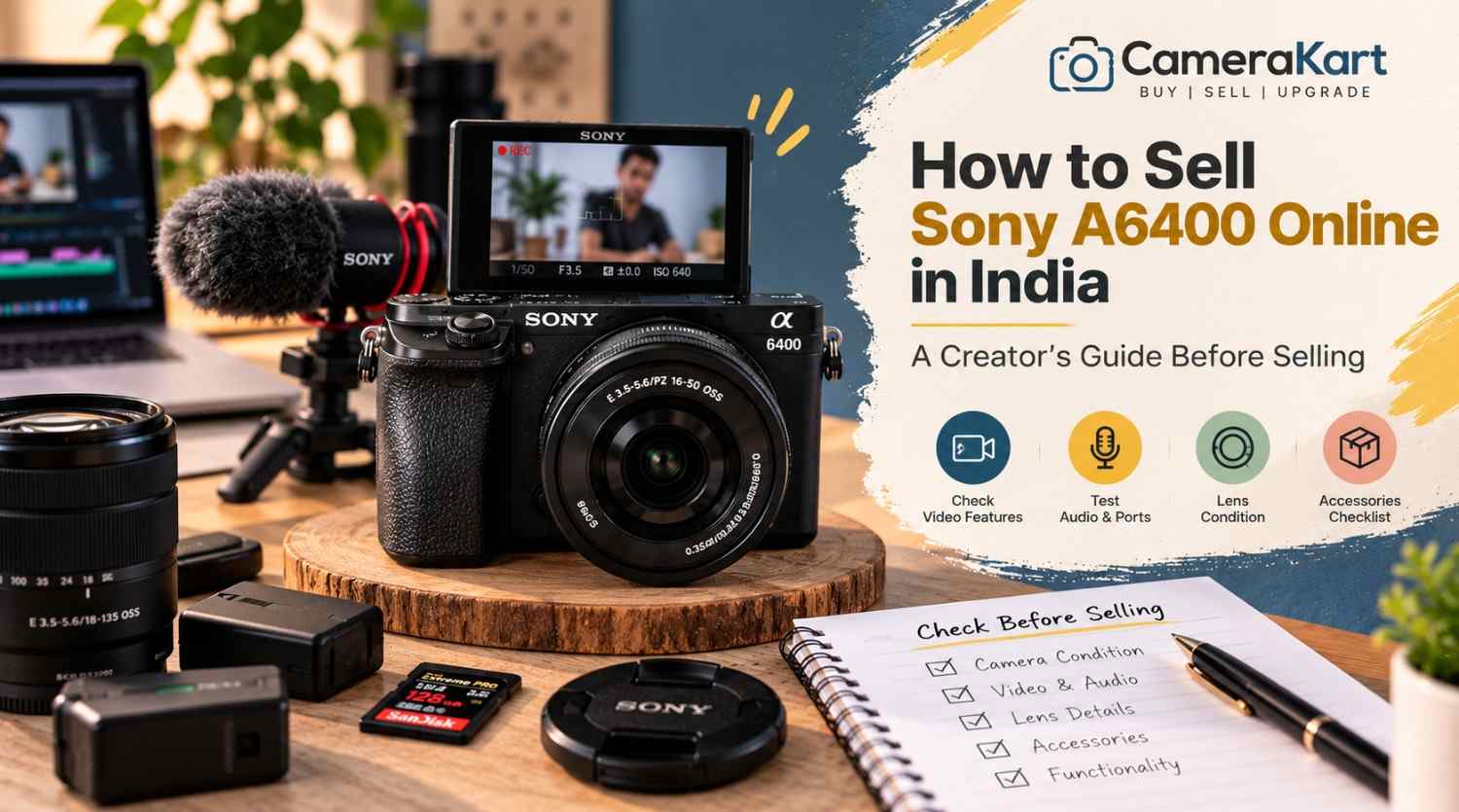
  • How to Sell Sony A6400 Online in India: A Creator’s Guide Before Selling

    How to Sell Sony A6400 Online in India: A Creator’s Guide Before Selling

    If you’re a photographer, YouTuber, vlogger or content creator who owns a Sony A6400, there may come a point when your current camera no longer fits your setup.

    You may have upgraded to a newer Sony body, moved to full-frame, purchased a dedicated video camera, or simply stopped using the A6400 regularly.

    When that happens, selling the camera can be a practical way to move on from equipment that’s sitting unused.

    But if you’re planning to sell Sony A6400 online, don’t evaluate it only like a traditional still-photography camera.

    The A6400 has several features that are particularly relevant to creators, including a 24.2MP APS-C sensor, Fast Hybrid AF, 425 phase-detection and 425 contrast-detection AF points, 4K video recording, a 180-degree tilting LCD and microphone connectivity. Sony also lists continuous shooting up to 11 fps. Sony India

    That means a creator should check both photography and video functionality before selling.

    Here’s a practical guide.

    1. Start by Identifying the Exact A6400 Kit

    Before you sell used Sony A6400, first establish exactly what you’re selling.

    Your setup might include:

    • Sony A6400 body
    • 16–50mm kit lens
    • 18–135mm lens
    • Prime lens
    • Extra battery
    • Charger
    • Camera strap
    • Body cap
    • Lens cap
    • Memory card
    • Camera bag
    • Original box

    Don’t describe everything as simply “Sony A6400.”

    For example:

    Sony A6400 + 16–50mm lens + original battery + charger

    gives a much clearer picture of the equipment being submitted.

    2. Check the Camera Body for Creator-Use Wear

    Creators often use cameras differently from occasional photographers.

    An A6400 used for vlogging may have spent a lot of time:

    • On a tripod
    • Inside a camera cage
    • Attached to a microphone
    • Mounted on a gimbal
    • Connected to an HDMI monitor
    • Used outdoors

    So inspect areas that may have experienced regular handling.

    Check:

    • Camera grip
    • Tripod mount
    • Hot shoe
    • Battery door
    • HDMI/USB area
    • Microphone port
    • Mode dial
    • Control dials
    • Screen hinge

    Minor cosmetic wear isn’t necessarily a major problem.

    What matters more is whether any damage affects normal operation.

    3. Test the 180-Degree Tilting Screen

    One of the most useful A6400 features for creators is its 180-degree tilting LCD.

    Sony’s specifications list a 3-inch LCD monitor with approximately 921,600 dots and a 180-degree tilting mechanism. Sony India

    If you used your A6400 for selfies, vlogging or talking-head videos, this screen has probably been used frequently.

    Check:

    • Screen opens smoothly
    • Screen holds its position
    • Display remains normal
    • No flickering
    • No lines
    • No cracked areas
    • Menu and playback work correctly

    Also move the screen carefully rather than forcing it beyond its intended movement.

    4. Test Autofocus for Both Photos and Video

    Autofocus is one of the important reasons creators choose the A6400.

    Sony lists a Fast Hybrid AF system with 425 phase-detection AF points and 425 contrast-detection AF points. Sony India

    Test autofocus with the lens you’re selling.

    Try:

    • Static subjects
    • Moving subjects
    • Face detection
    • Eye AF where supported
    • Close subjects
    • Distant subjects

    For a creator camera, don’t test autofocus only through still photographs.

    Record a short video and see whether focus behaves normally while the subject moves.

    5. Test the Camera’s 4K Recording

    If you’re planning to sell Sony A6400 online in India, video recording deserves special attention.

    The A6400 supports 4K recording, making it relevant for creators who use the camera for YouTube, product videos, travel content and other video work. Sony’s current product material lists 4K HDR and the camera’s creator-oriented specifications. Sony India

    Record a short 4K clip.

    Check:

    • Recording starts normally
    • Video saves correctly
    • Playback works
    • Audio is captured
    • Autofocus behaves normally
    • Camera doesn’t unexpectedly stop

    You don’t need to record a 30-minute video.

    A short test is enough to identify obvious issues.

    6. Check the Microphone Connection

    If you’ve used the A6400 for YouTube or professional content, the microphone connection is especially important.

    Connect your microphone and record a short clip.

    Check whether:

    • Microphone is detected
    • Audio is recorded
    • Connection is stable
    • Cable fits correctly
    • There is unusual noise or intermittent audio

    If you normally used an external microphone, this is one of the tests worth performing before you sell used Sony A6400.

    A camera can capture excellent video while still having an issue with an external audio connection.

    7. Check the HDMI and USB Connections

    Creators sometimes connect cameras to computers, capture devices or external monitors.

    Therefore, don’t overlook the physical ports.

    Inspect the relevant connections for:

    • Loose ports
    • Physical damage
    • Bent components
    • Connection problems

    If you regularly used the camera for streaming or external monitoring, test the connection you used most frequently.

    There’s no need to repeatedly insert and remove cables just for testing.

    One careful test is sufficient.

    8. Test the Lens You Are Selling With It

    If you’re selling an A6400 with a lens, the lens needs its own inspection.

    Check:

    • Front glass
    • Rear glass
    • Zoom ring
    • Focus ring
    • Autofocus
    • Mount
    • Image stabilization, if supported
    • Filter thread

    Look for:

    • Fungus
    • Haze
    • Heavy dust
    • Scratches
    • Cracks

    If you’re including a 16–50mm kit lens, mention the exact lens model rather than simply writing “kit lens.”

    If you have an additional prime or zoom lens, list that separately.

    9. Test Stabilization Where Applicable

    Some A6400-compatible lenses include optical stabilization.

    If the lens you’re selling has stabilization, test it.

    Take a few handheld photographs and, if relevant, record a short handheld video.

    Listen for unusual sounds and check whether the stabilization behaves normally.

    Remember that the camera body itself isn’t being evaluated as an in-body stabilization camera in the same way as models that have IBIS. So distinguish between lens stabilization and camera-body stabilization when describing your equipment.

    10. Check Battery Performance

    The A6400 uses the Sony NP-FW50 battery system.

    Before you sell Sony A6400, check whether:

    • Battery charges properly
    • Camera powers on consistently
    • Battery drains unusually quickly
    • Charger works
    • Battery has any physical swelling or damage

    If you have an additional genuine battery, include it in your equipment list.

    If the battery is older and doesn’t perform like it once did, simply mention its condition rather than assuming it is still like new.

    11. Test the Memory Card and File Recording

    Creators often record large video files, so memory-card functionality matters.

    Insert a compatible memory card and record:

    • A photograph
    • A short Full HD clip
    • A short 4K clip

    Then check whether the files save and play correctly.

    If you regularly used a high-capacity card with the camera, remember to remove your personal card before selling.

    Your personal photographs and video files should always be backed up first.

    12. Check the Hot Shoe and Accessories

    If you’ve used the A6400 for content creation, you may have attached:

    • Microphone
    • Flash
    • LED light
    • Wireless receiver
    • Other accessories

    Inspect the hot shoe for physical damage.

    Also gather the accessories you are actually selling.

    Your list could look like:

    Included:
    A6400 body + 16–50mm lens + battery + charger + strap.

    Additional:
    Extra battery + camera bag.

    This is much clearer than simply saying “all accessories included.”

    13. Test the Electronic Viewfinder

    Although creators may use the LCD more often, the A6400 also has an electronic viewfinder.

    Check:

    • Display quality
    • Flickering
    • Lines
    • Visibility
    • Eye sensor behaviour

    A feature that you rarely use can still be part of the camera’s overall condition.

    14. Check the Camera’s Physical Mounts

    If you frequently used the A6400 on a tripod, gimbal or cage, inspect the mounting points.

    Pay particular attention to:

    • Tripod mount
    • Camera base
    • Cage contact points
    • Strap lugs

    Make sure there are no cracks or loose components.

    A camera used heavily for content creation may show more wear around these areas than a camera used primarily handheld.

    15. Don’t Forget Your Personal Creator Settings

    Before selling your camera, back up anything you need and then consider resetting the camera to its normal/default state.

    Your A6400 may contain:

    • Custom button assignments
    • Wi-Fi information
    • Personal shooting settings
    • Custom picture profiles
    • Saved network information

    Most importantly, remove your memory card and make sure personal files are backed up.

    You don’t want your personal data travelling with the camera.

    16. Be Honest About Heavy Creator Use

    A camera used professionally isn’t automatically a bad camera.

    For example, an A6400 may have been used frequently for:

    • YouTube
    • Vlogging
    • Weddings
    • Product photography
    • Travel
    • Social-media content

    Usage itself doesn’t tell the complete story.

    What matters is the actual current condition.

    If the camera has been heavily used but all major functions work properly, describe that honestly.

    17. Prepare a Simple Creator-Specific Checklist

    Before you sell Sony A6400 online, go through this list:

    AreaWhat to Check
    BodyScratches, dents, cracks
    LCD180° movement and display
    EVFDisplay and sensor
    AutofocusPhoto + video AF
    4KRecording and playback
    AudioMicrophone input
    HDMI/USBConnection
    LensGlass, focus and zoom
    BatteryCharging and power
    MemoryRecording and playback
    Hot ShoePhysical condition
    Tripod MountDamage or looseness
    AccessoriesBattery, charger, caps, lens
    Personal DataBackup and remove card

    This checklist is particularly useful if you’ve used your A6400 as a creator camera rather than only for photography.

    Where to Sell Sony A6400 Online

    Once you’ve tested the camera and gathered the equipment, you can start the selling process through CameraKart’s dedicated Sony A6400 page:

    Sell Sony A6400:
    Sell Sony A6400 on CameraKart

    Using the dedicated model page helps you submit the correct camera rather than selecting a generic Sony camera category.

    Final Thoughts

    If you’re ready to sell Sony A6400 online, don’t prepare it like you’re selling only a camera body.

    Think about how you’ve actually used it.

    If you’re a creator, check the 180-degree screen, autofocus, 4K recording, microphone connection, HDMI/USB ports, lens, battery and memory-card recording before submitting the camera.

    The A6400’s 24.2MP APS-C sensor, Fast Hybrid AF with 425 phase-detection and 425 contrast-detection points, 4K capability and creator-friendly screen make these checks particularly relevant. Sony India

    Gather your accessories, back up your content, remove your personal memory card and accurately describe the camera’s condition.

    Then you’re ready to move forward with your selling request.

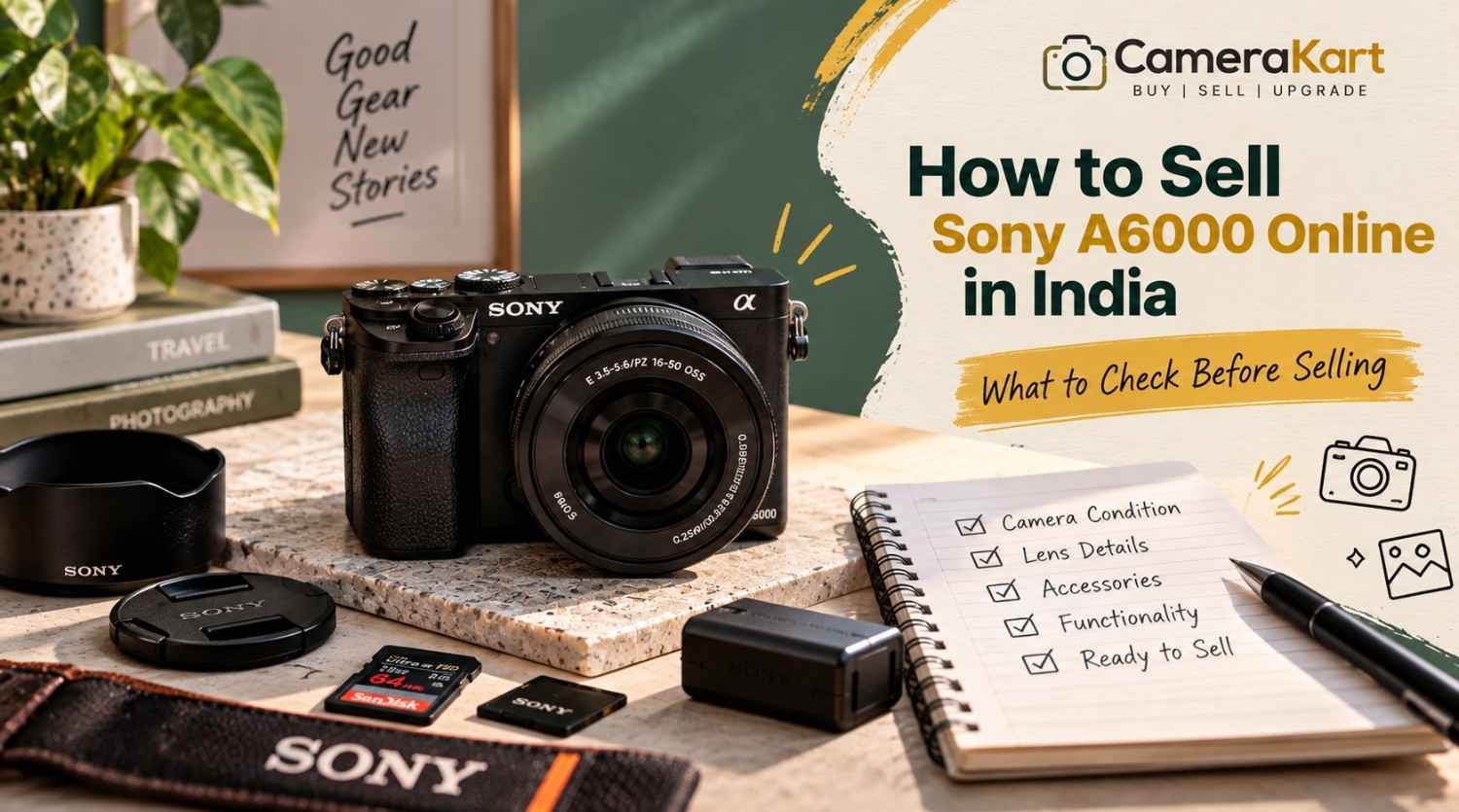
  • How to Sell Sony A6000 Online in India: What to Check Before Selling

    How to Sell Sony A6000 Online in India: What to Check Before Selling

    If you own a Sony A6000 and are thinking about upgrading to a newer camera, switching systems, or simply selling equipment that you no longer use, preparing the camera properly can make the selling process much easier.

    The Sony A6000 is an APS-C mirrorless camera with a 24.3MP effective-resolution sensor, Sony E-mount, Fast Hybrid AF, built-in Wi-Fi and NFC, an electronic viewfinder and a built-in flash. Sony’s specifications also list continuous shooting of up to 11 fps. Sony India

    Because the A6000 is an interchangeable-lens camera, you should not think about the camera body alone when preparing to sell Sony A6000 online. The lens, battery, charger, LCD, viewfinder, autofocus, memory-card slot and physical condition can all be relevant.

    Before you submit your camera, use the following checklist.

    1. Confirm the Exact Sony A6000 Model

    The first step is to make sure you have the correct camera model.

    Sony identifies the A6000 as ILCE-6000. It uses Sony’s E-mount system and an APS-C Exmor APS HD CMOS sensor with approximately 24.3 effective megapixels. Sony India

    This matters because Sony has produced many cameras with similar names and appearances.

    Before you sell used Sony A6000, check the camera body, box or original documentation to confirm the exact model.

    Keep these details ready:

    • Brand
    • Model
    • Body only or complete kit
    • Lens model
    • Accessories included
    • Known condition issues

    Getting the model right prevents confusion when starting the selling request.

    2. Check the Physical Condition of the Body

    Start with a simple visual inspection.

    Look at the:

    • Front body panel
    • Rear panel
    • Top plate
    • Bottom plate
    • Grip
    • Battery door
    • Memory-card compartment
    • Hot shoe
    • Lens mount

    Older cameras naturally show signs of use.

    Small scratches or minor paint wear aren’t necessarily the same as functional damage.

    Pay more attention to:

    • Cracks
    • Deep dents
    • Loose parts
    • Broken doors
    • Damaged buttons
    • Significant impact marks

    If your Sony A6000 has normal signs of use, describe them honestly rather than trying to make the camera appear unused.

    3. Test the 24.3MP Sensor

    The Sony A6000 has an APS-C Exmor APS HD CMOS sensor with approximately 24.3 effective megapixels. Sony India

    Before you sell Sony A6000 online in India, take several test photographs.

    A plain wall or evenly lit surface can make image issues easier to notice.

    Check whether you see:

    • Persistent dark spots
    • Lines
    • Unusual artifacts
    • Abnormal colours
    • Exposure problems
    • Other issues appearing consistently in images

    A little dust on a sensor can happen with interchangeable-lens cameras. Don’t attempt aggressive sensor cleaning if you aren’t experienced with it.

    The objective is to understand the camera’s condition, not to perform complicated repairs before selling.

    4. Test the Autofocus

    Autofocus is an important part of the A6000.

    Sony lists the camera’s Fast Hybrid AF system with 179 phase-detection points and 25 contrast-detection points. Sony India

    Test autofocus using:

    • A nearby object
    • A distant object
    • A stationary subject
    • A moving subject
    • Different lighting conditions

    If you’re selling the camera with a lens, test autofocus with that lens as well.

    If autofocus works correctly with one lens but not another, the issue may be related to the lens rather than the camera body.

    That distinction is useful when you sell used Sony A6000.

    5. Check the 11 fps Continuous Shooting

    The A6000 can shoot at up to approximately 11 frames per second in its high continuous shooting mode. Sony India

    You don’t need to perform an extensive test.

    Simply switch to continuous shooting and take a short burst.

    Check whether:

    • The shutter responds normally
    • Images are captured
    • Files save correctly
    • The camera doesn’t freeze unexpectedly

    If everything works normally, move on to the next check.

    6. Inspect the LCD Screen

    Sony lists the A6000 with a 3-inch TFT monitor and approximately 921,600 dots. Sony India

    Check the screen carefully for:

    • Cracks
    • Lines
    • Flickering
    • Dead areas
    • Brightness problems
    • Physical damage

    Turn the camera on and browse through the menus and photographs.

    Make sure the controls respond properly and that playback works.

    A screen can look fine when the camera is switched off but show problems once it is powered on, so always test it while operating the camera.

    7. Test the Electronic Viewfinder

    The A6000 has an electronic viewfinder with approximately 1.44 million dots and 100% field coverage. Sony India

    Look through the EVF and check whether the display appears normal.

    Pay attention to:

    • Flickering
    • Lines
    • Display abnormalities
    • Visibility problems
    • Unusual colour behaviour

    If the EVF and LCD both work normally, include that in your overall condition assessment.

    8. Check the E-Mount and Lens Connection

    The A6000 uses Sony E-mount lenses. Sony India

    Remove the lens carefully and inspect the mount.

    Look for:

    • Physical damage
    • Loose components
    • Bent areas
    • Communication problems
    • Difficulty attaching or removing the lens

    Then attach the lens again and check whether the camera recognizes it correctly.

    Don’t repeatedly force the lens on and off just to test it.

    One careful inspection is enough.

    9. Inspect the Lens Separately

    If you’re selling your Sony A6000 with a lens, the lens should have its own condition check.

    Look at:

    • Front glass
    • Rear glass
    • Zoom ring
    • Focus ring
    • Autofocus
    • Mount
    • Filter thread

    Also check for visible:

    • Fungus
    • Haze
    • Cracks
    • Heavy scratches

    If you’re including the common 16–50mm kit lens or another E-mount lens, mention the exact lens model in your submission.

    Don’t simply write “Sony A6000 with lens.”

    A more useful description is:

    Sony A6000 + Sony E 16–50mm lens + battery + charger.

    10. Check the Battery and Charger

    The A6000 uses Sony’s NP-FW50 rechargeable battery. Sony’s specifications list approximately 310 shots using the viewfinder or approximately 360 shots using the LCD under CIPA testing conditions. Sony India

    Actual battery performance depends on battery age and usage.

    Before you sell Sony A6000 online, check:

    • Does the battery charge?
    • Does the camera power on?
    • Does the battery drain unusually quickly?
    • Does the charger work?
    • Is the battery physically damaged?

    If you have the original charger, keep it with the camera.

    11. Test the Memory Card Slot

    Insert a compatible memory card and take a few photographs.

    Sony lists support for Memory Stick and SD-series cards, including SDHC and SDXC cards. Sony India

    Check whether:

    • Photos save correctly
    • Playback works
    • Files can be transferred
    • The card is recognized consistently

    This is a quick test but can identify an issue that might otherwise be overlooked.

    12. Check Wi-Fi and NFC Features

    The Sony A6000 includes built-in Wi-Fi and NFC functionality. Sony India

    You don’t necessarily need to spend a lot of time testing wireless functions.

    However, if you regularly use them, it’s worth checking that the camera behaves normally.

    For example, test whether the camera can establish its expected wireless connection with a compatible device.

    If wireless functions don’t work, note the issue rather than assuming everything is fine.

    13. Test Video Recording

    The A6000 supports Full HD video recording, including AVCHD and MP4 recording options. Sony India

    Record a short clip and check:

    • Recording starts normally
    • The file saves
    • Playback works
    • Audio is captured
    • The camera doesn’t unexpectedly stop

    A short test is sufficient.

    You don’t need to record a long video simply to check the function.

    14. Check the Built-In Flash

    Unlike some compact mirrorless cameras, the A6000 includes a built-in flash. Sony lists the camera with a built-in flash system. Sony India

    Pop up the flash and take a test photograph.

    Check whether it fires normally.

    If you don’t use the flash regularly, it’s easy to forget about this function when preparing the camera for sale.

    15. Collect the Accessories

    Before you sell used Sony A6000, gather everything you still have.

    This could include:

    • Camera body
    • Lens
    • Battery
    • Charger
    • USB cable
    • Camera strap
    • Body cap
    • Lens cap
    • Original box
    • Manuals
    • Camera bag
    • Additional battery

    You don’t need to have every original accessory.

    Simply make a clear list of what you’re actually including.

    16. Remove Your Personal Memory Card

    Before handing over the camera, remove your memory card.

    Also back up your photographs and videos.

    Your camera may contain years of personal photographs, so don’t assume that removing the camera’s battery is enough to protect your data.

    Before the pickup or handover:

    Back up → remove memory card → check camera → pack equipment.

    This simple sequence can prevent an unnecessary mistake.

    17. Mention Known Issues Honestly

    If the camera has an issue, mention it.

    For example:

    • LCD has a scratch
    • Battery doesn’t hold charge for long
    • One button is inconsistent
    • Lens has visible fungus
    • Wi-Fi isn’t working
    • Body has a dent

    Don’t describe the camera as “perfect” when you already know there is a functional problem.

    When you sell Sony A6000 online, accurate information is more useful than an exaggerated description.

    18. Don’t Judge the Camera Only by Its Age

    The A6000 is an older camera, but age alone doesn’t tell you everything about the equipment’s condition.

    Two A6000 bodies can have very different usage histories.

    One might have:

    • Clean body
    • Good sensor
    • Working autofocus
    • Good battery
    • Clean lens

    while another could have:

    • Heavy cosmetic wear
    • Battery issues
    • Lens problems
    • Damaged controls

    That’s why you should evaluate your actual camera rather than assuming that every A6000 should be treated identically.

    What Information Should You Keep Ready?

    Before you submit your Sony A6000, prepare these details:

    InformationWhat to Provide
    ModelSony A6000 / ILCE-6000
    Camera TypeAPS-C Mirrorless
    Body ConditionGood / Used / Damaged
    LensExact lens model
    BatteryIncluded / condition
    ChargerIncluded / unavailable
    Shutter CountIf available
    LCDWorking / issue
    EVFWorking / issue
    AutofocusWorking / issue
    SensorNormal / issue
    VideoTested / issue
    AccessoriesComplete list
    Known IssuesMention clearly

    Having this information ready makes the selling request much easier to complete.

    Where to Sell Sony A6000 Online?

    If you’re ready to sell Sony A6000 online, CameraKart has a dedicated model page for the camera:

    Sell Sony A6000:
    Sell Sony A6000 on CameraKart

    Before submitting the request, keep your camera’s condition, lens information and accessories ready.

    The dedicated model page also gives you a more direct path than starting with a generic camera category.

    Sony A6000 Selling Checklist

    Before you submit the camera, quickly confirm:

    • ✓ Exact model identified
    • ✓ Body condition checked
    • ✓ Sensor tested
    • ✓ Autofocus tested
    • ✓ Shutter tested
    • ✓ LCD checked
    • ✓ EVF checked
    • ✓ E-mount inspected
    • ✓ Lens tested
    • ✓ Battery checked
    • ✓ Charger checked
    • ✓ Memory-card slot tested
    • ✓ Video recording tested
    • ✓ Flash tested
    • ✓ Accessories collected
    • ✓ Personal memory card removed
    • ✓ Known issues noted

    Final Thoughts

    If you’re planning to sell Sony A6000 online in India, don’t rush directly to the selling request.

    Spend a few minutes checking the camera first.

    The Sony A6000 combines a 24.3MP APS-C sensor, E-mount compatibility, Fast Hybrid AF, 11 fps continuous shooting, an electronic viewfinder, built-in flash and wireless connectivity. Sony India

    Those features make it especially important to check both the camera body and the included lens before you sell.

    Test the major functions, collect your accessories, remove your personal memory card and be transparent about any known issues.

    Once everything is ready, you can submit your camera through CameraKart’s dedicated Sony A6000 selling page and begin the selling process.

  • How to Sell Sony A7 II Online in India: A Practical Guide Before Selling

    How to Sell Sony A7 II Online in India: A Practical Guide Before Selling

    If you own a Sony A7 II and are considering an upgrade, changing your camera system, or simply want to sell equipment that you no longer use, it is worth preparing the camera properly before submitting it for an offer.

    The Sony A7 II was an important full-frame mirrorless camera in Sony’s Alpha lineup. It features a 24.3MP full-frame Exmor CMOS sensor, Sony E-mount, 5-axis sensor-shift image stabilization, Fast Hybrid AF and a maximum continuous shooting speed of approximately 5 fps.

    Because it is an interchangeable-lens camera, the selling process isn’t only about the camera body. The condition of the sensor, mount, shutter, stabilization system, battery, LCD, viewfinder and any included lens can all matter when you sell Sony A7 II online.

    Here’s what you should check before selling yours.

    1. Confirm Exactly What You Are Selling

    Start by identifying the exact equipment you have.

    The Sony A7 II is also identified by Sony as model ILCE-7M2. Sony’s support documentation lists it as the Alpha 7 II full-frame interchangeable-lens camera body.

    Before submitting your details, make a simple inventory:

    • Sony A7 II body
    • Lens or lenses
    • Battery
    • Charger
    • USB cable
    • Body cap
    • Lens cap
    • Camera strap
    • Original box
    • Manuals
    • Extra accessories

    This prevents confusion later and makes your submission more accurate.

    2. Inspect the Camera Body

    The first physical check should be the camera body itself.

    Look carefully at:

    • Front and rear panels
    • Camera grip
    • Top plate
    • Bottom plate
    • Battery door
    • Memory-card compartment
    • Hot shoe
    • Lens mount
    • Buttons and dials

    Small scratches from normal use aren’t unusual on an older mirrorless camera.

    What deserves more attention is major physical damage such as cracks, deep dents, loose components or signs of a significant impact.

    If your A7 II has cosmetic wear but functions properly, simply describe the condition accurately when you sell used Sony A7 II.

    3. Test the Full-Frame Sensor

    The A7 II uses a 35mm full-frame Exmor CMOS sensor with approximately 24.3 effective megapixels.

    Before selling, take several photographs against a plain, evenly lit surface.

    Review the images at 100% if possible and look for:

    • Persistent dark spots
    • Unusual lines
    • Image artifacts
    • Abnormal colour issues
    • Exposure inconsistencies
    • Other problems visible in every frame

    Don’t confuse ordinary removable dust with a major sensor fault.

    If you aren’t experienced with sensor cleaning, avoid aggressive DIY cleaning immediately before selling. A simple condition check is usually more useful than taking unnecessary risks.

    4. Check the 5-Axis Stabilization

    One of the features worth specifically checking on the A7 II is its in-body image stabilization.

    Sony specifies a sensor-shift mechanism with 5-axis compensation and a rated compensation effect of up to 4.5 steps under its stated test conditions.

    Take a few handheld photographs at slower shutter speeds and compare the results.

    You’re mainly checking whether the stabilization system behaves normally rather than trying to measure its exact performance.

    If you notice unusual noises, warnings or inconsistent stabilization, make a note of it.

    This is particularly important because it is a feature specific to the camera body, not something you should assume is functioning simply because the camera powers on.

    5. Test the Shutter and Shooting Controls

    The A7 II supports shutter speeds from 1/8000 second to 30 seconds, plus Bulb mode, and its maximum continuous shooting speed is approximately 5 fps.

    Take photographs using:

    • Single shooting
    • Continuous shooting
    • Different shutter speeds
    • Different exposure modes

    Check whether the shutter responds normally.

    Also test the main dials and buttons.

    Pay attention to:

    • Shutter button
    • Control dials
    • Mode dial
    • Menu button
    • Playback
    • Navigation controls
    • Custom buttons

    A camera can look excellent externally while having a faulty button or dial, so testing the controls is worth doing before you sell Sony A7 II online in India.

    6. Check Autofocus With Your Lens

    7. Inspect the E-Mount

    The A7 II uses Fast Hybrid AF with phase-detection and contrast-detection AF. Sony lists 117 phase-detection points and 25 contrast-detection points for the full-frame shooting area.

    If you’re selling the camera with a lens, test autofocus using that lens.

    Try:

    • A nearby subject
    • A distant subject
    • Static objects
    • Moving subjects
    • Different lighting conditions

    If the body focuses correctly but the lens has an issue, the two problems shouldn’t be treated as the same thing.

    That’s why testing the body and lens separately can give you a much clearer picture of what you’re actually selling.

    The Sony A7 II uses Sony E-mount lenses.

    The mount should be inspected carefully because it’s where the camera body and lens physically connect.

    Check for:

    • Bent or damaged mount components
    • Loose fitting
    • Excessive play
    • Visible damage
    • Problems communicating with the lens

    Remove and attach the lens carefully.

    Don’t repeatedly force a lens onto the mount just to test it. One proper check is enough.

    8. Test the Electronic Viewfinder and LCD

    The A7 II features an XGA OLED electronic viewfinder with approximately 2.36 million dots and a 3-inch TFT LCD monitor.

    Turn the camera on and inspect both.

    Check the EVF for:

    • Display abnormalities
    • Flickering
    • Unusual lines
    • Visibility problems

    Then inspect the LCD for:

    • Cracks
    • Dead areas
    • Display lines
    • Brightness issues
    • Physical damage

    Also test the screen controls and playback functionality.

    9. Check the Battery and Charger

    The A7 II uses Sony’s NP-FW50 rechargeable battery. Sony lists approximately 270 shots using the viewfinder or approximately 350 shots using the LCD under its CIPA test conditions.

    Real-world battery performance will vary with age and usage.

    Before you sell Sony A7 II, check:

    • Does the battery charge?
    • Does the camera power on reliably?
    • Does the battery drain unusually quickly?
    • Does the charger work?
    • Is the battery physically damaged?

    If you have the original charger, include it in your equipment list.

    10. Test the Memory Card and Connections

    The A7 II supports SD, SDHC and SDXC memory cards, including UHS-I-compatible SD cards.

    Insert a compatible card and take a few photographs.

    Confirm that:

    • Images save correctly
    • Playback works
    • Files can be transferred
    • The memory-card slot behaves normally

    The camera also includes USB, HDMI, microphone and headphone connectivity.

    You don’t need to test every port repeatedly, but checking the important connections is a useful part of preparing the camera.

    11. Don’t Forget Video Recording

    The A7 II supports Full HD video recording through formats including XAVC S and AVCHD.

    Record a short test clip and check:

    • Recording starts correctly
    • Video saves to the memory card
    • Playback works
    • Audio is recorded
    • Camera doesn’t unexpectedly stop

    A short test is enough to identify obvious problems.

    12. Inspect the Lens Before Selling the Complete Kit

    If you’re selling an A7 II with an FE or compatible E-mount lens, inspect the lens separately.

    Look for:

    • Scratches on front/rear glass
    • Fungus
    • Haze
    • Excessive dust
    • Damaged filter thread
    • Stiff zoom ring
    • Focus-ring problems
    • Autofocus issues
    • Mount damage

    If you have multiple lenses, list them separately.

    For example, instead of writing “Sony A7 II with accessories,” provide the actual equipment you’re submitting.

    That makes the selling request much clearer.

    13. Keep Your Personal Data and Memory Card Separate

    Before handing over the camera, remove your personal memory card.

    Also check whether the camera contains any saved personal settings or registered information that you don’t want to leave behind.

    Most importantly, back up all your photographs and videos before preparing the camera for pickup.

    The camera should be ready to sell, while your personal data should remain with you.

    14. Don’t Try to Hide Cosmetic Damage

    If your camera has scratches, paint wear or another visible issue, don’t try to make it look artificially new.

    A more useful approach is to accurately describe the condition.

    For example:

    Good description:
    “Minor scratches on the bottom plate, camera functions normally.”

    Instead of:

    Poor description:
    “Like new” when the camera clearly has visible wear.

    Accuracy helps create a more straightforward evaluation process when you sell used camera online.

    15. Don’t Assume the Same A7 II Offer Applies to Every Camera

    Two Sony A7 II bodies can have completely different conditions.

    One may have:

    • Low physical wear
    • Good battery
    • Clean sensor
    • Working stabilization
    • Clean LCD
    • Original accessories

    Another may have:

    • Heavy scratches
    • Weak battery
    • Damaged screen
    • Stabilization issues
    • Missing accessories

    Therefore, don’t choose a selling price simply because you saw another A7 II listed online.

    The actual condition of your equipment needs to be considered.

    Where to Sell Sony A7 II Online

    If you’re ready to sell Sony A7 II online, you can submit your camera through CameraKart’s dedicated model page:

    Sell Sony A7 II:
    Sell Sony A7 II on CameraKart

    Before submitting the camera, keep your model details, condition information and available accessories ready.

    This makes it easier to provide an accurate request.

    Sony A7 II Selling Checklist

    CheckWhat to Verify
    ModelSony A7 II / ILCE-7M2
    BodyScratches, dents and cracks
    SensorImage output
    Stabilization5-axis IBIS operation
    ShutterNormal shooting
    AutofocusFocus response
    E-mountLens connection
    EVFDisplay condition
    LCDDisplay and physical condition
    BatteryCharging and power
    Memory CardRecording and playback
    PortsUSB/HDMI/audio connections
    VideoRecording and playback
    LensGlass, mount and AF
    AccessoriesCharger, caps, strap, box etc.

    Final Thoughts

    The Sony A7 II is an older full-frame mirrorless camera, but its 24.3MP sensor, E-mount system, 5-axis stabilization and interchangeable-lens design make it important to evaluate the actual condition of the equipment, not simply its age.

    If you want to sell Sony A7 II online in India, spend a few minutes testing the sensor, stabilization, shutter, autofocus, LCD, EVF, battery and lens before submitting your request.

    Keep the accessories you still have together, remove your personal memory card and describe the camera honestly.

    Once everything is ready, you can start your selling request through CameraKart’s dedicated Sony A7 II page.

  • How to Sell Canon G7X Mark II Online in India: A Practical Sellers Guide

    How to Sell Canon G7X Mark II Online in India: A Practical Sellers Guide

    Compact cameras often become part of everyday photography routines. Whether you purchased your Canon G7X Mark II for travel, personal photography, vlogging or content creation, it may have served you well for years. But if your photography requirements have changed or the camera is no longer being used regularly, you may be considering selling it.

    Before you sell Canon G7X Mark II online, it is important to understand what makes this compact camera different from an interchangeable-lens DSLR or mirrorless camera. Its built-in zoom lens, retractable lens mechanism, LCD screen, flash, battery and overall operating condition are all relevant details to check.

    Instead of leaving the camera unused, you can explore an online selling option through CameraKart. Preparing the camera properly and providing accurate information can help make the evaluation process clearer.

    Why Canon G7X Mark II Owners May Decide to Sell

    The Canon PowerShot G7 X Mark II is equipped with a 20.1MP 1-inch CMOS sensor, DIGIC 7 processor and a built-in 24–100mm equivalent zoom lens. It also offers a tilting touchscreen and Full HD video recording.

    Despite these features, owners may eventually have reasons to move on from the camera.

    Switching to a Smartphone or Newer Camera

    Some users now handle everyday photography through smartphones, while others prefer newer cameras for their content creation requirements. If your G7X Mark II is no longer part of your regular routine, selling it may be worth exploring.

    Changing Content Creation Equipment

    A creator may move to an interchangeable-lens camera, a dedicated video camera or a different compact camera. Selling the existing equipment can help them reorganise their setup.

    Reducing Unused Photography Gear

    A camera kept in storage may not be contributing much to your current photography needs. Selling it gives you an opportunity to put unused equipment back into circulation.

    What Makes the Canon G7X Mark II Different During Selling?

    Unlike a DSLR with interchangeable lenses, the G7X Mark II has a built-in zoom lens. This means the camera body and lens mechanism need to be checked together.

    Its lens provides a 24–100mm equivalent focal range with a maximum aperture of f/1.8–2.8. Canon also specifies optical image stabilisation and a 3-inch tilting touchscreen.

    1. Check the Built-In Lens Mechanism

    The lens is one of the most important components to inspect.

    Power the camera on and observe whether the lens extends and retracts normally. Check for unusual grinding sounds, visible damage or an error message related to the lens.

    Also inspect the front glass for visible scratches, haze or other unusual marks. Do not force the lens barrel manually if it appears stuck.

    If the lens does not extend properly or the camera displays a recurring lens error, disclose that issue when requesting an offer.

    2. Test Zoom and Autofocus

    Operate the zoom control through its range and take a few test photographs at different focal lengths.

    Check whether:

    • Zoom responds to the controls.
    • Autofocus works on nearby and distant subjects.
    • The camera captures and saves photographs normally.
    • Any unusual sound or recurring error appears.

    A problem with the built-in lens can affect the camera’s overall evaluation, so accurate disclosure is important.

    3. Inspect the Tilting LCD Screen

    The G7X Mark II has a 3-inch touchscreen that tilts for different shooting angles.

    Open and close the screen carefully. Check the display for lines, dark patches, flickering or physical cracks.

    Test touch response in the menu and during image playback. If the hinge feels unusually loose or the screen does not stay in position, mention it.

    4. Check Flash and Image Stabilisation

    Test the built-in flash in a suitable indoor environment. Capture a few photographs to check whether it fires as expected.

    The camera uses lens-shift optical image stabilisation.

    If you notice recurring blur or unusual behaviour, record the details rather than assuming the feature is functioning normally.

    Does the Camera’s Condition Affect the Selling Offer?

    Yes. Physical condition and functionality can influence the evaluation of a used compact camera.

    ConditionWhat to Check
    Well maintainedClean exterior, functional lens, screen and controls
    Regularly usedMinor scratches, worn finish or visible handling marks
    Heavily usedMore noticeable cosmetic wear or loose components
    FaultyLens error, screen issue, flash problem or another known fault

    These are practical condition descriptions, not guaranteed offer categories. The final assessment depends on the camera’s actual condition and applicable inspection.

    Accessories to Keep Ready Before Selling

    Before you sell Canon G7X Mark II, collect the accessories you currently have.

    • Canon G7X Mark II camera
    • NB-13L battery
    • Battery charger, if available
    • Wrist strap
    • Original packaging, if available
    • Purchase invoice, if available
    • Compatible memory card, if included
    • Other accessories you intend to submit

    Canon specifies the NB-13L battery for this model.

    If the battery drains unusually quickly or the charger is missing, mention that information when describing your camera.

    How to Prepare Your Canon G7X Mark II Before Selling

    A compact camera is easy to carry, but its small lens mechanism and screen still require careful handling before inspection.

    Clean the Camera Exterior

    Use a soft microfiber cloth to remove dust and fingerprints. Avoid applying liquid directly to the lens barrel, buttons or screen edges.

    Remove Your Memory Card

    Back up your photographs and videos before removing the SD card. Check that no personal files are left on the camera’s storage media.

    Check Battery Performance

    Charge the battery sufficiently to allow basic operating checks. If the battery does not hold charge normally, disclose the issue.

    Test the Camera Before Submission

    Take a few photographs, record a short video, test zoom, review playback and check the flash. This helps you identify any issue before submitting your camera details.

    Keep the Accessories Together

    Place the battery, charger, strap and other included accessories in one location. This makes it easier to describe exactly what you are selling.

    Where Can You Sell Canon G7X Mark II Online in India?

    You can explore private buyers, local camera shops or an online camera-selling platform.

    A private sale may involve handling multiple enquiries, negotiating, coordinating a meeting and arranging payment. A local shop may offer a direct selling route, depending on its assessment and terms.

    CameraKart offers a structured online selling process through which you can select your camera, request an offer and review the applicable inspection and pickup details.

    If you want to sell Canon G7X Mark II camera online, you can start with the dedicated model page.

    Sell Your Canon G7X Mark II

    Start Your Camera Selling Enquiry

    Select the correct camera model, provide its condition and review the available offer and selling process.

    Sell Canon G7X Mark II Online

    How the CameraKart Selling Process Works

    CameraKart describes its general selling process through three steps: request an offer, schedule pickup and receive payment after the applicable process.

    Step 1: Select Your Camera

    Visit the Canon G7X Mark II model page and submit the requested camera details.

    Step 2: Review the Offer and Pickup Details

    Check the available offer and confirm the applicable service and pickup arrangements for your location.

    Step 3: Complete the Inspection

    The camera may be checked for lens operation, display, physical condition and other functionality. Review the final offer after the applicable inspection before proceeding.

    Common Mistakes to Avoid When Selling Canon G7X Mark II

    • Ignoring lens issues: Disclose any lens extension, zoom or error problem.
    • Not testing the LCD: Check touch response, display quality and hinge movement.
    • Forgetting battery condition: Mention reduced battery backup or charging problems.
    • Leaving personal files behind: Remove the memory card before handover.
    • Misrepresenting accessories: Clearly state which items are included.
    • Expecting a fixed offer: Final evaluation may depend on condition and inspection.

    Final Thoughts

    The Canon G7X Mark II is a compact camera with a built-in zoom lens, tilting touchscreen and dedicated photography controls. If you no longer use it regularly, selling it online is one option worth considering.

    Before you sell Canon G7X Mark II online, check the lens mechanism, zoom, autofocus, LCD, flash, battery and overall condition. Accurate information helps make the selling process clearer and reduces avoidable confusion during inspection.

  • How to Sell Sony FX30 Online in India: A Guide for Cinema Camera Owners

    How to Sell Sony FX30 Online in India: A Guide for Cinema Camera Owners

    If you own a Sony FX30 and are planning to upgrade your video equipment, change your production setup, or sell a camera that is no longer being used regularly, you may be wondering where to start. A cinema camera is different from an ordinary entry-level camera because its condition, recording functionality, ports, accessories and overall usage can all matter during evaluation.

    Instead of letting your Sony FX30 remain unused in your equipment bag, you can explore selling it online. Before you sell Sony FX30 online, it is useful to understand what buyers or camera evaluators may check, how to prepare the camera and what information to provide for a more accurate offer.

    CameraKart provides a camera-selling process where you can select your camera, request an offer and proceed with the applicable inspection and pickup process.

    Why Sony FX30 Owners May Decide to Sell

    The Sony FX30 is designed for video production, filmmaking and content creation. Sony lists features such as a Super 35 Exmor R APS-C sensor, 4K recording up to 120p, Fast Hybrid AF, S-Log3 and S-Cinetone.

    However, owning a capable cinema camera does not mean you must keep it indefinitely. There are several practical reasons why an owner may decide to sell.

    Moving to a Different Camera Setup

    A filmmaker may move from an APS-C cinema camera to a full-frame camera, another Cinema Line model or a production setup with different requirements. Selling the existing camera can help recover part of the equipment investment.

    Changing Video Production Requirements

    A creator who previously recorded independent films, interviews, commercial videos or YouTube content may now have different production needs. If the FX30 is no longer regularly used, selling it may be worth considering.

    Reducing Unused Equipment

    Professional equipment can occupy storage space and require maintenance even when it is not being used. Selling an unused camera allows you to simplify your equipment collection.

    What Makes the Sony FX30 Different During Selling?

    Before you sell a used Sony FX30, understand which features are particularly relevant to its condition and functionality.

    The camera uses an APS-C/Super 35 sensor and Sony E-mount. Its official specifications include 4K high-frame-rate recording options, 5-axis image stabilisation, Fast Hybrid AF and professional video recording formats.

    These features make it important to check more than just the camera’s external appearance.

    1. Check the Sensor and Image Output

    Inspect the sensor area for visible dust, damage or unusual marks. If possible, record a short test clip and review the footage on a larger display.

    Look for:

    • Unexpected spots or lines in recorded footage
    • Unusual image distortion
    • Problems that appear consistently across different recording conditions
    • Any error messages during camera operation

    Avoid touching the sensor directly. If you notice a problem, disclose it rather than attempting an unfamiliar repair before selling.

    2. Test Video Recording

    The FX30 is primarily a cinema-oriented camera, so recording functionality deserves particular attention.

    Test a short recording in a standard supported format. Check whether the camera starts and stops recording normally, whether playback works and whether the recorded file can be accessed.

    If you regularly used high-resolution or high-frame-rate recording, mention any known recording issues clearly.

    3. Inspect Ports and Controls

    Check the camera’s physical controls, buttons, dials, USB connection, HDMI connection and other accessible interfaces.

    A loose port, damaged control or intermittent connection should be disclosed. If a port has not been tested, do not claim that it is fully functional.

    4. Check Autofocus and Stabilisation

    Test autofocus with a compatible lens and verify that the camera responds as expected. If you have used the camera’s stabilisation functions, check them under normal operating conditions.

    Mention any recurring focus, stabilisation or warning-message issue when requesting an offer.

    Does the Camera’s Condition Affect the Selling Offer?

    Yes. A camera’s condition is one of the important factors considered during used-equipment evaluation. However, the exact offer depends on the inspection and current assessment rather than one fixed condition label.

    ConditionWhat to Check
    ExcellentClean body, functional controls, no known operational issue
    GoodMinor cosmetic wear with normal functionality
    UsedVisible marks, scratches or signs of regular use
    FaultyKnown operational, recording, port or other functional issue

    Do not hide scratches, missing accessories or known faults. Providing accurate details at the beginning can help avoid confusion during the inspection.

    What Should You Include When Selling a Sony FX30?

    The configuration you submit should match what you actually own.

    Depending on your setup, you may have:

    • Sony FX30 camera body
    • Original battery
    • Battery charger or charging accessories
    • Camera body cap
    • Original packaging
    • Purchase invoice, if available
    • Compatible lens, if you intend to sell it with the camera
    • Other accessories included in your offer request

    The FX30 is available in different configurations, including body-only and versions supplied with an XLR handle. Sony’s product information distinguishes these configurations.

    If you own the XLR handle, lens or other accessories, specify whether they are included. Do not assume that a body-only quote automatically covers additional equipment.

    How to Prepare Your Sony FX30 Before Selling

    A few simple steps can make the selling process more organised.

    Clean the Exterior Carefully

    Use a soft microfiber cloth to remove fingerprints and surface dust. Avoid applying liquid directly to ports, buttons or openings.

    Remove Your Memory Cards

    Take out your SD cards or other recording media before handing over the camera. Back up important footage and personal files first.

    Reset Personal Settings

    After backing up anything you need, reset personal settings if appropriate. Check that no personal information or custom configuration you want to retain remains on the device.

    Keep Accessories Together

    Place the battery, charger, body cap and included accessories in one location. This makes it easier to describe your camera accurately.

    Note Existing Problems

    Write down any issue you have noticed, even if it happens only occasionally. Examples include an intermittent connection, unusual recording interruption or a button that does not respond consistently.

    Where Can You Sell Sony FX30 Online in India?

    There are different ways to sell a used cinema camera.

    A private buyer may be interested in your camera, but you may need to manage enquiries, explain its condition, negotiate, arrange a meeting and coordinate payment yourself.

    A camera-selling platform provides a more structured route. CameraKart allows users to select a camera, request an offer and proceed through its selling workflow.

    If you are looking to sell Sony FX30 camera online, you can start by visiting the dedicated CameraKart model page:

    Sell Your Sony FX30

    Get Started with CameraKart

    Select the Sony FX30 model, provide the requested details and review the offer and applicable selling process.

    Sell Sony FX30 Online

    How the CameraKart Selling Process Works

    CameraKart describes its selling process in three broad steps: get an offer, schedule pickup and receive payment after the applicable process.

    Step 1: Select Your Camera

    Open the Sony FX30 selling page and provide the requested camera information.

    Step 2: Review the Offer and Pickup Process

    Check the available offer details and applicable pickup options. Confirm the camera configuration and condition accurately.

    The camera may be checked for its physical condition, functionality and included Step 3: Complete the Inspection

    accessories. Review the final offer after the applicable inspection before proceeding.

    For service availability, pickup arrangements and payment details, confirm the terms shown during the selling process.

    Common Mistakes to Avoid When Selling Sony FX30

    A few avoidable mistakes can create delays or confusion.

    • Not mentioning faults: Disclose known issues rather than waiting until inspection.
    • Submitting incorrect accessories: Clearly state whether the camera is body-only or includes additional equipment.
    • Ignoring recording tests: Check basic recording and playback before requesting an offer.
    • Forgetting memory cards: Remove personal recording media before handover.
    • Expecting a guaranteed price: A final offer may depend on condition, configuration and inspection.
    • Using an incorrect model: Confirm that the selected model is Sony FX30, not FX3 or another Cinema Line camera.

    Final Thoughts

    If your Sony FX30 is no longer part of your regular production workflow, selling it can be a practical way to move on from unused equipment. Before you sell Sony FX30 online, check its recording functionality, sensor, ports, controls, condition and included accessories.

    Accurate information helps make the evaluation process clearer and reduces avoidable confusion.

    Ready to explore an offer for your camera? Visit CameraKart’s dedicated Sony FX30 page and begin the selling process.

  • How to Sell Canon EOS 80D Online in India: Check Your Camera Before You Sell

    How to Sell Canon EOS 80D Online in India: Check Your Camera Before You Sell

    There is a difference between owning an older camera and actually using it.

    Your Canon EOS 80D may still be sitting safely inside your camera bag, but if a newer body has taken over your photography, the 80D may no longer be getting enough use to justify keeping it.

    For some owners, the reason is an upgrade to mirrorless. For others, it may simply be that photography is no longer a regular hobby or profession.

    If your 80D has become unused equipment, you can sell Canon EOS 80D online and turn that camera into money for your next requirement.

    The EOS 80D is a 24.2MP APS-C DSLR with Canon’s EF mount, compatibility with EF and EF-S lenses, a 45-point cross-type autofocus system, a pentaprism optical viewfinder and up to approximately 7 frames per second continuous shooting. Canon also lists Dual Pixel CMOS AF for Live View shooting and Full HD video recording.

    That means an 80D isn’t just a body sitting inside your cupboard. Depending on what you own, it may be part of a complete Canon DSLR setup involving one or more lenses and accessories.

    So before you sell used Canon 80D, take a little time to understand exactly what you’re selling.

    First Separate Your Camera Body From Your Whole Kit

    A common mistake is to think:

    “I want to sell my Canon 80D.”

    But what you may actually own is:

    Canon EOS 80D + EF-S lens + extra lens + battery + charger + strap + box + accessories.

    That’s a completely different equipment package from an 80D body alone.

    Start by putting all your Canon equipment together.

    Make three groups:

    Equipment you want to sell

    For example, the 80D body and a kit lens that you haven’t used for months.

    Equipment you still need

    You may have an EF or EF-S lens that you still use with another Canon DSLR.

    Equipment you’re undecided about

    These could be older filters, batteries, flashes or accessories sitting in your camera bag.

    This simple separation helps you avoid selling something you may still need later.

    Why the 80D’s Lens Compatibility Matters

    Canon’s official specifications state that the EOS 80D uses the Canon EF mount and supports Canon EF lenses, including EF-S lenses; EF-M lenses are excluded.

    For sellers, this is useful because your lens may have a life beyond the 80D body.

    Suppose you’ve purchased a newer Canon DSLR and still use your EF-S lens.

    In that situation, selling the 80D body only could make more sense.

    But if you have completely moved away from the Canon DSLR system and your lenses are also sitting unused, you may want to consider selling the relevant equipment together.

    Don’t make this decision based only on what came in the original box.

    Think about your current camera setup.

    Before Selling, Revisit What Your 80D Was Used For

    The EOS 80D was designed as a more advanced APS-C DSLR than a basic entry-level body.

    Canon lists features including a 45-point cross-type AF system, 7fps continuous shooting, an optical pentaprism viewfinder, Dual Pixel CMOS AF in Live View and a 3-inch touchscreen LCD.

    That makes the camera relevant to different types of users.

    Maybe you used your 80D for:

    • Wedding photography
    • Portraits
    • Events
    • Wildlife
    • Travel
    • Studio work
    • Sports
    • YouTube
    • Family photography

    Think about the kind of use your camera has experienced.

    A camera used occasionally for weekend photography can have a very different physical condition from one that spent years working at events.

    This is why actual usage history is useful when you’re preparing to sell Canon 80D online.

    Test the Camera Like You’re Going to Use It Again

    Before selling, don’t immediately start cleaning the camera.

    Take it out and actually use it for a few minutes.

    Put in a charged battery and memory card.

    Then take photographs.

    Try:

    • Single-shot autofocus
    • Continuous autofocus
    • Different shutter speeds
    • Different apertures
    • Live View
    • Burst shooting
    • Flash
    • Manual controls

    The 80D supports shutter speeds up to 1/8000 second and continuous shooting at up to approximately 7fps under Canon’s specified conditions.

    You don’t need to test every menu item.

    The goal is to discover whether there is any obvious functional problem before the camera is evaluated.

    Pay Special Attention to the Autofocus System

    Autofocus deserves extra attention on the 80D.

    Canon specifies 45 AF points, all cross-type under the applicable conditions, for viewfinder shooting.

    Take a few photographs of subjects at different distances.

    Try a stationary subject first.

    Then try a moving subject if you regularly used AI Servo.

    If you’re selling the camera with a lens, test autofocus with that lens too.

    This is particularly useful because an autofocus problem might actually originate from the lens rather than the camera body.

    Don’t Forget Dual Pixel CMOS AF

    The EOS 80D also uses Dual Pixel CMOS AF for Live View shooting. Canon lists Face+Tracking, FlexiZone-Multi and FlexiZone-Single AF methods for Live View.

    So checking only the optical viewfinder isn’t enough.

    Switch to Live View and test:

    Screen → Touch → Focus → Image capture → Playback

    If everything works normally, you have checked a significant part of the camera’s shooting system.

    If something doesn’t work, make a note of it.

    Check the Screen and Touch Controls

    The EOS 80D has a 3-inch LCD monitor with approximately 1.04 million dots and capacitive touchscreen functionality.

    Inspect the display for:

    • Cracks
    • Deep scratches
    • Dead pixels
    • Uneven brightness
    • Touch-response issues
    • Damage around the hinge

    A few normal cosmetic marks don’t automatically mean that a camera cannot be sold.

    The important thing is to know the difference between cosmetic wear and a functional problem.

    Your Shooting History Can Tell You What to Check

    Professional photographers may have used their 80D considerably more than occasional users.

    Think about where your camera has spent most of its life.

    If it was regularly used at weddings or events, inspect:

    • Grip
    • Buttons
    • Dials
    • Hot shoe
    • Battery door
    • Card slot
    • Ports
    • Lens mount

    If it was mostly used for travel, inspect the body corners and screen for signs of bag-related wear.

    If it mostly stayed at home, the physical condition may be cleaner but the battery and accessories may have been stored for long periods.

    There is no single “used camera condition” that describes every 80D.

    What About Shutter Count?

    Shutter count can be useful when you sell Canon EOS 80D online, especially because the camera is a DSLR with a mechanical shutter system.

    But don’t make shutter count the entire story.

    Consider it alongside:

    • Body condition
    • Shutter operation
    • Autofocus
    • Sensor condition
    • LCD condition
    • Buttons
    • Dials
    • Ports
    • Battery
    • Lens
    • Accessories

    A camera’s history is broader than one number.

    If you know the shutter count, keep that information available. If you don’t, focus on providing an accurate description of the camera’s actual condition rather than guessing.

    Inspect the Lens Separately

    If you’re planning to sell Canon 80D with lens, inspect the lens as its own piece of equipment.

    Check the:

    Front element

    Look for scratches, cracks or unusual marks.

    Rear element

    Inspect it for damage or contamination.

    Zoom ring

    Rotate it through its complete range.

    Focus ring

    Check whether it moves normally.

    Autofocus

    Test AF with the 80D.

    Image stabilisation

    If your lens has image stabilisation, test that feature as well.

    This is important because a camera kit may contain a perfectly functional body paired with a lens that has its own issue.

    Find the Accessories Before You Start the Sale

    Many sellers discover their original accessories only after they’ve already started the selling process.

    Search your camera bags, cupboards and storage boxes for:

    • Battery
    • Charger
    • Camera strap
    • Body cap
    • Lens cap
    • Original box
    • Manuals
    • Cables
    • Purchase invoice
    • Additional accessories

    Canon lists the LP-E6N/LP-E6 battery family for the EOS 80D and compatible charging equipment in its specifications.

    You don’t have to stop the sale simply because one accessory is missing.

    Just make sure you know what you’re actually including.

    Don’t Clean the Camera Aggressively

    A basic external cleaning is fine.

    But avoid turning a simple sale preparation into a DIY repair project.

    Clean the exterior with appropriate equipment and handle the lens carefully.

    If you are not experienced with sensor cleaning, don’t experiment immediately before selling the camera.

    Your objective is simple:

    Clean enough to inspect clearly, but don’t risk damaging the equipment.

    When Does Selling the 80D Make Sense?

    There isn’t one answer for every owner.

    But a few situations are straightforward.

    You’ve moved to mirrorless

    If a newer camera now handles your everyday work, the 80D may be sitting unused.

    You have multiple Canon bodies

    If another camera already covers the same photography requirements, selling the older body can simplify your kit.

    You rarely photograph anymore

    A camera that is rarely used can become forgotten equipment.

    You’re changing systems

    If you’ve moved to another mount and no longer use your Canon DSLR lenses, you may have a larger set of equipment to review.

    The decision is ultimately about your current use, not simply the age of the camera.

    Selling Privately Isn’t the Only Option

    If you decide to sell Canon EOS 80D online, you can create a private listing and deal directly with individual buyers.

    That may involve:

    • Taking product photographs
    • Writing the listing
    • Answering messages
    • Negotiating
    • Arranging meetings
    • Discussing condition
    • Managing payment

    Another option is using a camera-focused selling platform.

    CameraKart’s selling flow allows users to select their camera, provide condition information, receive an offer, arrange pickup and complete technician inspection before payment.

    For someone who wants a structured selling process rather than managing multiple individual enquiries, this can reduce the amount of work involved.

    How to Sell Canon EOS 80D Through CameraKart

    When you’re ready to start the process:

    Step 1 — Select your camera

    Choose the Canon EOS 80D from the relevant camera category.

    Step 2 — Enter the details

    Provide the requested information about your camera and its condition.

    Step 3 — Add lens information

    If you’re selling the lens with the body, include the relevant details.

    Step 4 — Check the offer

    Review the available offer based on the information you’ve provided.

    Step 5 — Schedule pickup

    Arrange the available pickup option.

    Step 6 — Complete inspection

    The camera can then be checked against the information provided.

    Step 7 — Receive payment

    After verification and final evaluation, payment is processed according to the applicable offer.

    Sell Canon EOS 80D Online with CameraKart

    Canon EOS 80D Selling Checklist

    Before you submit your camera, quickly check:

    Camera body

    • ✓ Powers on
    • ✓ Shutter works
    • ✓ Autofocus works
    • ✓ Viewfinder works
    • ✓ Live View works
    • ✓ Touchscreen responds
    • ✓ Buttons work
    • ✓ Dials work
    • ✓ Flash works
    • ✓ Card slot works

    Lens

    • ✓ Front glass checked
    • ✓ Rear glass checked
    • ✓ Autofocus tested
    • ✓ Zoom ring tested
    • ✓ Focus ring tested
    • ✓ Stabilisation tested if applicable

    Accessories

    • ✓ Battery
    • ✓ Charger
    • ✓ Body cap
    • ✓ Lens cap
    • ✓ Strap
    • ✓ Box/invoice if available

    Condition

    • ✓ Body inspected
    • ✓ LCD inspected
    • ✓ Ports checked
    • ✓ Mount checked
    • ✓ Known issues disclosed

    Final Thoughts

    If your Canon EOS 80D has been replaced by newer equipment and is no longer getting regular use, selling it can be a practical way to put unused camera gear back to work financially.

    The EOS 80D remains a technically capable APS-C DSLR, with a 24.2MP sensor, 45-point cross-type AF system, 7fps continuous shooting, optical pentaprism viewfinder and Dual Pixel CMOS AF for Live View according to Canon’s official specifications.

    But when you sell Canon EOS 80D online, don’t focus only on specifications.

    Look at the complete setup.

    Test the body.

    Check the lens.

    Find the accessories.

    Consider your shooting history.

    And describe the actual condition accurately.

    That gives you a much clearer starting point for the selling process and helps ensure that the camera you’re submitting matches the information provided.

  • How to Sell Canon 750D Online in India: Before You Let Go of Your Old DSLR

    How to Sell Canon 750D Online in India: Before You Let Go of Your Old DSLR

    There is a particular stage that many DSLR owners eventually reach.

    The camera still works. The lens is still in the cupboard. The battery charger is somewhere around the house. But you have started using a newer camera for almost everything.

    That is when it becomes worth asking:

    Should I keep my Canon EOS 750D, or should I sell it?

    If your 750D is no longer part of your regular photography setup, choosing to sell Canon 750D online can be a practical way to turn unused equipment into cash instead of leaving it unused.

    The Canon EOS 750D is a 24.2MP APS-C DSLR with a Canon EF mount. It supports Canon EF and EF-S lenses, has a 19-point autofocus system, an optical viewfinder, built-in flash, Wi-Fi/NFC connectivity and Full HD movie recording. Canon lists a maximum continuous shooting speed of approximately 5 frames per second.

    But selling an older DSLR isn’t simply about putting its model name online.

    Your body, lens, accessories and actual condition all form part of the equipment you’re selling.

    Start With Your Camera Bag, Not the Selling Form

    Before you sell Canon 750D online, take everything out of your camera bag.

    This sounds simple, but it can reveal exactly what you’re actually selling.

    You might discover:

    • Canon EOS 750D body
    • EF-S kit lens
    • Additional Canon EF/EF-S lens
    • Battery
    • Charger
    • Strap
    • Lens caps
    • Body cap
    • Original box
    • Cables
    • Purchase invoice

    This is important because your setup may be worth considering as a complete kit, rather than simply as a camera body.

    For example, someone who has stopped using both the 750D and its kit lens may want to sell them together. On the other hand, if you still use the lens with another compatible Canon DSLR, keeping it may make more sense.

    So before deciding how to sell the camera, first understand what is actually available.

    The 750D Has One Advantage Sellers Often Forget

    The EOS 750D uses Canon’s EF mount and is compatible with EF and EF-S lenses, while EF-M lenses are excluded.

    For a seller, this means your camera may be part of a larger Canon DSLR setup.

    If you have multiple compatible lenses, don’t immediately assume that every lens should be included in the sale.

    Separate your equipment into three groups:

    Camera equipment you definitely want to sell

    This could include the 750D body and a lens that you no longer use.

    Equipment you still use

    Keep lenses or accessories that remain useful with another compatible camera.

    Equipment you’re unsure about

    If you’re upgrading to a completely different system, review these items before deciding whether to keep or sell them.

    This small exercise can prevent you from accidentally selling equipment that you still need.

    Check the Camera’s Real Condition

    One of the biggest mistakes sellers make is judging their camera only by its appearance.

    A 750D can look clean while having an issue with autofocus, the screen, card slot or another component.

    Before you sell used Canon 750D, test the camera rather than simply wiping it down.

    Take a few photographs

    Try different shutter speeds and shooting modes.

    Canon lists a shutter-speed range from 1/4000 second to 30 seconds, depending on the shooting mode.

    You don’t need to test every setting.

    Simply make sure the camera takes photographs normally and saves them to the memory card.

    Test autofocus

    The 750D has a dedicated 19-point autofocus system, with up to 19 cross-type AF points under applicable conditions.

    Try autofocus on both nearby and distant subjects.

    If you regularly used AI Servo, test that too.

    Check Live View

    The camera’s Live View system uses Hybrid CMOS AF III, with Face+Tracking and other focusing modes, and Canon also lists touch shutter functionality.

    Open Live View and check:

    • Screen
    • Touch response
    • Autofocus
    • Menu operation
    • Image preview

    A working Live View system is worth checking separately from the optical viewfinder.

    Don’t Ignore the Flip-Out Screen

    The 750D has a 3-inch LCD monitor with approximately 1.04 million dots and capacitive touchscreen technology.

    After years of use, the screen may have minor scratches or marks.

    That’s not unusual.

    What matters is whether there is a functional problem.

    Look for:

    • Cracks
    • Dead pixels
    • Touch issues
    • Display abnormalities
    • Loose movement
    • Damage around the hinge

    If the screen works properly but has cosmetic wear, simply describe its condition accurately when you submit the camera.

    Your Lens Needs Its Own Inspection

    If you’re planning to sell Canon 750D with lens, don’t inspect only the camera body.

    Test the lens separately.

    Check the:

    Front element: Look for scratches, cracks or unusual marks.

    Rear element: Check for visible damage or contamination.

    Zoom ring: Make sure it moves smoothly.

    Focus ring: Check for abnormal stiffness or looseness.

    Autofocus: Test autofocus with the 750D.

    Mount: Make sure the lens attaches and detaches correctly.

    If the lens has been stored for a long time, look carefully for signs of fungus or moisture-related issues.

    A camera kit should be assessed as a combination of individual components rather than assuming that everything is automatically in the same condition.

    Is the Shutter Count the Main Thing?

    When people search for a way to sell Canon 750D online, shutter count often becomes one of their first concerns.

    It is useful information, especially for a DSLR.

    But don’t reduce the condition of your entire camera to one number.

    A camera’s overall state can include:

    • Shutter usage
    • Body condition
    • Sensor condition
    • Screen condition
    • Autofocus performance
    • Buttons and dials
    • Ports
    • Battery
    • Lens condition
    • Included accessories

    For example, two 750D bodies with different shutter counts can still have very different overall conditions.

    So provide the shutter information if you have it, but look at the complete camera rather than focusing on one specification.

    Think About Why You’re Selling

    Your reason for selling can also tell you whether it is actually time to let the camera go.

    You upgraded to mirrorless

    If your new camera has completely replaced your 750D, keeping two bodies may not be necessary.

    You have stopped photography

    If you bought the camera for college, travel or a personal photography phase and haven’t used it recently, selling can free up money and storage space.

    You bought a newer Canon DSLR

    You may still have lenses that work with both cameras, making it possible to sell only the older body.

    You are changing brands

    This is where reviewing your entire lens collection becomes particularly important.

    Instead of automatically selling everything, separate the equipment you want to carry into your new system from the equipment you no longer need.

    Don’t Make the Camera Look Newer Than It Is

    Cleaning your camera before selling is sensible.

    But there is a difference between cleaning and hiding wear.

    Use a suitable soft cloth for the exterior and remove ordinary dust from the body.

    For the lens, use appropriate camera-cleaning equipment.

    Avoid aggressive cleaning methods, especially around the sensor.

    Most importantly, don’t conceal scratches, dents or functional issues.

    When you sell used Canon 750D, accurate information is much more useful than trying to make the camera appear newer than it actually is.

    What Should You Do With the Original Accessories?

    Before completing your sale, search for the accessories that originally came with the camera.

    The EOS 750D uses Canon’s LP-E17 battery, and Canon lists the LC-E17/LC-E17E chargers among its compatible charging equipment.

    So check whether you still have:

    • LP-E17 battery
    • Original charger
    • Camera strap
    • Body cap
    • Lens cap
    • Box
    • Manuals
    • Cables
    • Invoice

    You don’t necessarily need every original item to sell the camera.

    But knowing exactly what you have makes the evaluation more transparent.

    Why an Online Camera-Selling Process Can Be Convenient

    There are two very different ways to sell Canon camera online.

    You can create your own listing and wait for an individual buyer.

    Or you can use a camera-focused selling platform where the camera is evaluated as part of a structured process.

    Private selling may involve:

    • Creating photographs
    • Writing descriptions
    • Answering messages
    • Negotiating
    • Arranging meetings
    • Handling payment
    • Dealing with buyers who change their minds

    CameraKart’s current selling flow is designed around selecting the product, receiving an offer, arranging pickup and completing inspection before payment.

    For someone who wants to sell an unused DSLR without managing multiple individual buyers, that can make the process simpler.

    How to Sell Canon 750D Through CameraKart

    Once you’ve decided to sell, the next step is straightforward.

    1. Select your Canon 750D

    Choose the appropriate Canon model on CameraKart.

    2. Share the camera details

    Provide the requested information about your camera.

    3. Mention your lens

    If you’re selling the lens with the camera, include its details as well.

    4. Review the offer

    Check the offer generated from the information you’ve provided.

    5. Schedule pickup

    CameraKart’s selling process includes a doorstep pickup option.

    6. Complete the inspection

    The equipment is checked to confirm its actual condition.

    7. Receive payment

    Once the evaluation is completed, payment is processed according to the applicable offer.

    Sell Canon 750D Online

    Your 5-Minute Canon 750D Selling Check

    Before you submit your camera, quickly go through this list:

    Camera

    • Powers on
    • Takes photographs
    • Autofocus works
    • Viewfinder works
    • Live View works
    • Touchscreen responds
    • Flash works
    • Buttons and dials work

    Lens

    • Autofocus tested
    • Glass inspected
    • Zoom/focus rings checked
    • Mount checked

    Accessories

    • Battery
    • Charger
    • Lens cap
    • Body cap
    • Strap
    • Box/invoice if available

    Condition

    • Body inspected
    • Screen inspected
    • Ports checked
    • Any known issue disclosed

    Final Thoughts

    The Canon EOS 750D may no longer be your primary camera, but that doesn’t mean it needs to remain unused.

    With its 24.2MP APS-C sensor, 19-point autofocus system, optical viewfinder, built-in flash, Full HD recording and compatibility with Canon EF/EF-S lenses, the 750D was built as a versatile interchangeable-lens DSLR.

    If you’ve already moved to another camera, the more useful question may be what you can do with the equipment you no longer use.

    If you decide to sell Canon 750D online, start by understanding your complete setup, testing the camera, checking the lens and accessories, and providing accurate information about its condition.

    That gives you a much clearer starting point for the selling process.

  • How to Sell Canon 760D Online in India: What Every Owner Should Check First

    How to Sell Canon 760D Online in India: What Every Owner Should Check First


    A camera shouldn’t cease from being useful simply because it’s an outdated model. However, when the Canon EOS 760D has been sat for the past few months in a cabinet or in a camera bag storing it in a storage space might not be a good idea.

    You might upgrade to a more modern DSLR or changed to a mirrorless camera or alter your setup for photography or perhaps you realized that you do not regularly enough to warrant two cameras.

    If you find yourself in any one of the above scenarios in any of these situations, you could sell Canon 760D online and turn your old equipment into cash for the next photography project.

    The EOS 760D camera is an 24.2-megapixel APS-C DSLR equipped with an Canon EF mount and compatibility with EF and EF-S lenses. Canon’s official specifications include the autofocus system to be 19-point and continuous 5fps video recording as well as a built-in flash. Full HD movie recording.

    When you’re selling used cameras the specifications are just one aspect of the picture.

    The condition, equipment, and the functionality of the 760D you are selling is in an effective selling strategy.

    Your First Question Should Be: What Do You Still Use?

    Before you decide to sell your Canon 760D, review your camera collection.

    If you’ve changed to a more recent Canon body, consider whether the 760D is still able to fulfill its regular job.

    It could be that you initially purchased it to:

    • Learning photography
    • Family photographs
    • Travel
    • Portraits
    • Events
    • Photography for hobby purposes
    • Video recording
    • Making your first interchangeable lens camera setup

    If a different camera is currently handling these tasks, the 760D might be un-used equipment.

    This is especially important for photographers who’ve slowly acquired multiple lenses and bodies. Selling equipment that you no longer use could simplify your gear rather than keeping older equipment for the duration of time.

    Know What Makes Your Canon 760D Different

    If you sell Canon 760D online, make sure you don’t label it simply as “an old Canon DSLR.”

    The model itself has a number of features that are worth noting.

    Canon offers as a 24.2MP camera with a CMOS sensor, an APS-C sized imaging area and the AF system has 19 points with cross-type AF points and a maximum continuous shot speed of 5 frames/second, and an optical pentamirror viewfinder that has about 95% coverage.

    It also is compatible with Canon EF and EF-S lenses and EF-M lenses, but the EF-M lenses are not included in the list of compatible lenses.

    The owner could be more than an image camera to think about when planning a sale.

    You may be able to have a complete kit made up of:

    Body of 760D + EF-S lens + batteries + strap and charger

    or you could be a body.

    Knowing what situation is relevant to you makes the following steps much more straightforward.

    Don’t Start With Cleaning — Start With Testing

    One common error that sellers make is to take their time and making the camera appear neat before confirming that everything actually functions.

    reverse this order.

    Start by turning on the camera and check the functions that are important to you.

    Test the shutter

    Take several photographs using different settings.

    Make sure:

    • The shutter is responsive in a normal fashion.
    • Photos are currently being captured
    • There aren’t any unanticipated mistakes
    • The camera does not freeze when operating

    The 760D can shoot shutter speeds ranging from 1/4000 seconds and up to thirty seconds dependent on the shooting mode.

    It is not necessary to test every option. Simply establish that the camera functions as it should.

    Check autofocus

    The 760D features a separate 19-point autofocus system to aid in the viewfinder.

    Try focusing your attention on objects at different distances.

    Also, try AI Servo if you regularly utilise continuous autofocus.

    If autofocus is working normally, keep a record of the autofocus feature. If there’s any issue, you should report it instead of identifying it in the middle of the process.

    Give the Live View Screen Some Attention

    The EOS 760D can also support Live View shooting with touch shutter capabilities. Canon’s specifications outline the Live View focusing system separately from the optical-viewfinder AF system.

    Don’t just glance through the viewfinder when you check your camera.

    Check Live View by opening it:

    • LCD display
    • Touch response
    • Live View autofocus
    • Image preview
    • Menu operation

    A camera may possess a fully functional optical viewfinder but be unable to use its screen or LiveView operation.

    The testing of both provides you with a greater insight into the camera you’re hoping to sell Canon 760D on the internet.

    What About the 760D’s Built-In Flash?

    Built-in Flash is a tiny feature that’s easy to overlook.

    Make it pop up and snap a test photo.

    Verify that the flash is operating correctly and there isn’t any physical damage evident surrounding the flash mechanism.

    It is not necessary to prepare an extensive document on the technical aspects of your camera. It’s just to ensure that the features you’re selling work.

    Your Lens Could Be an Important Part of the Sale

    Many Canon 760D owners, the lens is almost just as important than the camera.

    The 760D utilizes Canon’s EF mount, and is compatible with EF and EF-S lens.

    Therefore, before you sell Canon 760D online  make sure you’re selling:

    • Body only
    • Body + standard kit lens
    • Body plus several EF-S lenses
    • Body + Lens EF
    • Complete camera kit including accessories

    Don’t assume that you have all the Canon lenses that you have.

    If you have a different Canon DSLR that is compatible with the Canon DSLR that you still make use of, keeping an additional lens could be more beneficial.

    If the whole system was replaced, selling the lens that was not used together with the camera could be worth a look.

    Check the Lens Before You Include It

    In the event that you’re selling your lens on your 760D take it apart for inspection.

    Take a look at:

    • Front glass
    • Rear glass
    • Lens barrel
    • Zoom Ring
    • Focus ring
    • Autofocus switch
    • Mount
    • Lens caps

    Take a few photos at various focal lengths.

    When autofocus, zoom, and image capture are functioning normally and you’re able to get an idea of the services you’re providing.

    If there is obvious damage, fungus, or unusual sound or other issue make sure you mention it in writing.

    Shutter Count Is Useful — But Don’t Obsess Over It

    Sellers tend to focus on shutter counts.

    It could provide valuable information regarding how often it is that a DSLR is utilized however it shouldn’t be the sole factor you look at.

    Imagine two Canon 760D cameras.

    One has a fewer shutter count, but is:

    • Scratched LCD
    • Grip damaged
    • The charger is not there
    • Lens problems

    The other is utilized more, but it has:

    • Clean and healthy body
    • Controls for work
    • Good screen
    • Proper charger
    • Clean lens

    The second camera might offer a different selling environment.

    When you are selling Canon 760D online, examine the condition of the camera in its entirety instead of reducing the whole camera to a single number.

    Don’t Forget the Accessories Hidden in Your Cupboard

    Before you submit the camera, verify the original packaging as well as storage spaces.

    You might come across:

    • Battery
    • Charger for batteries
    • Neck strap
    • Body cap
    • Lens cap
    • Lens
    • Original box
    • Manuals
    • Cables
    • Purchase invoice

    A few accessories could be separated from the camera through the many years.

    Getting the original lens cap or charger before it is sold is much better than finding it weeks after in a camera bag.

    How to Describe an Older Canon DSLR Honestly

    Do not use descriptions that include:

    “Excellent condition, everything is perfect.”

    unless you’ve actually examined the camera.

    Instead, think of groups.

    Physical state: Are there scratches or marks?

    Condition of operation: Does the camera as well as the major controls function?

    Lens Condition: Is the lens in good working order?

    Accessory: What exactly are you referring to?

    known issues: Is there anything the evaluator needs to be aware of?

    This method is beneficial since the information you supply must be in line with the equipment to be inspected.

    Selling Privately vs Using a Camera-Selling Platform

    If you choose to sell your Canon 760D online, it’s not necessary to set up a traditional classified listing.

    Private sales can include:

    • Photography of products
    • Write a list
    • Responding to messages
    • Negotiating prices
    • Locating buyers
    • Organising a meeting or even shipping
    • Controlling the payment

    If you’re looking for an easier procedure, a dedicated camera-selling platform can help with some of the task.

    CameraKart’s current workflow for selling allows sellers to choose their item to get an estimated price and schedule a free door pickup, and have a complete inspection by a technician before making a payment.

    How to Sell Canon 760D Through CameraKart

    Once your camera is in place then you can begin the CameraKart selling procedure.

    1. Select your Canon 760D

    Select the appropriate model from the camera choices.

    2. Provide camera details

    Input the required information regarding your camera and its condition.

    3. Mention your lens

    If you’re selling a lens it’s body, be sure to provide the details of your lens as well.

    4. Examine the estimated price

    explains that the estimated price for a body could be increased by an additional value for the lens following evaluation.CameraKart offers an estimate of the price based on the data supplied. Its current 760D page 

    5. Schedule pickup

    Find the nearest doorstep pickup.

    6. Check the inspection thoroughly.

    The camera will then be monitored by an expert.

    7. Pay the bill

    Following the inspection and final assessment The payment will be completed in accordance with the applicable offer.

    A Simple 760D Selling Checklist

    If you are planning to sell your Canon 760D Make sure you check the following:

    • Camera turns on
    • Shutter works
    • Autofocus functions
    • Viewfinder works
    • Live View is a great tool for live viewing
    • Touchscreen works
    • Flash functions
    • Dials and buttons respond
    • SD card slot works
    • Battery compartment is good
    • Ports are inspected
    • Lens has been test-driven
    • Lens caps can be purchased
    • Chargers are available
    • The body has been examined
    • Any fault that is known to be identified

    It takes just several minutes, and it can help avoid unnecessary surprises during an review.

    Final Thoughts

    If you’re not making use of this Canon EOS 760D, there is no reason to keep it in your camera bag.

    The camera has an 24.2MP APS-C sensor, a 19-point autofocus system optical viewfinder and built-in flash. It also has EF/EF-S lens compatibility, and Full HD movie recording.

    If you’re looking to sell EOS 760D online Don’t just focus on the specifications.

    • Verify the actual camera.
    • Try it.
    • Examine the lens.
    • Find the necessary accessories.
    • Be honest about the condition of your vehicle.

    Select a selling method that’s compatible with the amount of time and effort you’d like to devote to the transaction.

    If your 760D was replaced with newer devices and it isn’t a part of your setup routine selling it could transform the equipment you don’t use into cash.

  • How to Sell Canon EOS 800D Online in India: A Smart Seller Guide

    How to Sell Canon EOS 800D Online in India: A Smart Seller Guide


    If the Canon EOS 800D has been stored in the camera bag since you’ve moved to a different body or changed to mirrorless or put it away for a while It could be the right an ideal time to sell it.

    Canon EOS 800D Canon EOS 800D was designed to be a powerful APS-C DSLR designed for those seeking the right combination of manual control and user-friendly. Canon offers it as a 24.2MP APS-C CMOS sensor. It can also handle with up to 45 autofocus points that cross-type for shooting in viewfinders and Dual Pixel Live CMOS View and continuous shooting at up to 6-fps.

    For the owner however the primary concern isn’t just what camera capabilities are.

    It’s:

    What can you do to make money sell Canon EOS 800D online without making the process too complicated?

    The solution begins with getting the camera set up properly and providing accurate data before it is examined.

    1. First Decide What Exactly You Are Selling

    Before selling your Canon EOS 800D online, take a quick list of the equipment you own.

    The setup could include:

    • Canon EOS 800D body
    • Canon EF-S kit lens
    • An additional EF (or EF-S) lens
    • Battery
    • Charger
    • Camera strap
    • Lens cap
    • Body cap
    • Original box
    • Purchase invoice
    • Memory card

    This is because cameras and a complete camera kit don’t have the same thing.

    If you own lenses you no longer require then decide if you would like to dispose of it alongside the camera. If you continue to use the lens with a suitable Canon DSLR, you may prefer to keep it.

    Your first task is being aware of what you have.

    2. Give Your 800D a Proper Function Check

    Be careful not to judge your camera merely by the quality of its appearance.

    A DSLR may have a nice exterior, but it may have issues in one essential features. Before you send it in for examination, you should spend some time evaluating the camera.

    Test the shutter

    Make several photos at various shutter speeds.

    Make sure that the shutter button works as expected and that the camera can record pictures without any abnormal errors.

    Test autofocus

    The EOS 800D offers up to 45 cross-type points when shooting through the viewfinder and Live View makes use of Canon’s dual-pixel CMOS technology for AF.

    Try autofocus for:

    • A stationary object
    • A close subject
    • A subject that is further away
    • A subject moving

    This will give you a better understanding of whether or not autofocus operating normal.

    Test Live View

    Change between an optical viewfinder as well as Live View.

    Verify that the screen is responding in a timely manner and whether the touch functions function as they should.

    Check out the flash built in

    The EOS 800D features an integrated pop-up flash.

    Take it out and take a photo test. If you spot any issue it is important to be aware of it during the selling procedure.

    3. Don’t Forget the Flip-Out Touchscreen

    One of the things to look for in the EOS 800D is its 3-inch touchscreen display.

    Canon’s specifications call for the 3.0-inch LCD that has around 1.04 million dots, and capacitive touch.

    Before you decide to sell your the used Canon 800D, inspect the screen for:

    • Cracks
    • Deep scratches
    • Dead pixels
    • Show signs of abnormalities
    • Problems with response to touch

    Also, check if the screen is open, closed and rotates in a normal manner.

    If you’ve used your camera for many years little wear and tear is normal. The most important thing is to be honest about the condition of the camera.

    4. Check the Camera’s Physical Condition Carefully

    Instead of just telling the camera “good condition,” inspect the camera section by section.

    Take a look at:

    Body Check the corners, grips and the outer panels for any marks of heavy weight.

    Lens mount: Ensure that the mount isn’t damaged.

    Hot shoe: Look for corrosion or visible damage.

    Battery compartment: Ensure the door shuts properly.

    Memory-card slot: Make sure that the card is inserted and then ejects in a normal manner.

    Ports: Examine USB, HDMI and microphone connections.

    Viewfinder: Search for damage or cracks.

    Lens If you’re selling one, be sure to inspect the front and back elements.

    This gives you a more accurate image of what you’re actually selling.

    5. What About Shutter Count?

    Shutter count is an important data when sell Canon EOS 800D online, especially since buyers and appraisers may wish to know how frequently the DSLR is used.

    But, don’t consider shutter count as your sole indicator of camera’s condition.

    A camera that has less shutter counts can still include:

    • Ports damaged by damage
    • Scratched screens
    • Lenses that are poorly maintained
    • Battery problems
    • Autofocus problems

    Also, a camera that is frequently used can be in good working order.

    Consider shutter count as a element of details, but not as the whole report on condition.

    6. Decide Whether Your Lens Should Go With the Camera

    This is a significant option for owners of EOS 800D.

    Canon’s EOS 800D makes use of Canon’s Canon EF mount and is compatible with EF and EF-S lens; Canon specifically excludes lenses with EF-M from its list of compatible lenses.

    If you have the original lens kit but do not require it anymore adding it to the package can make the package more complete.

    However, don’t make the mistake of selling each camera you have.

    Do you ask yourself:

    • Can I still use this lens?
    • Do I want to keep another Canon DSLR?
    • Are I moving to an entirely different camera system?
    • Do I have a second body that will work with the lens?
    • Do I want to keep the lens in case of future use?

    This stops the possibility of selling equipment you later discover you require.

    7. Gather the Accessories Before You Submit the Camera

    Before you sell your Canon 800D online, search your storage for original accessory.

    There is a chance that you still be suffering from:

    • Battery
    • Original charger
    • Strap
    • Lens cap
    • Body cap
    • Box
    • Manuals
    • Invoice
    • Cables

    There’s no need to be worried when something isn’t working.

    Just be sure to provide exact information on what you’re describing.

    A clear image is more reliable than saying that the camera is complete, when it’s not.

    8. Clean the Camera — But Don’t Overdo It

    A simple external cleaning will help your equipment to check.

    Make use of the appropriate equipment for camera cleaning to get rid of dust from the body as well as exterior surfaces.

    Be more cautious about the lens and sensor components.

    If you’re unfamiliar with cleaning the sensor, you should avoid doing any experiments before selling the camera. A minor scratch or cleaning issue could create more problems than normal dust.

    The objective isn’t making an old camera appear new.

    The aim is to present the information in a clear, comprehensive and clearly described.

    9. Why Selling an Older DSLR Can Still Make Sense

    Camera technology has evolved rapidly however that doesn’t render every old DSLR obsolete.

    The EOS 800D is still equipped with the 24.2MP APS-C camera, optical viewfinder, interchangeable EF/EFS lens compatibility along with a built-in flash as well as an effective autofocus system.

    If you have suitable Canon lenses, the 800D could be a useful camera.

    This is the reason why owners shouldn’t assume that older cameras have no value just because there are the latest models are available.

    If you’ve outgrown your camera, selling it Canon EOS 800D can be more valuable than having it for the long-term storage.

    10. Avoid the Problems of Random Buyer Negotiations

    Selling privately may require more work than one would expect.

    You might need to:

    • Create a listing
    • Photography with the camera
    • Answer repeated questions
    • Meet with multiple people to negotiate
    • Discuss the condition
    • Organise an event
    • Wait for payment
    • Handle last-minute cancellations

    If your main goal is to simply sell old Canon 800D conveniently, a dedicated platform for selling cameras can ease some of the tension.

    The selling process of CameraKart includes choosing the camera, supplying information and receiving an offer scheduling pickup at the doorstep and then the finalizing the technician’s inspection prior to making payment.

    This is a great option to sellers that don’t wish to handle an old-fashioned classifieds listing on their own.

    11. How to Sell Canon EOS 800D Through CameraKart

    When you have your camera ready to go, you can approach the process with a couple of easy steps.

    Step 1: Choose your Canon EOS 800D.

    Select the right model to ensure the test begins with the correct product.

    Step 2: Provide accurate details

    Be sure to mention the condition of the camera including the lens, accessories and.

    Step 3: Reread the offer

    Find the offer that is available using the details given.

    Step 4: Schedule pickup

    Set up the pickup at your doorstep choice.

    Step 5: Allow the camera to be examined

    The equipment is able to be inspected to determine its physical and functional state.

    Step 6: Conclude the sale

    After the inspection and final assessment are complete, the payment is made according to the offer.

    You can begin by going to the CameraKart page. CameraKart page:

    Sell Canon EOS 800D Online on CameraKart

    12. A Quick Checklist Before You Sell

    Before you send your EOS 800D to be evaluated Go through this checklist:

    Camera

    • Camera is powered on
    • Shutter works
    • Autofocus is a feature that works
    • Live View is a great tool for live viewing
    • Touchscreen works
    • Viewfinder functions
    • Flash functions
    • Dials and buttons work

    Lens

    • Lens autofocus is a feature of the lens.
    • Front element checked
    • Rear element checked
    • Lens mount checked
    • Caps available

    Accessories

    • Battery
    • Charger
    • Strap
    • Box, if there is one
    • Invoice, if there is one

    Condition

    • The body is inspected
    • Screen inspected
    • Ports are inspected
    • Checking the battery compartment
    • Any errors or defects that are were disclosed

    This checklist is small enough to help make the selling process much more easy.

    Final Thoughts

    In the event that the Canon EOS 800D has become an unloved component of your collection you don’t have to store it forever.

    Before sell Canon EOS 800D online, know exactly what you are selling check the functions that are important test the lens and body as well as the accessories available and provide accurate information on the condition of the item.

    The EOS 800D is a APS-C-capable DSLR equipped with the 24.2MP sensor, as well as up the 45 cross type AF point through the viewfinder and Dual Pixel CMOS Live View AF with up to 6fps of continuous shot.

    Instead of letting an unloved camera sit in the dust You can convert your old camera into cash and use the money towards your next camera upgrade.