Tag: sell sony camera

  • How to Sell Sony A6400 Online in India: A Creator’s Guide Before Selling

    How to Sell Sony A6400 Online in India: A Creator’s Guide Before Selling

    If you’re a photographer, YouTuber, vlogger or content creator who owns a Sony A6400, there may come a point when your current camera no longer fits your setup.

    You may have upgraded to a newer Sony body, moved to full-frame, purchased a dedicated video camera, or simply stopped using the A6400 regularly.

    When that happens, selling the camera can be a practical way to move on from equipment that’s sitting unused.

    But if you’re planning to sell Sony A6400 online, don’t evaluate it only like a traditional still-photography camera.

    The A6400 has several features that are particularly relevant to creators, including a 24.2MP APS-C sensor, Fast Hybrid AF, 425 phase-detection and 425 contrast-detection AF points, 4K video recording, a 180-degree tilting LCD and microphone connectivity. Sony also lists continuous shooting up to 11 fps. Sony India

    That means a creator should check both photography and video functionality before selling.

    Here’s a practical guide.

    1. Start by Identifying the Exact A6400 Kit

    Before you sell used Sony A6400, first establish exactly what you’re selling.

    Your setup might include:

    • Sony A6400 body
    • 16–50mm kit lens
    • 18–135mm lens
    • Prime lens
    • Extra battery
    • Charger
    • Camera strap
    • Body cap
    • Lens cap
    • Memory card
    • Camera bag
    • Original box

    Don’t describe everything as simply “Sony A6400.”

    For example:

    Sony A6400 + 16–50mm lens + original battery + charger

    gives a much clearer picture of the equipment being submitted.

    2. Check the Camera Body for Creator-Use Wear

    Creators often use cameras differently from occasional photographers.

    An A6400 used for vlogging may have spent a lot of time:

    • On a tripod
    • Inside a camera cage
    • Attached to a microphone
    • Mounted on a gimbal
    • Connected to an HDMI monitor
    • Used outdoors

    So inspect areas that may have experienced regular handling.

    Check:

    • Camera grip
    • Tripod mount
    • Hot shoe
    • Battery door
    • HDMI/USB area
    • Microphone port
    • Mode dial
    • Control dials
    • Screen hinge

    Minor cosmetic wear isn’t necessarily a major problem.

    What matters more is whether any damage affects normal operation.

    3. Test the 180-Degree Tilting Screen

    One of the most useful A6400 features for creators is its 180-degree tilting LCD.

    Sony’s specifications list a 3-inch LCD monitor with approximately 921,600 dots and a 180-degree tilting mechanism. Sony India

    If you used your A6400 for selfies, vlogging or talking-head videos, this screen has probably been used frequently.

    Check:

    • Screen opens smoothly
    • Screen holds its position
    • Display remains normal
    • No flickering
    • No lines
    • No cracked areas
    • Menu and playback work correctly

    Also move the screen carefully rather than forcing it beyond its intended movement.

    4. Test Autofocus for Both Photos and Video

    Autofocus is one of the important reasons creators choose the A6400.

    Sony lists a Fast Hybrid AF system with 425 phase-detection AF points and 425 contrast-detection AF points. Sony India

    Test autofocus with the lens you’re selling.

    Try:

    • Static subjects
    • Moving subjects
    • Face detection
    • Eye AF where supported
    • Close subjects
    • Distant subjects

    For a creator camera, don’t test autofocus only through still photographs.

    Record a short video and see whether focus behaves normally while the subject moves.

    5. Test the Camera’s 4K Recording

    If you’re planning to sell Sony A6400 online in India, video recording deserves special attention.

    The A6400 supports 4K recording, making it relevant for creators who use the camera for YouTube, product videos, travel content and other video work. Sony’s current product material lists 4K HDR and the camera’s creator-oriented specifications. Sony India

    Record a short 4K clip.

    Check:

    • Recording starts normally
    • Video saves correctly
    • Playback works
    • Audio is captured
    • Autofocus behaves normally
    • Camera doesn’t unexpectedly stop

    You don’t need to record a 30-minute video.

    A short test is enough to identify obvious issues.

    6. Check the Microphone Connection

    If you’ve used the A6400 for YouTube or professional content, the microphone connection is especially important.

    Connect your microphone and record a short clip.

    Check whether:

    • Microphone is detected
    • Audio is recorded
    • Connection is stable
    • Cable fits correctly
    • There is unusual noise or intermittent audio

    If you normally used an external microphone, this is one of the tests worth performing before you sell used Sony A6400.

    A camera can capture excellent video while still having an issue with an external audio connection.

    7. Check the HDMI and USB Connections

    Creators sometimes connect cameras to computers, capture devices or external monitors.

    Therefore, don’t overlook the physical ports.

    Inspect the relevant connections for:

    • Loose ports
    • Physical damage
    • Bent components
    • Connection problems

    If you regularly used the camera for streaming or external monitoring, test the connection you used most frequently.

    There’s no need to repeatedly insert and remove cables just for testing.

    One careful test is sufficient.

    8. Test the Lens You Are Selling With It

    If you’re selling an A6400 with a lens, the lens needs its own inspection.

    Check:

    • Front glass
    • Rear glass
    • Zoom ring
    • Focus ring
    • Autofocus
    • Mount
    • Image stabilization, if supported
    • Filter thread

    Look for:

    • Fungus
    • Haze
    • Heavy dust
    • Scratches
    • Cracks

    If you’re including a 16–50mm kit lens, mention the exact lens model rather than simply writing “kit lens.”

    If you have an additional prime or zoom lens, list that separately.

    9. Test Stabilization Where Applicable

    Some A6400-compatible lenses include optical stabilization.

    If the lens you’re selling has stabilization, test it.

    Take a few handheld photographs and, if relevant, record a short handheld video.

    Listen for unusual sounds and check whether the stabilization behaves normally.

    Remember that the camera body itself isn’t being evaluated as an in-body stabilization camera in the same way as models that have IBIS. So distinguish between lens stabilization and camera-body stabilization when describing your equipment.

    10. Check Battery Performance

    The A6400 uses the Sony NP-FW50 battery system.

    Before you sell Sony A6400, check whether:

    • Battery charges properly
    • Camera powers on consistently
    • Battery drains unusually quickly
    • Charger works
    • Battery has any physical swelling or damage

    If you have an additional genuine battery, include it in your equipment list.

    If the battery is older and doesn’t perform like it once did, simply mention its condition rather than assuming it is still like new.

    11. Test the Memory Card and File Recording

    Creators often record large video files, so memory-card functionality matters.

    Insert a compatible memory card and record:

    • A photograph
    • A short Full HD clip
    • A short 4K clip

    Then check whether the files save and play correctly.

    If you regularly used a high-capacity card with the camera, remember to remove your personal card before selling.

    Your personal photographs and video files should always be backed up first.

    12. Check the Hot Shoe and Accessories

    If you’ve used the A6400 for content creation, you may have attached:

    • Microphone
    • Flash
    • LED light
    • Wireless receiver
    • Other accessories

    Inspect the hot shoe for physical damage.

    Also gather the accessories you are actually selling.

    Your list could look like:

    Included:
    A6400 body + 16–50mm lens + battery + charger + strap.

    Additional:
    Extra battery + camera bag.

    This is much clearer than simply saying “all accessories included.”

    13. Test the Electronic Viewfinder

    Although creators may use the LCD more often, the A6400 also has an electronic viewfinder.

    Check:

    • Display quality
    • Flickering
    • Lines
    • Visibility
    • Eye sensor behaviour

    A feature that you rarely use can still be part of the camera’s overall condition.

    14. Check the Camera’s Physical Mounts

    If you frequently used the A6400 on a tripod, gimbal or cage, inspect the mounting points.

    Pay particular attention to:

    • Tripod mount
    • Camera base
    • Cage contact points
    • Strap lugs

    Make sure there are no cracks or loose components.

    A camera used heavily for content creation may show more wear around these areas than a camera used primarily handheld.

    15. Don’t Forget Your Personal Creator Settings

    Before selling your camera, back up anything you need and then consider resetting the camera to its normal/default state.

    Your A6400 may contain:

    • Custom button assignments
    • Wi-Fi information
    • Personal shooting settings
    • Custom picture profiles
    • Saved network information

    Most importantly, remove your memory card and make sure personal files are backed up.

    You don’t want your personal data travelling with the camera.

    16. Be Honest About Heavy Creator Use

    A camera used professionally isn’t automatically a bad camera.

    For example, an A6400 may have been used frequently for:

    • YouTube
    • Vlogging
    • Weddings
    • Product photography
    • Travel
    • Social-media content

    Usage itself doesn’t tell the complete story.

    What matters is the actual current condition.

    If the camera has been heavily used but all major functions work properly, describe that honestly.

    17. Prepare a Simple Creator-Specific Checklist

    Before you sell Sony A6400 online, go through this list:

    AreaWhat to Check
    BodyScratches, dents, cracks
    LCD180° movement and display
    EVFDisplay and sensor
    AutofocusPhoto + video AF
    4KRecording and playback
    AudioMicrophone input
    HDMI/USBConnection
    LensGlass, focus and zoom
    BatteryCharging and power
    MemoryRecording and playback
    Hot ShoePhysical condition
    Tripod MountDamage or looseness
    AccessoriesBattery, charger, caps, lens
    Personal DataBackup and remove card

    This checklist is particularly useful if you’ve used your A6400 as a creator camera rather than only for photography.

    Where to Sell Sony A6400 Online

    Once you’ve tested the camera and gathered the equipment, you can start the selling process through CameraKart’s dedicated Sony A6400 page:

    Sell Sony A6400:
    Sell Sony A6400 on CameraKart

    Using the dedicated model page helps you submit the correct camera rather than selecting a generic Sony camera category.

    Final Thoughts

    If you’re ready to sell Sony A6400 online, don’t prepare it like you’re selling only a camera body.

    Think about how you’ve actually used it.

    If you’re a creator, check the 180-degree screen, autofocus, 4K recording, microphone connection, HDMI/USB ports, lens, battery and memory-card recording before submitting the camera.

    The A6400’s 24.2MP APS-C sensor, Fast Hybrid AF with 425 phase-detection and 425 contrast-detection points, 4K capability and creator-friendly screen make these checks particularly relevant. Sony India

    Gather your accessories, back up your content, remove your personal memory card and accurately describe the camera’s condition.

    Then you’re ready to move forward with your selling request.
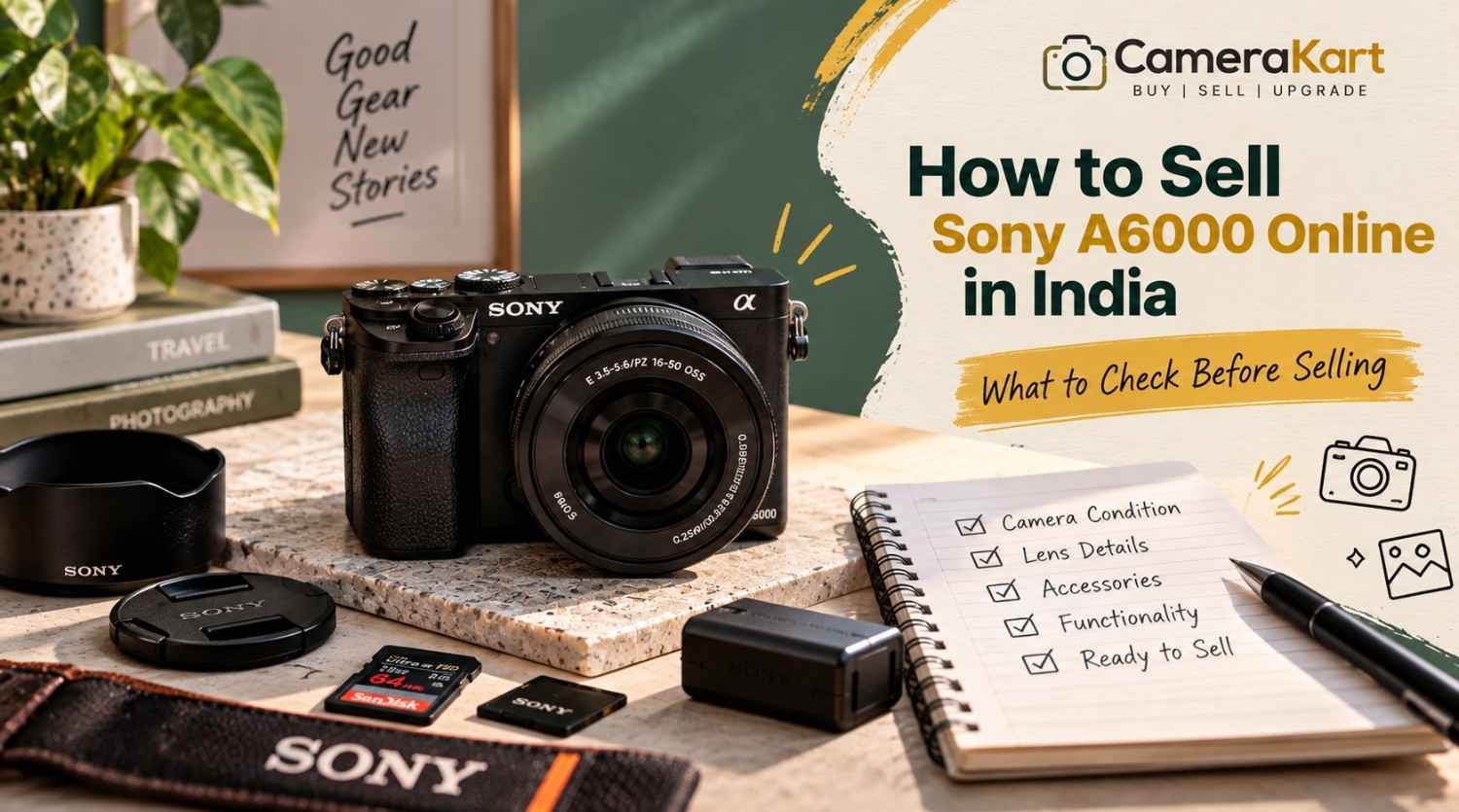
  • How to Sell Sony A6000 Online in India: What to Check Before Selling

    How to Sell Sony A6000 Online in India: What to Check Before Selling

    If you own a Sony A6000 and are thinking about upgrading to a newer camera, switching systems, or simply selling equipment that you no longer use, preparing the camera properly can make the selling process much easier.

    The Sony A6000 is an APS-C mirrorless camera with a 24.3MP effective-resolution sensor, Sony E-mount, Fast Hybrid AF, built-in Wi-Fi and NFC, an electronic viewfinder and a built-in flash. Sony’s specifications also list continuous shooting of up to 11 fps. Sony India

    Because the A6000 is an interchangeable-lens camera, you should not think about the camera body alone when preparing to sell Sony A6000 online. The lens, battery, charger, LCD, viewfinder, autofocus, memory-card slot and physical condition can all be relevant.

    Before you submit your camera, use the following checklist.

    1. Confirm the Exact Sony A6000 Model

    The first step is to make sure you have the correct camera model.

    Sony identifies the A6000 as ILCE-6000. It uses Sony’s E-mount system and an APS-C Exmor APS HD CMOS sensor with approximately 24.3 effective megapixels. Sony India

    This matters because Sony has produced many cameras with similar names and appearances.

    Before you sell used Sony A6000, check the camera body, box or original documentation to confirm the exact model.

    Keep these details ready:

    • Brand
    • Model
    • Body only or complete kit
    • Lens model
    • Accessories included
    • Known condition issues

    Getting the model right prevents confusion when starting the selling request.

    2. Check the Physical Condition of the Body

    Start with a simple visual inspection.

    Look at the:

    • Front body panel
    • Rear panel
    • Top plate
    • Bottom plate
    • Grip
    • Battery door
    • Memory-card compartment
    • Hot shoe
    • Lens mount

    Older cameras naturally show signs of use.

    Small scratches or minor paint wear aren’t necessarily the same as functional damage.

    Pay more attention to:

    • Cracks
    • Deep dents
    • Loose parts
    • Broken doors
    • Damaged buttons
    • Significant impact marks

    If your Sony A6000 has normal signs of use, describe them honestly rather than trying to make the camera appear unused.

    3. Test the 24.3MP Sensor

    The Sony A6000 has an APS-C Exmor APS HD CMOS sensor with approximately 24.3 effective megapixels. Sony India

    Before you sell Sony A6000 online in India, take several test photographs.

    A plain wall or evenly lit surface can make image issues easier to notice.

    Check whether you see:

    • Persistent dark spots
    • Lines
    • Unusual artifacts
    • Abnormal colours
    • Exposure problems
    • Other issues appearing consistently in images

    A little dust on a sensor can happen with interchangeable-lens cameras. Don’t attempt aggressive sensor cleaning if you aren’t experienced with it.

    The objective is to understand the camera’s condition, not to perform complicated repairs before selling.

    4. Test the Autofocus

    Autofocus is an important part of the A6000.

    Sony lists the camera’s Fast Hybrid AF system with 179 phase-detection points and 25 contrast-detection points. Sony India

    Test autofocus using:

    • A nearby object
    • A distant object
    • A stationary subject
    • A moving subject
    • Different lighting conditions

    If you’re selling the camera with a lens, test autofocus with that lens as well.

    If autofocus works correctly with one lens but not another, the issue may be related to the lens rather than the camera body.

    That distinction is useful when you sell used Sony A6000.

    5. Check the 11 fps Continuous Shooting

    The A6000 can shoot at up to approximately 11 frames per second in its high continuous shooting mode. Sony India

    You don’t need to perform an extensive test.

    Simply switch to continuous shooting and take a short burst.

    Check whether:

    • The shutter responds normally
    • Images are captured
    • Files save correctly
    • The camera doesn’t freeze unexpectedly

    If everything works normally, move on to the next check.

    6. Inspect the LCD Screen

    Sony lists the A6000 with a 3-inch TFT monitor and approximately 921,600 dots. Sony India

    Check the screen carefully for:

    • Cracks
    • Lines
    • Flickering
    • Dead areas
    • Brightness problems
    • Physical damage

    Turn the camera on and browse through the menus and photographs.

    Make sure the controls respond properly and that playback works.

    A screen can look fine when the camera is switched off but show problems once it is powered on, so always test it while operating the camera.

    7. Test the Electronic Viewfinder

    The A6000 has an electronic viewfinder with approximately 1.44 million dots and 100% field coverage. Sony India

    Look through the EVF and check whether the display appears normal.

    Pay attention to:

    • Flickering
    • Lines
    • Display abnormalities
    • Visibility problems
    • Unusual colour behaviour

    If the EVF and LCD both work normally, include that in your overall condition assessment.

    8. Check the E-Mount and Lens Connection

    The A6000 uses Sony E-mount lenses. Sony India

    Remove the lens carefully and inspect the mount.

    Look for:

    • Physical damage
    • Loose components
    • Bent areas
    • Communication problems
    • Difficulty attaching or removing the lens

    Then attach the lens again and check whether the camera recognizes it correctly.

    Don’t repeatedly force the lens on and off just to test it.

    One careful inspection is enough.

    9. Inspect the Lens Separately

    If you’re selling your Sony A6000 with a lens, the lens should have its own condition check.

    Look at:

    • Front glass
    • Rear glass
    • Zoom ring
    • Focus ring
    • Autofocus
    • Mount
    • Filter thread

    Also check for visible:

    • Fungus
    • Haze
    • Cracks
    • Heavy scratches

    If you’re including the common 16–50mm kit lens or another E-mount lens, mention the exact lens model in your submission.

    Don’t simply write “Sony A6000 with lens.”

    A more useful description is:

    Sony A6000 + Sony E 16–50mm lens + battery + charger.

    10. Check the Battery and Charger

    The A6000 uses Sony’s NP-FW50 rechargeable battery. Sony’s specifications list approximately 310 shots using the viewfinder or approximately 360 shots using the LCD under CIPA testing conditions. Sony India

    Actual battery performance depends on battery age and usage.

    Before you sell Sony A6000 online, check:

    • Does the battery charge?
    • Does the camera power on?
    • Does the battery drain unusually quickly?
    • Does the charger work?
    • Is the battery physically damaged?

    If you have the original charger, keep it with the camera.

    11. Test the Memory Card Slot

    Insert a compatible memory card and take a few photographs.

    Sony lists support for Memory Stick and SD-series cards, including SDHC and SDXC cards. Sony India

    Check whether:

    • Photos save correctly
    • Playback works
    • Files can be transferred
    • The card is recognized consistently

    This is a quick test but can identify an issue that might otherwise be overlooked.

    12. Check Wi-Fi and NFC Features

    The Sony A6000 includes built-in Wi-Fi and NFC functionality. Sony India

    You don’t necessarily need to spend a lot of time testing wireless functions.

    However, if you regularly use them, it’s worth checking that the camera behaves normally.

    For example, test whether the camera can establish its expected wireless connection with a compatible device.

    If wireless functions don’t work, note the issue rather than assuming everything is fine.

    13. Test Video Recording

    The A6000 supports Full HD video recording, including AVCHD and MP4 recording options. Sony India

    Record a short clip and check:

    • Recording starts normally
    • The file saves
    • Playback works
    • Audio is captured
    • The camera doesn’t unexpectedly stop

    A short test is sufficient.

    You don’t need to record a long video simply to check the function.

    14. Check the Built-In Flash

    Unlike some compact mirrorless cameras, the A6000 includes a built-in flash. Sony lists the camera with a built-in flash system. Sony India

    Pop up the flash and take a test photograph.

    Check whether it fires normally.

    If you don’t use the flash regularly, it’s easy to forget about this function when preparing the camera for sale.

    15. Collect the Accessories

    Before you sell used Sony A6000, gather everything you still have.

    This could include:

    • Camera body
    • Lens
    • Battery
    • Charger
    • USB cable
    • Camera strap
    • Body cap
    • Lens cap
    • Original box
    • Manuals
    • Camera bag
    • Additional battery

    You don’t need to have every original accessory.

    Simply make a clear list of what you’re actually including.

    16. Remove Your Personal Memory Card

    Before handing over the camera, remove your memory card.

    Also back up your photographs and videos.

    Your camera may contain years of personal photographs, so don’t assume that removing the camera’s battery is enough to protect your data.

    Before the pickup or handover:

    Back up → remove memory card → check camera → pack equipment.

    This simple sequence can prevent an unnecessary mistake.

    17. Mention Known Issues Honestly

    If the camera has an issue, mention it.

    For example:

    • LCD has a scratch
    • Battery doesn’t hold charge for long
    • One button is inconsistent
    • Lens has visible fungus
    • Wi-Fi isn’t working
    • Body has a dent

    Don’t describe the camera as “perfect” when you already know there is a functional problem.

    When you sell Sony A6000 online, accurate information is more useful than an exaggerated description.

    18. Don’t Judge the Camera Only by Its Age

    The A6000 is an older camera, but age alone doesn’t tell you everything about the equipment’s condition.

    Two A6000 bodies can have very different usage histories.

    One might have:

    • Clean body
    • Good sensor
    • Working autofocus
    • Good battery
    • Clean lens

    while another could have:

    • Heavy cosmetic wear
    • Battery issues
    • Lens problems
    • Damaged controls

    That’s why you should evaluate your actual camera rather than assuming that every A6000 should be treated identically.

    What Information Should You Keep Ready?

    Before you submit your Sony A6000, prepare these details:

    InformationWhat to Provide
    ModelSony A6000 / ILCE-6000
    Camera TypeAPS-C Mirrorless
    Body ConditionGood / Used / Damaged
    LensExact lens model
    BatteryIncluded / condition
    ChargerIncluded / unavailable
    Shutter CountIf available
    LCDWorking / issue
    EVFWorking / issue
    AutofocusWorking / issue
    SensorNormal / issue
    VideoTested / issue
    AccessoriesComplete list
    Known IssuesMention clearly

    Having this information ready makes the selling request much easier to complete.

    Where to Sell Sony A6000 Online?

    If you’re ready to sell Sony A6000 online, CameraKart has a dedicated model page for the camera:

    Sell Sony A6000:
    Sell Sony A6000 on CameraKart

    Before submitting the request, keep your camera’s condition, lens information and accessories ready.

    The dedicated model page also gives you a more direct path than starting with a generic camera category.

    Sony A6000 Selling Checklist

    Before you submit the camera, quickly confirm:

    • ✓ Exact model identified
    • ✓ Body condition checked
    • ✓ Sensor tested
    • ✓ Autofocus tested
    • ✓ Shutter tested
    • ✓ LCD checked
    • ✓ EVF checked
    • ✓ E-mount inspected
    • ✓ Lens tested
    • ✓ Battery checked
    • ✓ Charger checked
    • ✓ Memory-card slot tested
    • ✓ Video recording tested
    • ✓ Flash tested
    • ✓ Accessories collected
    • ✓ Personal memory card removed
    • ✓ Known issues noted

    Final Thoughts

    If you’re planning to sell Sony A6000 online in India, don’t rush directly to the selling request.

    Spend a few minutes checking the camera first.

    The Sony A6000 combines a 24.3MP APS-C sensor, E-mount compatibility, Fast Hybrid AF, 11 fps continuous shooting, an electronic viewfinder, built-in flash and wireless connectivity. Sony India

    Those features make it especially important to check both the camera body and the included lens before you sell.

    Test the major functions, collect your accessories, remove your personal memory card and be transparent about any known issues.

    Once everything is ready, you can submit your camera through CameraKart’s dedicated Sony A6000 selling page and begin the selling process.

  • How to Sell Sony A7 II Online in India: A Practical Guide Before Selling

    How to Sell Sony A7 II Online in India: A Practical Guide Before Selling

    If you own a Sony A7 II and are considering an upgrade, changing your camera system, or simply want to sell equipment that you no longer use, it is worth preparing the camera properly before submitting it for an offer.

    The Sony A7 II was an important full-frame mirrorless camera in Sony’s Alpha lineup. It features a 24.3MP full-frame Exmor CMOS sensor, Sony E-mount, 5-axis sensor-shift image stabilization, Fast Hybrid AF and a maximum continuous shooting speed of approximately 5 fps.

    Because it is an interchangeable-lens camera, the selling process isn’t only about the camera body. The condition of the sensor, mount, shutter, stabilization system, battery, LCD, viewfinder and any included lens can all matter when you sell Sony A7 II online.

    Here’s what you should check before selling yours.

    1. Confirm Exactly What You Are Selling

    Start by identifying the exact equipment you have.

    The Sony A7 II is also identified by Sony as model ILCE-7M2. Sony’s support documentation lists it as the Alpha 7 II full-frame interchangeable-lens camera body.

    Before submitting your details, make a simple inventory:

    • Sony A7 II body
    • Lens or lenses
    • Battery
    • Charger
    • USB cable
    • Body cap
    • Lens cap
    • Camera strap
    • Original box
    • Manuals
    • Extra accessories

    This prevents confusion later and makes your submission more accurate.

    2. Inspect the Camera Body

    The first physical check should be the camera body itself.

    Look carefully at:

    • Front and rear panels
    • Camera grip
    • Top plate
    • Bottom plate
    • Battery door
    • Memory-card compartment
    • Hot shoe
    • Lens mount
    • Buttons and dials

    Small scratches from normal use aren’t unusual on an older mirrorless camera.

    What deserves more attention is major physical damage such as cracks, deep dents, loose components or signs of a significant impact.

    If your A7 II has cosmetic wear but functions properly, simply describe the condition accurately when you sell used Sony A7 II.

    3. Test the Full-Frame Sensor

    The A7 II uses a 35mm full-frame Exmor CMOS sensor with approximately 24.3 effective megapixels.

    Before selling, take several photographs against a plain, evenly lit surface.

    Review the images at 100% if possible and look for:

    • Persistent dark spots
    • Unusual lines
    • Image artifacts
    • Abnormal colour issues
    • Exposure inconsistencies
    • Other problems visible in every frame

    Don’t confuse ordinary removable dust with a major sensor fault.

    If you aren’t experienced with sensor cleaning, avoid aggressive DIY cleaning immediately before selling. A simple condition check is usually more useful than taking unnecessary risks.

    4. Check the 5-Axis Stabilization

    One of the features worth specifically checking on the A7 II is its in-body image stabilization.

    Sony specifies a sensor-shift mechanism with 5-axis compensation and a rated compensation effect of up to 4.5 steps under its stated test conditions.

    Take a few handheld photographs at slower shutter speeds and compare the results.

    You’re mainly checking whether the stabilization system behaves normally rather than trying to measure its exact performance.

    If you notice unusual noises, warnings or inconsistent stabilization, make a note of it.

    This is particularly important because it is a feature specific to the camera body, not something you should assume is functioning simply because the camera powers on.

    5. Test the Shutter and Shooting Controls

    The A7 II supports shutter speeds from 1/8000 second to 30 seconds, plus Bulb mode, and its maximum continuous shooting speed is approximately 5 fps.

    Take photographs using:

    • Single shooting
    • Continuous shooting
    • Different shutter speeds
    • Different exposure modes

    Check whether the shutter responds normally.

    Also test the main dials and buttons.

    Pay attention to:

    • Shutter button
    • Control dials
    • Mode dial
    • Menu button
    • Playback
    • Navigation controls
    • Custom buttons

    A camera can look excellent externally while having a faulty button or dial, so testing the controls is worth doing before you sell Sony A7 II online in India.

    6. Check Autofocus With Your Lens

    7. Inspect the E-Mount

    The A7 II uses Fast Hybrid AF with phase-detection and contrast-detection AF. Sony lists 117 phase-detection points and 25 contrast-detection points for the full-frame shooting area.

    If you’re selling the camera with a lens, test autofocus using that lens.

    Try:

    • A nearby subject
    • A distant subject
    • Static objects
    • Moving subjects
    • Different lighting conditions

    If the body focuses correctly but the lens has an issue, the two problems shouldn’t be treated as the same thing.

    That’s why testing the body and lens separately can give you a much clearer picture of what you’re actually selling.

    The Sony A7 II uses Sony E-mount lenses.

    The mount should be inspected carefully because it’s where the camera body and lens physically connect.

    Check for:

    • Bent or damaged mount components
    • Loose fitting
    • Excessive play
    • Visible damage
    • Problems communicating with the lens

    Remove and attach the lens carefully.

    Don’t repeatedly force a lens onto the mount just to test it. One proper check is enough.

    8. Test the Electronic Viewfinder and LCD

    The A7 II features an XGA OLED electronic viewfinder with approximately 2.36 million dots and a 3-inch TFT LCD monitor.

    Turn the camera on and inspect both.

    Check the EVF for:

    • Display abnormalities
    • Flickering
    • Unusual lines
    • Visibility problems

    Then inspect the LCD for:

    • Cracks
    • Dead areas
    • Display lines
    • Brightness issues
    • Physical damage

    Also test the screen controls and playback functionality.

    9. Check the Battery and Charger

    The A7 II uses Sony’s NP-FW50 rechargeable battery. Sony lists approximately 270 shots using the viewfinder or approximately 350 shots using the LCD under its CIPA test conditions.

    Real-world battery performance will vary with age and usage.

    Before you sell Sony A7 II, check:

    • Does the battery charge?
    • Does the camera power on reliably?
    • Does the battery drain unusually quickly?
    • Does the charger work?
    • Is the battery physically damaged?

    If you have the original charger, include it in your equipment list.

    10. Test the Memory Card and Connections

    The A7 II supports SD, SDHC and SDXC memory cards, including UHS-I-compatible SD cards.

    Insert a compatible card and take a few photographs.

    Confirm that:

    • Images save correctly
    • Playback works
    • Files can be transferred
    • The memory-card slot behaves normally

    The camera also includes USB, HDMI, microphone and headphone connectivity.

    You don’t need to test every port repeatedly, but checking the important connections is a useful part of preparing the camera.

    11. Don’t Forget Video Recording

    The A7 II supports Full HD video recording through formats including XAVC S and AVCHD.

    Record a short test clip and check:

    • Recording starts correctly
    • Video saves to the memory card
    • Playback works
    • Audio is recorded
    • Camera doesn’t unexpectedly stop

    A short test is enough to identify obvious problems.

    12. Inspect the Lens Before Selling the Complete Kit

    If you’re selling an A7 II with an FE or compatible E-mount lens, inspect the lens separately.

    Look for:

    • Scratches on front/rear glass
    • Fungus
    • Haze
    • Excessive dust
    • Damaged filter thread
    • Stiff zoom ring
    • Focus-ring problems
    • Autofocus issues
    • Mount damage

    If you have multiple lenses, list them separately.

    For example, instead of writing “Sony A7 II with accessories,” provide the actual equipment you’re submitting.

    That makes the selling request much clearer.

    13. Keep Your Personal Data and Memory Card Separate

    Before handing over the camera, remove your personal memory card.

    Also check whether the camera contains any saved personal settings or registered information that you don’t want to leave behind.

    Most importantly, back up all your photographs and videos before preparing the camera for pickup.

    The camera should be ready to sell, while your personal data should remain with you.

    14. Don’t Try to Hide Cosmetic Damage

    If your camera has scratches, paint wear or another visible issue, don’t try to make it look artificially new.

    A more useful approach is to accurately describe the condition.

    For example:

    Good description:
    “Minor scratches on the bottom plate, camera functions normally.”

    Instead of:

    Poor description:
    “Like new” when the camera clearly has visible wear.

    Accuracy helps create a more straightforward evaluation process when you sell used camera online.

    15. Don’t Assume the Same A7 II Offer Applies to Every Camera

    Two Sony A7 II bodies can have completely different conditions.

    One may have:

    • Low physical wear
    • Good battery
    • Clean sensor
    • Working stabilization
    • Clean LCD
    • Original accessories

    Another may have:

    • Heavy scratches
    • Weak battery
    • Damaged screen
    • Stabilization issues
    • Missing accessories

    Therefore, don’t choose a selling price simply because you saw another A7 II listed online.

    The actual condition of your equipment needs to be considered.

    Where to Sell Sony A7 II Online

    If you’re ready to sell Sony A7 II online, you can submit your camera through CameraKart’s dedicated model page:

    Sell Sony A7 II:
    Sell Sony A7 II on CameraKart

    Before submitting the camera, keep your model details, condition information and available accessories ready.

    This makes it easier to provide an accurate request.

    Sony A7 II Selling Checklist

    CheckWhat to Verify
    ModelSony A7 II / ILCE-7M2
    BodyScratches, dents and cracks
    SensorImage output
    Stabilization5-axis IBIS operation
    ShutterNormal shooting
    AutofocusFocus response
    E-mountLens connection
    EVFDisplay condition
    LCDDisplay and physical condition
    BatteryCharging and power
    Memory CardRecording and playback
    PortsUSB/HDMI/audio connections
    VideoRecording and playback
    LensGlass, mount and AF
    AccessoriesCharger, caps, strap, box etc.

    Final Thoughts

    The Sony A7 II is an older full-frame mirrorless camera, but its 24.3MP sensor, E-mount system, 5-axis stabilization and interchangeable-lens design make it important to evaluate the actual condition of the equipment, not simply its age.

    If you want to sell Sony A7 II online in India, spend a few minutes testing the sensor, stabilization, shutter, autofocus, LCD, EVF, battery and lens before submitting your request.

    Keep the accessories you still have together, remove your personal memory card and describe the camera honestly.

    Once everything is ready, you can start your selling request through CameraKart’s dedicated Sony A7 II page.

  • Get the Best Price for Your Used Camera Without the Hassle

    Get the Best Price for Your Used Camera Without the Hassle

    If you’re looking to Sell Camera Online, you’re entitled to more than a standard price. A lot of camera owners find themselves accepting lower offers due to the fact that they don’t know the true value of their equipment, or select the wrong selling platform for it.

    At CameraKart our mission is to help you find the most value for your camera used through an open, reliable, secure and professional selling process.

    If you’re looking to upgrade to a better model, changing camera systems or just no longer making use of your camera, CameraKart helps you convert your camera to cash without any unnecessary hassles or delays.

    Why Camera Owners Trust CameraKart

    Selling a camera via various marketplaces can be stressful. You could receive numerous messages, low offers or have buyers who do not finish the purchase.

    CameraKart eliminates these problems by providing an exclusive service for buying cameras.

    What you get is:

    • Best Market Price
    • Free Camera Valuation
    • Free Doorstep Pickup
    • Instant Payment
    • Professional Camera Inspection
    • Transparent Process

    Instead of looking for buyers on your own, just provide your camera’s information and let our professionals take care of the rest.

    We Buy Almost Every Camera Brand

    If your equipment is new or has been around for a while, CameraKart purchases a wide assortment of photographic equipment.

    DSLR Cameras

    • Canon
    • Nikon
    • Sony
    • Pentax

    Mirrorless Cameras

    • Canon EOS R Series
    • Sony Alpha Series
    • Nikon Z Series
    • Fujifilm X Series
    • Panasonic Lumix

    Other Equipment

    • Camera Lenses
    • Action Cameras
    • Cinema Cameras
    • Professional Camera Bodies

    If you’re trying for a way to Sell Used Camera, chances are we’ll be able to help.

    Why Our Offers Are Competitive

    Contrary to local sellers who typically provide a flat rate, CameraKart evaluates every camera individually.

    Our experts evaluate:

    • Model and variant
    • Physical physical
    • Functional condition
    • Shutter count
    • Accessories included
    • Current market demand

    This will ensure you get an accurate price in accordance with your camera’s real possibility of resales.

    The better quality of your camera equipment the higher your Camera Resell value.

    How to Sell Your Camera in 4 Simple Steps

    The process is simple to allow you to sell your camera without fear.

    Step 1 – Share Camera Details

    Let us know the details of your camera including model, the brand condition, and any accessories.

    Step 2 – Receive a Free Quote

    Our team review the information and then provides a price according to the current market demand.

    Step 3 – Schedule Pickup

    If you’re satisfied with our offer we’ll schedule a convenient pick-up (where you are able).

    Step 4 – Get Paid

    After verification and inspection Payment is processed swiftly and safely.

    All it takes is Sell My Camera Online without any hassle.

    Why Selling Today Makes Sense

    Camera’s value doesn’t remain the same forever.

    Every new model launch could decrease the value of resales for older models.

    Selling now will help you:

    • Get Better Market Value
    • Upgrade Faster
    • Avoid Future Depreciation
    • Free Up Unused Equipment

    If your camera was sitting in a closet for months it is the perfect moment to sell your old Camera equipment before the value decreases even more.

    Why CameraKart Is Better Than Selling Through Classified Websites

    CameraKartTypical Marketplace
    Professional Camera EvaluationRandom Buyers
    Instant PaymentPayment Delays
    Free Pickup*Self Shipping
    Transparent PricingEndless Negotiation
    Dedicated Camera ExpertsGeneral Buyers
    Secure ProcessUncertain Transactions

    Instead of wasting time talking to several customers, CameraKart offers one simple, reliable solution.

    Can Who Sell Their Camera?

    CameraKart is compatible with:

    • Professional Photographers
    • Content Creators
    • Wedding Photographers
    • Videographers
    • Hobby Photographers
    • Students
    • Camera Collectors

    No matter if you’re selling just one camera or a variety of gear, the purchase procedure was designed so that it is fast and clear.

    Why Thousands of Sellers Prefer CameraKart

    Our customers pick CameraKart because they appreciate:

    • Honest Pricing
    • Fast Response
    • Easy Process
    • Safe Transactions
    • Professional Service

    If you’re ready to sell your Camera for cash, selecting a buyer who is specialized can make the whole process easier.

    Ready to Sell Your Camera?

    Don’t let your camera’s value dwindle as it sits idle.

    CameraKart assists you in:

    Receive the Best Price for Your Used Camera

    Contact us today for a free valuation and find out how much your camera’s worth.

    Conclusion

    Sell your camera ought to be easy as well as secure and rewarding. Instead of negotiating with multiple buyers, or taking lower-than-market prices, you should choose an online platform that is specialized in the purchase of cameras.

    CameraKart is a trusted brand for photographers from across India due to our professional camera evaluations and pricing that is competitive and free pickup on the doorstep (where is available) and fast payments in one seamless experience.

    If you’re looking to Sell Camera Online, Sell used Camera, Sell Old Camera or simply upgrade the latest camera our team is prepared to assist you in obtaining the most value for your money.

    Get your camera’s free appraisal today and discover an efficient method to market your camera.

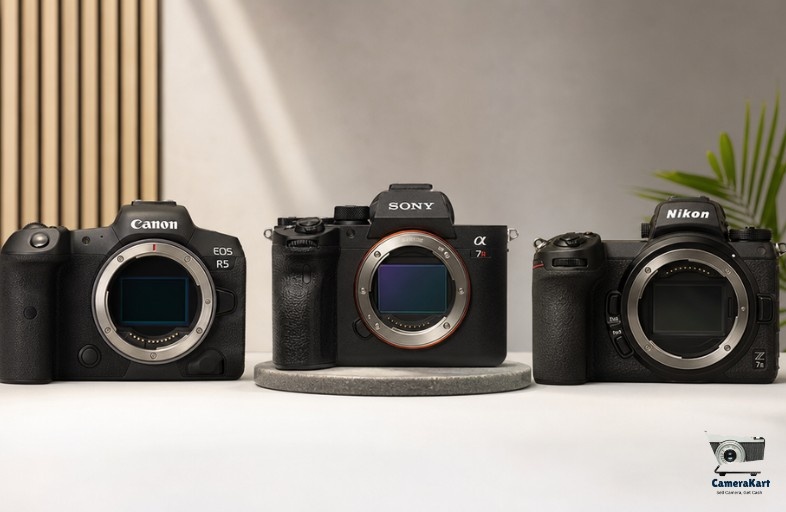
  • Sell Canon, Sony and Nikon Cameras Online: Which Brand Has Better Resale Value?

    Sell Canon, Sony and Nikon Cameras Online: Which Brand Has Better Resale Value?

    A number of frequently asked questions that camera owners have to ask prior to selling is:

    “Which camera brands are able to hold their value best? “

    The answer isn’t as straightforward as Canon against Sony and Nikon.

    The value of a camera’s resales depends on demand in the marketplace, condition and shutter count, the accessories, and the particular model.

    One thing is certain.

    Certain camera brands are consistently attracting greater demand from buyers in India’s market for used cameras.

    If you’re looking to sell camera online, knowing the types of cameras that buyers are actively searching for will help you determine the potential value of your camera’s resales before deciding to accept a deal.

    Why Brand Matters in Camera Resale

    If buyers are looking for cameras that are used usually start by identifying a brand.

    Many photographers already own lenses and other accessories that function only in conjunction with a particular ecosystem.

    This is why strong camera brands keep attracting customers even after many years.

    The three major brands in the used camera market in India are:

    • Canon
    • Sony
    • Nikon

    Every one has their own buyers and resale trend.

    Canon Cameras: Consistent Demand Across All Segments

    Canon is still one of the brands that is easy to market in India.

    The reason is easy to understand.

    Canon cameras are extensively used by:

    • Students of photography
    • Wedding photographers
    • Hobby photographers
    • Content creators

    The most popular Canon models are still attracting customers due to the fact that replacement lenses, parts and accessories are easily accessible.

    Canon Models With Strong Resale Demand

    Canon CameraBuyer Demand
    Canon 200D IIHigh
    Canon 80DHigh
    Canon 90DVery High
    Canon R10Growing
    Canon R7Growing

    A lot of first-time buyers search for Canon DSLRs due to their reliability and reputation.

    Sony Cameras: Currently Leading the Mirrorless Market

    In the last several years Sony is now one of the most powerful names in the market for used cameras.

    Many creators favor Sony due to:

    • Autofocus performance
    • Video content
    • Compact design

    In the end, Sony cameras typically generate a lot of sales interest.

    Sony Models With High Market Demand

    Sony CameraBuyer Demand
    Sony A6400Very High
    Sony A6600High
    Sony A7 IIIVery High
    Sony A7 IVExtremely High
    Sony ZV-E10Very High

    At CameraKart they focus on creating content. Sony cameras typically receive a lot of requests due to the increasing popularity of YouTubers as well as content producers.

    Nikon Cameras: Strong Demand Among Photography Enthusiasts

    Nikon keeps retaining the trust of its customers.

    Although Nikon’s growth in mirrorless technology was slower than Sony’s, a number of DSLR models are still a success on the resale market.

    Nikon Models With Strong Resale Interest

    Nikon CameraBuyer Demand
    Nikon D5600High
    Nikon D7500High
    Nikon D850Very High
    Nikon Z50Growing
    Nikon Z6 IIHigh

    Many photographers choose Nikon due to its image quality and lenses available.

    Which Brand Usually Holds Value Better?

    It depends on the camera’s type.

    DSLR Segment

    BrandResale Strength
    CanonVery Strong
    NikonStrong
    SonyModerate

    Mirrorless Segment

    BrandResale Strength
    SonyVery Strong
    CanonStrong
    NikonGrowing

    The current market trend favors Sony mirrorless cameras as well Canon DSLR cameras.

    But, condition plays more of a role than the brand itself.

    CameraKart Insight

    A common mistake that sellers make is thinking that every camera from a reputable brand automatically has a good value for resales.

    It’s not always true.

    A Canon camera that includes:

    • Accessories missing
    • High shutter count
    • Visible damage

    You may get a better deal than an established Nikon model or Sony model.

    Buyers are interested in the condition as much as their brand’s reputation.

    Before Selling: Brand-Specific Checklist

    No matter what brand that you’re selling

    • Check the shutter count
    • Clean camera body
    • Test autofocus
    • Verify sensor condition
    • Collect battery and charger
    • Find the original invoice
    • Include lens caps as well as accessories

    Small details can affect the confidence of buyers.

    How CameraKart Helps Camera Sellers

    If you’re trying for a way to sell used camera equipment, knowing the market demand for your camera is vital.

    Step 1

    Choose your camera model.

    Step 2

    Share condition details.

    Step 3

    Receive a valuation estimate.

    Step 4

    Schedule pickup.

    Step 5

    Complete the verification process and you will receive your payment.

    This will help sellers determine the value of their camera worth before they make a choice.

    Check Your Camera’s Value Before Selling

    If you’re looking to sell Canon camera, sell Sony camera, or sell Nikon camera the same rules is applicable:

    Don’t judge the value of your camera in relation to the price you purchased it for.

    Market demand fluctuates continuously.

    The best method to make an informed selling decision is to be aware of the potential resale of your camera condition, as well as the buyer’s demand prior to taking any offer.

    A camera that is well-maintained and from the right brand will be a source of interest for a long time after the date of its launch.

  • Sell Sony Camera Online in India – Best Way To Get Instant Cash

    Sell Sony Camera Online in India – Best Way To Get Instant Cash

    Introduction

    Sony cameras are extremely loved by filmmakers, photographers, YouTubers, and people who create content from India. Beginning with Sony Alpha series to professional mirrorless cameras Sony has established a reputable reputation for its image quality as well as autofocus capabilities. advanced video capabilities.

    As new models for cameras continue to be released, many users are looking for the best method to sell Sony camera online efficiently and securely. Instead of storing their old equipment in storage, selling it online can help customers recover their investment and upgrade to more modern equipment.

    Traditional marketplaces are often characterized by fraudulent buyers, low offers, and lengthy discussions. Due to this, photographers are now using trusted websites for reselling cameras that provide safe transactions, doorstep pickup and immediate payment options.

    Why People Sell Sony Camera Online

    There are a variety of reasons consumers choose to sell Sony camera online.

    Upgrading To New Sony Models

    Sony often releases new mirrorless cameras that have higher autofocus, superior low-light performance, as well as sophisticated video features. Many designers upgrade to more modern models for work.

    Switching Camera Systems

    Certain photographers shift between Sony and other manufacturers based on their style of photography, or business needs.

    Selling Unused Camera Gear

    Many people stop using old Sony cameras following the upgrade of their configuration. Selling equipment that is not being used will clear storage space and earn instant cash.

    Upgrading Creator Equipment

    YouTubers and Vloggers frequently upgrade their cameras, microphones, lenses and other equipment to increase the quality of their content.

    Benefits Of Selling Sony Camera Online

    Platforms for selling cameras online have made it easier to resell for equipment used in photography.

    Quick Price Evaluation

    Users can find out the estimated resale value for their Sony camera in just a few just a few minutes.

    Doorstep Pickup Service

    Professionally-run pickup services help save time and ease of searching for buyers manually.

    Secure Payment Process

    Trusted platforms reduce the risk of fraud and fraudulent frauds in the payment industry.

    Better Resale Value

    Specialized camera resale platforms recognize the market demand of Sony cameras and generally offer more precise prices.

    Faster Selling Experience

    The entire process is able to be completed in a shorter time when compared with local markets.

    Popular Sony Cameras With High Resale Demand

    Sony cameras have a strong sales due to their popularity among creators as well as professionals.

    Popular models include:

    • Sony A6400
    • Sony A6000
    • Sony A7 III
    • Sony A7 IV
    • Sony ZV-E10
    • Sony FX3
    • Sony A6600
    • Sony A7R Series

    These cameras are extensively used to shoot film, photography travel content, as well as YouTube videos.

    How To Get Better Resale Value For Your Sony Camera

    If you’re looking to get the most affordable price, a thorough preparation is essential.

    Keep Original Accessories

    Accessories boost confidence in buyers and increase resale value.

    The most important items are:

    • Original box
    • Battery
    • Charger
    • Camera strap
    • Lens caps
    • Purchase invoice

    Maintain Camera Condition

    A clear and unmarked camera body will attract more deals.

    Mention Accurate Details

    Always make sure you share the correct information regarding:

    • Camera condition
    • Battery health
    • Sensor condition
    • Functional issues
    • Shutter count

    Sell Before Major Depreciation

    Prices for cameras decrease with time, particularly after the launch of a new model.

    Problems With Traditional Camera Selling

    Many sellers still rely on local marketplaces, however they frequently face issues that are common to all local marketplaces.

    Fake Buyers

    Fraudulent payment messages and images are not uncommon on classified websites.

    Unsafe Meetings

    Making deals with buyers who aren’t known to you for costly camera deals could be dangerous.

    Lowball Offers

    Local buyers usually sell at prices that are far under market value.

    Time Waste

    Repeated inquiries and negotiations can cause the process to be difficult and time-consuming.

    Because of these issues Many photographers are now using online camera resale platforms.

    Why Specialized Camera Platforms Are Better

    Specialized platforms are focused on equipment for photography that enhances the overall experience of selling.

    Benefits include:

    • Professional camera evaluation
    • Greater knowledge regarding Sony camera pricing
    • Secure transactions
    • Speedier processing
    • Support for customers from a dedicated team
    • Doorstep pickup options

    Platforms such as CameraKart aid in sell Sony cameras online in India.

    Tips Before Selling Your Sony Camera

    Before you sell your camera, be sure to follow these easy steps:

    Backup Your Data

    Removing memory cards and resetting camera settings.

    Clean The Camera Properly

    Dirt and dust can adversely influence the impressions of buyers.

    Check Camera Functionality

    Make sure that buttons and screens, autofocus, and ports are functioning properly.

    Take Clear Photos

    The high-quality photos of the product increase confidence and aid in the process of evaluating.

    Future Of Used Sony Camera Market In India

    Demand for hand Sony cameras is rising quickly in India due to the growing economic growth of the country’s creators.

    More people are able to enter:

    • YouTube content creation
    • Professional photography
    • Filmmaking
    • Travel vlogging
    • Social media influencing

    As upgrades to cameras continue as they continue, the resale market for Sony cameras is anticipated to expand even more.

    Conclusion

    If you are planning to sell Sony camera online, making the right choice of platform is vital. Specialized platforms for camera resales offer an easier, safer and more efficient experience than traditional marketplaces.

    Instead of having to deal with fake buyers and shoddy prices, buyers are able to benefit from secure payment with a professional evaluation and even doorstep pickup.

    No matter if you have a Sony DSLR, mirrorless model DSLR or a setup that is creator focused, online camera resale platforms help you make instant cash on your camera equipment.