Tag: sell Sony A6000

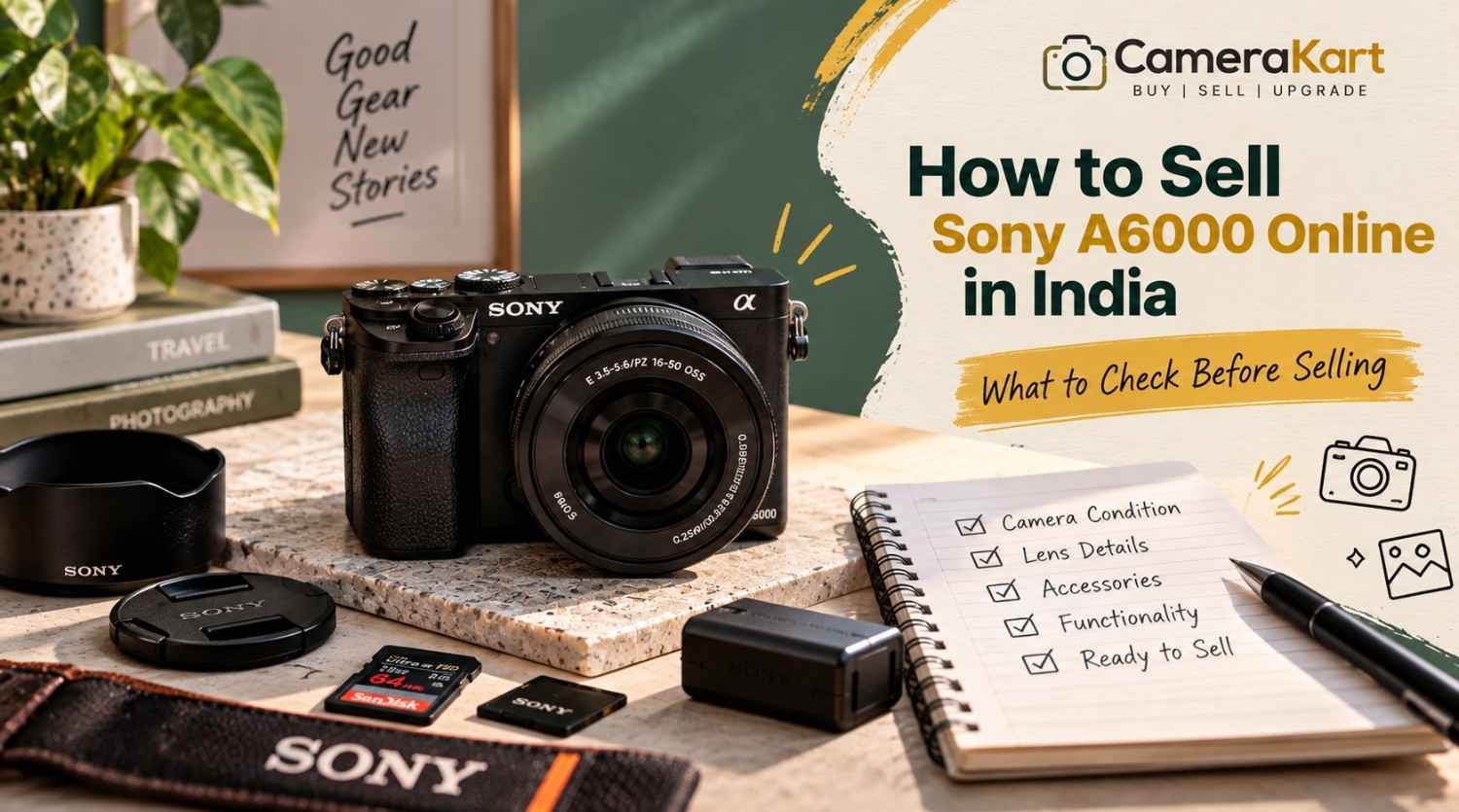
  • How to Sell Sony A6000 Online in India: What to Check Before Selling

    How to Sell Sony A6000 Online in India: What to Check Before Selling

    If you own a Sony A6000 and are thinking about upgrading to a newer camera, switching systems, or simply selling equipment that you no longer use, preparing the camera properly can make the selling process much easier.

    The Sony A6000 is an APS-C mirrorless camera with a 24.3MP effective-resolution sensor, Sony E-mount, Fast Hybrid AF, built-in Wi-Fi and NFC, an electronic viewfinder and a built-in flash. Sony’s specifications also list continuous shooting of up to 11 fps. Sony India

    Because the A6000 is an interchangeable-lens camera, you should not think about the camera body alone when preparing to sell Sony A6000 online. The lens, battery, charger, LCD, viewfinder, autofocus, memory-card slot and physical condition can all be relevant.

    Before you submit your camera, use the following checklist.

    1. Confirm the Exact Sony A6000 Model

    The first step is to make sure you have the correct camera model.

    Sony identifies the A6000 as ILCE-6000. It uses Sony’s E-mount system and an APS-C Exmor APS HD CMOS sensor with approximately 24.3 effective megapixels. Sony India

    This matters because Sony has produced many cameras with similar names and appearances.

    Before you sell used Sony A6000, check the camera body, box or original documentation to confirm the exact model.

    Keep these details ready:

    • Brand
    • Model
    • Body only or complete kit
    • Lens model
    • Accessories included
    • Known condition issues

    Getting the model right prevents confusion when starting the selling request.

    2. Check the Physical Condition of the Body

    Start with a simple visual inspection.

    Look at the:

    • Front body panel
    • Rear panel
    • Top plate
    • Bottom plate
    • Grip
    • Battery door
    • Memory-card compartment
    • Hot shoe
    • Lens mount

    Older cameras naturally show signs of use.

    Small scratches or minor paint wear aren’t necessarily the same as functional damage.

    Pay more attention to:

    • Cracks
    • Deep dents
    • Loose parts
    • Broken doors
    • Damaged buttons
    • Significant impact marks

    If your Sony A6000 has normal signs of use, describe them honestly rather than trying to make the camera appear unused.

    3. Test the 24.3MP Sensor

    The Sony A6000 has an APS-C Exmor APS HD CMOS sensor with approximately 24.3 effective megapixels. Sony India

    Before you sell Sony A6000 online in India, take several test photographs.

    A plain wall or evenly lit surface can make image issues easier to notice.

    Check whether you see:

    • Persistent dark spots
    • Lines
    • Unusual artifacts
    • Abnormal colours
    • Exposure problems
    • Other issues appearing consistently in images

    A little dust on a sensor can happen with interchangeable-lens cameras. Don’t attempt aggressive sensor cleaning if you aren’t experienced with it.

    The objective is to understand the camera’s condition, not to perform complicated repairs before selling.

    4. Test the Autofocus

    Autofocus is an important part of the A6000.

    Sony lists the camera’s Fast Hybrid AF system with 179 phase-detection points and 25 contrast-detection points. Sony India

    Test autofocus using:

    • A nearby object
    • A distant object
    • A stationary subject
    • A moving subject
    • Different lighting conditions

    If you’re selling the camera with a lens, test autofocus with that lens as well.

    If autofocus works correctly with one lens but not another, the issue may be related to the lens rather than the camera body.

    That distinction is useful when you sell used Sony A6000.

    5. Check the 11 fps Continuous Shooting

    The A6000 can shoot at up to approximately 11 frames per second in its high continuous shooting mode. Sony India

    You don’t need to perform an extensive test.

    Simply switch to continuous shooting and take a short burst.

    Check whether:

    • The shutter responds normally
    • Images are captured
    • Files save correctly
    • The camera doesn’t freeze unexpectedly

    If everything works normally, move on to the next check.

    6. Inspect the LCD Screen

    Sony lists the A6000 with a 3-inch TFT monitor and approximately 921,600 dots. Sony India

    Check the screen carefully for:

    • Cracks
    • Lines
    • Flickering
    • Dead areas
    • Brightness problems
    • Physical damage

    Turn the camera on and browse through the menus and photographs.

    Make sure the controls respond properly and that playback works.

    A screen can look fine when the camera is switched off but show problems once it is powered on, so always test it while operating the camera.

    7. Test the Electronic Viewfinder

    The A6000 has an electronic viewfinder with approximately 1.44 million dots and 100% field coverage. Sony India

    Look through the EVF and check whether the display appears normal.

    Pay attention to:

    • Flickering
    • Lines
    • Display abnormalities
    • Visibility problems
    • Unusual colour behaviour

    If the EVF and LCD both work normally, include that in your overall condition assessment.

    8. Check the E-Mount and Lens Connection

    The A6000 uses Sony E-mount lenses. Sony India

    Remove the lens carefully and inspect the mount.

    Look for:

    • Physical damage
    • Loose components
    • Bent areas
    • Communication problems
    • Difficulty attaching or removing the lens

    Then attach the lens again and check whether the camera recognizes it correctly.

    Don’t repeatedly force the lens on and off just to test it.

    One careful inspection is enough.

    9. Inspect the Lens Separately

    If you’re selling your Sony A6000 with a lens, the lens should have its own condition check.

    Look at:

    • Front glass
    • Rear glass
    • Zoom ring
    • Focus ring
    • Autofocus
    • Mount
    • Filter thread

    Also check for visible:

    • Fungus
    • Haze
    • Cracks
    • Heavy scratches

    If you’re including the common 16–50mm kit lens or another E-mount lens, mention the exact lens model in your submission.

    Don’t simply write “Sony A6000 with lens.”

    A more useful description is:

    Sony A6000 + Sony E 16–50mm lens + battery + charger.

    10. Check the Battery and Charger

    The A6000 uses Sony’s NP-FW50 rechargeable battery. Sony’s specifications list approximately 310 shots using the viewfinder or approximately 360 shots using the LCD under CIPA testing conditions. Sony India

    Actual battery performance depends on battery age and usage.

    Before you sell Sony A6000 online, check:

    • Does the battery charge?
    • Does the camera power on?
    • Does the battery drain unusually quickly?
    • Does the charger work?
    • Is the battery physically damaged?

    If you have the original charger, keep it with the camera.

    11. Test the Memory Card Slot

    Insert a compatible memory card and take a few photographs.

    Sony lists support for Memory Stick and SD-series cards, including SDHC and SDXC cards. Sony India

    Check whether:

    • Photos save correctly
    • Playback works
    • Files can be transferred
    • The card is recognized consistently

    This is a quick test but can identify an issue that might otherwise be overlooked.

    12. Check Wi-Fi and NFC Features

    The Sony A6000 includes built-in Wi-Fi and NFC functionality. Sony India

    You don’t necessarily need to spend a lot of time testing wireless functions.

    However, if you regularly use them, it’s worth checking that the camera behaves normally.

    For example, test whether the camera can establish its expected wireless connection with a compatible device.

    If wireless functions don’t work, note the issue rather than assuming everything is fine.

    13. Test Video Recording

    The A6000 supports Full HD video recording, including AVCHD and MP4 recording options. Sony India

    Record a short clip and check:

    • Recording starts normally
    • The file saves
    • Playback works
    • Audio is captured
    • The camera doesn’t unexpectedly stop

    A short test is sufficient.

    You don’t need to record a long video simply to check the function.

    14. Check the Built-In Flash

    Unlike some compact mirrorless cameras, the A6000 includes a built-in flash. Sony lists the camera with a built-in flash system. Sony India

    Pop up the flash and take a test photograph.

    Check whether it fires normally.

    If you don’t use the flash regularly, it’s easy to forget about this function when preparing the camera for sale.

    15. Collect the Accessories

    Before you sell used Sony A6000, gather everything you still have.

    This could include:

    • Camera body
    • Lens
    • Battery
    • Charger
    • USB cable
    • Camera strap
    • Body cap
    • Lens cap
    • Original box
    • Manuals
    • Camera bag
    • Additional battery

    You don’t need to have every original accessory.

    Simply make a clear list of what you’re actually including.

    16. Remove Your Personal Memory Card

    Before handing over the camera, remove your memory card.

    Also back up your photographs and videos.

    Your camera may contain years of personal photographs, so don’t assume that removing the camera’s battery is enough to protect your data.

    Before the pickup or handover:

    Back up → remove memory card → check camera → pack equipment.

    This simple sequence can prevent an unnecessary mistake.

    17. Mention Known Issues Honestly

    If the camera has an issue, mention it.

    For example:

    • LCD has a scratch
    • Battery doesn’t hold charge for long
    • One button is inconsistent
    • Lens has visible fungus
    • Wi-Fi isn’t working
    • Body has a dent

    Don’t describe the camera as “perfect” when you already know there is a functional problem.

    When you sell Sony A6000 online, accurate information is more useful than an exaggerated description.

    18. Don’t Judge the Camera Only by Its Age

    The A6000 is an older camera, but age alone doesn’t tell you everything about the equipment’s condition.

    Two A6000 bodies can have very different usage histories.

    One might have:

    • Clean body
    • Good sensor
    • Working autofocus
    • Good battery
    • Clean lens

    while another could have:

    • Heavy cosmetic wear
    • Battery issues
    • Lens problems
    • Damaged controls

    That’s why you should evaluate your actual camera rather than assuming that every A6000 should be treated identically.

    What Information Should You Keep Ready?

    Before you submit your Sony A6000, prepare these details:

    InformationWhat to Provide
    ModelSony A6000 / ILCE-6000
    Camera TypeAPS-C Mirrorless
    Body ConditionGood / Used / Damaged
    LensExact lens model
    BatteryIncluded / condition
    ChargerIncluded / unavailable
    Shutter CountIf available
    LCDWorking / issue
    EVFWorking / issue
    AutofocusWorking / issue
    SensorNormal / issue
    VideoTested / issue
    AccessoriesComplete list
    Known IssuesMention clearly

    Having this information ready makes the selling request much easier to complete.

    Where to Sell Sony A6000 Online?

    If you’re ready to sell Sony A6000 online, CameraKart has a dedicated model page for the camera:

    Sell Sony A6000:
    Sell Sony A6000 on CameraKart

    Before submitting the request, keep your camera’s condition, lens information and accessories ready.

    The dedicated model page also gives you a more direct path than starting with a generic camera category.

    Sony A6000 Selling Checklist

    Before you submit the camera, quickly confirm:

    • ✓ Exact model identified
    • ✓ Body condition checked
    • ✓ Sensor tested
    • ✓ Autofocus tested
    • ✓ Shutter tested
    • ✓ LCD checked
    • ✓ EVF checked
    • ✓ E-mount inspected
    • ✓ Lens tested
    • ✓ Battery checked
    • ✓ Charger checked
    • ✓ Memory-card slot tested
    • ✓ Video recording tested
    • ✓ Flash tested
    • ✓ Accessories collected
    • ✓ Personal memory card removed
    • ✓ Known issues noted

    Final Thoughts

    If you’re planning to sell Sony A6000 online in India, don’t rush directly to the selling request.

    Spend a few minutes checking the camera first.

    The Sony A6000 combines a 24.3MP APS-C sensor, E-mount compatibility, Fast Hybrid AF, 11 fps continuous shooting, an electronic viewfinder, built-in flash and wireless connectivity. Sony India

    Those features make it especially important to check both the camera body and the included lens before you sell.

    Test the major functions, collect your accessories, remove your personal memory card and be transparent about any known issues.

    Once everything is ready, you can submit your camera through CameraKart’s dedicated Sony A6000 selling page and begin the selling process.

  • Sony A6000 Resale Value in India: What Affects Its Used Price?

    Sony A6000 Resale Value in India: What Affects Its Used Price?

    If you have an Sony A6000 and are thinking of making changes to your camera or switching to a different camera system or selling equipment you don’t use anymore one of the primary questions you’ll be asked concerns: how much is my Sony A6000 worth today?

    The value of a resale second-hand Sony A6000 is not determined by the purchase price on its own. The actual value can differ dependent on the physical condition of the camera and use, the camera’s shutter speed, accessories, technological performance, and demand.

    Sony A6000 Sony A6000 camera is an interchangeable lens mirrorless camera that has the 24.3-megapixel sensor with APS-C technology as well as Sony E-mount support. Sony’s official specifications include features like electronic viewfinders with built-in Wi-Fi, NFC and continuous shooting up to eleven frames every second.

    These features have made the A6000 an extremely popular model for amateur photographers, novices, hobbyists and those who are looking for a compact interchangeable lens camera.

    If you’re thinking of sell the Sony A6000 and are not sure of the factors that affect its resale value will allow you to prepare the camera in a way that will allow you to make an informed decision.

    Why Does the Sony A6000 Still Have Resale Value?

    The Sony A6000 is an older mirrorless camera. However, age alone isn’t a factor in determining the value of a camera selling.

    The model is still available with an interchangeable lens system, an the APS-C image sensor, an electronic viewfinder, and small body. Sony’s official specifications assure the compatibility of the model for Sony E-mount lenses as well as it has a 24.3-megapixel powerful sensor.

    It could be useful to:

    • Photographers who are just beginning
    • Students studying photography
    • Hobbyists
    • Travel photographers
    • Content creators
    • People upgrading their phones
    • Current Sony customers looking for a low-cost backup system

    The market for used cameras is driven by demand not simply by how old a camera might be.

    An hygienic Sony A6000 can therefore still be resold, whereas an extremely damaged or badly maintained unit might be able to fetch a lesser value.

    What Determines Sony A6000 Resale Value?

    1. Overall Physical Condition

    The condition of the physical Sony A6000 is one of the most important factors to take into account when evaluating its resale worth.

    Examine the camera’s body for:

    • Scratches
    • Dents
    • Cracks
    • Worn rubber grips
    • Broken buttons
    • Dial issues
    • Screen marks
    • Loose ports
    • Battery compartment damage
    • Lens-mount damage

    Cosmetic marks that are small from regular usage do not necessarily make an item difficult to sell.

    However, large cracks, dents or damages to critical controls could affect the value of your property more.

    If the camera was damaged, dropped or exposed to water, provide this information in the evaluation process. The accuracy of the information will make the inspection more efficient and prevents any problems that may arise later.

    2. Shutter Count and Camera Usage

    The number of shutters can be an excellent indication of how often the camera has been utilized.

    A lower number of shutters can help buyers feel more confident, but it shouldn’t be thought of as a separate factor from the camera’s overall state.

    For instance for example, a Sony A6000 with a higher shutter count, however with a well-maintained and functioning controls might be more appealing than one with less shutters however it has significant technical or physical issues.

    If you are aware of the shutter count for your A6000, have this information in mind when you apply for an appraisal.

    For cameras that are mirrorless It is also beneficial to describe the way in which the camera was utilized. A camera that is used for occasional personal photography could have distinct usage history from a camera frequently used for professional shootings.

    3. Sensor and Image Quality

    Sensors are among the most vital parts of any digital camera.

    Before you sell the Sony A6000, test it by taking pictures in different lighting conditions.

    Check for:

    • Unusual spots
    • Persistent lines
    • Quality of images is a problem
    • Autofocus problems
    • Problems with exposure
    • Colors that are not normal
    • Display issues

    Normal dust is distinct from damage to sensors that are physical.

    If you spot a technical issue, make mention of it during the appraisal, rather than wait for an inspection find the issue.

    A camera that creates normal images and operates well is more easily analyzed.

    4. Lens Condition and Lens Compatibility

    One of the major advantages for this Sony A6000 is its interchangeable-lens system. Sony officially states that E-mount lenses are compatible with the camera.

    Thus, the lens that you’re selling as part of your A6000 may influence the overall worth of the package.

    You may be suffering from:

    • Sony 16-50mm lens kit
    • Sony prime lens
    • Sony zoom lens
    • Third-party E-mount lens
    • Multiple compatible lenses

    Before you sell, check the lens for

    • Fungus
    • Haze
    • Scratches
    • Excessive dust
    • Autofocus problems
    • Problems with focus rings
    • Zoom-ring issues
    • Mount damaged
    • Caps that are missing

    If you have several lenses, list their specific names as models. Don’t simply refer to the lenses as “extra lenses” since the specific lens could make a huge distinction in the assessment.

    Does the Original Box and Bill Affect Sony A6000 Resale Value?

    If you own the box or purchase invoice, as well as any accessories, be sure to keep them on hand.

    Items that are useful include:

    • Original battery
    • Charger
    • USB cable
    • Camera strap
    • Body cap
    • Lens caps
    • Lens hood
    • Original lens
    • Purchase invoice
    • Documents of warranty
    • Camera bag

    The original packaging could help make the equipment packaging more complete, and an invoice may provide helpful details about the purchase.

    Although, not having the original box will not render an Sony A6000 unsellable.

    Same goes for missing accessories. The effect of missing accessories is contingent on the items that are missing and the general state of the camera.

    The best method is to create a complete listing of everything you have.

    How to Prepare Your Sony A6000 Before Selling

    Before you ask for a valuation, make sure you have prepared the camera.

    Clean the Camera

    Clean fingerprints, normal dust and other surface dirt from the camera’s the lens and body.

    Make use of a camera cleaning equipment that is suitable instead of household cleaners.

    Test the Main Functions

    Check:

    • Power on/off
    • Shutter
    • Autofocus
    • Manual focus
    • LCD screen
    • Electronic viewfinder
    • Buttons
    • Dials
    • Memory card slot
    • Battery
    • Charging
    • USB port
    • HDMI port
    • Wi-Fi functionality when it is needed

    Sony’s specifications indicate that the A6000 comes with Wi-Fi and NFC connectivity, as well as the Micro USB interface and HDMI micro connector.

    Remove Your Personal Data

    Before you hand on the camera you must remove the memory card, and then make sure that your settings are reset as needed.

    If your camera was attached to your mobile or other device take the connection off as soon as it is possible.

    Should You Sell Your Sony A6000 After Upgrading?

    The most common reason to sell an A6000 is the possibility of upgrading to a higher-end Sony camera.

    You can decide to sell you’re:

    • You have upgraded to Sony A6100
    • You upgraded to Sony A6400.
    • You switched to an all-frame Sony Alpha camera
    • You bought a different brand
    • No longer do you take pictures regularly.
    • There is a second camera that serves the same purpose.
    • Your A6000 is sitting in a drawer unopened

    If the camera is not an integral part of your arrangement, examining the current value of its resale will help you determine if it is worth keeping it.

    It isn’t wise to judge the choice solely based on the amount you paid initially. What is important now is the condition of the camera as well as its current demand and value on the used market.

    Where Can You Sell a Sony A6000?

    There are many ways to dispose of your old Sony A6000.

    Private Buyers

    Selling directly to other photographers will give you access to photographers seeking Sony equipment.

    But, you might be required to:

    • Create listings
    • Photograph the product
    • Answer enquiries
    • Discuss prices
    • Arrange meetings
    • Verify payment
    • Make sure you handle the handover

    Classified Platforms

    Online classifieds may provide local coverage, however, sellers must manage negotiations, communication invoicing, inspection and negotiation on their own.

    Professional Camera-Buying Services

    A dedicated camera-buying service could offer a more organized process that involves appraisal, inspection, pickup and payment.

    Sellers who wish to stay clear of dealing with buyers individually this could be a good option.

    How to Sell Sony A6000 to CameraKart

    If you are looking to sell Sony A6000 then you can start by selecting the model from CameraKart and providing precise details regarding the device you are selling.

    Step 1: Select Sony A6000

    Select exactly the Sony A6000 model from the CameraKart selling section.

    Step 2: Provide Camera Details

    Include the condition, use information and the shutter count, if it is available as well as the lens’s details and any accessories.

    Step 3: Get an Estimated Value

    CameraKart’s latest A6000 page clarifies that the estimated price is for the camera’s body and that an additional cost for lenses is considered during the process of evaluation. The page also explains that the actual cost is determined by the information supplied.

    Step 4: Schedule Pickup

    When the service is in place at your location, plan pickup using the appropriate CameraKart procedure.

    Step 5: Inspection and Payment

    The camera is scrutinized by a technician using the information supplied. CameraKart states that payments are done after an inspection.

    This provides sellers with a planned alternative to constantly listing the camera, and negotiating with buyers and setting up private meetings.

    How to Get Better Value for Your Sony A6000

    You can’t manage every market variable however, you can help your camera to analyze.

    Before selling:

    1. Clean the camera’s the lens and camera body.
    2. Give the exact model’s name.
    3. Keep the shutter count in mind when you have it.
    4. Check the quality of autofocus and image.
    5. Examine your LCD and electronic viewfinder.
    6. Incorporate the battery from your original charger and.
    7. Make sure to mention the exact lens that was included.
    8. Make sure you keep the original box as well as the invoice if you have it.
    9. Discuss the existence of scratches, dents or other problems.
    10. Uninstall your memory card as well as your personal settings.

    Don’t spend too much on repairs solely for the purpose of increasing the value of resales without first determining whether the repair is economically worthwhile.

    Ready to Sell Your Sony A6000?

    If you’re Sony A6000 is in storage The next step would be to comprehend the current resale possibilities.

    The condition of the item, its shutter count, lens accessories, and the performance of the equipment are all factors that affect the price. Instead of basing your decision solely on the price you paid for it originally or other listings from second-hand auctions give accurate details regarding the equipment you have.

    If you’re ready to sell Sony A6000 begin the appraisal process using CameraKart and then take next steps towards inspection, payment and pickup.