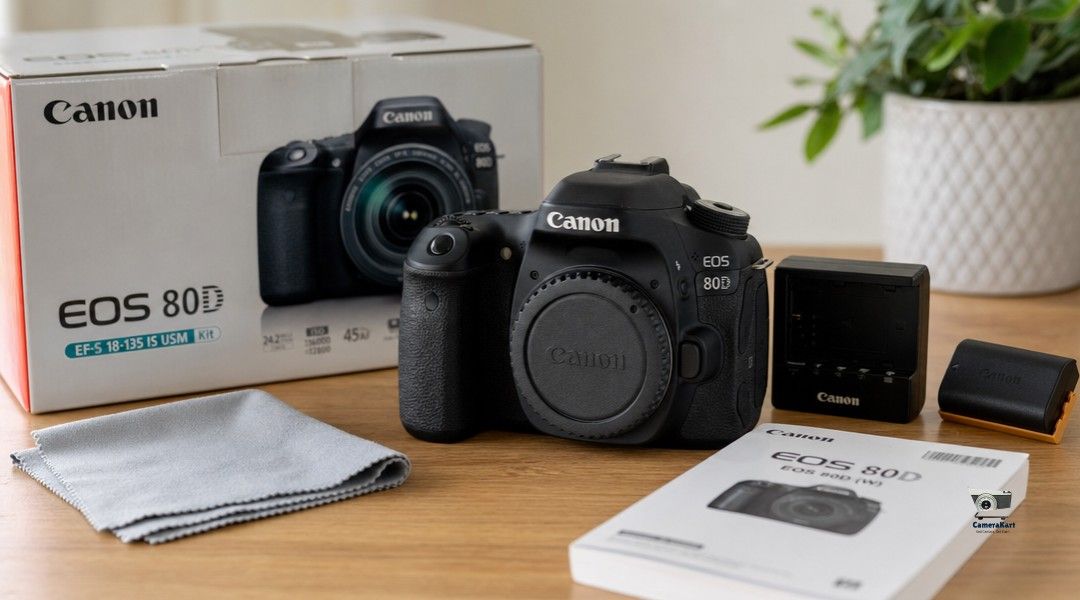
It’s not only about finding an interested buyer. How you set up your camera prior to asking for a quote can affect the confidence of buyers as well as the overall experience when selling.
Many photographers concentrate on the model but fail to consider the fact that accessories, presentation and the correct information also play a crucial role.
If you’re thinking of sell Camera Online, spending 20-30 minutes prepping your camera will allow you to complete the process faster.
Begin by performing a basic inspection
Before making contact with any potential buyer, check your camera with care.
Make sure to check for:
- Body Scratches
- LCD condition
- Loose rubber grips
- Lens mount condition
- Battery compartment
- Memory slot for cards
It’s not necessary to have an ideal camera However, knowing its condition can help you give accurate information for the assessment.
Clean Your Camera Properly
A clean camera makes an excellent first impression.
Utilize a microfiber towel to clean dust and fingerprints off the body and screen.
If you’re adding lenses be sure to clean only the outer glass with care. Beware of harsh cleaner solutions or even opening the lens yourself.
Professional buyers do not expect the latest camera model however, they appreciate cameras that have been well-maintained.
Gather All Available Accessories
Before you request a quote, make sure you have everything connected with the camera.
This could include:
- Original battery
- Charger
- Camera strap
- Lens caps
- Body cap
- USB cable
- Original box
- Purchase invoice
A complete set of documents makes the evaluation process simpler and could increase confidence of buyers.
Check That Everything Works
Buyers will at some point inspect your camera, which is why it’s best to confirm all of the information yourself.
Switch on the camera and try:
- Power button
- Shutter
- Autofocus
- LCD display
- Memory card is reading
- Video recording
- Flash (if available)
If you spot any problems you are concerned about, be honest when asking for an appraisal.
Take Clear Photos of Your Camera
When sharing information online, photos can help potential customers understand the real condition.
Capture:
- Front view
- View from the back
- Top panel
- Bottom panel
- Lens mount
- Screen
- Accessories
Utilize natural light instead of using heavy filters.
Clear images can help avoid the need for questions later on.
Note the Correct Model Information
Many cameras are named after the same person.
For instance:
- Canon EOS 200D
- Canon EOS 200D II
Or:
- Sony A6400
- Sony A6600
Providing the exact model can help buyers to provide a more precise estimate.
Be Honest About the Condition
Some sellers fear that mentioning small scratches or issues could affect the price.
In actuality, professionals typically spot these issues when they inspect the item.
Transparency can save time and help avoid miscommunications.
Honesty creates a better sales experience for both parties.
Understand What Affects the Final Price
The price is not decided by the buyer solely on the model.
Professional evaluations typically include:
| Factor | Why It Matters |
| Camera Model | Determines market demand |
| Physical Condition | Reflects general maintenance |
| Functional Condition | Checks for proper functioning |
| Accessories | It adds value to the package |
| Market Demand | Influences resale price |
This is the reason why two cameras that are identical can get different quotes.
Avoid These Common Mistakes
Before you sell your used camera Avoid these common mistakes:
- Sharing photos that are blurry
- Hiding damage
- Accessories for forgetting
- Not mentioning the correct model
- Awaited for several days to reply questions from buyers
Minor mistakes can slow your selling time.
How CameraKart Makes Selling Easier
When your camera is set, CameraKart helps simplify the next steps.
Instead of looking for buyers on your own instead of scouring the internet for buyers, you can request an expert evaluation and get an estimate based on the condition of your camera and market demand.
The procedure has been designed so that it is simple and simple which makes it easy to sell camera online without hassle.
Conclusion
Making sure your camera is ready before you sell isn’t difficult, however it could make a huge distinction in your overall satisfaction.
Spending a few minutes to check your equipment and clean it, arrange accessories, and give accurate details helps buyers assess your camera better.
If you’re contemplating to sell old camera devices or switching to a better model, a properly-planned camera can facilitate the selling experience from the very beginning.