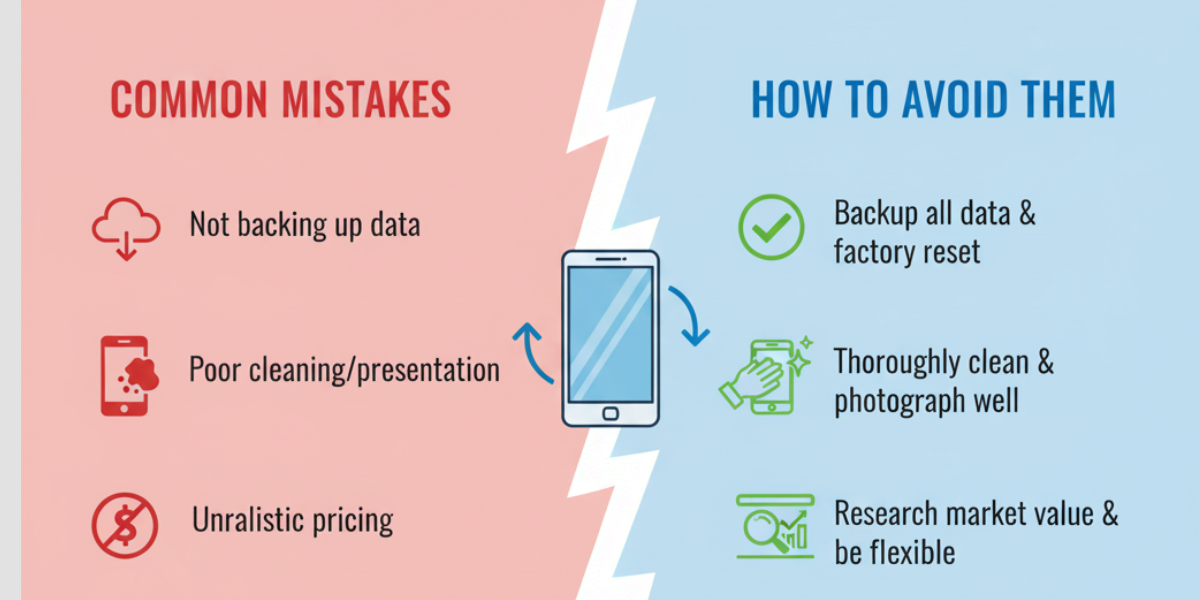
Getting a new gadget is exciting, but what do you do with the old one? Selling your used electronics is a fantastic way to recover some of your initial investment and fund your next purchase. However, many people leave money on the table or run into frustrating problems during the process. Selling successfully requires more than just listing an item online; it involves preparation, smart pricing, and secure practices.
This guide will walk you through the common pitfalls people encounter when selling their gadgets. By understanding these mistakes, you can learn how to avoid them, maximize your profit, and ensure a smooth, secure transaction. We’ll cover everything from preparing your device to closing the deal safely.
Mistake 1: Not Wiping Your Personal Data Properly
One of the most critical errors you can make is selling a device that still contains your personal information. Your old phone, laptop, or tablet is a treasure trove of data, including photos, contacts, emails, and saved passwords. Failing to erase this information completely exposes you to identity theft and privacy breaches.
Simply deleting files or logging out of accounts is not enough. A determined individual can still recover data that hasn’t been securely wiped.
How to Avoid This Mistake
- Back Up Your Data: Before you do anything else, make sure you have a complete backup of all your important files, photos, and documents. Use cloud services like iCloud or Google Drive, or transfer the data to an external hard drive or your new device.
- Perform a Factory Reset: This is the most important step. A factory reset will erase all user data and restore the device to its original software settings. The process differs slightly for each operating system:
- iOS (iPhone/iPad): Go to Settings > General > Transfer or Reset iPhone > Erase All Content and Settings.
- Android: Go to Settings > System > Reset options > Erase all data (factory reset). The exact path may vary by manufacturer.
- Windows: Go to Settings > Update & Security > Recovery > Reset this PC and choose “Remove everything.”
- macOS: Use the built-in Recovery Assistant to erase your Mac and reinstall macOS.
- Remove Removable Storage: Don’t forget to take out your SIM card and any microSD cards. These can also hold personal data.
Mistake 2: Poor Presentation and Inaccurate Descriptions
Buyers on platforms like eBay, Facebook Marketplace, or Swappa rely on your photos and description to make a decision. A blurry photo, a dirty screen, or a vague description will turn potential buyers away. Likewise, failing to mention scratches, dents, or functional issues will lead to disputes and negative reviews.
How to Avoid This Mistake
- Clean Your Gadget Thoroughly: Wipe down the screen, body, and ports with a microfiber cloth. Use a small amount of isopropyl alcohol for stubborn smudges, but be careful with screen coatings. A clean device looks more valuable.
- Take High-Quality Photos:
- Use a well-lit area with a neutral background.
- Take pictures from all angles: front, back, sides, and corners.
- Photograph any accessories you’re including, like chargers or cables.
- Be honest. Take close-up shots of any scratches, cracks, or cosmetic damage. Transparency builds trust.
- Write a Detailed and Honest Description:
- Start with the exact model name, storage capacity, and color.
- Clearly state the condition of the item (e.g., “Like New,” “Good,” “Fair”).
- Describe any cosmetic flaws or functional problems in detail. For example, “Small scratch on the top left corner, does not affect screen visibility.”
- Mention the battery health if you can (e.g., “Battery health at 88%”).
- List everything included in the sale (original box, charger, headphones, etc.).
Mistake 3: Unrealistic Pricing
Pricing your gadget is a balancing act. Price it too high, and it will sit unsold for weeks. Price it too low, and you’ll lose out on potential profit. Many sellers either guess a price based on what they originally paid or fail to research the current market value.
How to Avoid This Mistake
- Research the Current Market Value: Check completed and sold listings on marketplaces like eBay and Swappa for your exact model and condition. This shows you what people are actually willing to pay, not just what sellers are asking.
- Factor in Condition and Accessories: A device in mint condition with its original box and accessories will fetch a higher price than a scratched device with no charger. Adjust your price accordingly.
- Consider the Platform: Different platforms have different fees. For example, eBay takes a percentage of the final sale price. Factor these fees into your asking price to ensure you get the amount you want.
- Be Prepared to Negotiate: On many platforms, buyers will try to negotiate. Set your initial price slightly higher than your absolute minimum to give yourself some wiggle room.
Mistake 4: Ignoring Shipping and Packaging Costs
You’ve sold your gadget, but now you have to ship it. Many first-time sellers are surprised by the cost of shipping, especially for larger items like laptops. Underestimating this expense can eat directly into your profits. Furthermore, poor packaging can result in the item being damaged during transit, leading to a costly return and a very unhappy buyer.
How to Avoid This Mistake
- Calculate Shipping Costs Upfront: Use the shipping calculator provided by your chosen platform or the carrier’s website (like USPS, UPS, or FedEx). You’ll need the package dimensions and weight.
- Use a Sturdy Box and Proper Padding: Don’t just throw the gadget in a box. Wrap it securely in several layers of bubble wrap. Fill any empty space in the box with more padding (air pillows, packing paper) to prevent it from moving around.
- Get Shipping Insurance: For high-value items, shipping insurance is a must. It protects you financially if the package is lost or damaged by the carrier. The cost is usually minimal and provides significant peace of mind.
- Decide Who Pays for Shipping: Clearly state in your listing whether the buyer pays for shipping or if you are offering free shipping. If you offer free shipping, remember to build that cost into your item’s price.
Mistake 5: Falling for Scams
Online marketplaces are a target for scammers. Unwary sellers can easily fall victim to fake payment notifications, requests to communicate outside the platform, or fraudulent chargebacks. Being too trusting can cost you both your gadget and your money.
How to Avoid This Mistake
- Keep Communication on the Platform: Scammers often try to move the conversation to personal email or text messages. Legitimate buyers will communicate through the marketplace’s messaging system. This ensures there is a record of your entire conversation.
- Verify Payments: Never ship an item until you have confirmed the payment has been received in your actual account (e.g., your PayPal balance, bank account). Do not trust email confirmations alone, as these can be easily faked.
- Be Wary of Overpayment Offers: A common scam involves a buyer “accidentally” sending more than the asking price and then requesting you to wire back the difference. The original payment is fraudulent and will eventually be reversed, leaving you out of pocket.
- Use Secure Payment Methods: Stick to trusted payment methods recommended by the marketplace, like PayPal’s Goods & Services or the platform’s own payment system. Avoid requests for wire transfers, gift cards, or cashier’s checks.
- Document Everything: Keep records of your listing, communications with the buyer, proof of shipping (tracking number), and delivery confirmation. This evidence is crucial if you need to dispute a claim.
Your Checklist for a Successful Sale
Selling your old gadgets doesn’t have to be a hassle. By preparing properly and staying vigilant, you can turn your unwanted electronics into cash quickly and safely. Before you list your next device, run through this final checklist:
- Backup and Wipe: Securely back up your data and perform a full factory reset.
- Clean and Photograph: Make the device look its best and take clear, honest photos.
- Write a Detailed Description: Be transparent about the model, condition, and any flaws.
- Price It Right: Research the market to set a competitive yet realistic price.
- Plan for Shipping: Use proper packaging and calculate shipping costs in advance.
- Stay Safe: Communicate and transact only through the selling platform and verify all payments.
Following these steps will help you avoid the common mistakes and make your selling experience a profitable and positive one.
Read Also: Top 7 Myths About Selling Your Camera Online Busted!